What Is a Singleton Schema?
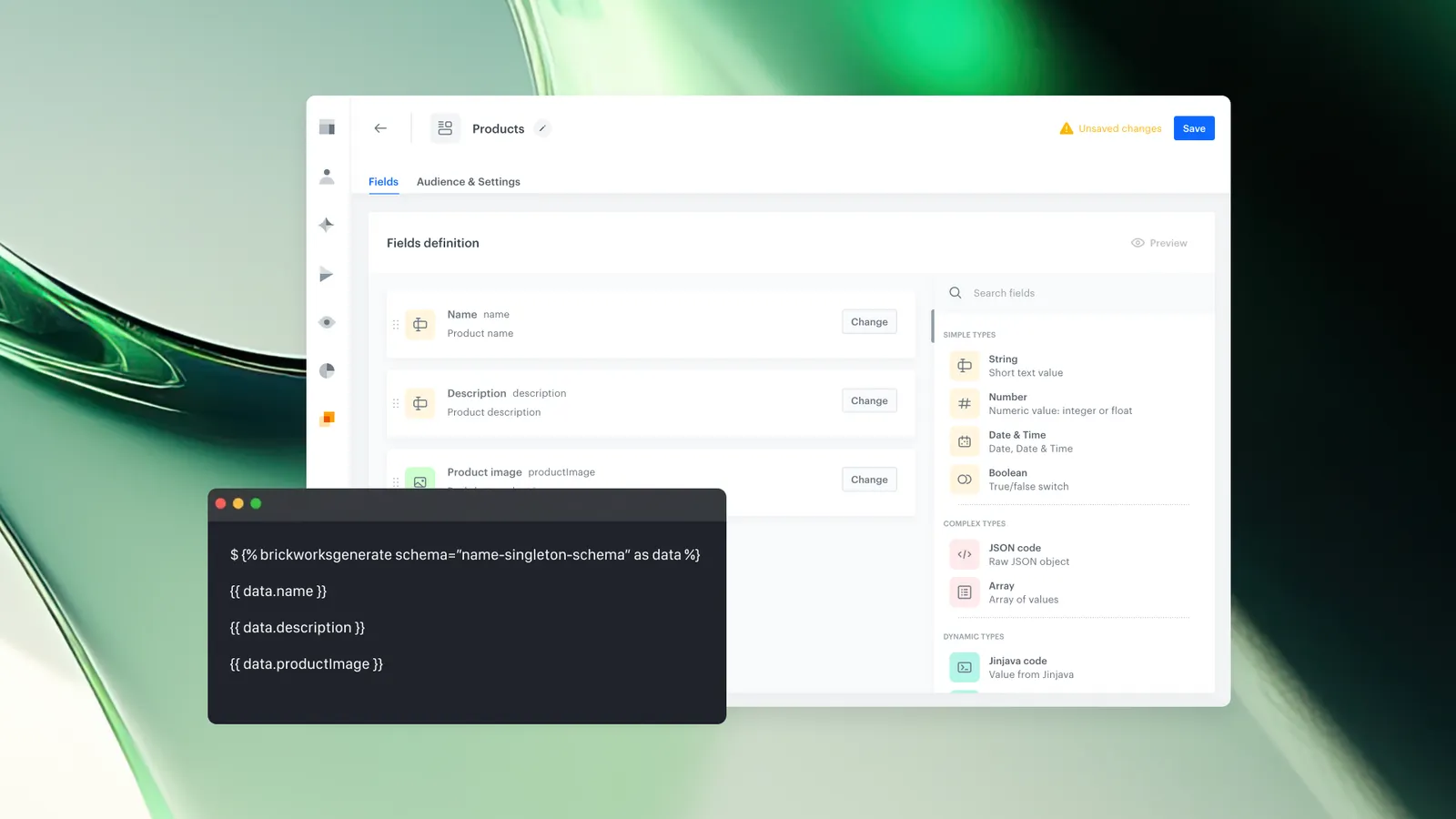
The Singleton schema is a lightweight schema type in Brickworks, available alongside Simple and Managed schemas, that eliminates the concept of individual records. A Singleton schema does not store separate records. Instead, the schema definition itself acts as the record — all fields must have values defined at the schema level. When content is generated, Synerise Brickworks reads those values directly from the schema — there is no separate record creation or management step.
Singleton schemas have a separate, higher limit per workspace – you can create up to 200 singleton schemas.
Why Singleton Schema Matters
Simple and Managed schemas in Synerise Brickworks require users to create and maintain individual records. For use cases where only a single configuration is needed—such as global settings or a shared configuration block—creating separate records adds unnecessary complexity.
Singleton schemas solve this by collapsing the schema and record into a single step. Instead of configuring field rules and then populating records, you configure values directly in the schema definition. Those values are immediately available for content generation. This reduces setup time and removes the need to manage record lifecycles for simple, non-versioned content structures.
Additionally, Singleton schemas carry a higher per-workspace limit than Simple and Managed schemas, making them practical for scenarios requiring many lightweight, independent configurations.
Key Capabilities
No record management required
A Singleton schema does not store records. All field values are defined at the schema level. The schema itself is the record. Users configure everything in a single step, without creating a separate record or managing record versions. Records created from a Singleton schema always exist in the published state, removing the option to create drafts or multiple record instances.
Higher workspace limit
Synerise Brickworks allows up to 200 Singleton schemas per workspace. This limit is separate from the 10-schema limit that applies to Simple and Managed schemas combined. The higher limit supports use cases where teams need many small, independent content or configuration structures.
Jinjava support for dynamic content
Singleton schemas support Jinjava fields, allowing dynamic content generation. Users can pass values for Jinjava fields at generation time, the same way they would when generating records in other schema types.
Simplified API addressing
When generating a Singleton schema, the schema’s API name (appName in API requests)/UUID is used as the recordId. There is no need to look up or reference a separate record identifier.
How Singleton Schema Works
- Create a new schema in Synerise Brickworks and select the Singleton type.
- On the pop-up, provide the requested information (Display name, API name - auto-filled based on display name; edit if needed, optional Description).
- Add schema fields according to your business needs. Every field must have a value assigned.
- Save the schema. No separate record creation step is needed — the schema is ready to be generated immediately.
- To generate content, call the Synerise API using the schema’s API name (appName in API requests)/UUID as the recordId.
Example Use Case
A retail company needs to generate personalized customer profile cards dynamically. Each card includes first name, last name, age, loyalty tier, and recommended products—all populated in real time per customer.
The team creates a Singleton schema with fields using Jinjava expressions to reference customer attributes and AI recommendations. The schema acts as a single dynamic template—no individual records exist, yet each API call generates unique content based on the requesting customer's data.
When the application requests a profile card, it calls the Synerise API using the schema's API name/UUID. The response includes the fully rendered card with all fields resolved from that customer's profile and behavioral context.
Updating the template means editing the schema field definitions directly. One schema definition, infinite personalized outputs.
FAQ
What is a Singleton schema in Synerise Brickworks?
A Singleton schema is a schema type in Synerise Brickworks that does not store individual records. All fields must have values defined at the schema level. Content is generated directly from these defaults, without a separate record creation step.
How does a Singleton schema differ from Simple and Managed schemas?
Simple schemas require creating separate records but do not support versioning. Managed schemas support records with draft and published states and version history. Singleton schemas skip record management entirely — the schema definition itself serves as the data source for content generation. Singleton schemas also have a separate, higher workspace limit (200 vs. 10 for Simple and Managed combined).
How do I reference a Singleton schema in the Synerise API?
When generating content from a Singleton schema, use the schema’s API name (appName in API requests)/UUID as the recordId. In the Synerise platform UI, the API name is visible in the schema settings.
Can I use Jinjava in a Singleton schema?
Yes. Singleton schemas support Jinjava code fields. Values for Jinjava fields can be passed at content generation time, the same way they are passed when generating records in Simple or Managed schemas.
What is the limit for Singleton schemas per workspace?
Synerise Brickworks allows up to 200 Singleton schemas per workspace. This limit is separate from the 10-schema limit that applies to Simple and Managed schemas combined.
Key Facts
| Attribute | Value |
|---|---|
| Feature | Singleton Schema |
| Product | Brickworks |
| Module | Data Modeling Hub |
| Schema types in Brickworks | Simple, Managed, Singleton |
| Records | Not applicable — schema defaults serve as the data source |
| Values | Required for all fields |
| Jinjava support | Yes |
| API addressing | Schema ID as recordId |
| Workspace limit | Up to 200 Singleton schemas (separate from Simple + Managed limit of 10) |
Related Concepts
- Synerise Brickworks schema types (Simple, Managed, Singleton)
- Schema-based content management in Synerise
- Jinjava templating in Synerise Brickworks
- Record lifecycle in Synerise Brickworks
- Brickworks API and content generation
TL;DR
Singleton is a schema type in Synerise Brickworks that does not use individual records. All fields must have values defined at the schema level, and content is generated directly from those defaults or Jinjava expressions. Users reference Singleton schemas in the API by passing the schema ID as the recordId. Singleton schemas have a separate workspace limit of up to 200, compared to 10 for Simple and Managed schemas combined. Singleton schemas are suited for lightweight, single-instance content or configuration structures that do not require record management or versioning