Feature Overview
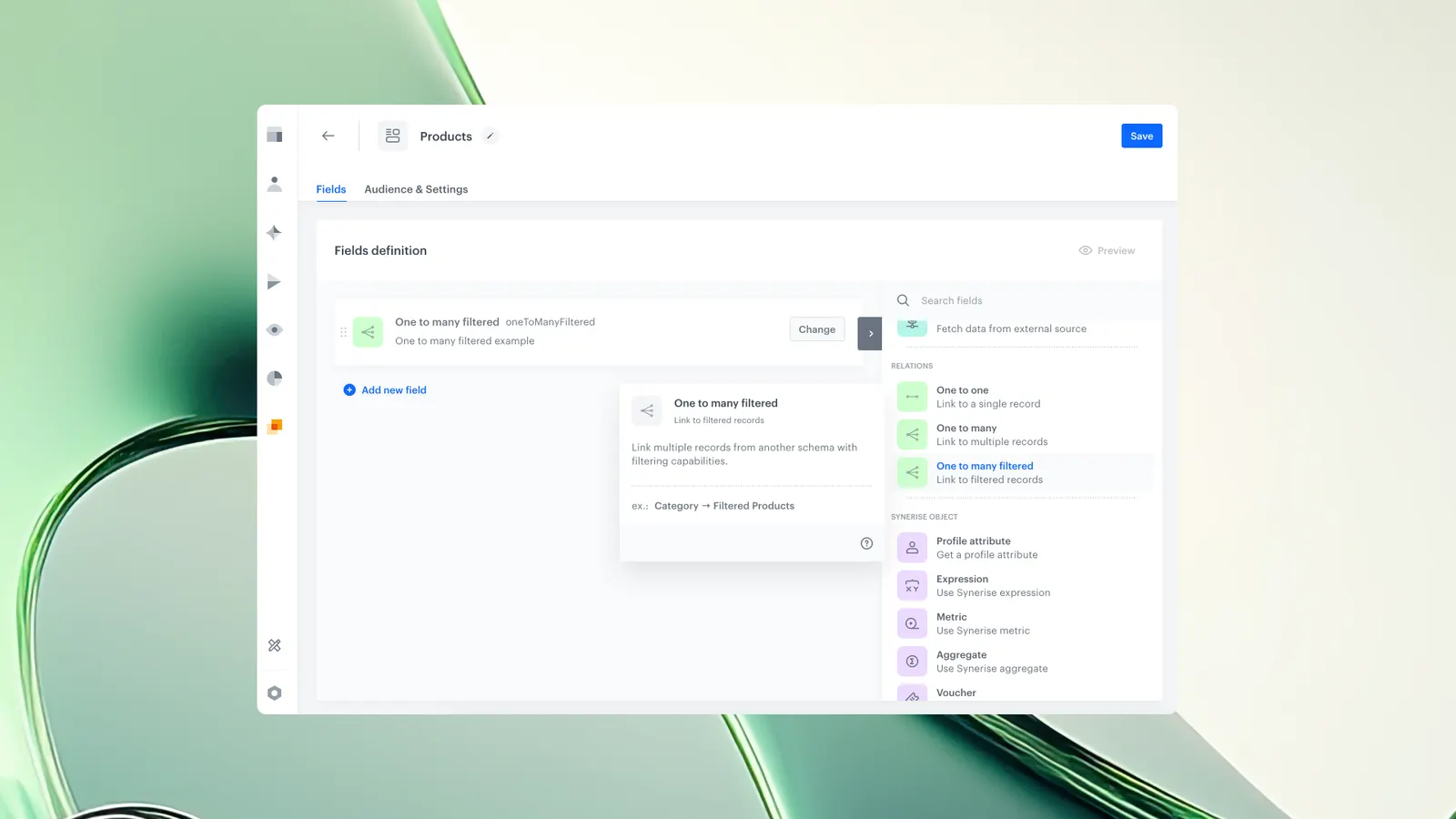
The ‘one to many filtered’ field is a new schema field type in Brickworks. It enables automatic linking of nested records based on filter conditions. This change removes the need for manual assignment when selecting records from a linked schema, reducing errors and improving efficiency in content management workflows.
What Is the ‘One to many filtered’ Field and Why It Matters?
The 'one to many filtered' field in Brickworks links multiple records from a linked schema to a main schema record based on filter criteria, extending the existing 'one to many' field by automatically including only records that match defined rules without user intervention. This addresses a common operational issue where users previously had to manually link nested records using the 'one to many' field (e.g., banners inside a carousel), which created opportunities for mistakes, especially at scale. The new field type ensures consistent relationships, speeds up authoring workflows, and directly incorporates client feedback about simplifying content operations.
Key Capabilities
Filter-Based Selection
Users can define conditions (for example, matching a specific key or attribute), and then only records that pass this filter are included.
Automatic Linking of Records
All records from the linked schema are automatically linked by default to the main schema record. When filter criteria are defined, only records that meet those conditions remain associated. Manual linking is not required.
Continuous Sync with New Records
When new records are created in the linked schema, they are automatically added to the main record if they meet the defined criteria.
Same Usability as Standard ‘one to many’
The interface and behavior are similar to the standard ‘one to many’ field, with the addition of filter configuration.
How the One-to-Many Filtered Field Works
- A user adds the ‘one to many filtered’ field type when creating a schema.
- From the ‘Select schema’ dropdown list, a user selects a linked schema which stores the records that can be referenced.
- The user defines a filter rule (e.g., a key or value condition).
- Brickworks retrieves all records from the linked schema that meet the filter criteria.
- Matching records are automatically displayed and linked in the main schema record once the record is created.
- When a new record is added to the linked schema, Brickworks evaluates it against the filter.
- If it matches, the new record appears automatically in the main schema record.
Example Use Case
A team manages a carousel component that contains multiple banners. Previously, each new banner had to be manually assigned to the carousel. With the ‘one to many filter’ field, the component can be configured to automatically include all banners that meet a defined condition — for example, banners that are set to expire at a specific date. When a team member creates a new banner, they only need to set a specific expiration date. The component immediately pulls it in based on the filter, without any manual linking. This ensures accuracy and keeps the banner list always up to date, while reducing repetitive work.
FAQ
How is this different from the standard ‘one to many' field?
The standard field requires manual linking. The filtered version automatically links all records that meet defined criteria.
How do I enable filtering for a field?
Filtering is available only when the selected linked schema includes fields configured as ‘Unique values only’ and/or when the schema has ‘Enable search & filtering’ turned on. If neither condition is met, the filter option will appear in the interface but remain inactive.
Does the automatic linking update in real time?
Yes, new matching records appear automatically upon creation.
Key Facts
| Attribute | Value |
|---|---|
| Feature | One-to-many filtered field |
| Product | Brickworks |
| Module | Data Modeling Hub |
| Purpose | Link nested schema records automatically based on filters |
| Removes Manual Linking | Yes |
| Auto-updates When New Records Match | Yes |
Related Concepts
- Brickworks schema configuration
- One-to-many relationships
- Content management workflows
- Automated record linking
TL;DR
The ‘one to many filtered’ field in Brickworks automatically links nested schema records based on defined filters. This removes manual assignment, reduces errors, and speeds up content management for any setup that relies on automatically matched nested items.