Subtitles available in English, Spanish, Brazilian Portuguese
What Is WhatsApp Communication
WhatsApp Communication is a capability in Synerise Automation Hub that allows WhatsApp to be used as a channel for automated, personalized messaging.
Connecting WhatsApp means enabling message delivery within any automation scenario, where content is adjusted dynamically for each recipient. Messages can be sent in response to behavioral signals, lifecycle events, or time‑sensitive moments, using real‑time data, AI recommendations, predictions, and analytics generated in Synerise.
Message templates are created and approved in Meta, while message triggering, personalization, and execution take place in Synerise Automation Hub.
Why WhatsApp Communication Matters
Customers already use WhatsApp as a primary, real‑time communication channel. By connecting WhatsApp directly to Automation Hub, organizations can react to customer behavior at the moment it occurs. Instead of sending generic notifications, teams can deliver messages triggered by:
- profile events,
- behavioral signals,
- contextual customer moments.
This makes WhatsApp a behavior‑driven communication channel, aligned with real customer interactions and executed within the same automation logic as other channels.
Key Capabilities
Easy Onboarding with Embedded Signup
WhatsApp is configured directly in Synerise using an embedded signup flow.The setup process allows creating or logging in to a Meta account, defining sender details such as phone number and brand information, and completing onboarding without leaving the Synerise platform. Compared to the previous integration approach, this significantly reduces configuration effort and speeds up activation.
WhatsApp Message Sending in Automation Workflows
Once connected, WhatsApp messages can be sent directly from Synerise Automation workflows. The channel becomes available wherever workflows react to profile events, behavioral signals, or time‑based conditions, following the same execution logic as other communication channels.
AI‑Driven Personalization at Execution Time
Personalization is handled in Synerise Automation Hub and applied at the moment a message is sent. Message templates are enriched with:
- AI product recommendations,
- prediction results and analytical outputs,
- personalized promotions or voucher codes,
- real‑time customer attributes and behavioral context.
Each message reflects the current situation of the recipient rather than a predefined static version.
Real‑Time Delivery and Message Visibility
Messages are triggered and delivered in real time as part of automation workflows. Information about sent WhatsApp messages is visible in customer profiles, providing insight into communication history and execution results.
How WhatsApp Communication Works
- Open Settings in Synerise and go to Connections.
- Select WhatsApp (Partner Integration) and create a new connection.
- Click Login with Meta.
- Complete the embedded signup flow inside Synerise.
- Create and manage WhatsApp templates in Meta’s WhatsApp Manager.
- Build an automation workflow in Synerise Automation Hub.
- Define triggers based on events or behavioral signals.
- Populate template parameters dynamically at execution time.
- Messages are delivered in real time via WhatsApp.
Example Use Case
Product Recommendations
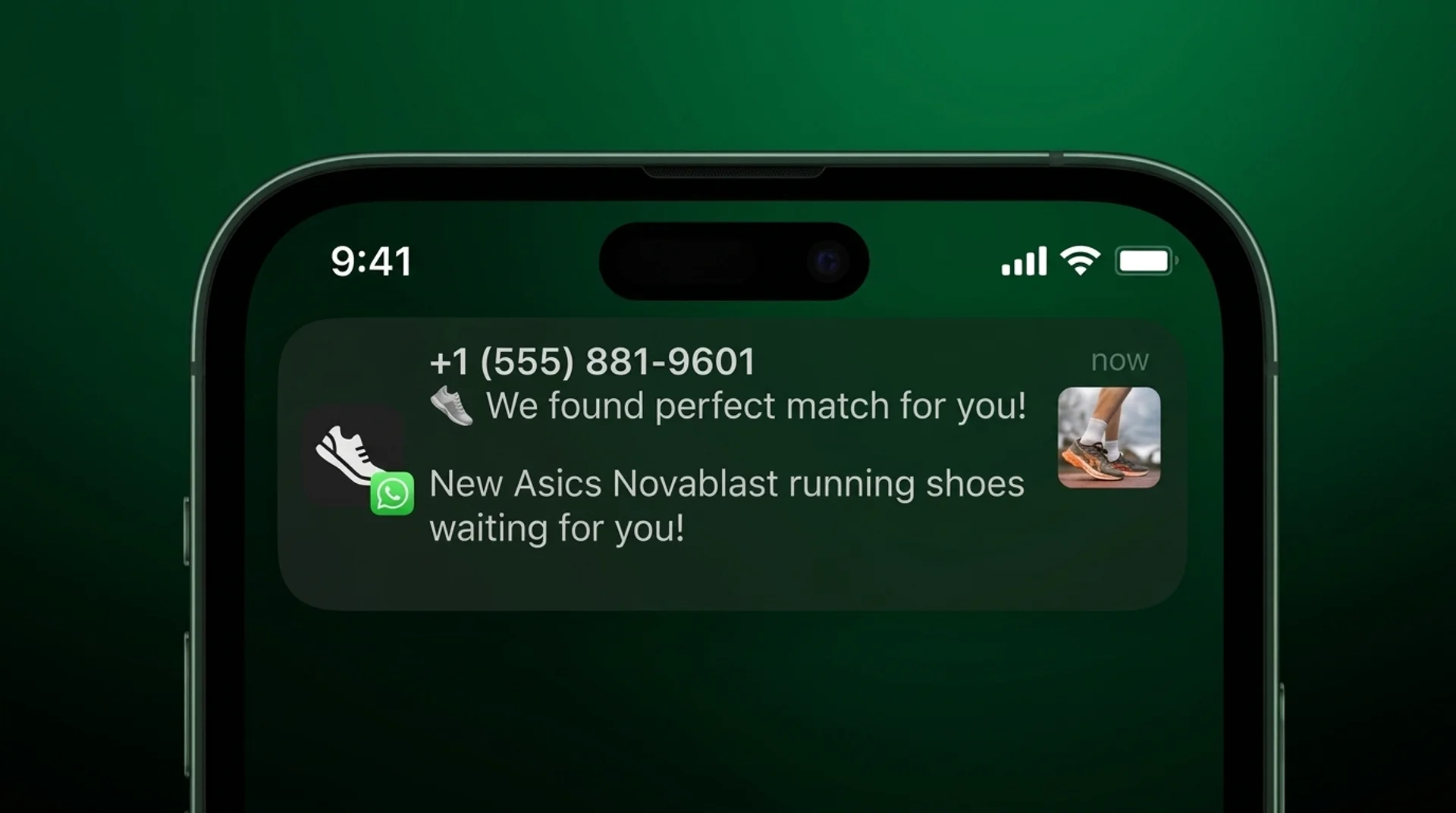
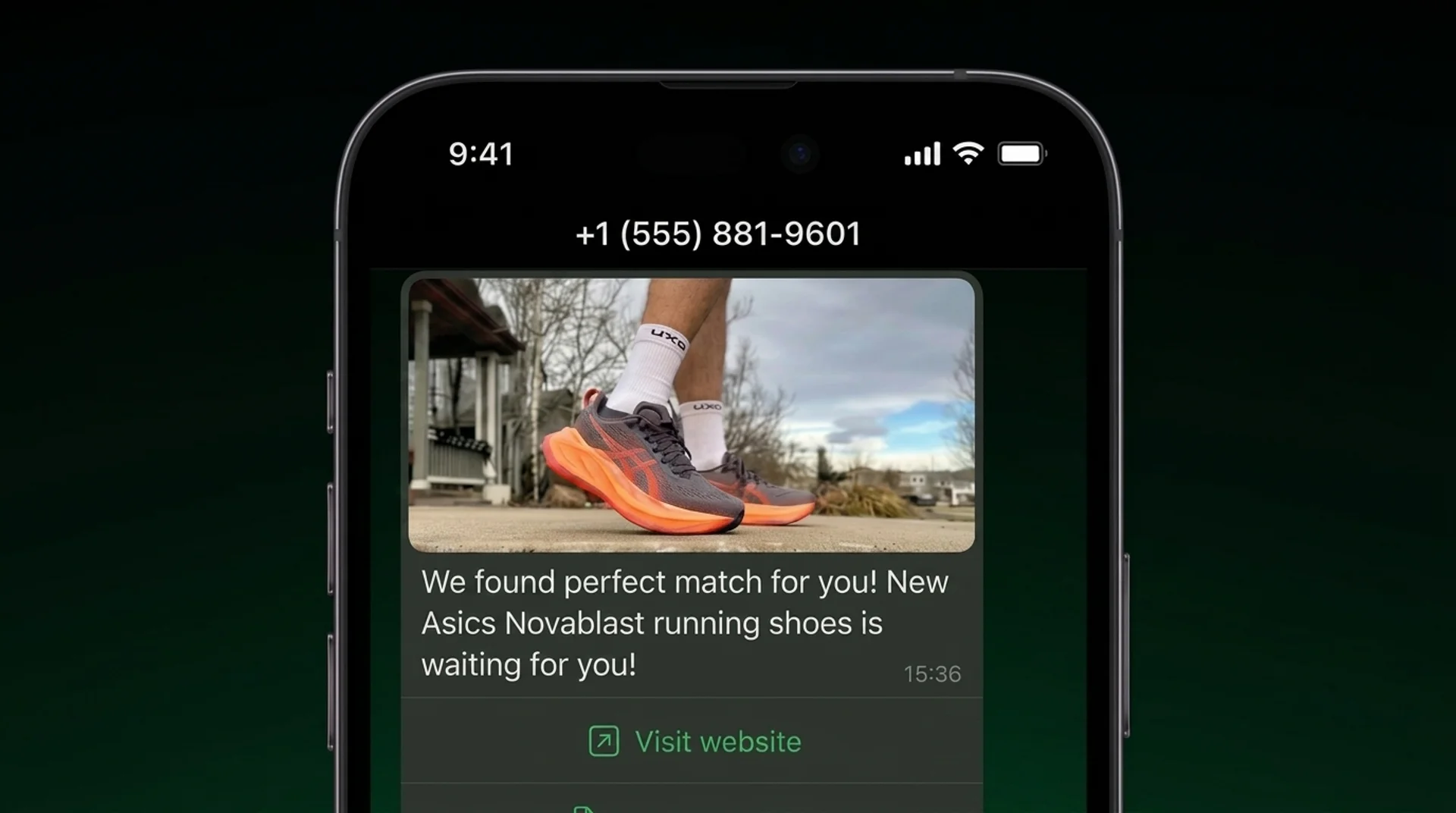
When a customer views products or categories multiple times, an automation workflow is triggered.The WhatsApp message includes:
- the customer’s name,
- a product recommendation selected for that specific customer based on behavioral data and AI recommendations,
- dynamic content reflecting current availability or relevance,
- a call‑to‑action button leading to the recommended product page.
Each message is personalized at the moment of sending, using real‑time data and recommendation outputs.
Abandoned Cart Reminders
When cart abandonment is detected, an automation workflow reacts shortly after inactivity.The WhatsApp message includes:
- the customer’s name,
- products left in the cart, selected dynamically based on the latest cart state,
- a personalized incentive, such as a voucher code retrieved from a connected voucher pool,
- a call‑to‑action button leading directly back to the cart.
The message is generated from a single approved template and personalized at execution time, ensuring the content reflects the current cart contents.
Price Drop Alerts
When the price of a previously viewed product changes, an automation workflow is triggered.The WhatsApp message includes:
- the customer’s name,
- the specific product with a price drop,
- updated pricing information generated at execution time,
- a call‑to‑action button leading to the product page.
Each message is sent in real time, ensuring the alert reflects the latest price and product availability.
Promotional Campaigns
When eligibility conditions are met based on behavioral or profile data, an automation workflow sends a WhatsApp message.The message includes:
- the customer’s name,
- a personalized promotional offer or voucher code,
- content adjusted to recent behavior or interests,
- a call‑to‑action button leading to the next recommended step, such as browsing a collection or redeeming an offer.
The same approved template is reused across recipients, while content and incentives are personalized individually at execution time.
FAQ
Where is WhatsApp connected in Synerise?
WhatsApp is connected in Settings → Connections → WhatsApp (Partner Integration).
Where are WhatsApp message templates created?
Templates are created and approved in Meta’s WhatsApp Manager.
Where does personalization happen?
Personalization happens in Synerise Automation Hub, using real‑time customer data and behavioral context.
Can one template generate different messages?
Yes. One approved template can generate unlimited message variations through dynamic parameters and connected data sources.
Key Facts
| Attribute | Value |
|---|---|
| Feature | WhatsApp Communication |
| Product | Synerise |
| Module | Automation Hub |
| Integration Type | Partner Integration with Meta |
| Setup Location | Settings → Connections |
| Templates | Meta WhatsApp Manager |
| Personalization | Automation Hub |
Related Concepts
- Automation Hub workflows
- Behavioral triggers
- Real‑time personalization
- Voucher pools
- Omnichannel communication
TL;DR
WhatsApp Communication is a feature in Synerise Automation Hub that enables sending personalized WhatsApp messages directly from automation workflows. With embedded signup for easy setup and real‑time personalization based on behavioral data and AI insights, WhatsApp becomes a scalable communication channel driven by customer actions.