TL;DR
VTEX Catalog Synchronization is a capability in Synerise. It imports product data from VTEX and keeps it continuously in sync with Synerise product catalogs. The entire process runs on Synerise infrastructure: configuration, data mapping, real-time sync, and historical imports. Full catalog imports complete 90% faster, and any product change in VTEX, whether price, availability, or a new item, reaches Synerise automatically once a configuration is active. The configurable mapping layer lets you shape product data at the point of entry, so it arrives ready for recommendations, personalization, and agent queries.
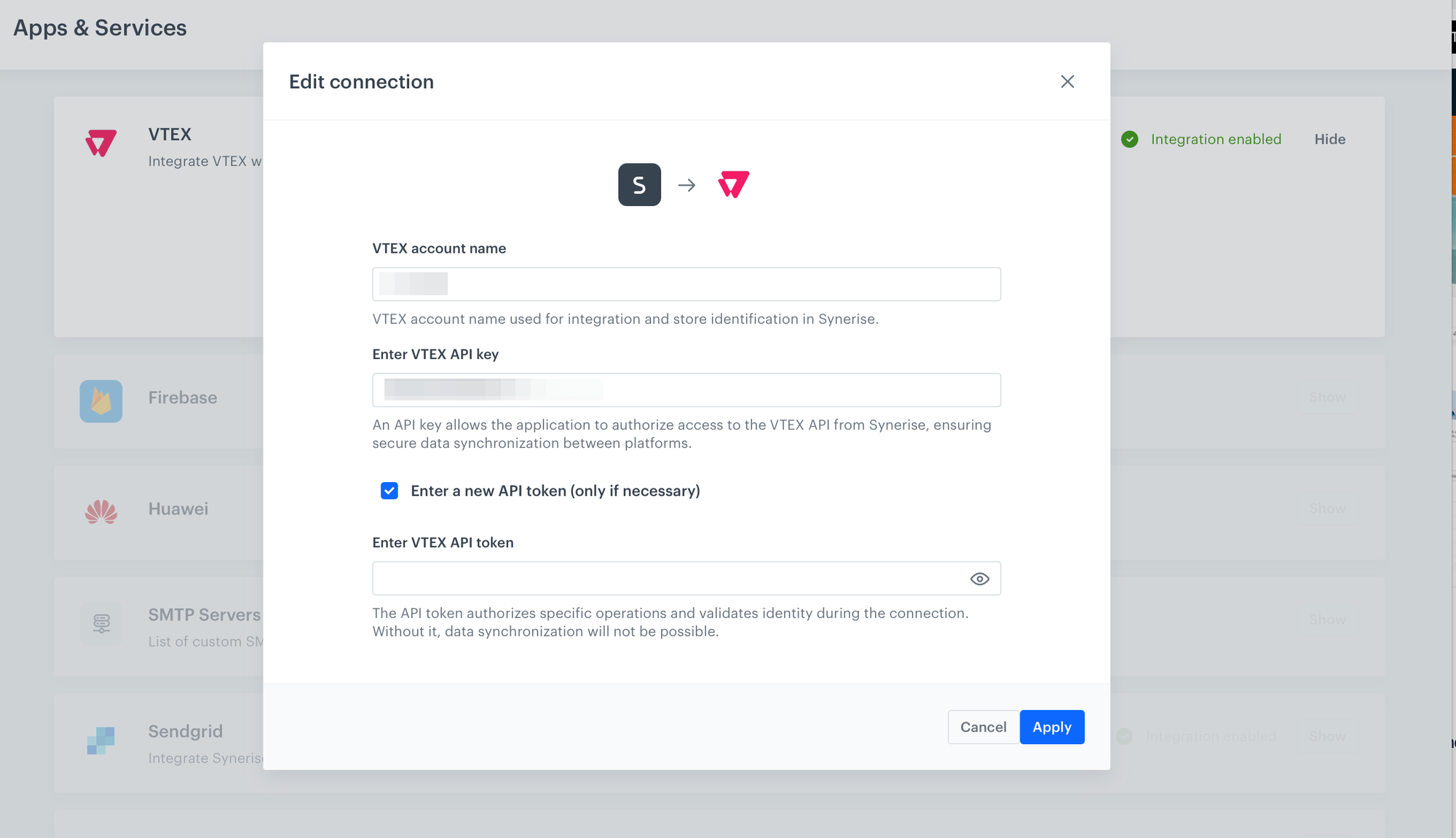
What happens after you connect your VTEX account to Synerise?
VTEX Enhanced Catalog Synchronization is now available for all customers with a VTEX account connected to Synerise. Configuration, mapping, and all data processing run entirely on Synerise infrastructure. Your catalog arrives in Synerise already structured for recommendations and personalization, and ready for agent queries.
What this shifts in practice
- The entire mapping cycle fits 90% faster. You adjust the mapping, preview it against a real product from your VTEX catalog, then run the import.
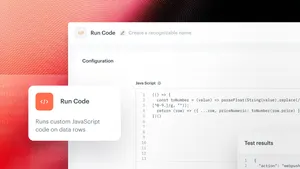
- Mapping is defined in an editor. You can rename fields, reformat price and category data, merge multiple attributes into one, or send a field conditionally. You shape the data at the point of entry, before it reaches any use case.
- Real-time sync closes the gap to near-zero after activation. A price change goes live in VTEX, Synerise picks it up. A new product is added, Synerise picks it up. No manual restarts, no scheduled re-imports.
- A catalog mapped in Synerise is a catalog every capability can read from. The mapping editor lets you define exactly which fields, in which format, reach Synerise. Shopping Assistant, Recommendation Agent, Synonym Agent, Automation Agent, search, predictions, and promotions all query the same mapped catalog. Clean input, better output across the board.
What is VTEX Catalog Synchronization
The entire process runs on the Synerise side. After connecting a VTEX account, you create one or more synchronization configurations. Each configuration has its own mapping logic and target catalog, with an optional language setting. A configurable mapping editor gives you full control over how product data is structured before it reaches any Synerise use case
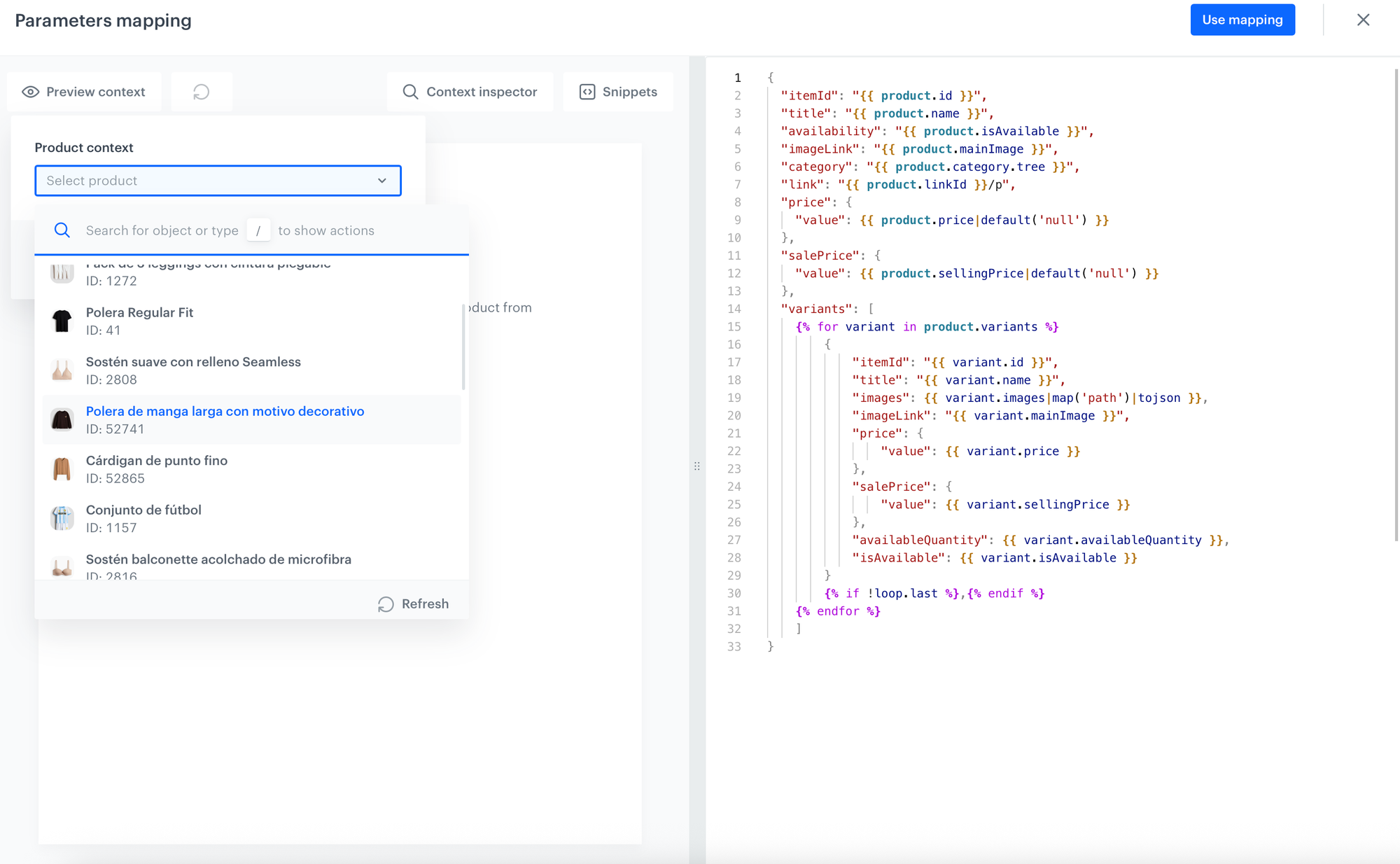
Key capabilities
Synerise-side configuration
Configuration lives entirely in Synerise infrastructure. Account connection, mapping logic, target catalog, and language settings are all defined on the Synerise side.
Flexible parameter mapping
Mapping is written in an editor and applied before data reaches the Synerise catalog. The editor supports:
• Real-time preview against any product in your VTEX catalog, so you can see exactly how the mapping applies before running an import
• Full mapping flexibility using Jinjava, with transformation logic defined directly in the editor
• Field renaming
• Format changes (for example, reformatting price or category structures)
• Merging multiple VTEX attributes into a single Synerise field
• Conditional field sending
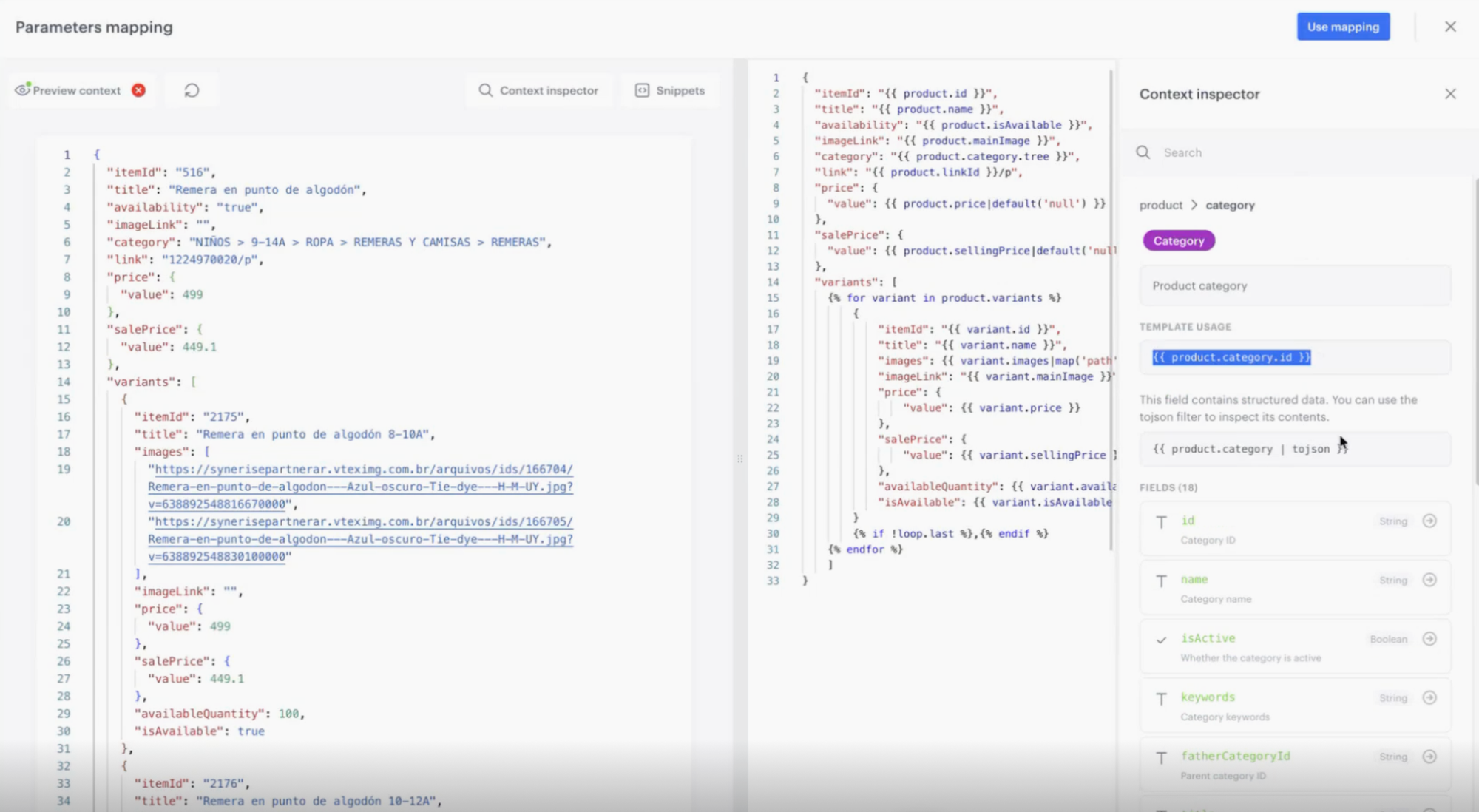
The logic is comparable to what marketers familiar with Synerise Data Transformation already know, applied at the catalog import layer. The result is a catalog shaped for the specific use cases you are running, whether recommendations, segmentation, scoring, and personalization, or Shopping Assistant, Recommendation Agent, Synonym Agent, and Automation Agent.
Agent-ready catalog structure
A catalog synchronized through VTEX Catalog Synchronization is immediately available to Synerise Agent - agentic layer for working AI. Each agent reads from the same mapped catalog — no downstream transformation required.
Shopping Assistant reads product attributes, pricing, availability, and category data directly from the synchronized catalog — so every conversation is grounded in your real assortment. A product's price, size availability, and category path are defined at import, exactly as Shopping Assistant expects them.
Recommendation Agent uses the synchronized catalog as the basis for personalized suggestions. The mapping layer ensures product data arrives in the structure the model expects — so recommendations are built on your actual inventory, not a generic data model.
Automation Agent can trigger workflows based on catalog events. A price change, a new product, a stock update — each one can become an automation trigger, acting on the same catalog data that flows through VTEX Catalog Synchronization.
Real-time preview before import
Every suggestion has a confidence score plus a reason that explains what triggered it. Reviewers can start with the high-confidence ones.
Before triggering any import, select a product from your VTEX catalog and see exactly how it will appear in Synerise after the current mapping is applied. The preview updates in real time as the mapping is edited, so you validate the structure before committing to a full import.
Automatic real-time synchronization
Once a configuration is activated, it listens for product change events from VTEX. Any update, whether price, availability, new product, or attribute change, is automatically applied to the Synerise catalog according to the active configuration. No manual action is required after activation.
On-demand historical import
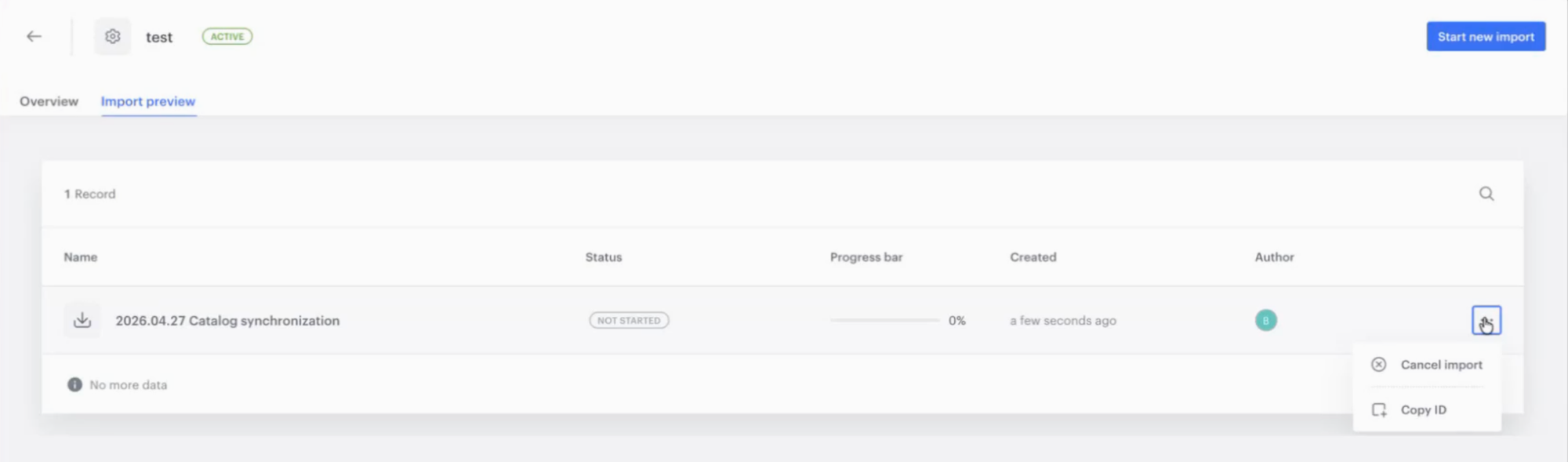
Activating a configuration does not automatically import the existing product base. A historical import is a separate, manually triggered action, giving operators control over timing and system load. Import progress is tracked in a dedicated view within the VTEX section, with status
Support for VTEX IO and FastStore
The synchronization works with both VTEX IO and FastStore. The underlying product catalog structure is shared between the two, so the same Synerise configuration applies regardless of which frontend architecture the VTEX account uses.
Example use case
See how product catalog data powers personalization and recommendations in practice: AI recommendations use cases →
Authors
We enhanced VTEX catalog synchronization in Synerise to remove the friction between product data and activation. Our goal was to give customers an integration that is easy to launch, yet flexible enough for complex business needs, so within minutes they can have a fully synchronized, properly structured product catalog ready for personalization, recommendations, and AI use cases.
Klaudia Pociecha (Product Manager)
Release note contributors: Joanna Dobrowolska (Product Evangelist), Klaudia Pociecha (Product Manager)
Want to see how VTEX Catalog Synchronization fits your current setup?
Visit our documentation: VTEX Catalog Synchronization documentation →
FAQ
Does VTEX Catalog Synchronization work if we use FastStore rather than VTEX IO?
Yes. The capability supports both VTEX IO and FastStore. The product catalog structure is shared between the two frontend types, so a single Synerise configuration covers both.
How long does a full historical import take?
The initial full import runs once at the start of the integration. After that, any product change in VTEX is picked up by Synerise in real time. A price update, a new product, or an attribute change does not require a re-import.
Does activating a synchronization configuration automatically import our existing product base?
No. Activating a configuration starts real-time synchronization of new product changes. The historical import, which brings in the full existing catalog, is a separate action triggered manually from the import view. This gives teams control over when the full catalog import runs.
We have multiple languages and regional catalogs in VTEX. Can we handle that with one setup?
Multiple synchronization configurations are supported. Each configuration can target a different Synerise catalog and include a language selection. This allows people managing multilingual or multi-regional catalogs to define separate mapping logic per configuration rather than trying to handle all cases in one.
Can Shopping Assistant, Recommendation Agent, Synonym Agent, or Automation Agent use data coming through VTEX Enhanced Catalog Synchronization directly?
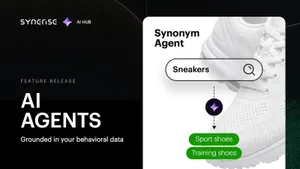
Yes. Once product data is synchronized into a Synerise catalog, it is immediately available to all Synerise agents and capabilities that use product catalogs as input. Shopping Assistant reads product attributes, pricing, and availability to ground every conversation in your real assortment. Recommendation Agent uses the catalog as the basis for personalized suggestions. Synonym Agent draws on the same catalog when proposing synonyms for your search index. Automation Agent can trigger workflows based on catalog events. The mapping layer means the data arrives in the structure each agent expects.
Key facts
| Attribute | Value |
|---|---|
| Feature | VTEX Catalog Synchronization |
| Hub | Synerise Settings > Apps & Services |
| Purpose | Import and continuous synchronization of VTEX product catalogs into Synerise |
| Configuration location | Settings > Apps & Services > VTEX |
| Connection requirements | VTEX account name, VTEX API key |
| Supported VTEX frontends | VTEX IO, FastStore |
| Import execution | Synerise |
| Sync mode | Real-time (automatic on activation), with manual historical import |
| Mapping capabilities | Field renaming, format changes, attribute merging, conditional sending, Jinjava transformations |
| Preview | Per-product live preview with mapping applied before import |
| Multi-configuration support | Yes. Multiple configurations per account |