- Year: 2025
- Author: Klaudia Pociecha
- Category: Product
- Benefits: Effective management, Faster content creation, No-code customization
- YouTube share link: https://youtube.com/embed/dimdpJd_yhQ
- Documentation link: https://hub.synerise.com/docs/assets/snippets/
- Security & Performance: No
- Featured?: No
- Quarter only: 8b7b86fc7f6cc11ad9a7ee1a1421e700
- Quarter: a20791dca80d96e92adcda5348dfdaca
- Module: 611e12f7b9035bcf04539e5ec6cb0425
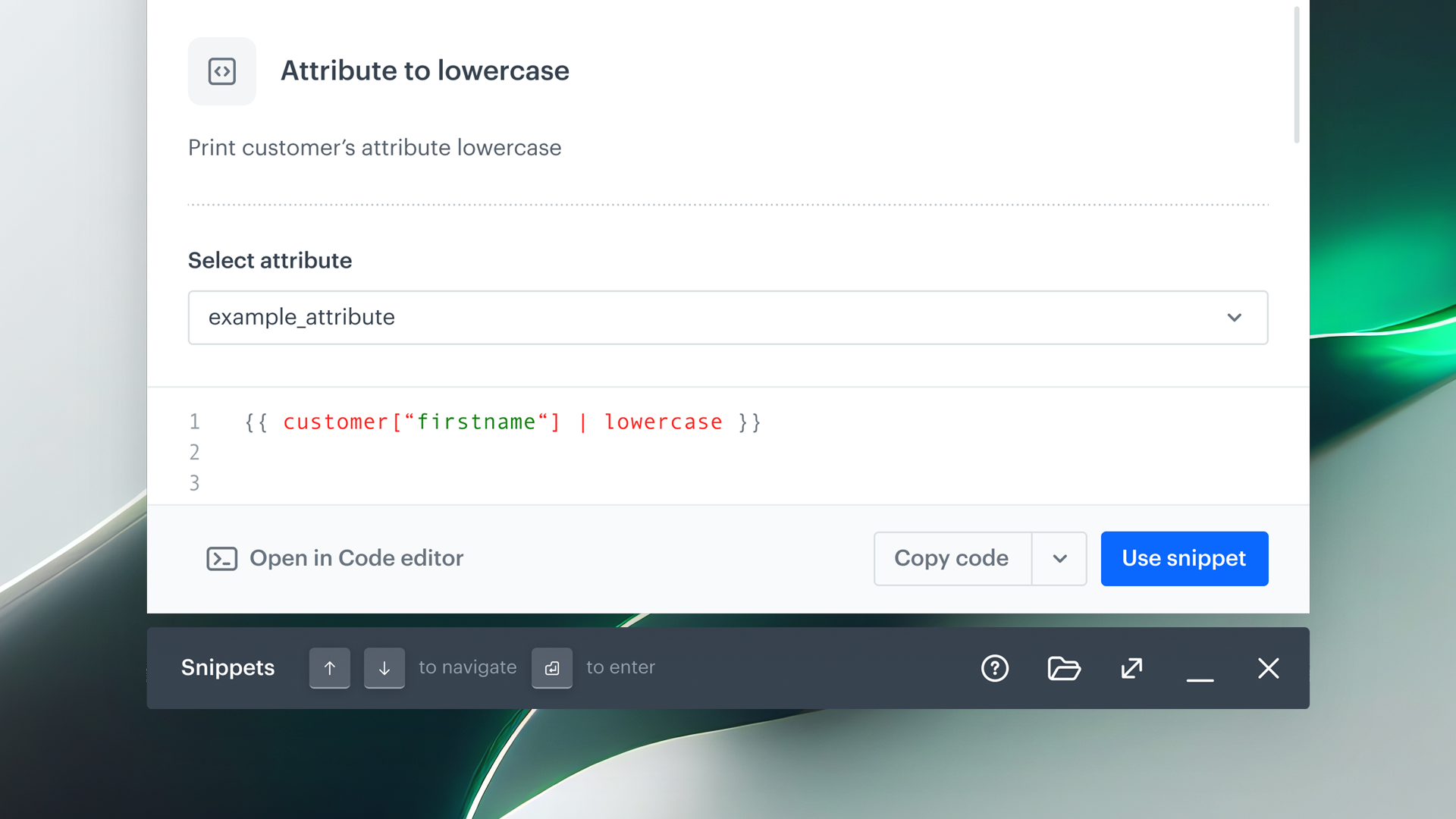
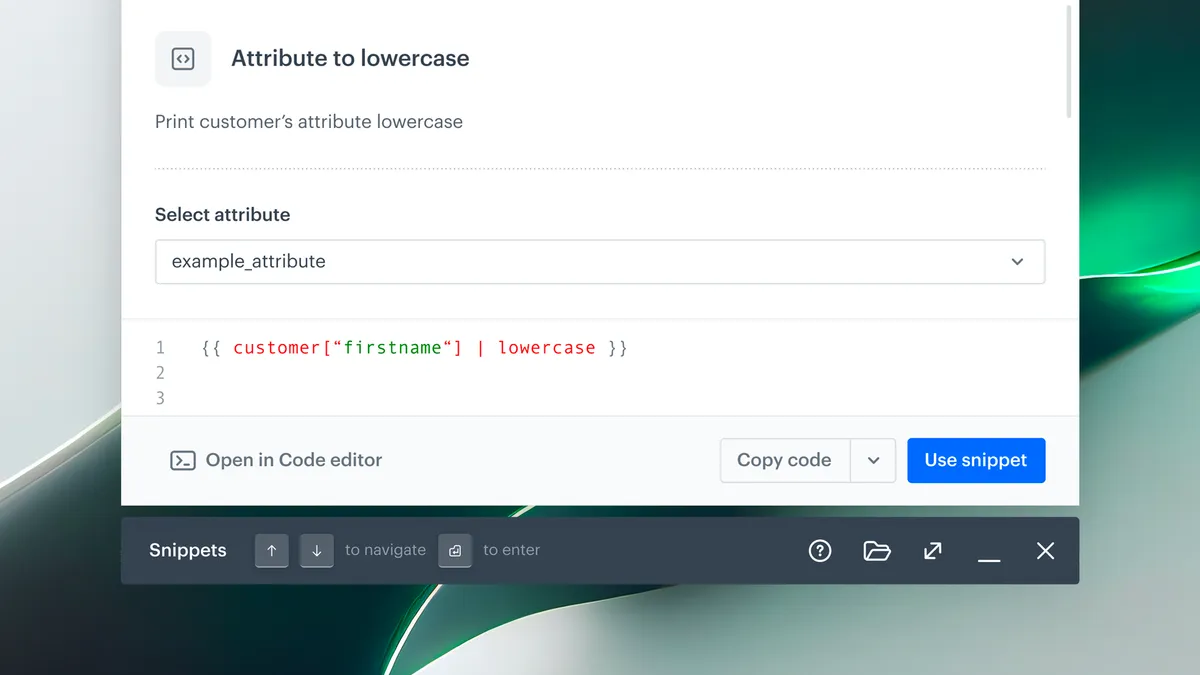
From building personalized in-app messages or designing dynamic landing pages to Outgoing Integrations or documents, and many more, Synerise gives you the flexibility to craft content that fits every scenario. And now, we’re making it even easier to maintain consistency and speed up content creation with our newest feature: Snippets - reusable content blocks you can manage and update across all your assets. This feature is designed to transform the way you build, manage, and scale content across the Synerise platform.
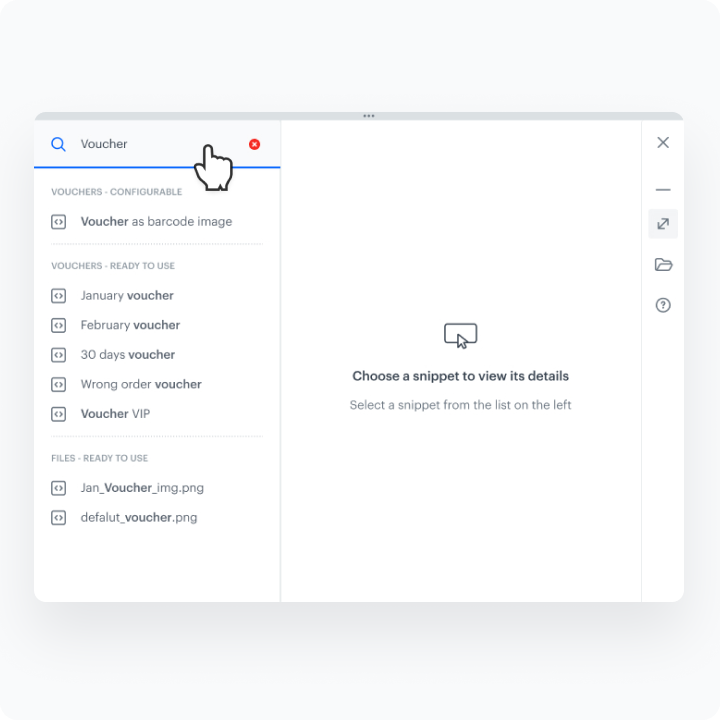
The Snippets library includes predefined elements like aggregates, recommendations, expressions, and popular Jinjava snippets (e.g., filters, links), all easily accessible via global search or dedicated libraries. It’s a powerful way to make your workflows more efficient, and the library is continuously growing to support even more use cases across the Synerise platform.
What’s new?
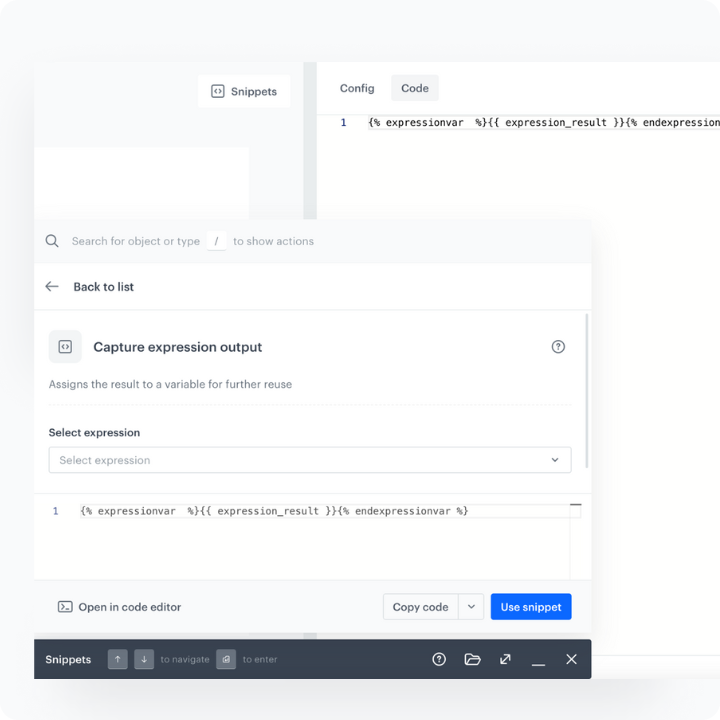
- Snippet Widget: Insert, preview, and manage custom or ready-made snippets from a growing library, all within the editor. Easily switch between compact and wide view modes for better control and visibility.
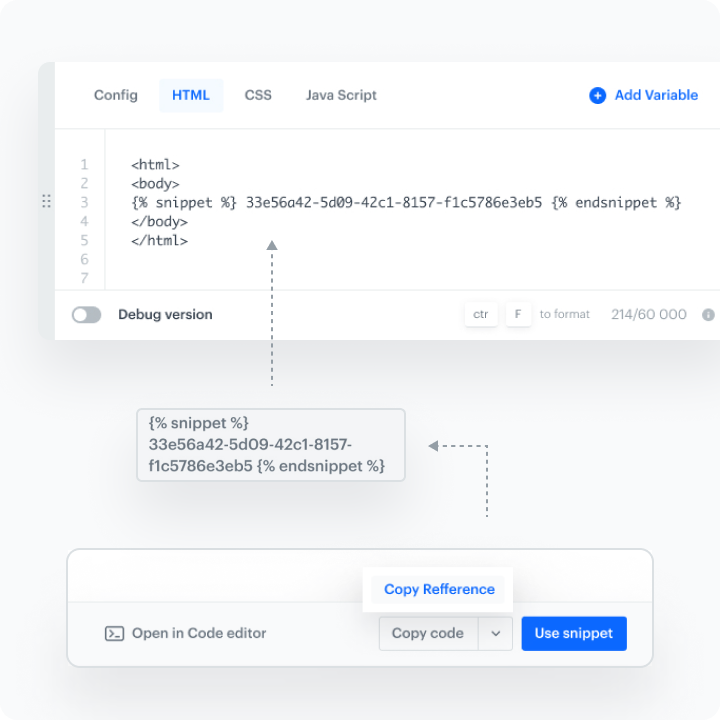
- Dynamic references: Use snippet references to automatically update content across all messages, pages, or integrations—perfect for repetitive elements like footers or recommendation blocks.
- Powerful editor with configurable forms: Customize snippets with easy-to-use fields like dropdowns and text inputs—no coding required—making content creation faster and more consistent for your team.
How does it work
- You can open the Snippet Widget by clicking the "Snippets" button right in any template editor or through Data Management > Snippets > Snippet Widget
- Choose from predefined or custom snippets or create your own using the snippet editor. Then you can preview the snippet with customer context.
- Use configuration forms to tailor snippet to your needs.
- Insert snippet as static content or as a dynamic reference for automatic updates.