Feature Overview
Testing Outgoing Integrations is a capability in the Synerise Automation module that allows users to simulate and execute test HTTP requests for outgoing integrations directly from the configuration screen. Users can validate connection settings, configuration parameters, dynamic variables, and external responses without launching an Automation workflow.
The feature works with both predefined Synerise integrations and custom HTTP-based integrations. It provides a dedicated test builder where users supply profile context, event context, and preview the full request-response lifecycle before going live.
What Is Testing Outgoing Integrations?
Testing Outgoing Integrations is a built-in sandbox environment within the Synerise outgoing integration configuration screen. It allows users to send test requests to external systems using real data context from Test Profiles and events, and inspect the full request and response without activating an Automation workflow or triggering real events.
The test builder renders dynamic variables from the selected event and profile context, executes the HTTP request against the configured endpoint, and displays the response. The response can optionally be saved as an event in Synerise Assets for further use in filters or automation logic.
Why Testing Outgoing Integrations Matters
Without a dedicated testing capability, validating outgoing integrations in Synerise requires launching full Automation workflows, triggering real events, and manually inspecting results. This approach is slow, error-prone, and risks sending unintended requests to external systems during the validation phase.
Testing Outgoing Integrations addresses this by:
- Eliminating the need to trigger full workflows just to validate an integration configuration
- Allowing users to catch configuration errors (wrong endpoints, missing parameters, malformed payloads) before activation
- Providing immediate visibility into how dynamic variables resolve with real profile and event data
- Reducing the feedback loop between configuration and validation from minutes to seconds
- Enabling non-technical users to build and test integrations through a guided, step-by-step interface
Key Capabilities
Test integrations without launching workflows
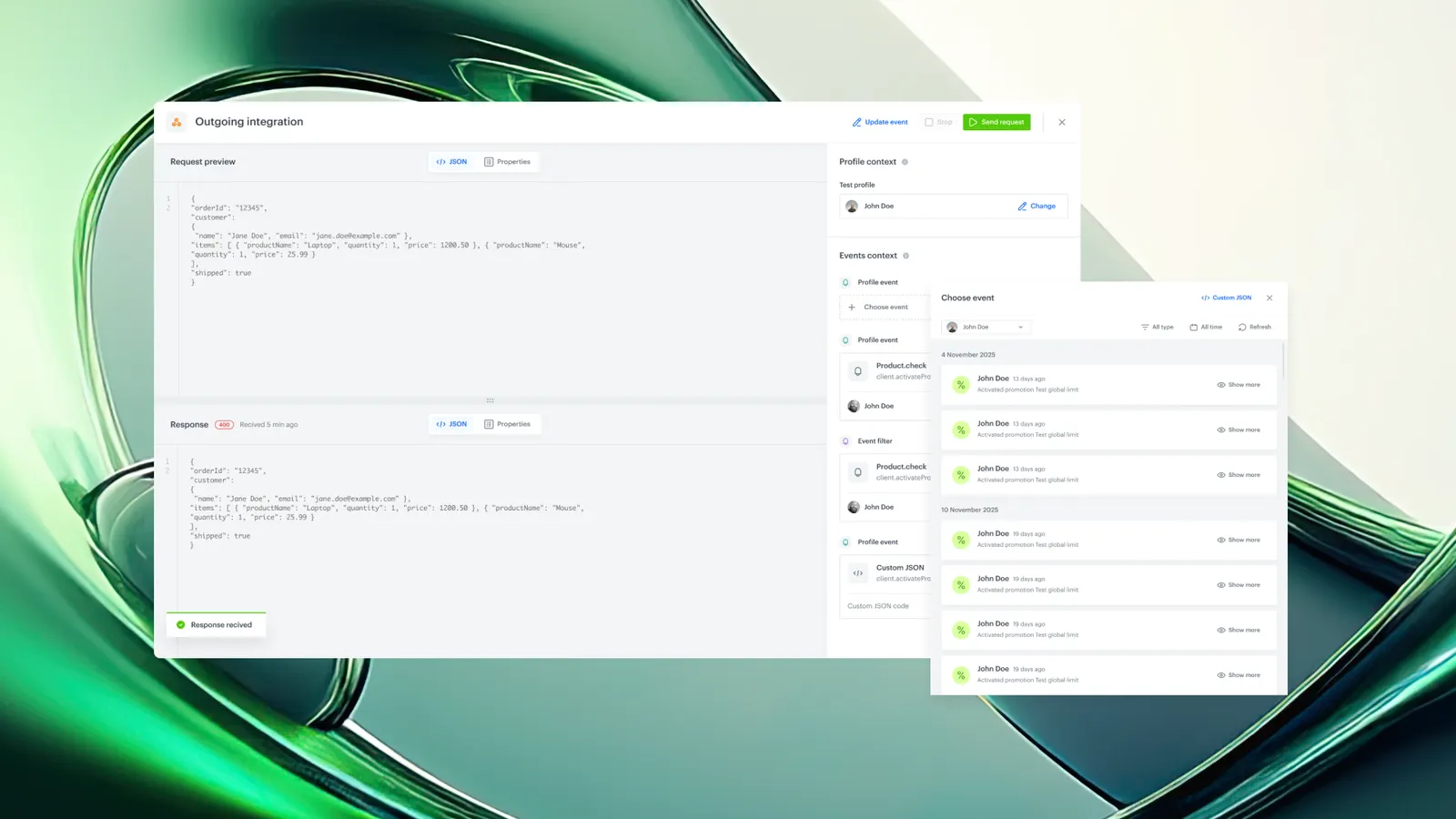
The "Send test request" option is available directly within the outgoing integration configuration screen. Users can execute a test request against the configured endpoint without creating or activating an Automation workflow. This turns the configuration screen into an integration sandbox.
Select Test Profile for profile data context
Test Profiles supply the test with profile data context. If the integration request body contains dynamic variables that reference customer attributes (such as name, email, or custom properties), the selected Test Profile populates those variables during the test execution. Only Test Profiles are allowed — production profiles cannot be used in the sandbox.
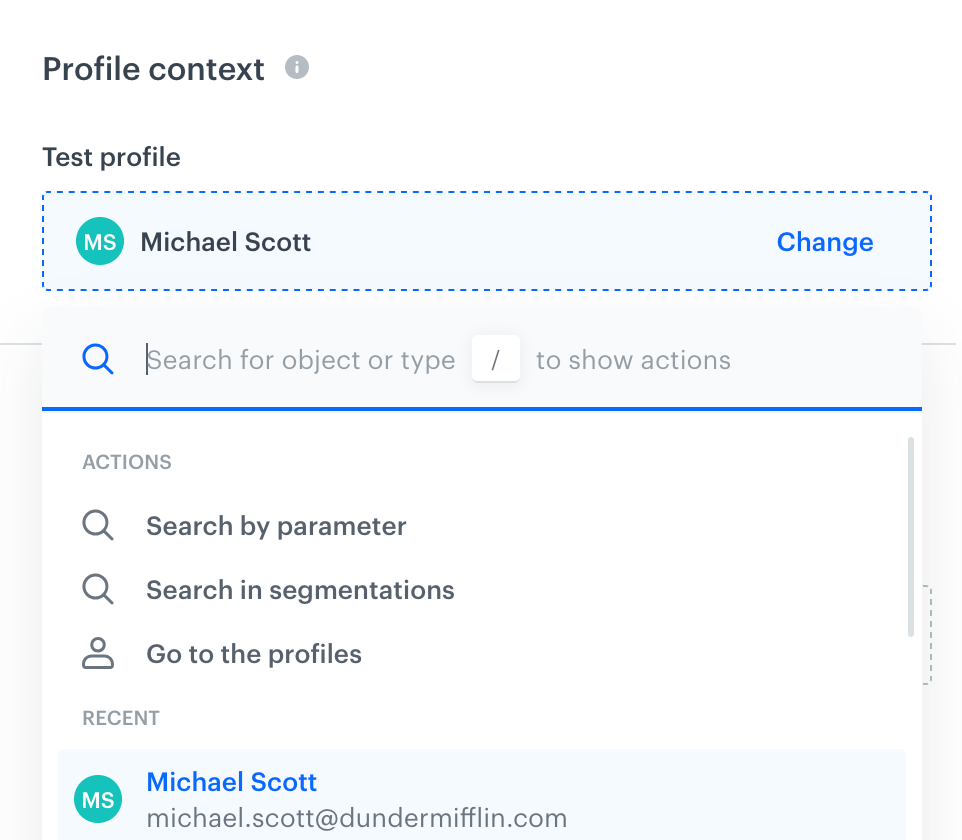
Choose event context for dynamic variable rendering
Users select an event that matches the workflow trigger to provide event context for the test. The test builder supports:
- Filtering events to find the relevant one
- Verifying that all referenced parameters exist in the event
- Manually editing the event payload as JSON
- Defining a custom event directly in the preview if no matching event exists
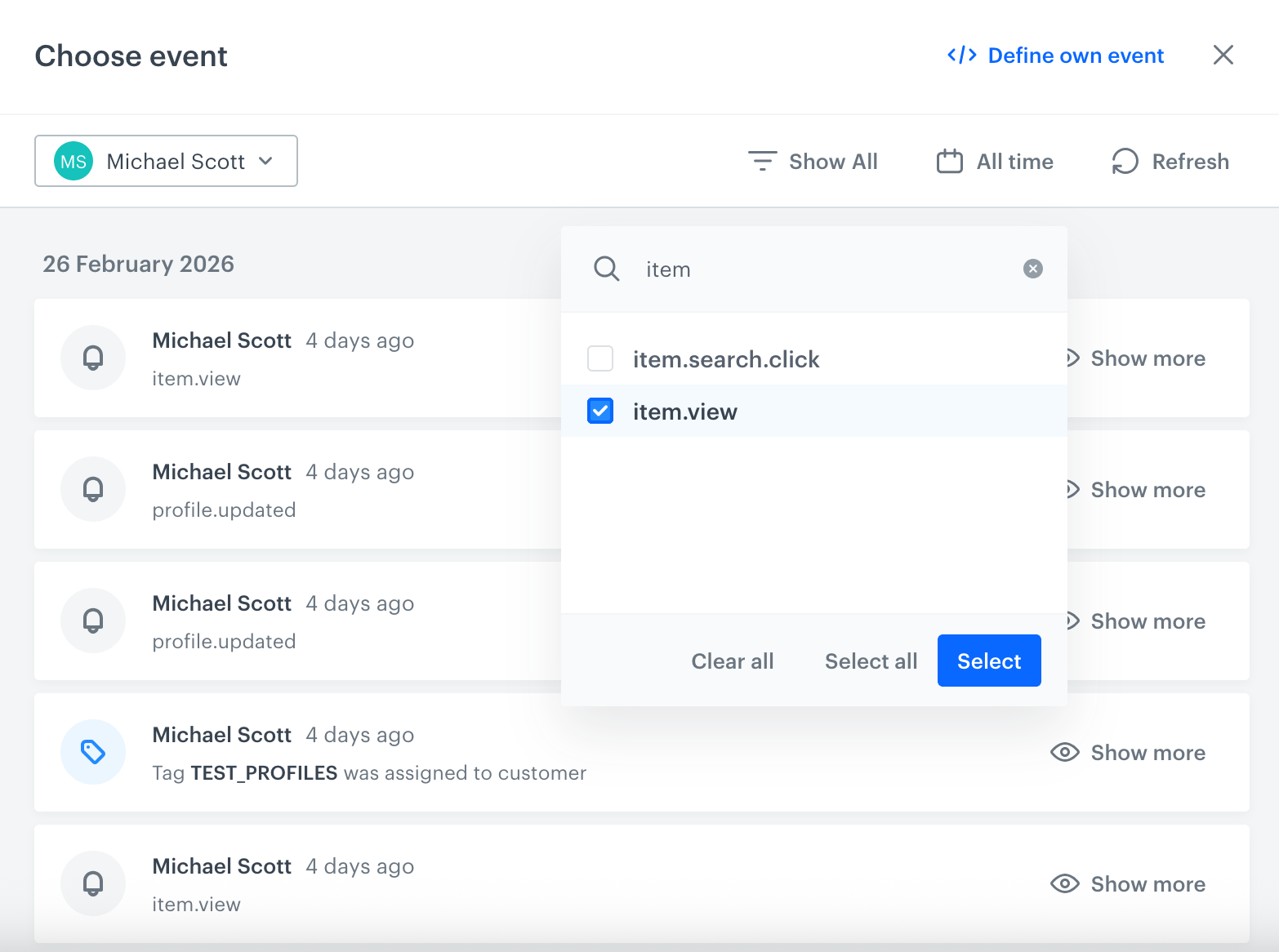
Preview outgoing request and response
After rendering dynamic variables from the profile and event context, the test builder displays the full outgoing HTTP request and the response received from the external system. Users can inspect status codes, headers, and response bodies to verify correct behavior.
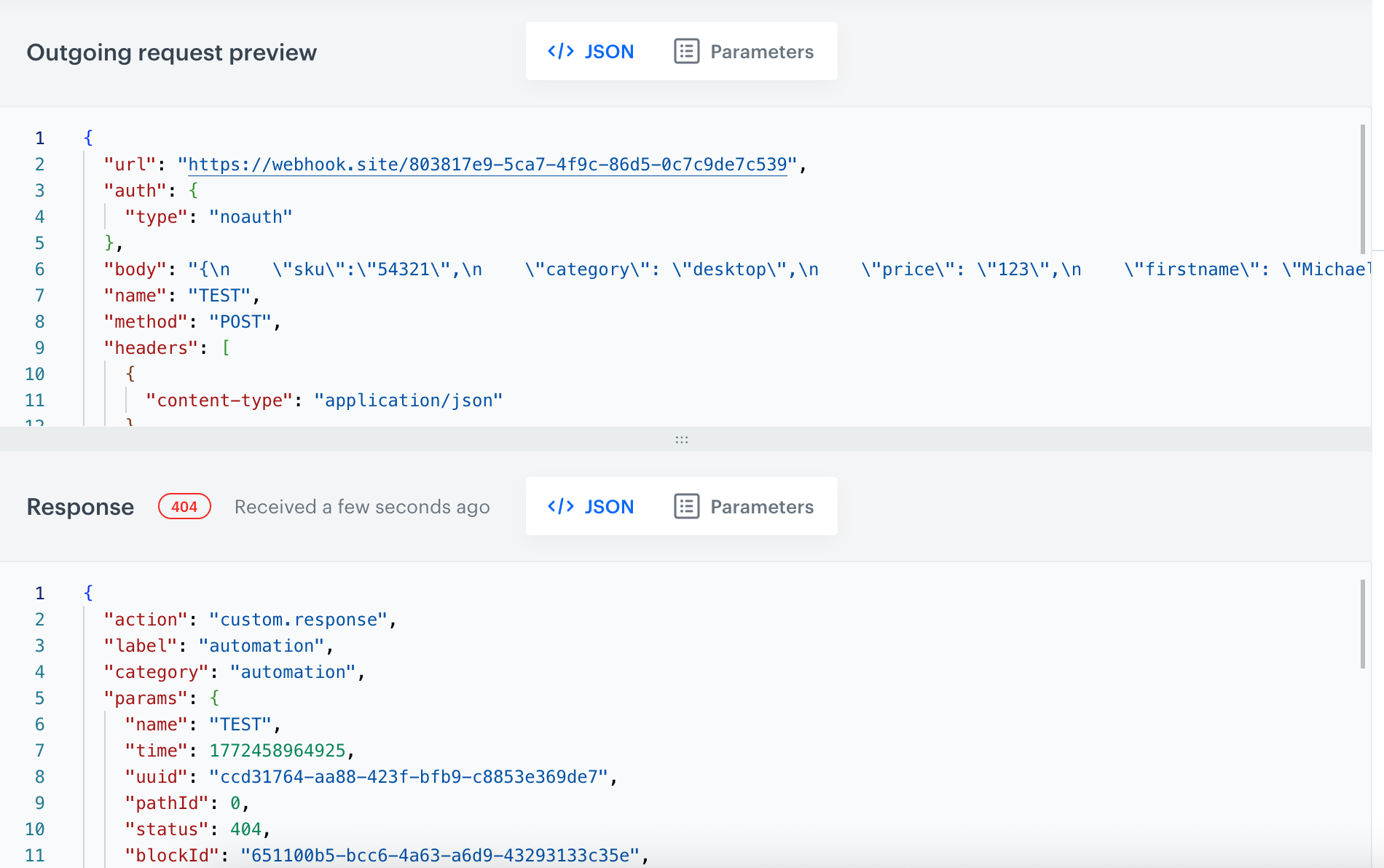
Save response as an event in Assets
After executing a test, the response can be saved directly as an event in Synerise Assets. This eliminates the need to trigger a full automation just to create response-based events for use in filters, conditions, or downstream workflow logic.
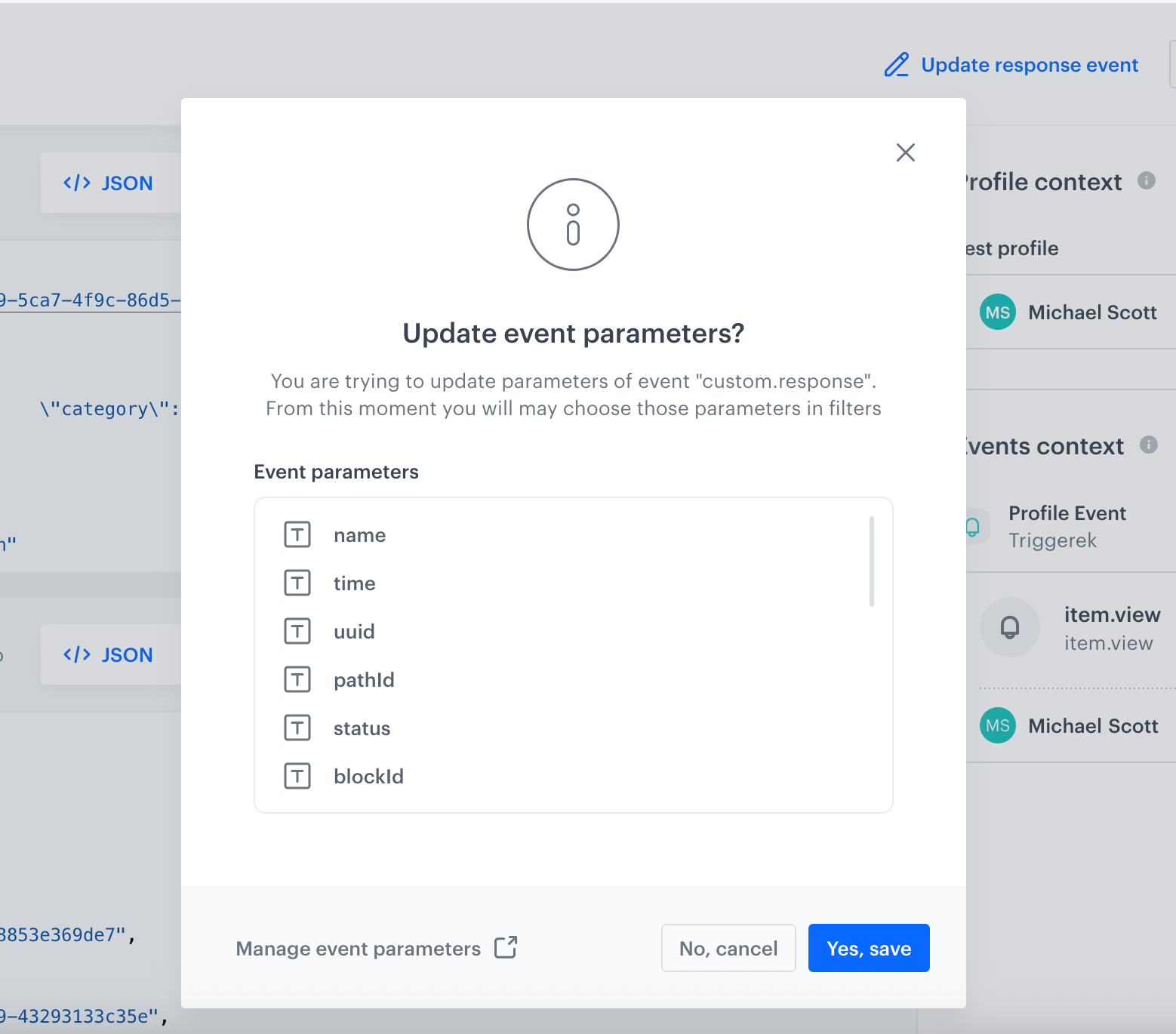
How Testing Outgoing Integrations Works
- Open the outgoing integration configuration screen in Synerise (predefined or custom HTTP integration)
- Click "Send test request" to open the test builder
- Select a Test Profile to provide customer attribute data for dynamic variables in the request body
- Choose an event context that matches the workflow trigger. Filter existing events, edit the event JSON, or define a custom event
- The test builder renders all dynamic variables using the selected profile and event context
- Review the rendered outgoing request and click send
- Inspect the response: status code, headers, and body
- Optionally, save the response as an event in Synerise Assets for use in filters or automation logic
Example Use Case
A marketing operations team at an e-commerce company configures a custom HTTP integration to send purchase confirmation data to an external loyalty platform. The integration request body includes dynamic variables referencing customer email, loyalty tier, and the transaction amount from the triggering event.
Before activating the workflow, the team uses the test builder to select a Test Profile with known loyalty attributes and an event with a sample transaction. The test renders the full request payload, sends it to the loyalty platform's staging endpoint, and returns the response.
The team verifies that the loyalty platform correctly received the data and saved the points. They then save the response as an event in Assets to test a downstream filter that checks for successful loyalty point credits — all without activating the production workflow.
FAQ
What is an outgoing integration in Synerise?
An outgoing integration in Synerise is an HTTP-based connection configured within the Automation module that sends data from Synerise to an external system. Outgoing integrations can be predefined (built-in connectors) or custom HTTP integrations.
Can outgoing integrations be tested without activating a workflow?
Yes. The "Send test request" feature allows users to execute test requests directly from the integration configuration screen, without creating or launching an Automation workflow.
What data can be used in integration tests?
Integration tests use two data sources: Test Profiles (for customer attribute context) and events (for event parameter context). Only designated Test Profiles are allowed — production customer profiles cannot be used in the test sandbox.
Can the test response be stored in Synerise?
Yes. After executing a test request, the response can be saved directly as an event in Synerise Assets. This allows users to build and test filters or automation conditions based on response data without running a full workflow.
Is technical expertise required to use the integration test builder?
No. The test builder provides a guided, step-by-step interface that allows users to configure and test integrations without deep technical setup or involvement from a development team.
Key Facts
| Attribute | Value |
|---|---|
| Feature | Testing Outgoing Integrations (Integration Sandbox) |
| Product | Synerise |
| Module | Automation — Outgoing Integrations |
| Purpose | Validate outgoing HTTP integration configuration and behavior without launching a workflow |
| Supported integration types | Predefined integrations, custom HTTP integrations |
| Profile context | Test Profiles only (production profiles not allowed) |
| Event context | Existing events (filterable), custom JSON events |
| Response handling | Preview response, optionally save as event in Assets |
| Code required | No (guided UI) |
| Documentation | hub.synerise.com/docs/automation/test-requests-for-outgoing-integrations/ |
Related Concepts
- Outgoing integrations in Synerise Automation
- Custom HTTP integrations
- Test Profiles in Synerise
- Synerise Assets (event storage)
- Dynamic variables and Jinjava rendering
- Automation workflow testing
- API request validation
TL;DR
Testing Outgoing Integrations is a sandbox capability in Synerise Automation that allows users to send test HTTP requests directly from the integration configuration screen. Users select a Test Profile and event context, the system renders dynamic variables, executes the request, and displays the full response. Responses can be saved as events in Assets. The feature eliminates the need to launch workflows for integration validation, reduces configuration errors, and provides a guided interface accessible to non-technical users.
Detailed documentation available in user guide at hub.synerise.com