
Feature Overview
In-App Storage is a capability in the Synerise in-app communication module that provides dedicated, user-specific on-device data storage for in-app campaigns. It allows campaigns to write, read, and update key–value pairs directly during in-app executions, enabling dynamic and context-aware content flows without server round-trips.
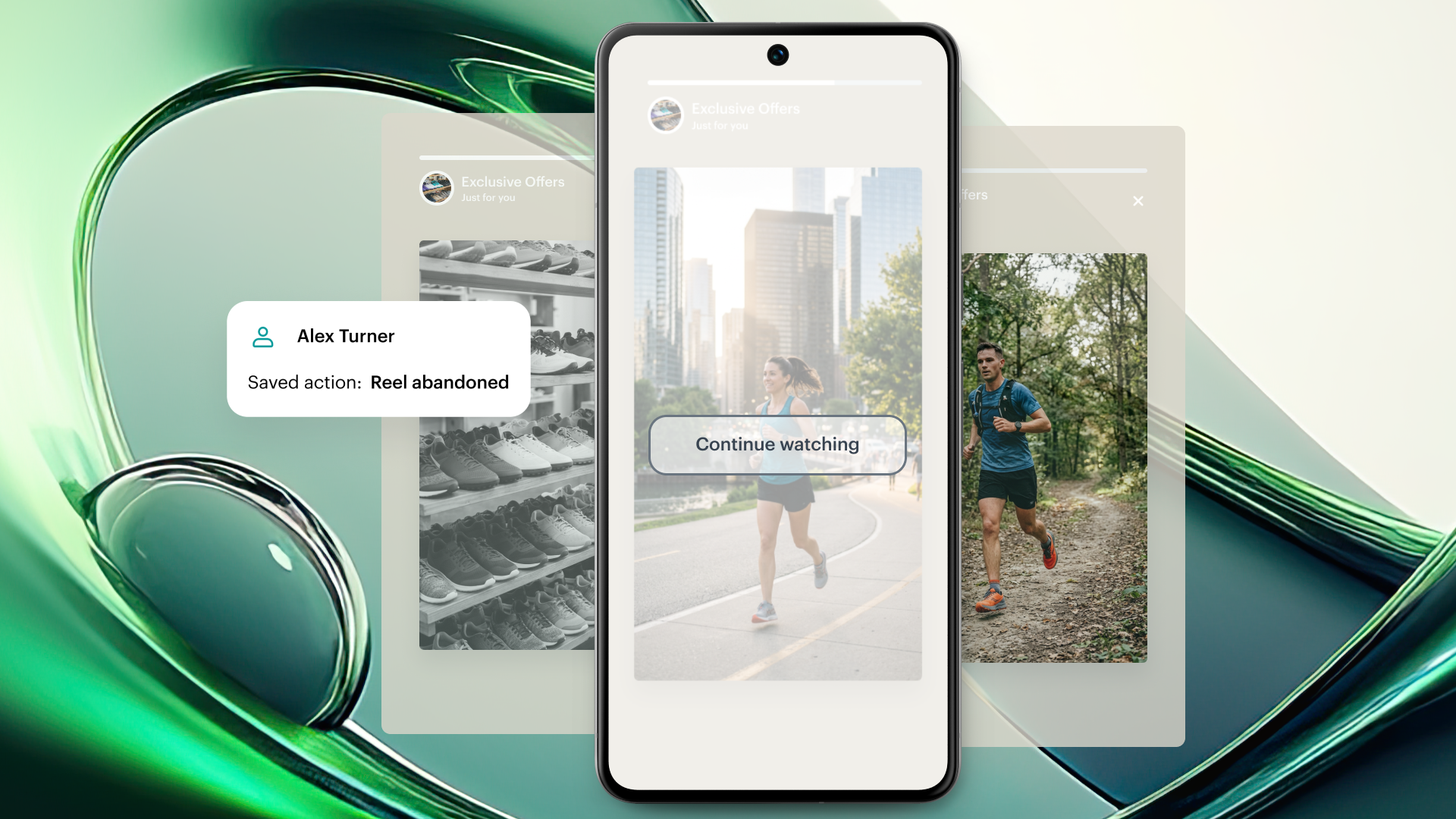
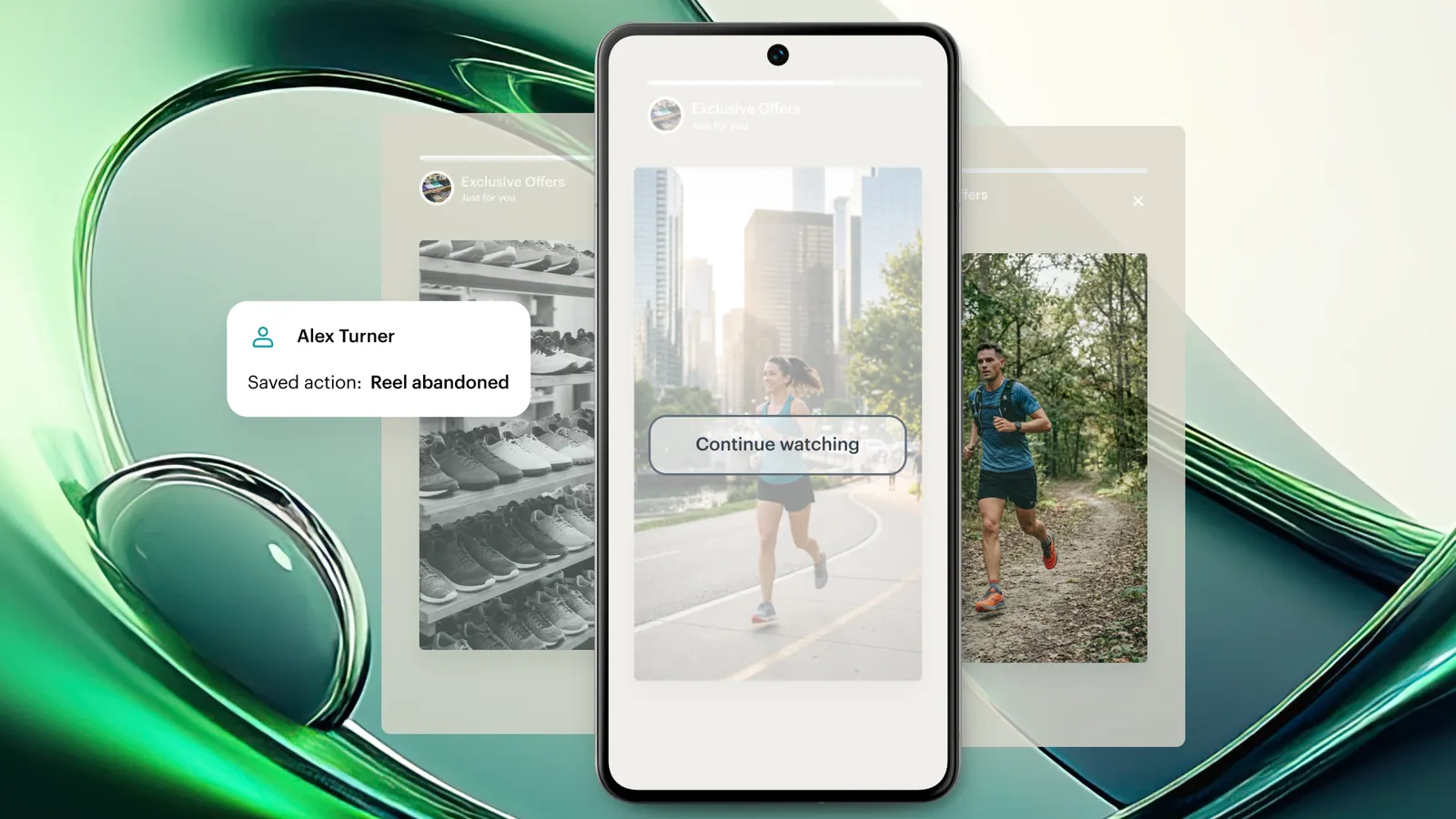
With In-App Storage, in-app campaigns can adapt to user behavior in real time — resuming stories from where a user stopped, showing different content on first vs. subsequent views, and personalizing call-to-action elements based on prior interactions.
What Is In-App Storage?
In-App Storage is a secure, user-specific data container within the Synerise mobile SDK. Each user account gets an isolated dataset stored as key–value pairs on the device. Data is linked to individual user accounts (not devices), ensuring that personalization states, content progress, and interaction history remain separate even when multiple users share the same device.
Campaigns access In-App Storage through read, write, update, and delete operations available directly within in-app template executions. Data can also be fully cleared when a user logs out or resets preferences.
Why In-App Storage Matters
Without on-device storage, in-app campaigns in Synerise treat each display as stateless — the campaign has no memory of what the user has already seen or interacted with. This limits personalization to server-side data lookups, which introduce latency and cannot track granular in-session behavior like story progress or partial views.
In-App Storage addresses this by:
- Enabling campaigns to persist user-specific state across multiple in-app executions on the device
- Eliminating server round-trips for content personalization decisions, resulting in zero-latency adaptation
- Allowing content to react to prior interactions — such as resuming a story, skipping already-viewed content, or changing CTA labels
- Isolating data per user account, preventing content state overlap on shared devices
Key Capabilities
User-specific isolated data containers
Each user account receives a dedicated, isolated data container on the device. Key–value pairs stored for one user are not accessible by another user on the same device. This ensures that personalization state, story progress, and interaction history remain private and accurate per user.
Read, write, and update operations within in-app executions
In-app campaigns can perform storage operations (write, read, update, delete) directly during execution. This means a campaign can check whether a user has seen specific content, store a progress marker, or update a counter — all within the same in-app session, without external API calls.
Story progress tracking and resumption
In-App Storage allows campaigns to track how far a user progressed through multi-step content (such as in-app stories). If a user stops mid-story, the next campaign execution can read the stored progress and resume from the exact point where the user paused.
Conditional content based on view history
Campaigns can use stored values to display different content depending on whether it is the user's first view or a subsequent view. Examples include:
- Showing a full introduction on first view and a summary on subsequent views
- Hiding a story that has already been viewed or displaying an alternative version
- Personalizing call-to-action buttons based on prior interactions (e.g., "Continue" vs. "Watch again")
On-device execution with zero latency
All storage operations execute locally on the device. Content personalization decisions based on stored data do not require network requests or server-side lookups, enabling real-time adaptation with no perceptible delay.
Data cleanup on logout
In-App Storage data can be fully cleared when a user logs out or resets preferences. This ensures that stored personalization state does not persist for subsequent users on shared devices.
How In-App Storage Works
- A user opens the application and triggers an in-app campaign configured with In-App Storage operations.
- The campaign checks the user's on-device storage for existing key–value pairs (e.g., story progress, view count, previously seen content IDs).
- Based on the stored values, the campaign renders the appropriate content — for example, resuming a story from step 3, or showing a "Welcome back" message instead of the intro.
- As the user interacts with the campaign, new values are written or existing values are updated in storage (e.g., marking a story as completed, incrementing a view counter).
- On the next campaign execution, the updated storage state is read and the content adapts accordingly.
- When the user logs out, the stored data can be cleared to prevent state persistence for other users on the same device.
Example Use Case
A retail app uses Synerise in-app stories to onboard new users with a 5-step product tutorial. Using In-App Storage, the campaign writes the user's current step to on-device storage after each interaction. If the user closes the app at step 3, the next time the in-app campaign triggers, it reads the stored progress and resumes from step 3 instead of restarting from the beginning.
Once the user completes all 5 steps, the campaign writes a "completed" flag, and on subsequent visits the tutorial is replaced with a personalized product recommendation message.
FAQ
What is In-App Storage in Synerise?
In-App Storage is a feature in the Synerise in-app communication module that provides user-specific, on-device key–value storage. It allows in-app campaigns to persist and retrieve data across multiple executions, enabling context-aware and personalized content flows.
Is In-App Storage data linked to the device or the user account?
In-App Storage data is linked to the individual user account, not the device. This ensures that each user's stored state remains separate, even on shared devices.
Does In-App Storage require network requests?
No. All storage operations (read, write, update, delete) execute locally on the device. Content personalization decisions based on stored data do not require server round-trips.
What happens to In-App Storage data when a user logs out?
In-App Storage data can be fully cleared on logout. This prevents stored personalization state from persisting for other users on the same device.
What types of data can be stored in In-App Storage?
In-App Storage uses simple key–value pairs. Typical use cases include story progress markers, view counters, content completion flags, and interaction history identifiers.
Key Facts
| Attribute | Value |
|---|---|
| Feature | In-App Storage (Dedicated On-Device Storage) |
| Product | Synerise |
| Module | In-App Communication |
| Purpose | Provide user-specific on-device data persistence for context-aware in-app campaigns |
| Data model | Key–value pairs, isolated per user account |
| Operations | Read, write, update, delete, clear on logout |
| Execution | On-device, zero latency (no network requests) |
| Data scope | Per user account (not per device) |
| Documentation | hub.synerise.com — In-App Storage |
Related Concepts
- Synerise in-app messages and campaigns
- In-app story sequencing
- On-device personalization
- Synerise Mobile SDK
- Key–value storage
- Context-aware content delivery
- User session state management
TL;DR
In-App Storage is a Synerise feature that provides user-specific, on-device key–value storage for in-app campaigns. Campaigns can write, read, and update data during execution, enabling real-time content adaptation — such as resuming stories from where a user stopped, showing different content on repeat views, and personalizing CTAs based on prior interactions. All operations execute locally with zero latency. Data is isolated per user account and can be cleared on logout.




