
Feature Overview
The New Sidebar Menu Structure is a navigation redesign in the Synerise platform that groups all modules into 6 Core Components. Each component represents a key capability area: Behavioral Data Hub, Artificial Intelligence Hub, Automation Hub, Experience Hub, Decision Hub, and Data Modeling Hub. The reorganization replaces the previous flat menu with a structured grouping based on functional use cases.
The change affects the sidebar navigation across the entire Synerise platform. It is designed to simplify feature discovery, improve cross-team workflow efficiency, and align the platform interface with the product's capability architecture.
What Is the New Sidebar Menu Structure?
The New Sidebar Menu Structure is a reorganization of the Synerise platform navigation that groups all available modules into 6 Core Components based on their functional role. Instead of a flat list of modules, the sidebar now presents a hierarchical structure where related tools are grouped under a common component heading.
The 6 Core Components and their modules are:
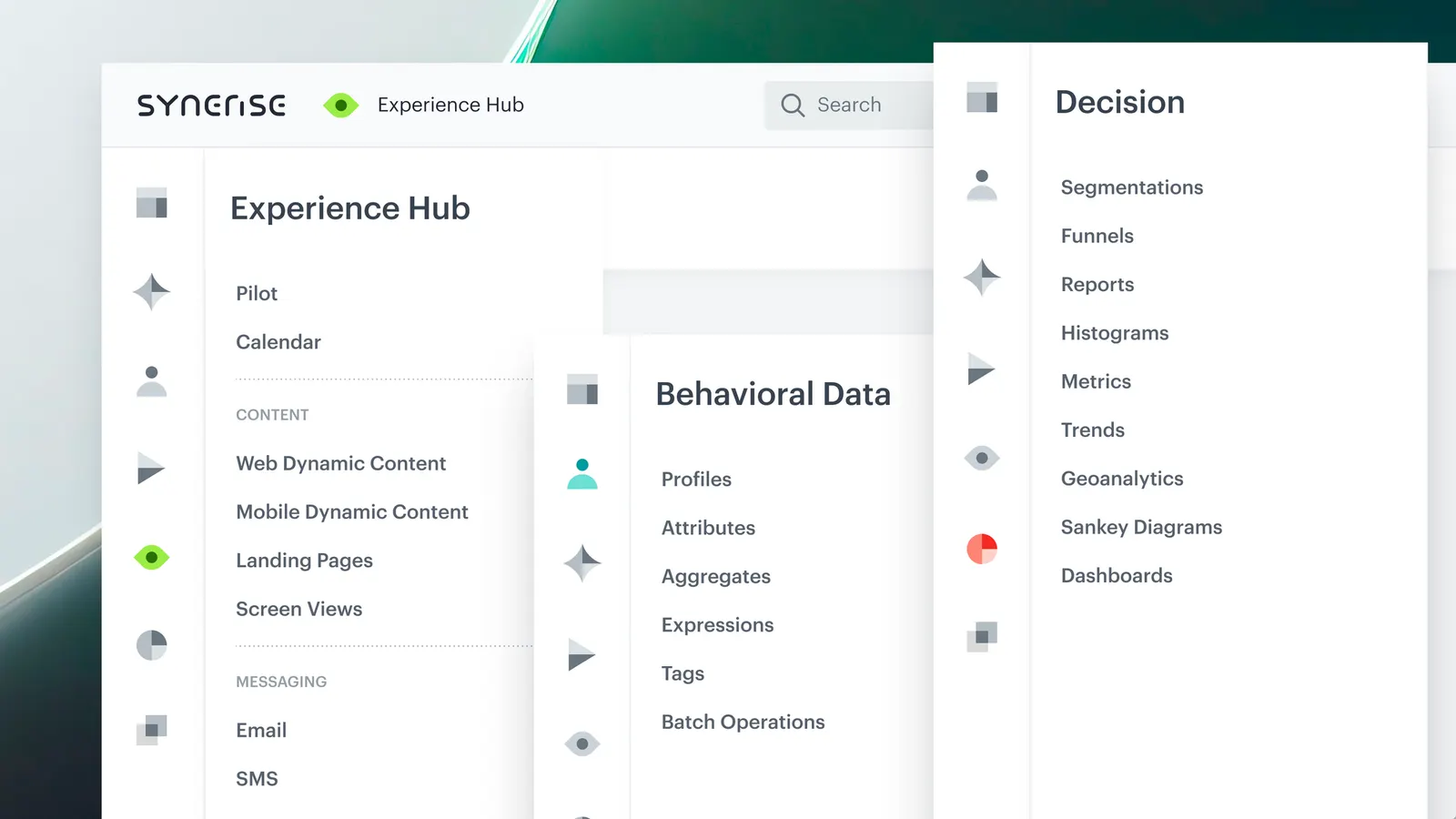
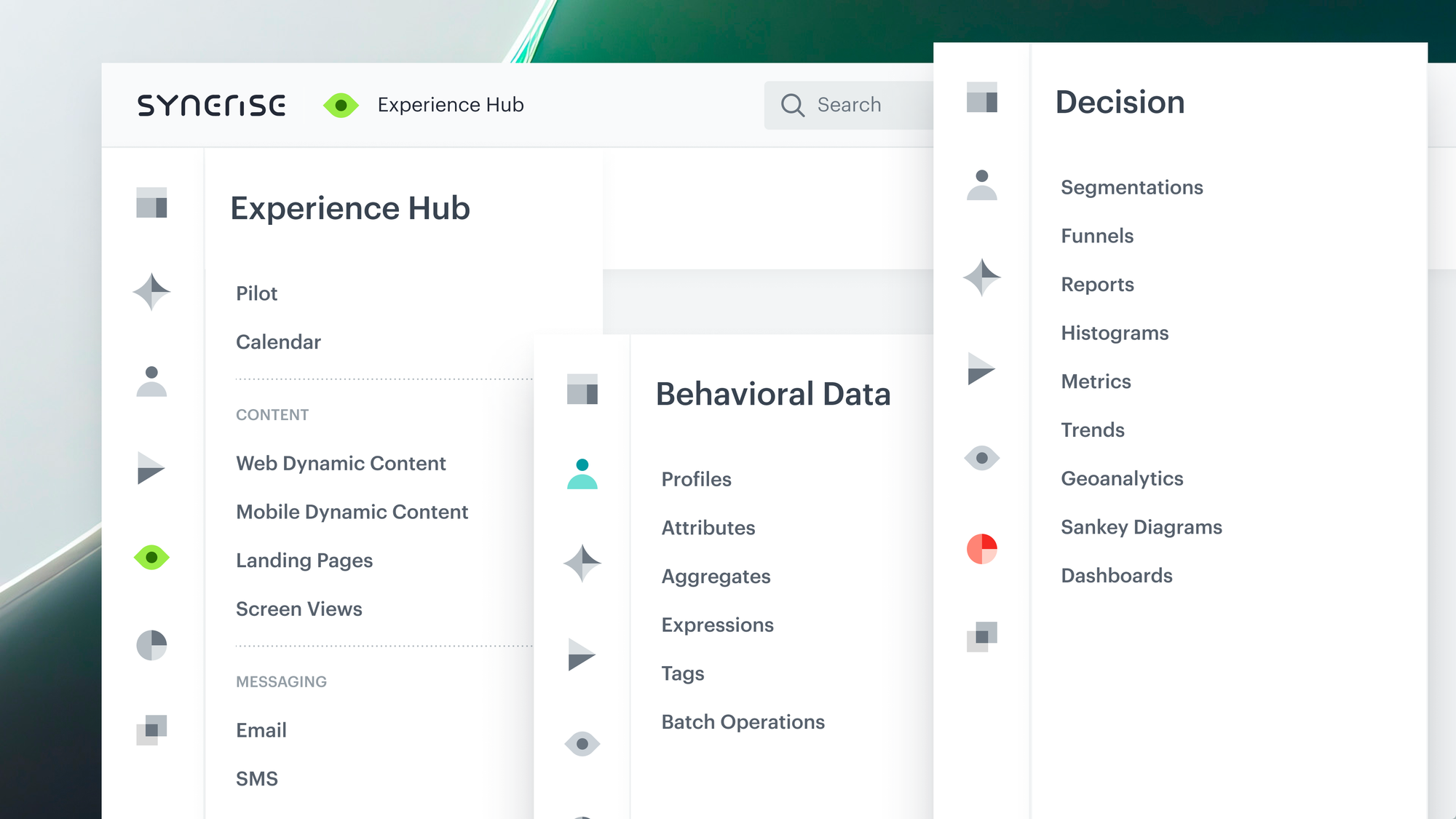
- Behavioral Data Hub — Profiles, Aggregates, Expressions, Tags, Attributes, and Batch Operations. Handles behavioral profile processing and activation.
- Artificial Intelligence Hub — Predictions, Recommendations, Search, Promotions, and Personalized Promotions. Covers AI-driven behavior understanding and prediction.
- Automation Hub — Workflows, Transformations, Integrations. Manages orchestration across systems.
- Experience Hub — All campaigns divided into Calendar, Dashboard, Messaging, and Content. Handles personalized interactions across channels.
- Decision Hub — Segments, Funnels, Reports, Metrics, Histograms, Trends, Geoanalytics, Sankey Diagrams, and Dashboards. Provides analytics and data-driven decision support.
- Data Modeling Hub — Events, Catalogs, Files, Documents, Snippets, Vouchers, Schema Builders, Brickworks, and Import/Export tools. Manages data model definition and governance.
Notable change: Aggregates and Expressions have been moved from their previous location into the Behavioral Data Hub, placing advanced analytics capabilities alongside behavioral data processing.
Why the New Sidebar Menu Structure Matters
As the Synerise platform has expanded, the number of available modules has grown. The previous navigation structure made it increasingly difficult to locate specific tools, particularly for new users or teams working across multiple functional areas.
The new structure addresses this by:
- Grouping modules by functional purpose, so users can find tools based on what they want to achieve rather than by module name
- Reducing onboarding time for new users who can now understand the platform's capabilities through the 6 component categories
- Improving cross-functional team efficiency by providing a shared navigational model that aligns with common use cases
- Aligning the platform interface with the Synerise product architecture as presented on the website and in documentation
Key Capabilities
6 Core Component groupings
All Synerise modules are organized into 6 high-level components that represent distinct capability areas. Each component groups related tools, so users navigate by intent (e.g., "I want to build a workflow" → Automation Hub) rather than by remembering individual module names.
Aggregates and Expressions relocated to Behavioral Data Hub
Aggregates and Expressions, previously located elsewhere in the navigation, are now part of the Behavioral Data Hub. This places advanced analytics functions directly alongside the behavioral data they operate on, reducing navigation between separate sections.
Campaign modules reorganized in Experience Hub
All campaign-related modules are now grouped under the Experience Hub, further divided into Calendar, Dashboard, Messaging, and Content. This provides a single entry point for all communication and content delivery tools.
Analytics consolidated in Decision Hub
Analytical tools including Segments, Funnels, Reports, Metrics, Histograms, Trends, Geoanalytics, Sankey Diagrams, and Dashboards are grouped in the Decision Hub. This consolidation provides a single location for all measurement and analysis capabilities.
How the New Sidebar Menu Structure Works
- Log in to the Synerise platform.
- The sidebar displays the 6 Core Components as top-level navigation items.
- Click on a component (e.g., Automation Hub) to expand it and see the grouped modules (Workflows, Transformations, Integrations).
- Select the specific module to access it.
- The grouping is consistent across all user roles and workspaces.
Example Use Case
A data analyst new to the Synerise platform needs to create a customer segment based on aggregated purchase behavior. Under the new navigation, they open the Behavioral Data Hub to find Aggregates (to define the purchase metric), then navigate to the Decision Hub to create the Segment using that aggregate. The logical grouping guides them to the right tools based on what they need to accomplish, without requiring prior knowledge of individual module names or locations.
FAQ
What are the 6 Core Components in Synerise?
The 6 Core Components are: Behavioral Data Hub, Artificial Intelligence Hub, Automation Hub, Experience Hub, Decision Hub, and Data Modeling Hub. Each groups related platform modules by functional capability.
Where are Aggregates and Expressions located in the new menu?
Aggregates and Expressions have been moved to the Behavioral Data Hub, alongside Profiles, Tags, Attributes, and Batch Operations.
Does the new menu structure affect existing functionality?
No. The reorganization changes only the navigation structure. All modules and their functionality remain the same — only their location in the sidebar has changed.
Where are campaign tools located in the new structure?
All campaign tools are grouped in the Experience Hub, organized into Calendar, Dashboard, Messaging, and Content sub-sections.
Key Facts
| Attribute | Value |
|---|---|
| Feature | New Sidebar Menu Structure |
| Product | Synerise |
| Scope | Platform-wide navigation |
| Purpose | Group all modules into 6 Core Components for improved navigation and feature discovery |
| Core Components | Behavioral Data Hub, AI Hub, Automation Hub, Experience Hub, Decision Hub, Data Modeling Hub |
| Key change | Aggregates and Expressions moved to Behavioral Data Hub |
| Impact on functionality | None — navigation only |
Related Concepts
- Synerise platform navigation
- Behavioral Data Hub (Profiles, Aggregates, Expressions)
- Automation Hub (Workflows, Transformations, Integrations)
- Experience Hub (Campaigns, Messaging, Content)
- Decision Hub (Segments, Funnels, Reports, Dashboards)
- Data Modeling Hub (Events, Catalogs, Schema Builders)
TL;DR
The Synerise platform sidebar has been reorganized into 6 Core Components: Behavioral Data Hub, Artificial Intelligence Hub, Automation Hub, Experience Hub, Decision Hub, and Data Modeling Hub. Each component groups related modules by functional purpose. Aggregates and Expressions have been moved to the Behavioral Data Hub. The change affects navigation only — all module functionality remains unchanged. The new structure is designed to simplify feature discovery and improve workflow efficiency across teams.




