- Year: 2025
- Category: Product
- Benefits: Better Event Structuring, Dynamic Personalization, Zero overhead
- YouTube share link: https://youtube.com/embed/XjPrIL8tLk4
- Documentation link: https://hub.synerise.com/docs/automation/integration/outgoing-webhook/#custom-response-event-parameters
- Security & Performance: No
- Featured?: No
- Quarter only: 60d78142f940ca57f105e4498226dd9c
- Quarter: 72fa4497711a77b89bf2a5c4d4460464
- Module: 4c6698dca829ee8a0fcb167b62e6d5d0
We’ve just added more flexibility to Outgoing Integrations in Synerise. Whether you're using a custom webhook or setting up a reusable integration, you can now define additional parameters for the response event.
This small but powerful improvement helps you enrich the event that stores the response from your external system — with full control over the structure and content.
What’s new
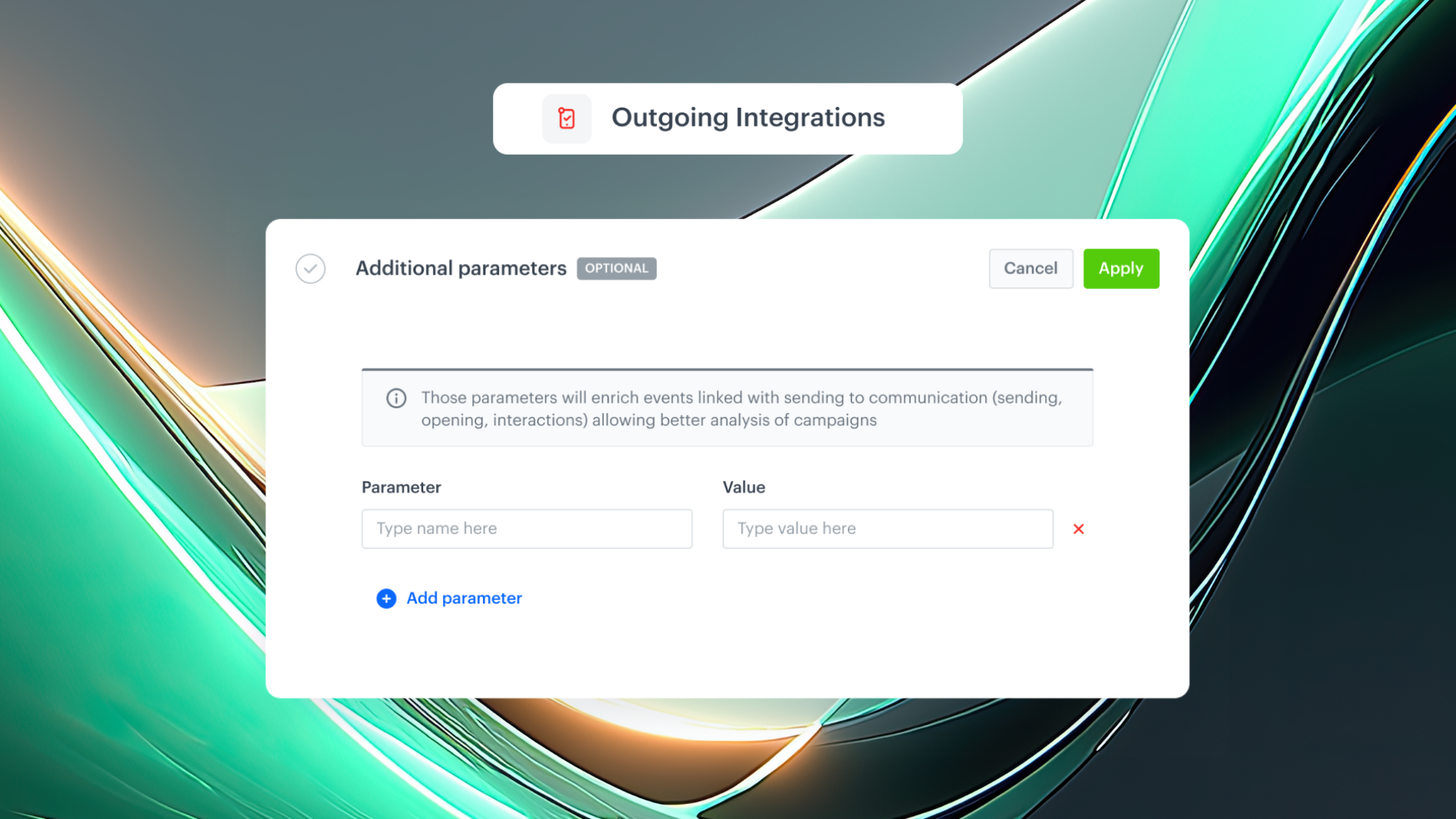
When configuring an outgoing request (via Custom Webhook or in reusable integrations), you can now add key–value pairs to the response event. These will be included in the event when the response from the external system is stored.
These parameters:
- Are fully customizable
- Support dynamic values using Jinjava (e.g., based on data from the trigger or previous nodes)
- Do not affect the original response, only the way it is saved in Synerise
Why it matters
Sometimes, storing the raw response is not enough. You may want to:
- Add identifiers or metadata that make it easier to find and filter these events later
- Differentiate requests that share the same structure but were sent in different contexts
- Personalize saved responses based on the customer or trigger data
With support for Jinjava, values can reflect the exact context in which the request was made—making your automation smarter and your data cleaner.
How to get started
- Go to Integration > Outgoing
- Choose a custom webhook or reusable integration
- Define the request and the response event name
- In the new "Additional Event Parameters" section, add key–value pairs
- Use static values, or use Jinjava expressions to reference trigger data