Subtitles available in English, Spanish and Brazilian Portuguese
TL;DR
Run Code is a node in Synerise Automation Hub that runs a JavaScript function on data passing through a business workflow. It extends the transformation nodes Automation already has with logic you define yourself. The node calls your function once per row and passes whatever it returns to the next node. That covers cleaning values, calculating new fields, dropping rows, and splitting one row into several. The code runs in a sandboxed environment with no network or file system access, and you can test it on a JSON, CSV, or XML sample first.
How much of your own business logic can live inside the platform?
As much as you can express in code. We've introduced the Run Code node in Synerise Automation Hub. The prerequisites are a business workflow (non-profile processes such as importing and exporting data, integrating with external services) and someone who writes JavaScript. You decide what your behavioral context is made of, at the point where data enters it. What the function returns is what lands in Synerise, and everything acting on that data afterwards works from it.
What this shifts in practice
- The transformation logic belongs to the team that runs the workflow. It sits on the same canvas as the steps around it and in the same run history.
- An unusual data shape becomes a short function. A price stored as text, or a field calculated from two others, is a few lines of JavaScript in the node. The work stays inside Automation instead of moving into a separate integration.
- What your data becomes is decided in the workflow. A function can end a row at the node, and the fields it returns are what every following step works from.
What is the Run Code node
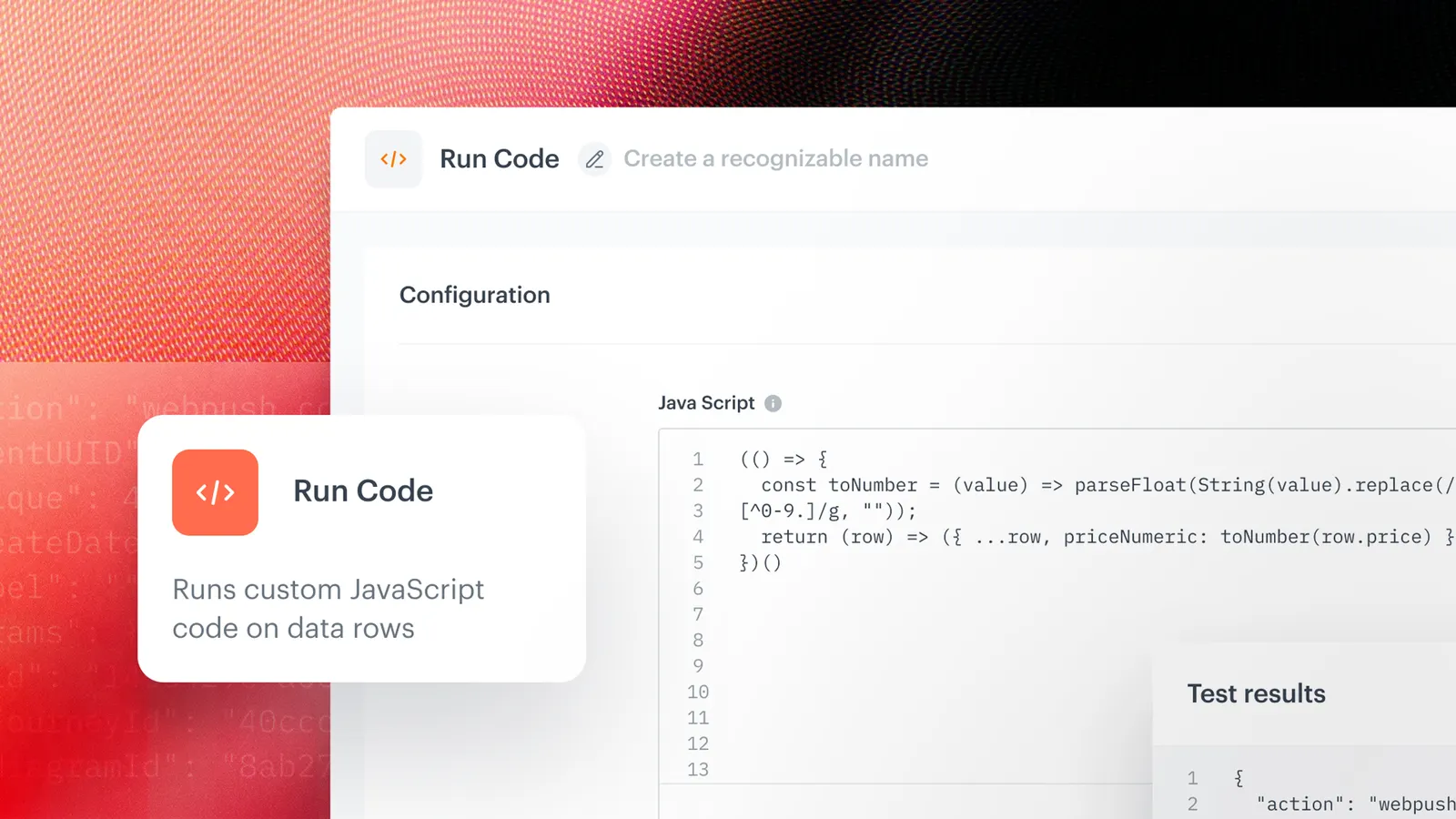
Run Code is a node in Synerise Automation Hub that executes a JavaScript function you write. The function runs once for every row of data reaching that point in the workflow, and takes one argument, row. That object has the same structure as your data, nesting and lists included, so there is nothing to parse. Run Code is placed directly after any step that produces rows of data, whether that is a file from storage or a response from an API.
Key capabilities
Your own rule, written in the node
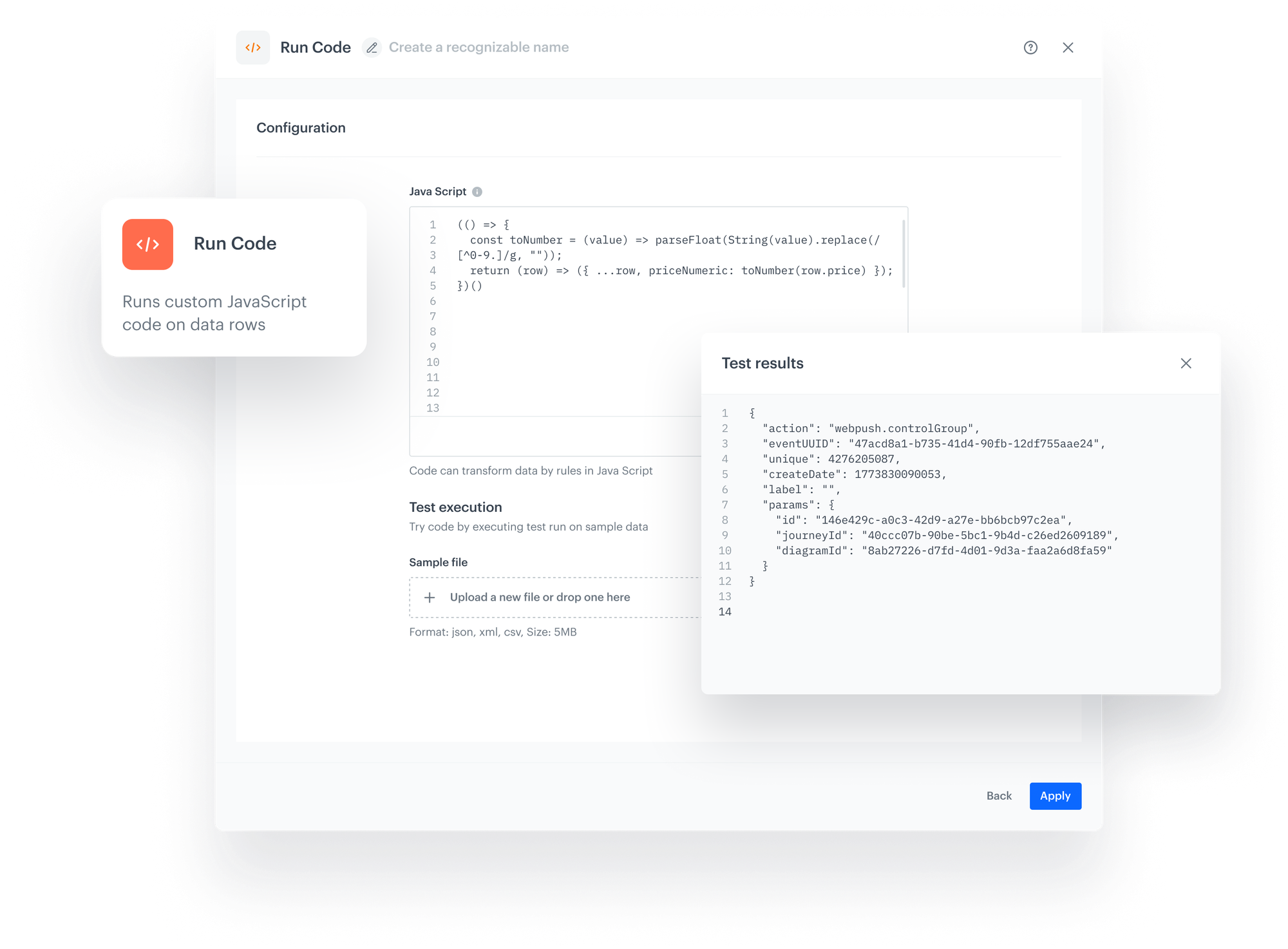
The function is written in the node itself, in JavaScript, and it runs on every row that passes through. Whoever maintains the workflow can open the node and read exactly what happens to the data.
A result you can see before it goes live
Upload a sample file in JSON, CSV, or XML, and the node shows each row as the function receives it, then what the function returned. Production data reaches the workflow after that has been checked.
The range of what you can change
The rule can be as small as trimming a value or as large as rebuilding a row from scratch. What the function returns is what continues, so the scope of the change is set in the node.
One failing row stops the whole run
If the function fails on a row, the node execution stops and the data does not continue. The error and its details wait in the Transformation logs tab, so the problem surfaces before anyone finds it in the data.
Example use case
Download a list of your segmentations as a CSV file.
When you manage a lot of segmentations, their metadata is worth having in one place. This workflow pulls the list from the Synerise API, reshapes the response with Run Code, and saves it as a file. Open it in a spreadsheet and you can see which segmentations are still in use and who created them. The same pattern works for any Synerise list endpoint, from automations to message templates.
Authors
Release note contributors: Aleksandra Wyszkowska (Product Marketing Manager), Kamil Gaczoł (Senior Product Manager).
Go deeper on Run Code - for code examples and the full list of limits, visit our documentation.
FAQ
Do we need a developer to use the Run Code node?
Someone who writes JavaScript, yes. The documentation lists JavaScript knowledge as a prerequisite, and the functions in the examples are a few lines long. Everything else about the workflow is configured as usual in Automation Hub.
Does Run Code replace the transformation nodes we already use?
No, and the choice between them is practical. The built-in nodes handle operations that have a name, such as renaming a column or filtering rows, with no code involved. Run Code handles the rule that only your own code can express. Both live in the same workflow.
Can Run Code be used in any workflow?
It works in business workflows, for example one started with the Business Event node. Within that workflow it sits directly after any step that produces rows of data, whether that is a file from storage or a response from an API.
What happens if the code fails on one row?
The node execution fails and the data does not continue to the following nodes. A single failing row is enough to stop the run, which is why the documentation recommends optional chaining and defaults for fields that may be missing. The error details are in the Transformation logs tab in the workflow view.
What can a Synerise AI Agent do with data prepared in the Run Code node?
Run Code does not call an agent. What it changes is the shape of the data landing in Synerise: a price arrives as a number rather than text, and a calculated field arrives as a field. Anything that queries that data afterwards, agents included, reads what the function returned.
Key facts
| Attribute | Value |
|---|---|
| Relation to Data Transformation | Extends the existing transformation nodes. Does not replace them |
| Availability | Available now. Business workflows only |
| Prerequisites | A business workflow, for example one started with the Business Event node. JavaScript knowledge |
| Language | JavaScript. Synchronous. Exactly one function per node |
| Input | One row of data at a time, passed to the function as the row argument |
| Placement | Directly after any step that produces rows of data, for example a file from storage or an API response |
| Return values | Object: one row continues. Array of objects: several rows. Empty array: row dropped |
| Testing | Sample file in JSON, CSV, or XML, max 5 MB. Preview sample data and Execute test before Apply |