TL;DR
Wallet Passes issues native Apple Wallet and Google Wallet passes: coupons, loyalty cards, memberships, and more. A customer adds a pass in two taps — no app, no account. Every element on the card is personalized and updates in real time in the customer’s wallet, and the card can carry the full weight of Synerise: recommendations, promotions, vouchers, predictions. You distribute it through any channel — a QR code, a link, a WhatsApp message, an email — and the customer profile stays continuous across all of them. A pass update can be wired into any scenario. Read more about commercial solution we developed together with MODIVO PLATFORM https://modivoplatform.com/en
Try it yourself — add a live pass to your own wallet
Scan the code and a Wallet Pass lands in your Apple Wallet or Google Wallet in two taps. Then watch it update in real time, exactly as your customers would.
Your customer’s phone is the shortest path from an offer to a sale
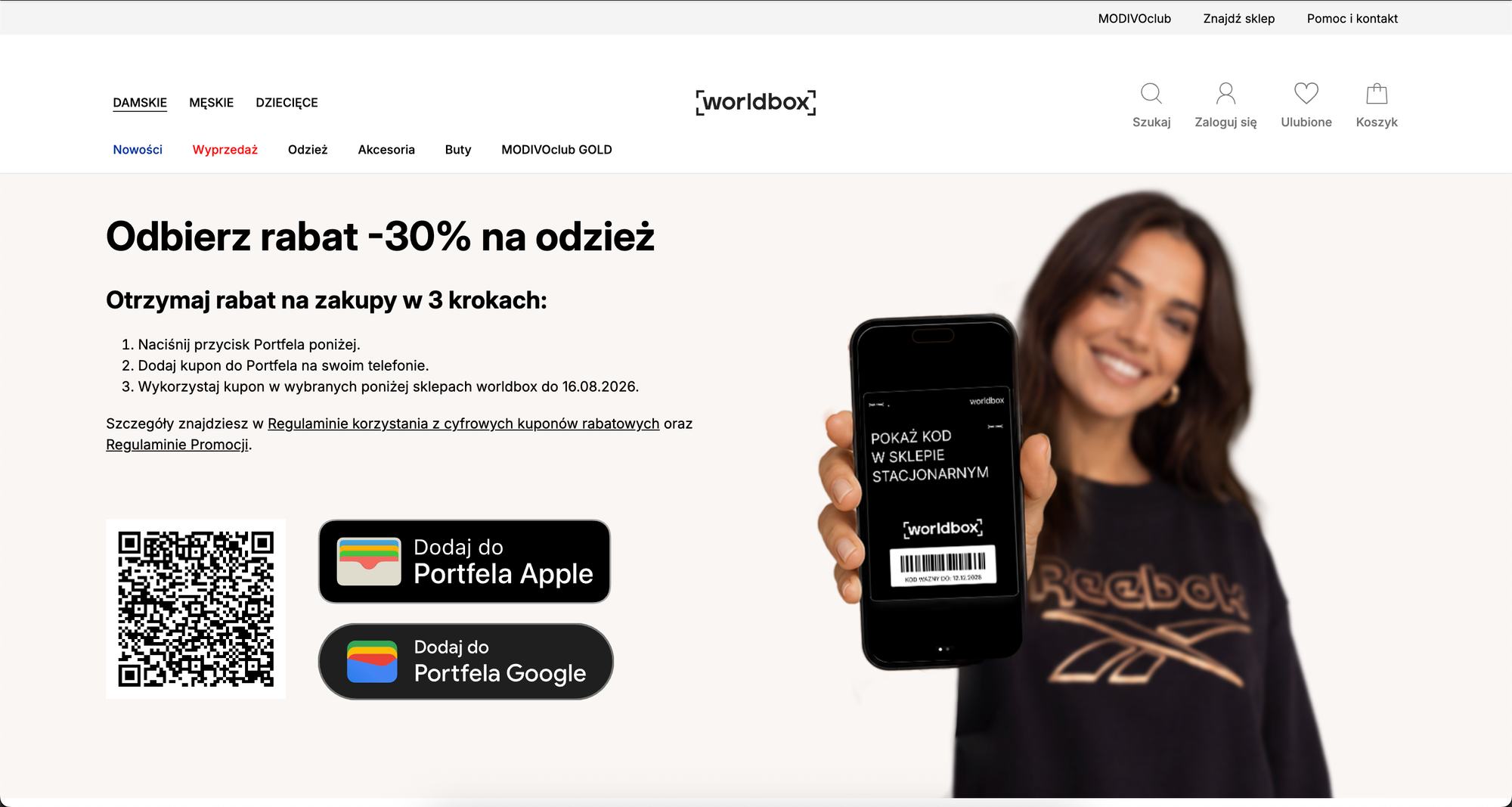
It starts with a scan or click, and the offer is on the phone seconds later. Every element on that card is personalized to the customer, and it updates in real time as your offers change. Wallet Passes runs on the same behavioral AI infrastructure as your customer profiles and your automation — so a pass is not a static coupon, it is a live surface the platform decides on.
Here is the loop in practice: the customer scans a code once — on a poster, a receipt, or in store — and the pass drops into their wallet. After each purchase, the pass swaps in real time to the next promotion, and a wallet update tells them it is there. One pass, a fresh reason to come back every time.
What this shifts in practice
You reach new customers with nothing more than a scan. A pass is added from a QR code in two taps — no app, no account. A poster or a receipt can bring in someone who has never bought from you before, and it works for anonymous shoppers exactly as it does for known members.
Every card element is personalized and live. Balance, offer, tier, code, expiry — each field is set per customer and refreshes in real time in the wallet. The card carries recommendations, promotions, vouchers, and predictions, so the customer sees an offer chosen for them, not a generic one.
One channel, continuous context. You distribute the pass through any channel — QR, link, WhatsApp, email — and the customer profile stays continuous across all of them. What happens on the card and what happens in every other channel land on the same profile.
You can see which touch drove which sale. An anonymous scan and a purchase that share a code get linked into one profile. That draws a straight line from the first touch to the sale, even for someone you had never identified.
One pass keeps bringing the customer back. After an offer is used, the same pass refreshes to the next one on its own. A pass update can be wired into any scenario you already run, so the wallet becomes another step in your automation, not a separate tool.
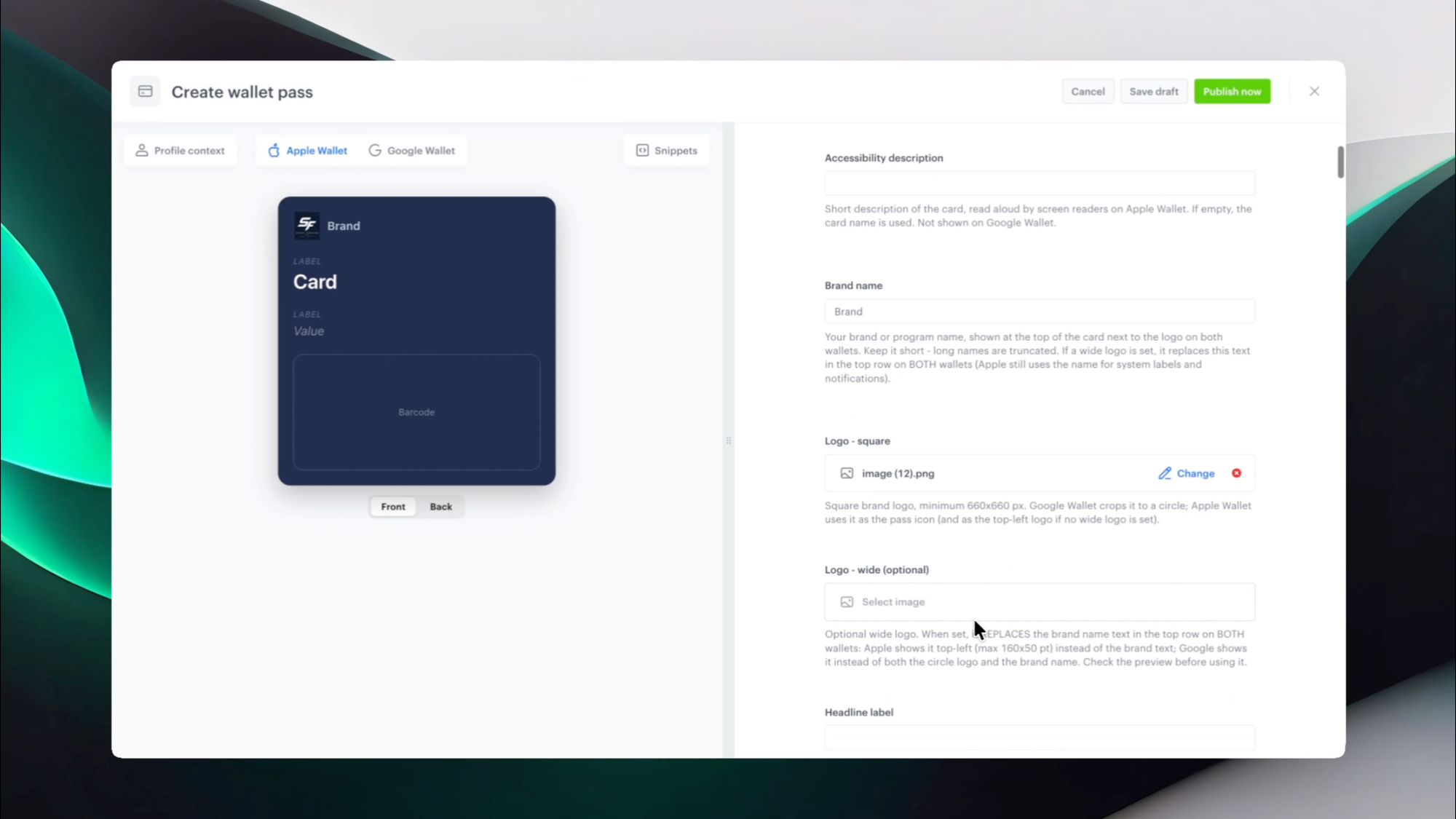
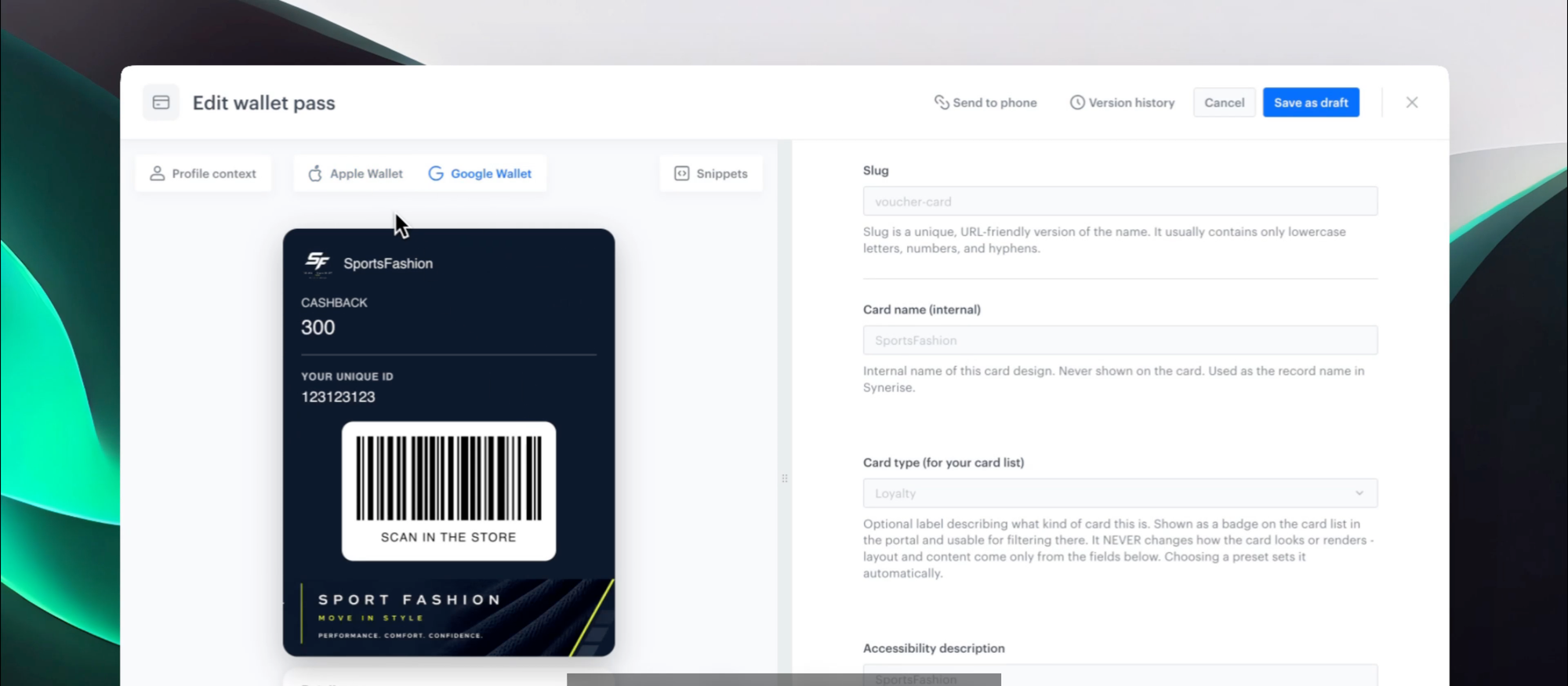
You run the whole thing from Synerise. Passes are built in a card builder with version history and a live preview for both wallets, published and kept in sync from one place. The same setup serves every brand in the group
What is Wallet Passes
Wallet Passes is a capability for issuing digital cards to Apple Wallet and Google Wallet. A card can be a coupon, a loyalty card, a gift card, a membership, or an event pass, built from a template with a live preview for both wallets. A customer adds it by scanning a QR code and confirming — two taps, no app and no account. From there every element on the card is personalized, and it updates in place in real time as your offers change. Because it runs on the same behavioral AI infrastructure as the rest of the platform, the card can carry recommendations, promotions, vouchers, and predictions — and a pass update can be wired into any scenario you already run.
Key capabilities
Every element personalized, updated in real time
Each field on the card — balance, offer, tier, code, expiry — is set per customer and refreshes in real time in their wallet. The customer added the pass once; what they see on it is decided continuously, on the same behavioral data the platform already runs on.
The full weight of Synerise on the card
A pass is a live surface for everything the platform decides. Recommendations, promotions, vouchers, predictions — each can drive what the card shows next. The offer on the card is chosen for the customer, not picked from a static list.
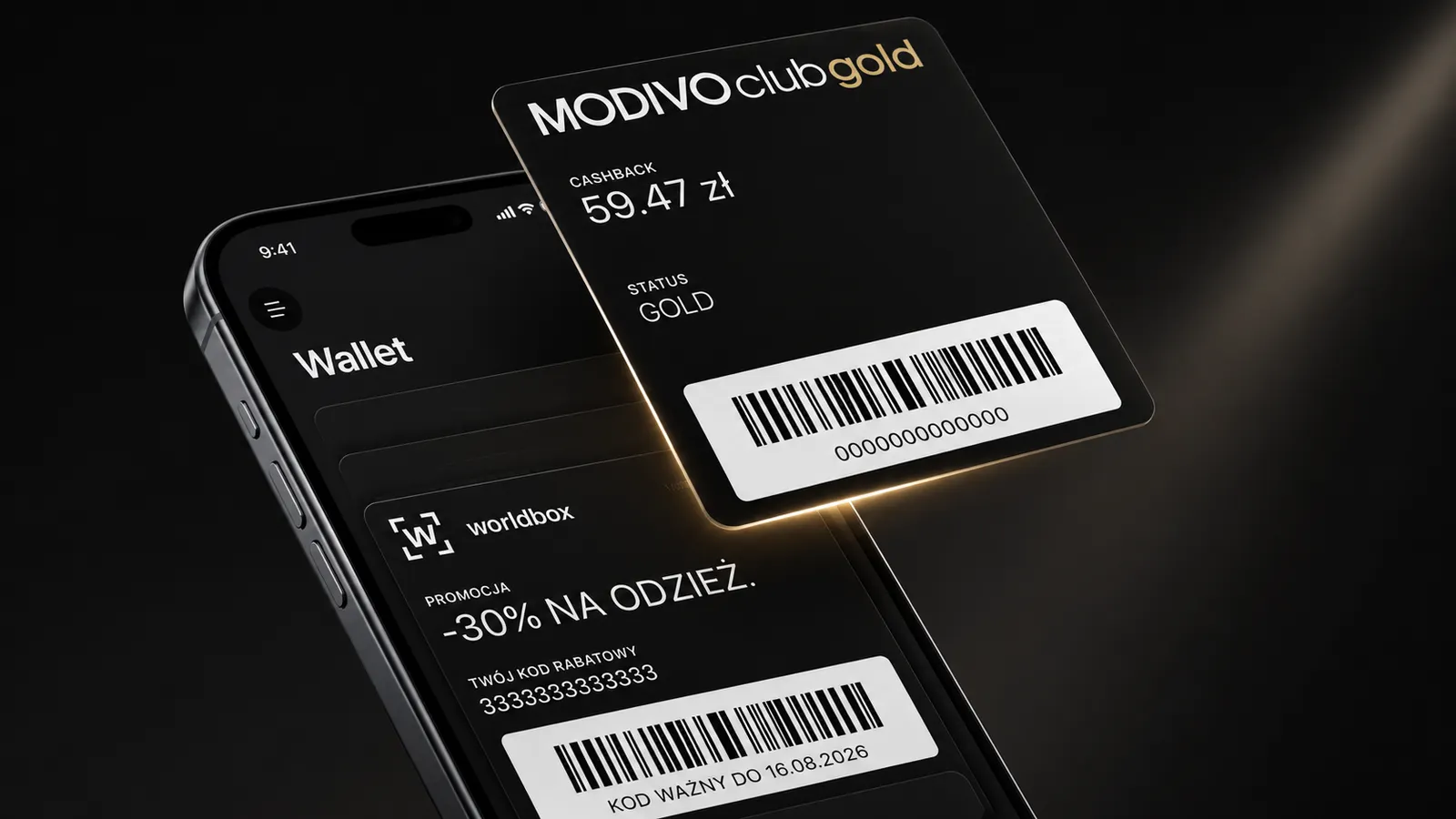
A live promotion pass with a scannable code sits in the wallet next to loyalty, gaming, and VIP cards — one phone, many card types, content that updates in place.
Any channel, one continuous profile
You distribute a pass through whatever channel fits — a QR code on a poster, a link in a WhatsApp message, a link in an email, a per-customer link for one named person. The customer profile stays continuous across all of them: activity on the card and activity in every other channel land on the same profile, so context never resets when the channel changes.
Passes for more than discounts
A pass is not only a coupon. It can be a loyalty card, a gift card, a membership, or an event pass, so your whole customer program can live in the wallet — not just a single promotion.
Offers that update themselves, inside any scenario
A single pass moves through a sequence of offers. When a customer uses the current one, the pass refreshes to the next on the same card. That refresh can be wired into any scenario you already run — a lifecycle flow, a win-back, a loyalty tier change — so the wallet is a step in your automation, not a silo.
Wallet push updates
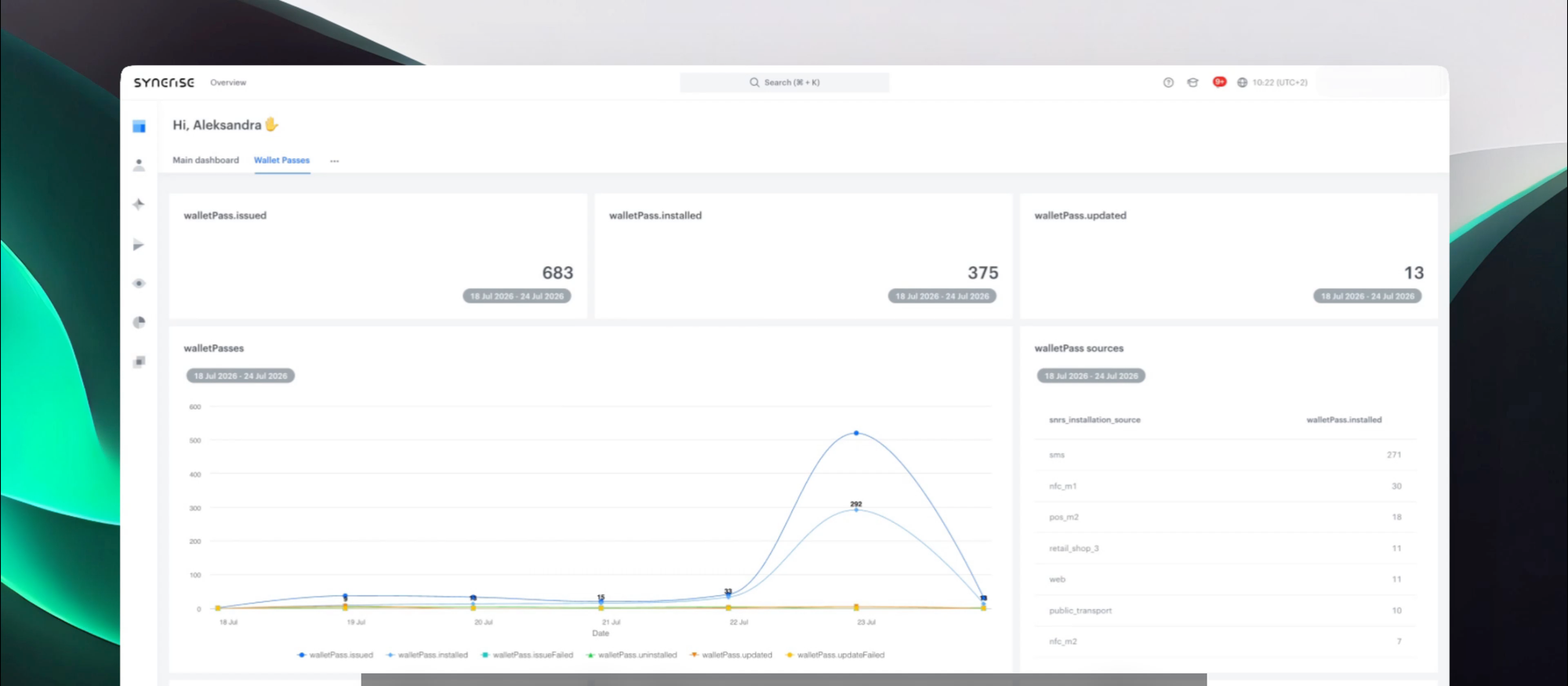
When a pass changes, the platform can send a wallet push to the phone. A change can be a new offer or an approaching expiry. Push delivery depends on the notification consent the customer gives after adding the pass, and on the operating system — Apple Wallet and Google Wallet each handle pass notifications their own way.
A card builder on Brickworks
Passes are built from templates with a preview with customer context for both wallets and full version history on every edit. The builder runs on Brickworks, so every field is a versioned, schema-native object — which is why a card can be personalized element by element and kept in sync across every brand in the group from one place. Every pass ships with a predefined set of events, so tracking is ready from the start.
“The part I like is how ordinary it feels for the customer. They scan a poster, the pass is there, and on our side it is already a profile we can build on.” — Klaudia Pociecha (Senior Product Manager)
Want to see Wallet Passes on your own offers
Talk to our team → https://synerise.com/solutions/wallet-pass
FAQ
Do customers need the app or an account to use a pass? No. A customer adds a pass by scanning a QR code and confirming — two taps. The pass then works from the native wallet on the phone, independently of any mobile app.
Is it only for discount coupons? No. A pass can be a loyalty card, a gift card, a membership, or an event pass, so more of your customer program can live in the wallet.
Can every element on the card be personalized? Yes. Each field is set per customer and updates in real time in the wallet. The card can carry recommendations, promotions, vouchers, and predictions, so the offer on it is chosen for that customer.
How does a pass get to the customer? Through any channel. From the editor you can show a QR code to scan, or share a link — generic or per-customer — in a WhatsApp message, an email, or anywhere else. Whatever the channel, activity lands on one continuous profile.
Can we tell whether an offer drove a sale? Yes. When an anonymous scan and a purchase share the same code, the platform merges them into one profile. You get a direct link from the scan to the sale.
Can a pass update fit into our existing automation? Yes. A pass update can be wired into any scenario you already run, so the card refreshes as part of a lifecycle flow, a win-back, or a loyalty change — not as a separate tool.
What can the platform do with the data a pass produces? Each card action becomes an event on the customer profile, and the merge step ties anonymous activity to real purchases. Those events feed the same personalization and decisioning the platform already runs on first-party behavioral data.
Key facts
| Attribute | Value |
|---|---|
| Feature | Wallet Passes |
| Module | Data Modeling Hub (path /assets/wallet-passes) |
| Purpose | Put personalized, real-time offers on the phone via native Apple/Google Wallet passes, turn them into sales, and tie the scan to the purchase |
| Card types | Coupon, loyalty, gift card, membership, event, info |
| Ecosystems | Apple Wallet (iOS), Google Wallet (Android), with a live preview for both |
| Communication | Wallet push (consent-based) |
| Card lifecycle | Add once, auto-refresh to the next offer after each use; update wired into any scenario |
| App dependency | None — works independently of a mobile app |
| Availability | Public Preview |