

Feature Overview
Template Builder Enhancements is a set of improvements to the Synerise Template Builder for In-app messages and Dynamic Content. The update introduces Live Preview for testing templates on live websites, QR code generation for mobile preview, variable grouping, viewport-based device preview, and code preview with rendered variables.
The enhancements apply to the Template Builder in both In-app messages and Dynamic Content modules in Synerise.
What Are the Template Builder Enhancements?
The Template Builder Enhancements are a collection of testing, preview, and organization improvements for the Synerise Template Builder. Key additions include: Live Preview for testing Dynamic Content templates in real-time on a website without launching a campaign, QR code generation for mobile device preview, variable grouping for better navigation in templates with many variables, viewport-based preview for testing across different device sizes, and code preview with rendered variables for debugging.
Why the Template Builder Enhancements Matter
Testing template appearance and behavior before launch is essential for quality campaigns, but without real-time preview tools, teams must launch test campaigns to see results. Managing templates with many variables also becomes difficult without organization tools.
The Template Builder Enhancements address this by:
- Enabling real-time template testing on live websites without launching campaigns
- Providing mobile preview via QR code scanning
- Supporting variable grouping for organized template management
- Offering viewport-based preview for multi-device testing
- Including code preview with rendered variables for debugging
Key Capabilities
Live Preview on website
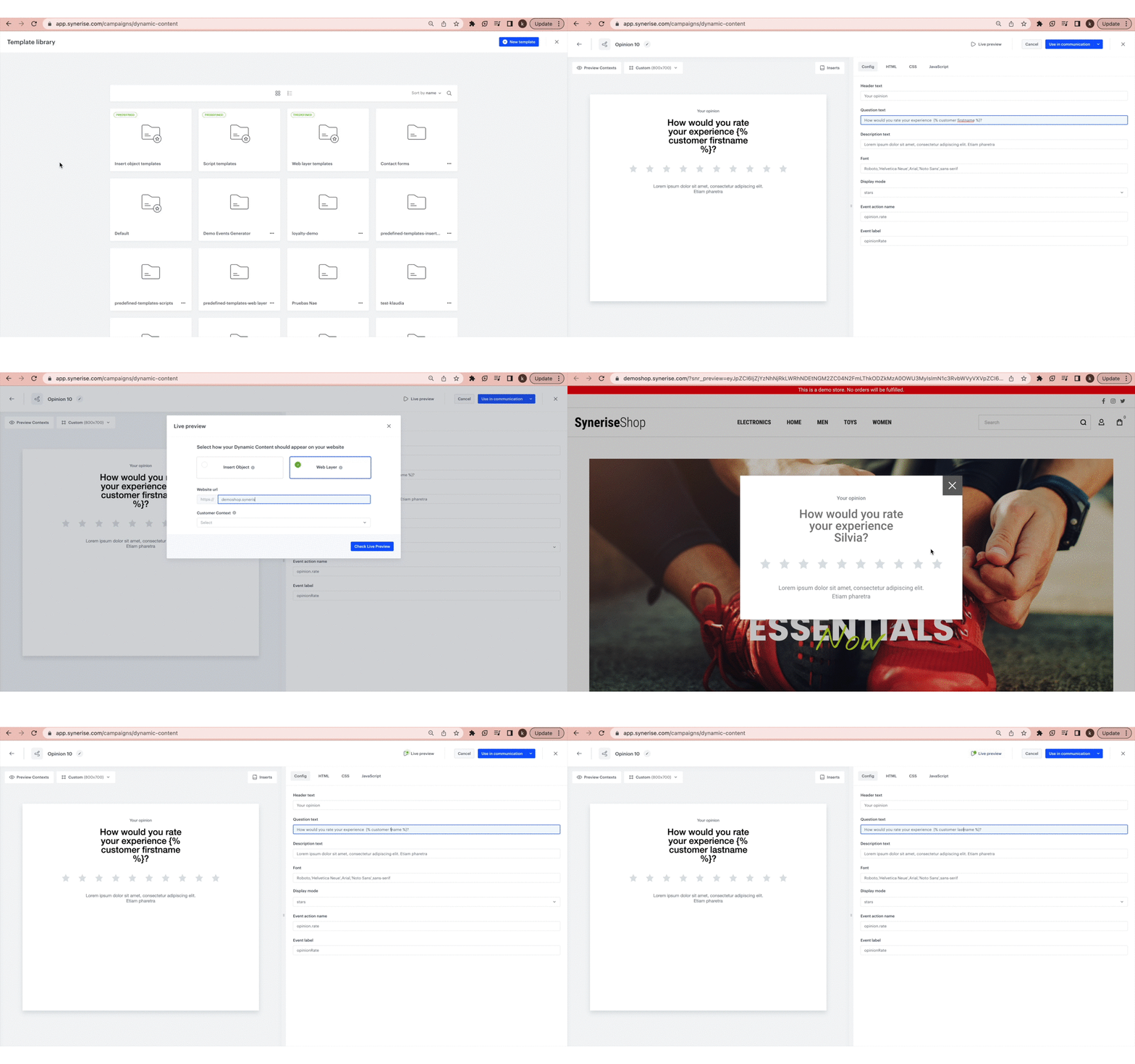
Preview Dynamic Content templates in real-time on a target website without launching a campaign. Specify the location on the site where you want to preview the content and see changes instantly.
QR code for mobile preview
Generate a QR code alongside the live preview link. Scan the code on a mobile device to instantly open the preview — no manual URL copying needed.
Variable grouping
Group and categorize template variables according to custom parameters for easier navigation in templates with many configurable properties.
Viewport-based device preview
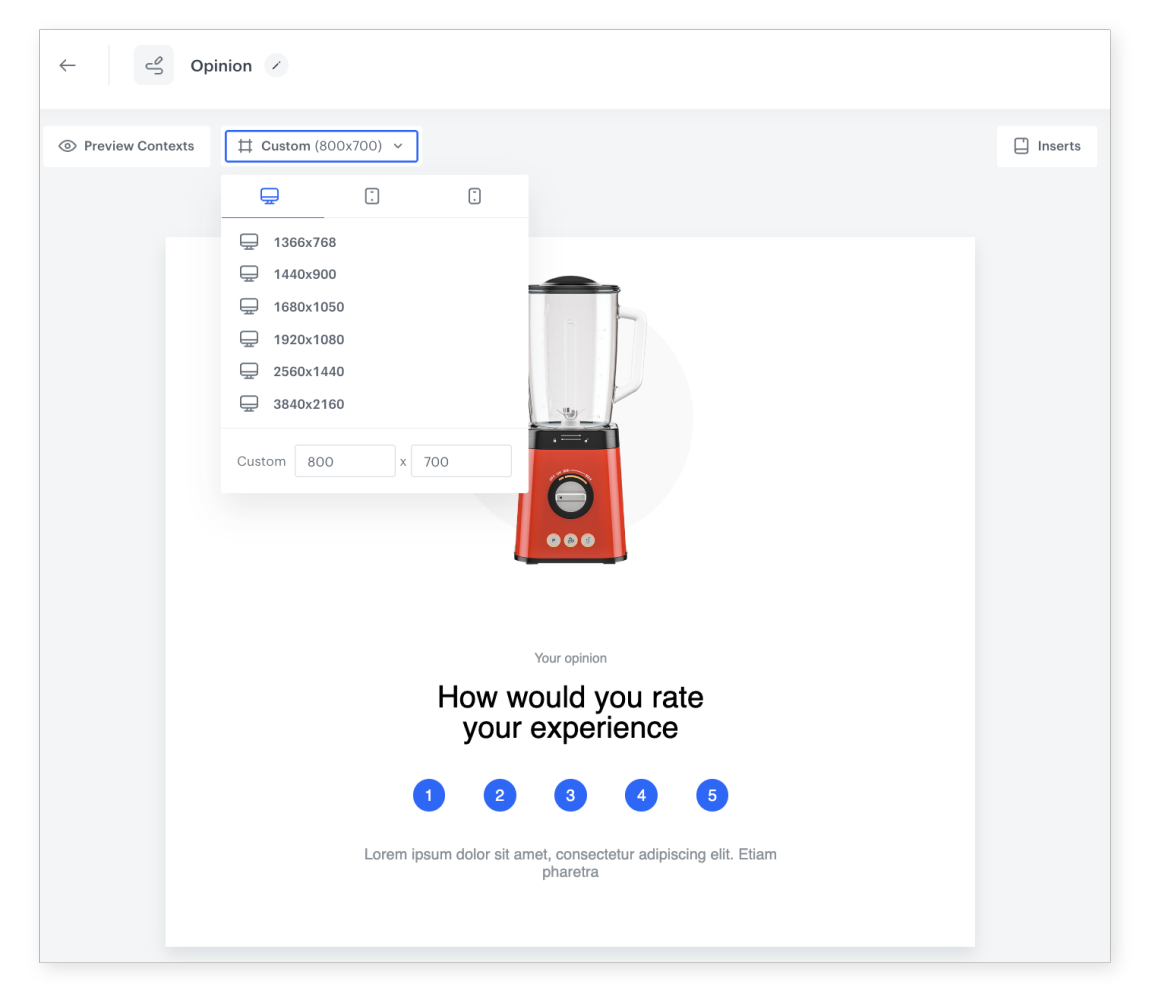
Preview templates on different device viewports to verify appearance across screen sizes and resolutions before deployment.
Code preview with rendered variables
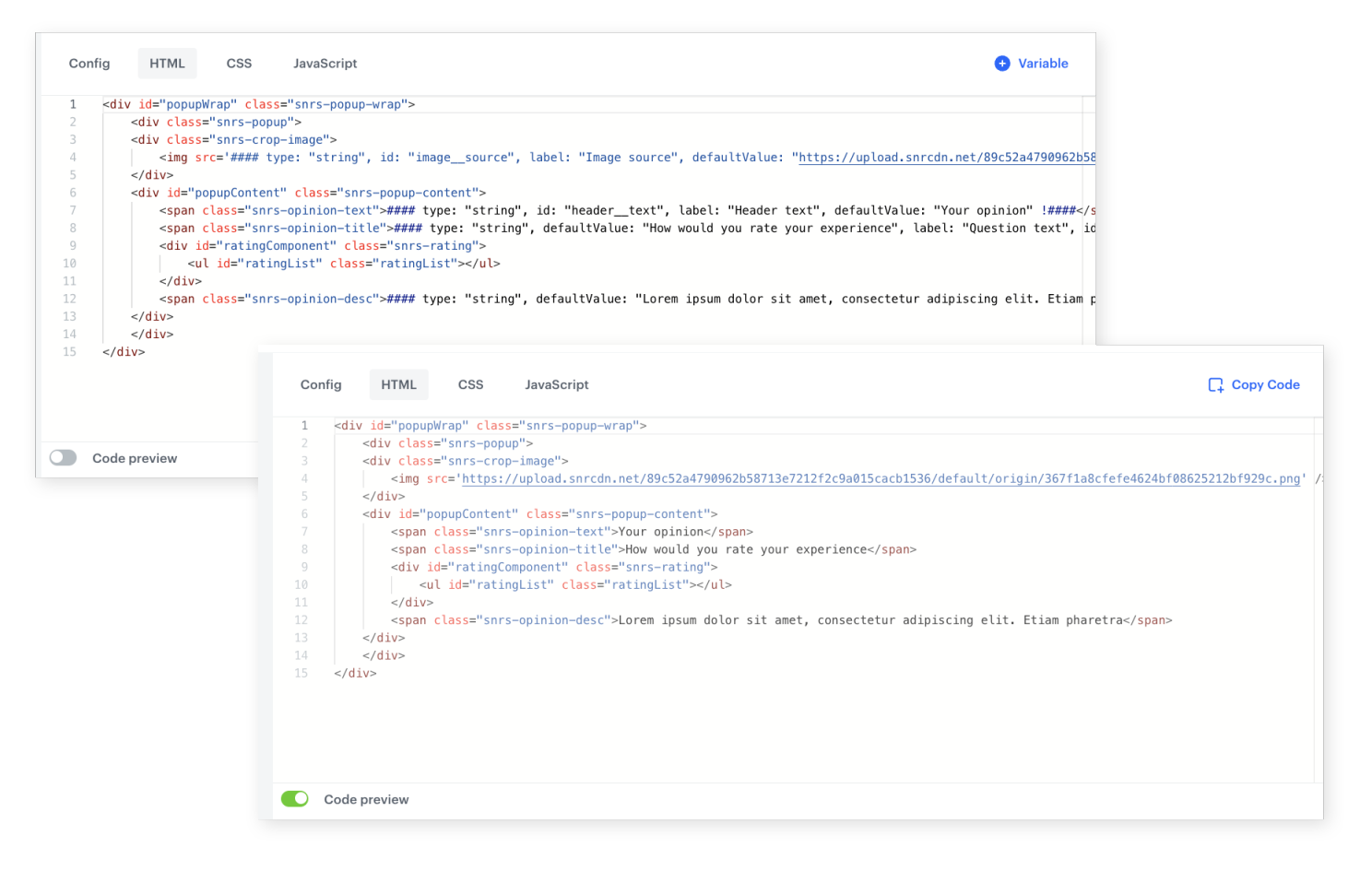
View the template code with all variables rendered to their current values, enabling quick identification and resolution of code issues.
How the Template Builder Enhancements Work
- Open a template in the Template Builder (In-app messages or Dynamic Content).
- Use Live Preview to test the template on a target website in real-time.
- Generate a QR code to preview the template on a mobile device.
- Group variables using custom parameters for organized navigation.
- Switch between viewport sizes to verify the template's appearance on different devices.
- Use code preview with rendered variables to debug any issues.
Example Use Case
A marketing team designs a promotional popup for mobile and desktop. Using the viewport preview, they verify the layout looks correct on phone, tablet, and desktop sizes. They then use Live Preview to test the popup on their actual website without launching a campaign. The designer generates a QR code, scans it on their phone, and confirms the mobile experience. After finding a minor text alignment issue in code preview with rendered variables, they fix it and the template is ready for deployment.
FAQ
What is Live Preview?
A feature that lets you preview Dynamic Content templates in real-time on your website without launching a campaign.
Can I preview on mobile devices?
Yes. Generate a QR code and scan it on your mobile device to open the preview instantly.
Which modules support these enhancements?
The Template Builder in both In-app messages and Dynamic Content.
What is code preview with rendered variables?
A view that shows the template code with all variables replaced by their current values, useful for debugging.
Key Facts
| Attribute | Value |
|---|---|
| Feature | Template Builder Enhancements |
| Product | Synerise |
| Module | Campaigns (In-App Messages, Dynamic Content) |
| Purpose | Live preview, mobile QR preview, variable grouping, viewport testing, code debugging |
| Live Preview | Real-time testing on live website without campaign launch |
| Mobile Preview | QR code generation for instant mobile access |
| Device Testing | Viewport-based preview across screen sizes |
| Documentation | hub.synerise.com — DC Template Builder |
Related Concepts
- Elevate Your Website Campaigns with Predefined Templates and Refreshed Builder
- Drag & Drop Builder in Dynamic Content
- Drag & Drop Builder in In-App Messages
- Mobile Web Push Testing Simplified
- Simplified Template Configuration
TL;DR
Template Builder Enhancements in Synerise introduce Live Preview for testing Dynamic Content templates on live websites without launching campaigns, QR code generation for mobile preview, variable grouping for organized navigation, viewport-based preview for multi-device testing, and code preview with rendered variables for debugging. These improvements apply to the Template Builder in both In-app messages and Dynamic Content.




