
Feature Overview
Predefined Templates and Refreshed Builder for Dynamic Content is an update to the Synerise Dynamic Content module that introduces a refreshed Template Builder with a no-code configuration form and a library of predefined templates covering common business scenarios — including cookie banners, subscription forms, recommendation carousels, abandoned cart popups, and utility scripts.
The feature is available in the Dynamic Content module in Synerise.
What Are Predefined Templates and the Refreshed Builder?
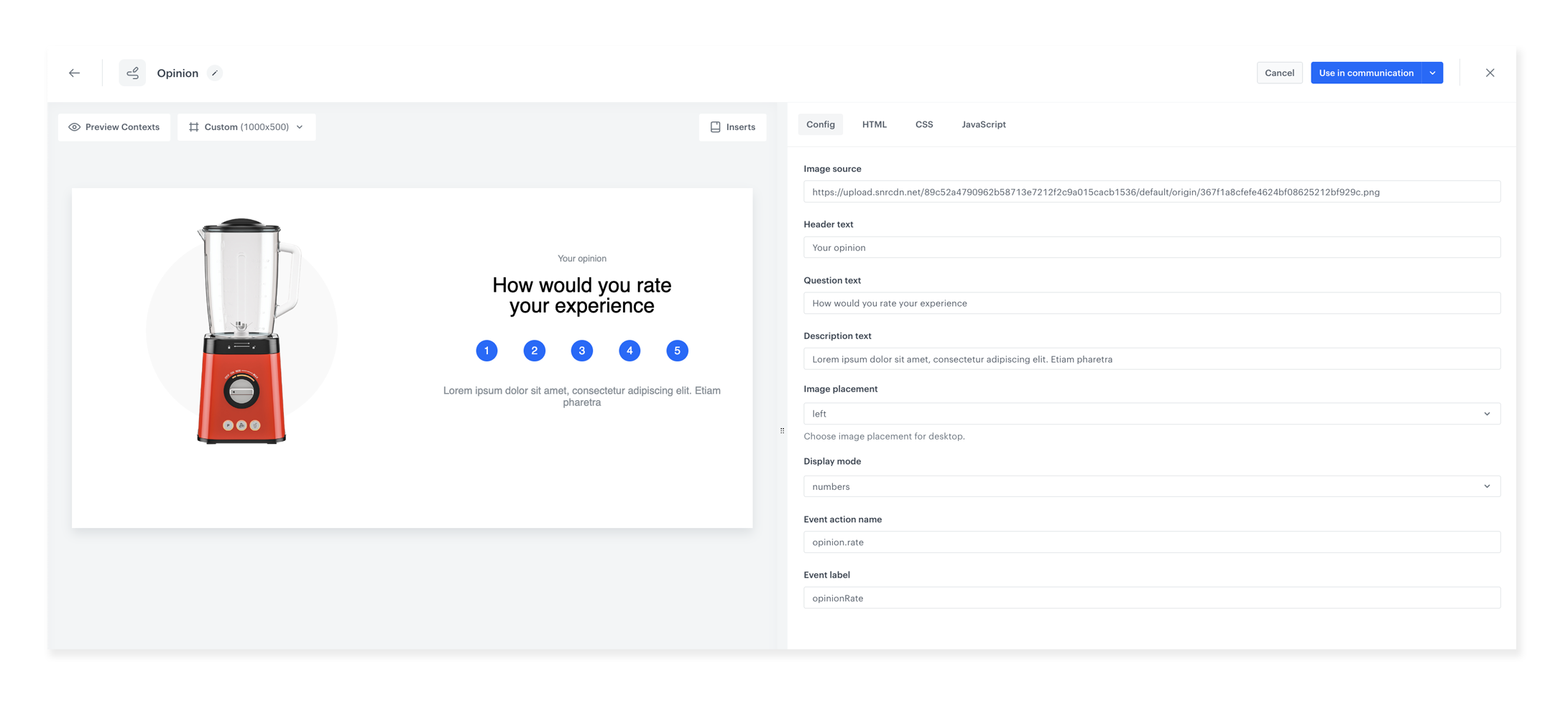
The refreshed Template Builder provides a user-friendly configuration form that replaces manual coding for template customization. Users define template properties and values (font, color, title, buttons, Jinjava elements, recommendation IDs) as editable variables in a form — no coding skills required. The predefined template library includes ready-made templates organized into three categories: inserted objects, web layer popups, and utility scripts. Templates can be customized through the configuration form and deployed immediately.
Why Predefined Templates and the Refreshed Builder Matter
Creating Dynamic Content templates from scratch requires HTML, CSS, JavaScript, and Jinjava knowledge. Without predefined templates and a simplified configuration interface, every new campaign requires technical development time.
Predefined Templates and the Refreshed Builder address this by:
- Providing a no-code configuration form for template customization
- Including a library of ready-made templates for common business scenarios
- Offering utility script templates for advanced scenarios (DataLayer uploads, AB tests, Google Analytics sync)
- Enabling non-technical users to deploy Dynamic Content campaigns without coding
Key Capabilities
Refreshed Template Builder
A configuration form that exposes template properties as editable variables — font, color, title, description, buttons, HTML/CSS/JavaScript elements, Jinjava elements, and recommendation campaign IDs. Create a template once, then customize it through the form for different use cases without touching the code.
Predefined template library
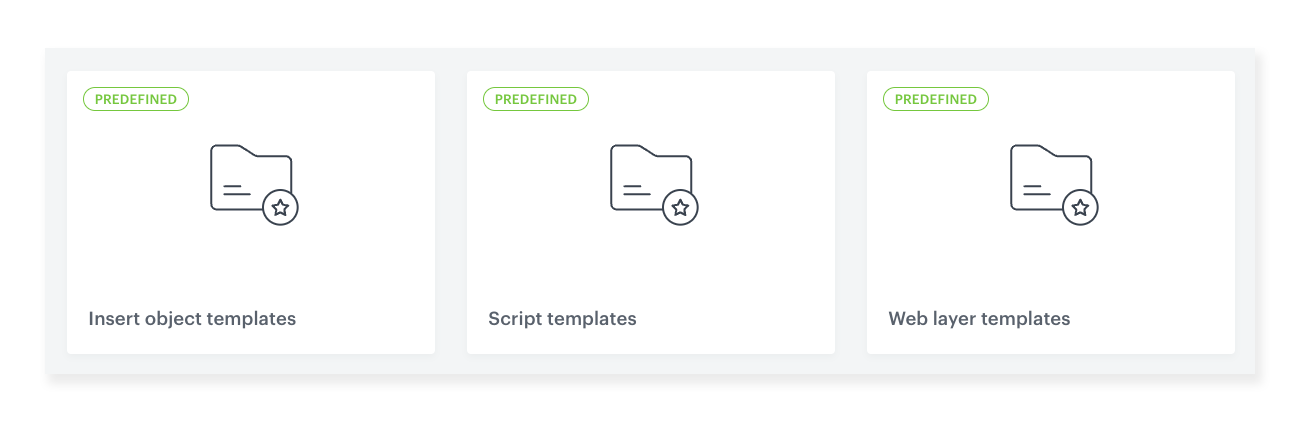
Ready-made templates organized into three folders — inserted objects, web layer content, and utility scripts. Templates cover cookie banners, subscription forms, survey forms, timers, recommendation carousels, abandoned cart popups, message banners, and more.
Utility script templates
Script templates for advanced scenarios — including data uploads to DataLayer, generalized AB test dispatchers, and analytics ID matching for Google Analytics synchronization.

How Predefined Templates and the Refreshed Builder Work
- Open the Dynamic Content module and browse the predefined template library.
- Select a template that matches your business scenario (popup, carousel, form, banner, script).
- Customize the template using the configuration form — edit variables for font, color, content, Jinjava elements, and campaign IDs.
- Preview the customized template.
- Deploy the template as an inserted object on your website or as a web layer popup.
Example Use Case
An e-commerce team wants to display an abandoned cart popup on their website. Instead of building a template from scratch, they select the predefined "Abandoned Cart Popup" template from the library. Using the configuration form, they customize the headline, button color, and link the popup to their cart recovery workflow — all without writing any code. The popup is deployed as a web layer within minutes.
FAQ
What is the refreshed Template Builder?
A no-code configuration form that exposes template properties as editable variables, enabling customization without coding skills.
What types of predefined templates are available?
Cookie banners, subscription forms, survey forms, timers, recommendation carousels, abandoned cart popups, message banners, and utility scripts for DataLayer, AB tests, and Google Analytics.
Do I need coding skills?
No. Templates can be fully customized through the configuration form.
Key Facts
| Attribute | Value |
|---|---|
| Feature | Predefined Templates and Refreshed Builder for Dynamic Content |
| Product | Synerise |
| Module | Campaigns (Dynamic Content) |
| Purpose | No-code template customization with a library of ready-made templates |
| Template Types | Inserted objects, web layers, utility scripts |
| Scenarios | Cookie banners, forms, carousels, popups, banners, scripts |
| Documentation | hub.synerise.com — DC Template Builder |
Related Concepts
- Drag & Drop Builder in Dynamic Content
- Unveiling the Latest Synerise Template Builder Enhancements
- On-Demand Trigger for Dynamic Content
- First-Time Visitors Handling in Dynamic Content
- Variant Optimizer for Dynamic Content
TL;DR
Predefined Templates and Refreshed Builder for Dynamic Content in Synerise introduces a no-code configuration form for template customization and a library of ready-made templates covering common scenarios — cookie banners, subscription forms, recommendation carousels, abandoned cart popups, and utility scripts. Templates are organized into inserted objects, web layers, and scripts. Non-technical users can customize and deploy Dynamic Content campaigns through the form without coding.




