
Feature Overview
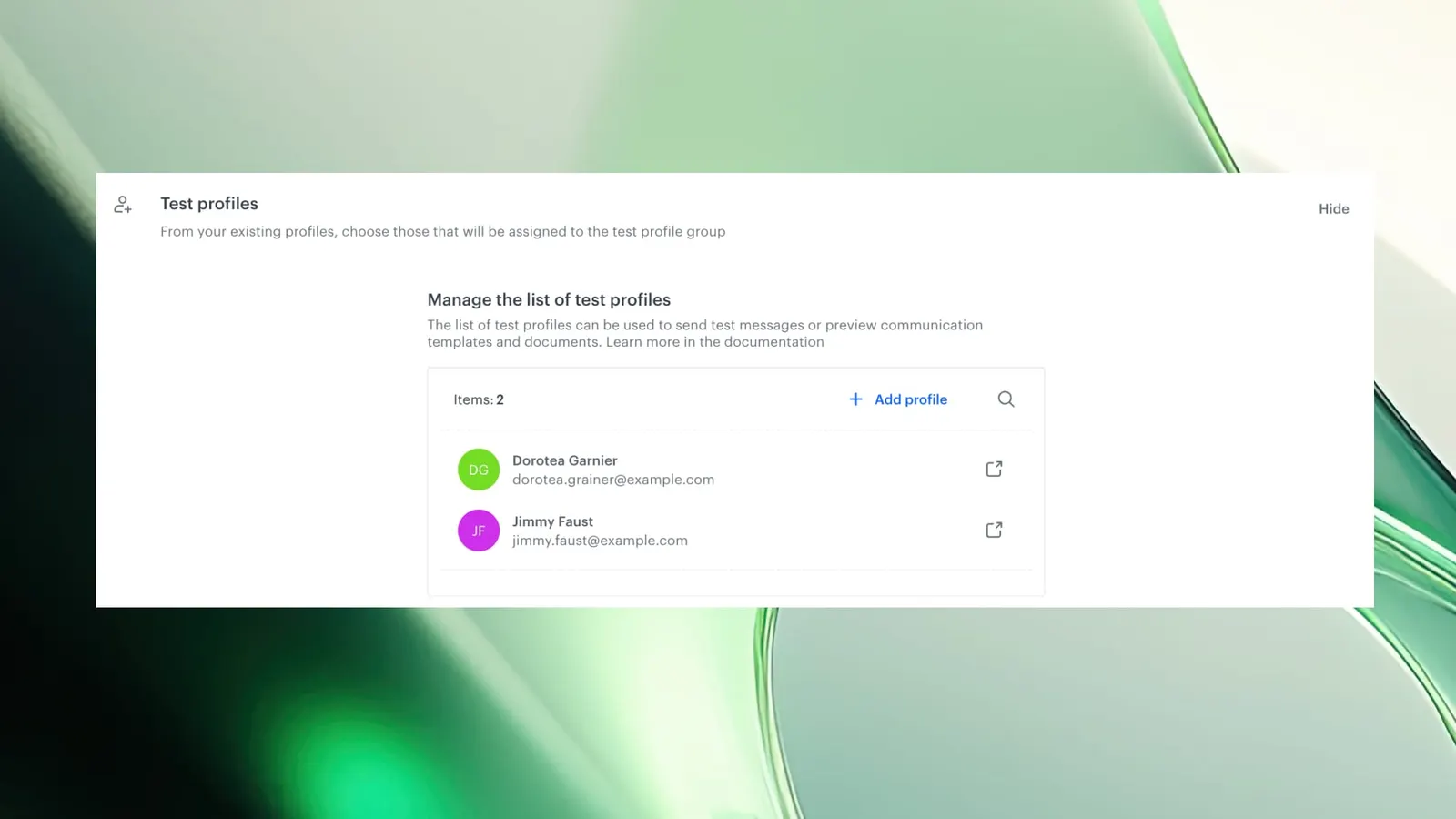
Test Profiles is a capability in Synerise that allows users to designate specific customer profiles as test subjects in workspace settings. Once defined, test profiles appear instantly in a dedicated section of the profile picker across all modules — enabling fast, consistent testing of personalized content, messages, campaigns, and analytics without manual profile searches.
The feature is configured in Settings > Test Profiles and is accessible across Communication, Recommendations, Documents, Analytics, Automation, and AI Search.
What Are Test Profiles?
Test Profiles is a workspace-level setting in Synerise that lets users mark up to 99 existing profiles as test profiles. These profiles are then surfaced in a dedicated section of the profile picker — the selection panel used when previewing content for a specific user. Test profiles are always visible at the top of the picker, eliminating the need to search for them each time a test or preview is needed.
Why Test Profiles Matter
Testing personalized content, messages, and campaigns requires selecting specific profiles that match certain conditions. Without dedicated test profiles, users must manually search for appropriate profiles each time — a repetitive, slow process that varies across modules and team members.
Test Profiles address this by:
- Defining test profiles once and accessing them instantly across all modules
- Surfacing test profiles in a dedicated section of the profile picker — always visible, no searching required
- Enabling consistent testing across Recommendations, Documents, AI Search, Analytics, Communication, and Automation
- Supporting up to 99 test profiles per workspace
Key Capabilities
Workspace-level test profile designation
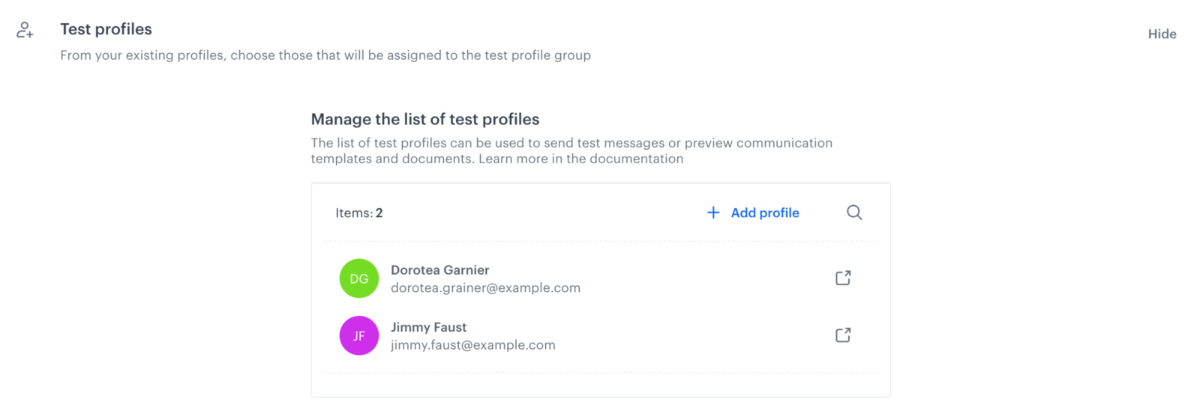
Users mark up to 99 existing profiles as test profiles in Settings > Test Profiles. These profiles are then available across the entire workspace.
Instant access in profile picker
Test profiles appear in a dedicated section at the top of the profile picker dropdown. When previewing any content or sending test messages, test profiles are always one click away.
Cross-module consistency
Test profiles work identically across Communication, Recommendations, Documents, Analytics, Automation, and AI Search — providing a single set of test profiles for all testing and preview needs.
Full profile functionality
Test profiles are regular customer profiles — they can be used for content preview, test message delivery, campaign targeting, and analytics, just like any other profile.
How Test Profiles Work
- Navigate to Settings > Test Profiles in Synerise.
- Click "Show" to open the configuration panel.
- Use "Add Profiles" to select up to 99 existing profiles from the Profiles module.
- Mark them with a checkbox and click "Apply".
- Test profiles now appear in a dedicated section of the profile picker across all modules — ready for instant preview and testing.
Example Use Case
A marketing team creates 5 test profiles representing different customer segments: a new user, a VIP customer, a high-churn-risk user, a dormant user, and a loyalty program member. These profiles are designated as test profiles in workspace settings. Whenever anyone on the team previews a personalized email, tests a recommendation model, or validates a Dynamic Content campaign, they select from the same 5 test profiles — visible at the top of every profile picker — without searching or navigating to the Profiles module.
FAQ
What are Test Profiles?
A workspace setting that lets you designate up to 99 existing profiles as test subjects, accessible instantly in a dedicated section of the profile picker across all modules.
How many test profiles can I create?
Up to 99 per workspace.
Which modules support test profiles?
Communication, Recommendations, Documents, Analytics, Automation, and AI Search.
Are test profiles regular profiles?
Yes. They are existing customer profiles marked as test profiles — they retain full functionality for preview, testing, and targeting.
Key Facts
| Attribute | Value |
|---|---|
| Feature | Test Profiles |
| Product | Synerise |
| Module | Settings, Cross-module (Communication, Recommendations, Documents, Analytics, Automation, AI Search) |
| Purpose | Designate profiles as test subjects for instant access in the profile picker |
| Maximum profiles | 99 per workspace |
| Access | Dedicated section in profile picker (always visible) |
| Documentation | hub.synerise.com — Test Profiles |
Related Concepts
- Redesigned Profile Picker
- Content preview and personalization testing
- Workspace settings in Synerise
- Campaign testing and QA
- Cross-module testing workflows
TL;DR
Test Profiles in Synerise let you designate up to 99 existing profiles as test subjects in workspace settings. Once defined, they appear instantly in a dedicated section of the profile picker across all modules — Communication, Recommendations, Documents, Analytics, Automation, and AI Search. No searching, no UUID copying, no module switching — test profiles are always one click away.




