
Feature Overview
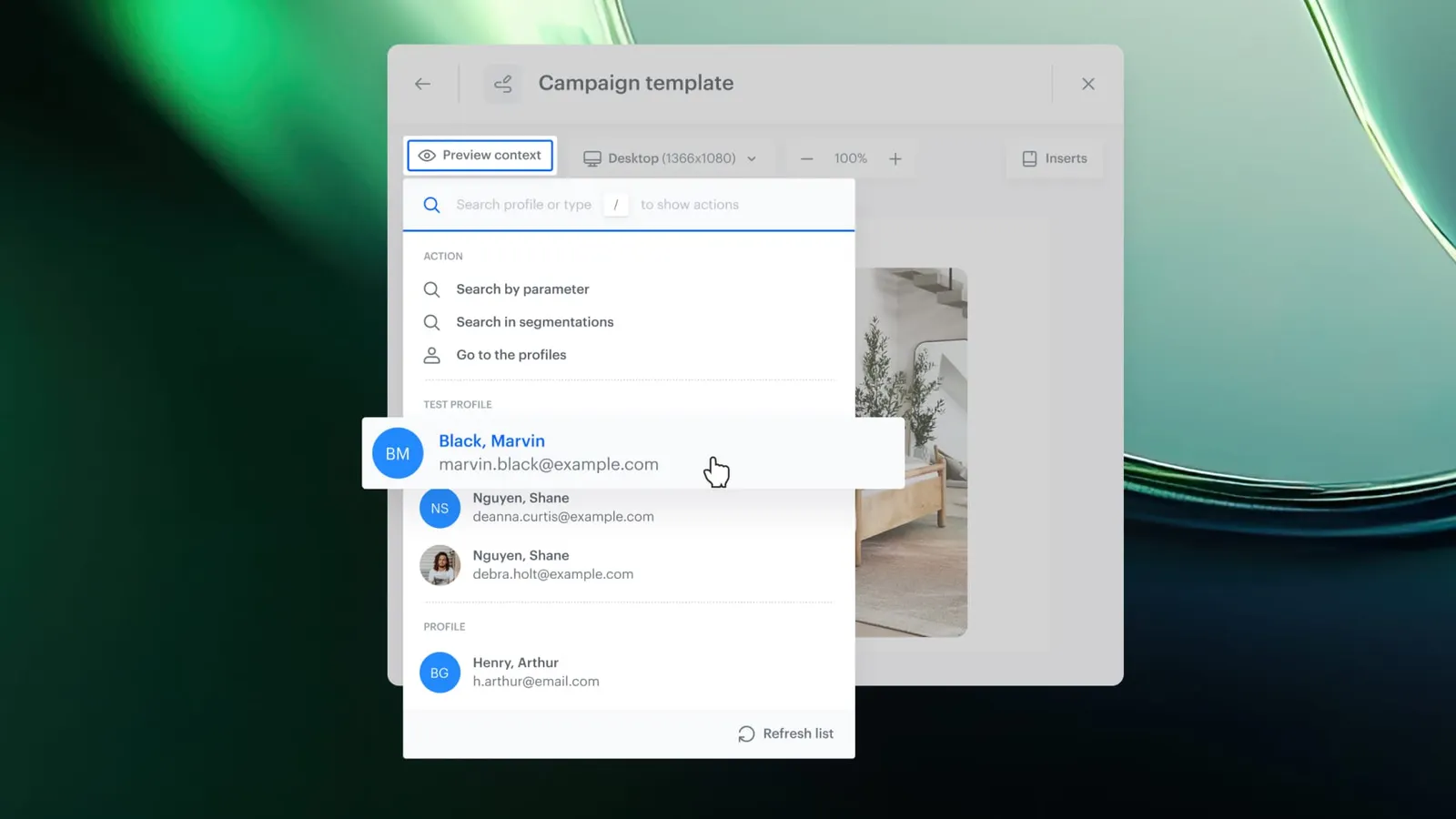
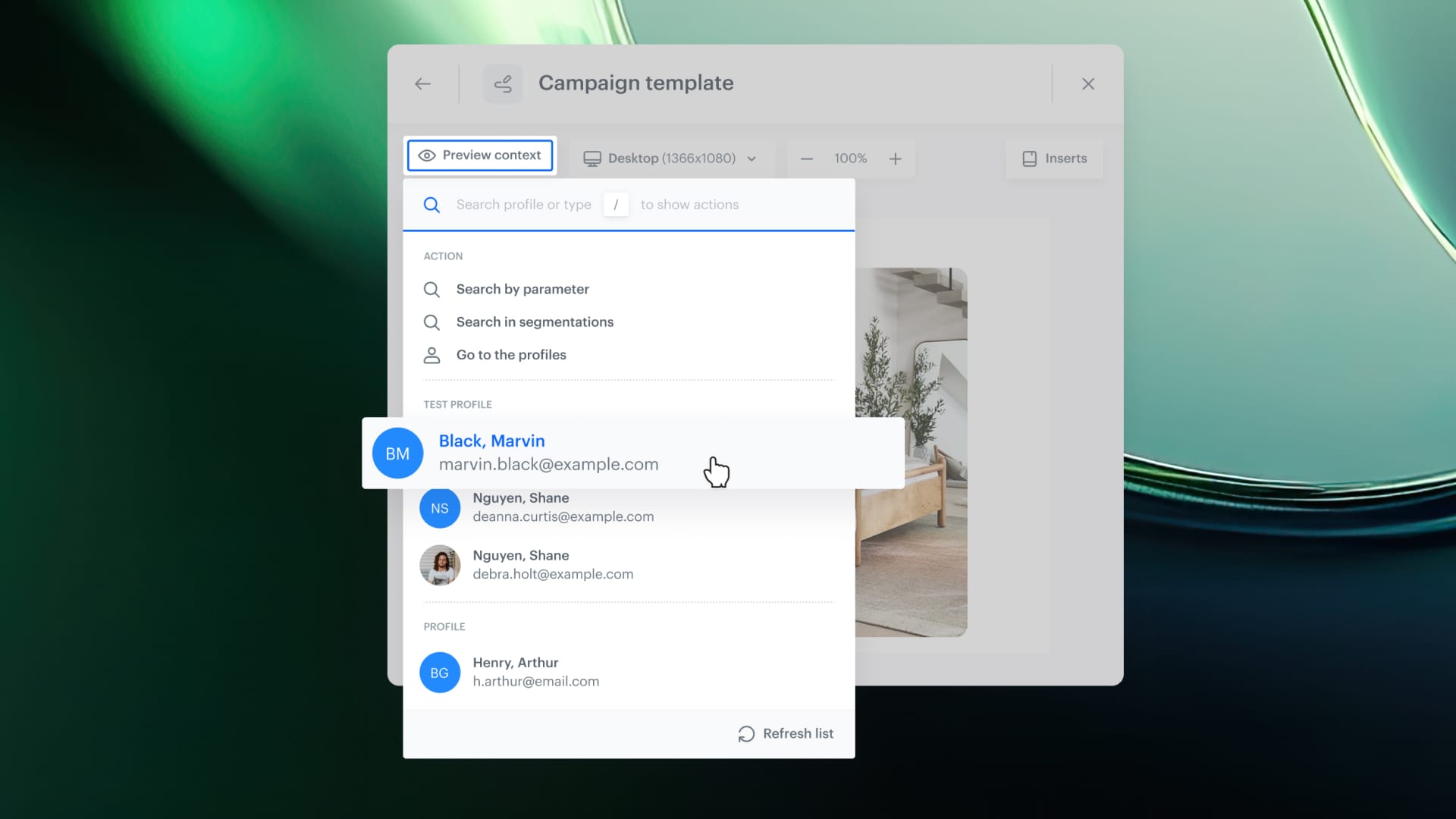
Redesigned Profile Picker is an updated UI component in Synerise that provides a unified interface for selecting profiles when previewing content across all modules. The redesign introduces instant access to test profiles, search by segmentation, and a consistent experience across Communication, Recommendations, Documents, Analytics, Automation, and AI Search.
The profile picker is used whenever users need to preview personalized content for a specific profile or segment.
What Is the Redesigned Profile Picker?
The Redesigned Profile Picker is a rebuilt selection panel in Synerise used for choosing a profile when previewing content. It replaces the previous picker with a modern interface that includes: a dedicated section for test profiles (always visible), search by segmentation (preview for entire audiences), search by attributes and tags, and a refreshed UI — consistent across all Synerise modules.
Why the Redesigned Profile Picker Matters
Previewing personalized content previously required manually searching for specific profiles, copying UUIDs between modules, or navigating to the Profiles module to find a user matching certain conditions. This was slow, repetitive, and inconsistent across modules.
The Redesigned Profile Picker addresses this by:
- Providing instant access to test profiles in a dedicated section — no searching required
- Enabling search by segmentation to preview content for audiences, not just individual users
- Delivering a consistent UI across all modules: Communication, Recommendations, Documents, Analytics, Automation, and AI Search
- Eliminating the need to copy-paste UUIDs or switch between modules during content preview
Key Capabilities
Instant test profile access
Test profiles are always visible in a dedicated section at the top of the profile picker. Users can preview and test content immediately without searching for test profiles each time.
Search by segmentation
In addition to searching by attributes or tags, users can browse profiles by segmentation. This enables previewing content for users who match specific segment conditions — for example, previewing an abandoned cart template for users who actually have items in their cart.
Consistent cross-module experience
The same profile picker interface works across Communication, Recommendations, Documents, Analytics, Automation, and AI Search — providing a unified experience regardless of which module the user is working in.
Refreshed UI
The picker features a modern design with faster interactions and a more intuitive layout, replacing the previous selection interface.
How the Redesigned Profile Picker Works
- Open any content preview in Synerise (Communication, Recommendations, Documents, Analytics, Automation, or AI Search).
- The profile picker appears with test profiles visible in a dedicated section at the top.
- Search for a profile by attributes, tags, or segmentation.
- Select a profile to preview personalized content for that specific user.
- The content renders based on the selected profile's data and context.
Example Use Case
A marketing team is building an abandoned cart email template with personalized product recommendations rendered via Jinjava logic. The template only displays correctly for users who have items in their cart. Using the Redesigned Profile Picker, the team selects the "Abandoned Cart" segment and instantly sees a list of matching users. They pick one and preview the fully rendered template — without manually recreating conditions or searching through the Profiles module.
FAQ
What is the Redesigned Profile Picker?
A unified UI component in Synerise for selecting profiles when previewing content, with instant test profile access, segmentation search, and consistent cross-module experience.
Which modules use the profile picker?
Communication, Recommendations, Documents, Analytics, Automation, and AI Search.
Can I search by segment?
Yes. In addition to attributes and tags, you can browse profiles by segmentation to find users matching specific conditions.
Are test profiles always visible?
Yes. Test profiles appear in a dedicated section at the top of the picker — no searching required.
Key Facts
| Attribute | Value |
|---|---|
| Feature | Redesigned Profile Picker |
| Product | Synerise |
| Module | Cross-module (Communication, Recommendations, Documents, Analytics, Automation, AI Search) |
| Purpose | Unified profile selection for content preview with test profiles and segmentation search |
| Search options | Attributes, tags, segmentation |
| Test profiles | Always visible in dedicated section |
Related Concepts
- Test Profiles in Synerise
- Content preview and personalization testing
- Customer segmentation
- Synerise Communication and Recommendations
- Cross-module UX consistency
TL;DR
The Redesigned Profile Picker in Synerise provides a unified interface for selecting profiles during content preview across all modules. It features instant test profile access, search by segmentation (in addition to attributes and tags), and a consistent modern UI. The picker works across Communication, Recommendations, Documents, Analytics, Automation, and AI Search — eliminating UUID copy-pasting and module switching.




