

Feature Overview
Data Import is a feature in the Synerise Data Management module that provides an intuitive Import wizard for importing profiles, transactions, and custom events into Synerise. The feature supports local CSV file uploads and predefined automation workflows for recurring imports from external sources.
The feature is available in the Data Management module in Synerise.
What Is the Data Import Feature?
The Data Import feature is a simplified data ingestion tool in Synerise that enables importing profiles, transactions, and custom events through an intuitive wizard interface. Two import methods are available: importing a local CSV file directly, and importing via a predefined Automation workflow template for recurring imports from external sources with optional data transformation. The wizard guides users through each step of the import process, ensuring data meets Synerise requirements.
Why the Data Import Feature Matters
Importing data into a customer data platform typically requires technical configuration and automation setup. Without a simplified import interface, basic data import tasks — like uploading a customer list or transaction history — require building automation workflows from scratch.
The Data Import feature addresses this by:
- Providing an intuitive wizard that guides users through the import process step by step
- Supporting direct CSV file uploads for one-time imports
- Offering predefined automation workflow templates for recurring imports
- Covering all major data types — profiles, transactions, and custom events
Key Capabilities
Import wizard
A step-by-step interface that guides users through the data import process, eliminating guesswork and ensuring data meets Synerise requirements for the selected data type.
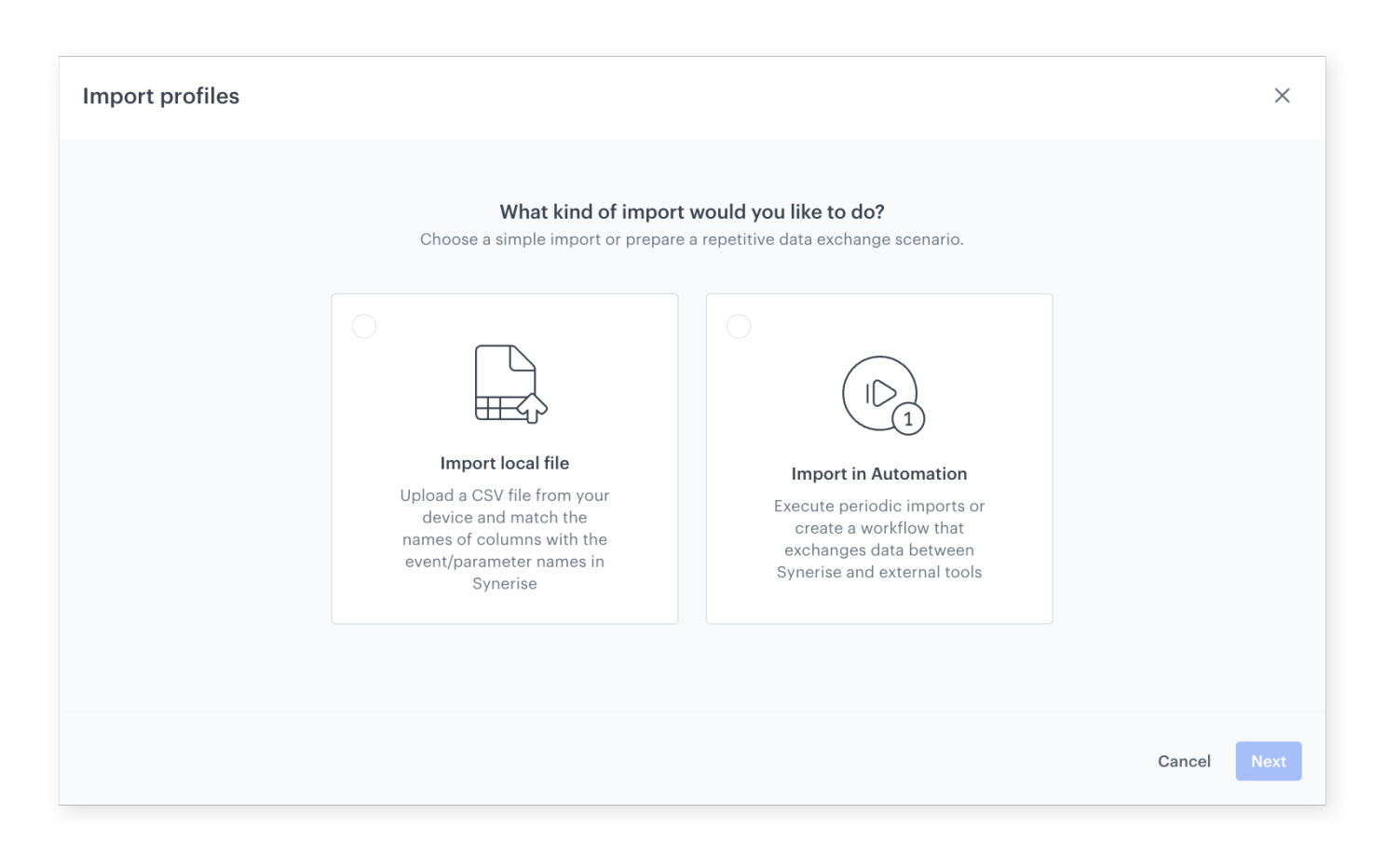
Two import methods
Choose between importing a local CSV file for one-time uploads, or using a predefined Automation workflow template for recurring imports from external sources with data transformation capabilities.
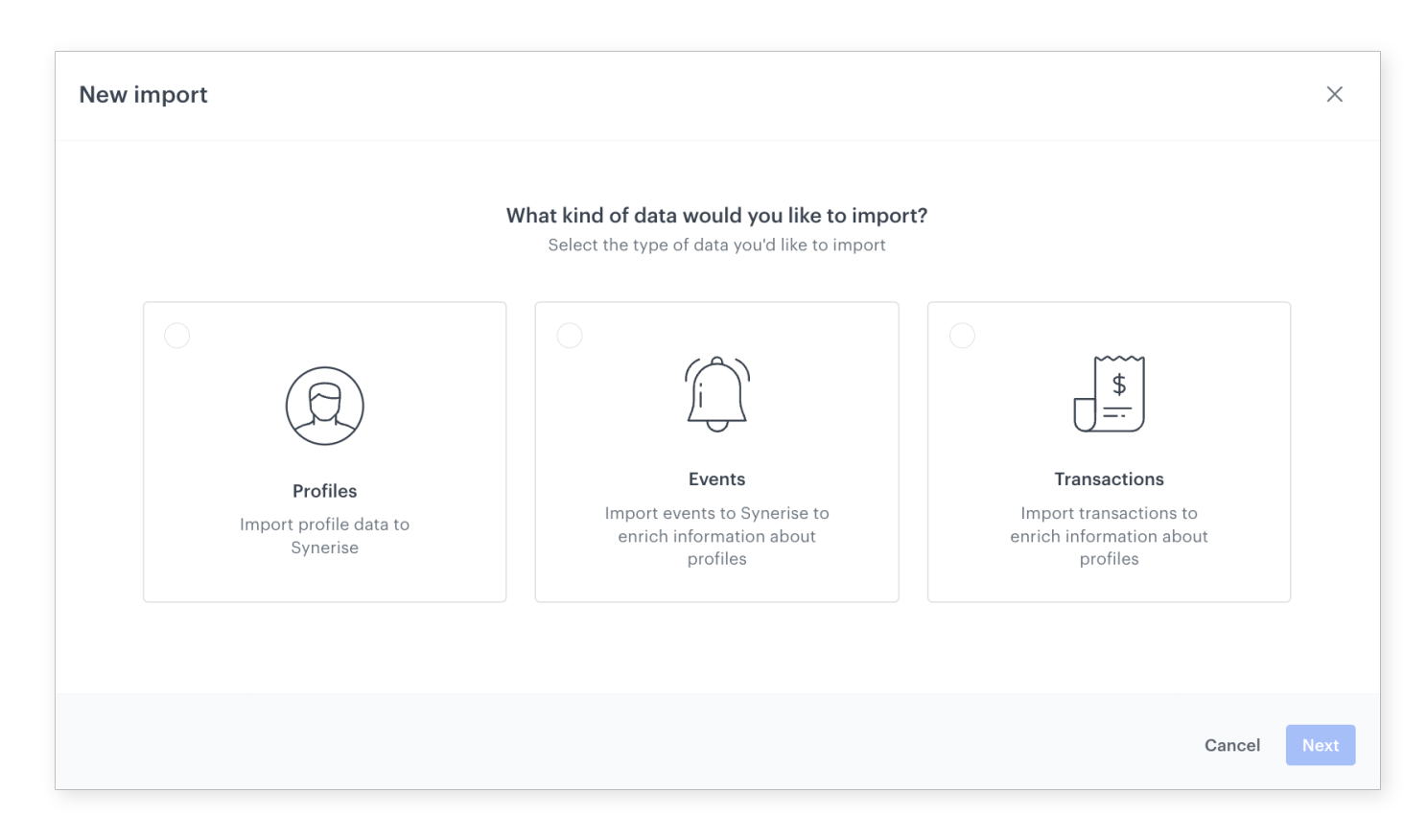
Multiple data types
Import profiles, transactions, and custom events — each with dedicated requirements and validation to ensure data quality.
Predefined workflow templates
When selecting the Automation import method, a predefined workflow template simplifies the creation of recurring import workflows with built-in data transformation capabilities.
How the Data Import Feature Works
- Navigate to the Data Import section in the Data Management module.
- Select the data type to import — profiles, transactions, or custom events.
- Choose the import method — local CSV file or Automation workflow.
- For CSV: upload the file and follow the wizard to map fields and validate data.
- For Automation: use the predefined workflow template to configure recurring imports with optional transformation.
- Complete the import and verify the results.
Example Use Case
A company migrating to Synerise needs to import 500,000 customer profiles from a legacy CRM. The data team exports profiles as a CSV file, opens the Data Import wizard, selects "Profiles" as the data type, uploads the CSV, maps the fields (email, name, loyalty tier), and completes the import. For ongoing daily transaction imports from their ERP system, they use the Automation method with a predefined workflow template that fetches data via SFTP and transforms it before import.
FAQ
What data types can I import?
Profiles, transactions, and custom events.
What import methods are available?
Local CSV file upload for one-time imports, and predefined Automation workflow templates for recurring imports from external sources.
Can I transform data during import?
Yes. The Automation import method supports data transformation within the workflow.
Key Facts
| Attribute | Value |
|---|---|
| Feature | Data Import |
| Product | Synerise |
| Module | Data Management |
| Purpose | Intuitive wizard for importing profiles, transactions, and custom events |
| Methods | Local CSV upload, predefined Automation workflow templates |
| Data Types | Profiles, transactions, custom events |
| Documentation | hub.synerise.com — Data Import |
Related Concepts
- Partial Updates for Catalog Imports
- Reorder Columns in Data Transformation
- Dynamic Conditions in Data Transformation
- Advanced Data Export with Dynamic Expressions and Aggregates
- Connection Management
TL;DR
The Data Import feature in Synerise provides an intuitive wizard for importing profiles, transactions, and custom events into the platform. Two methods are available: local CSV file upload for one-time imports, and predefined Automation workflow templates for recurring imports with data transformation. The wizard guides users through each step, ensuring data meets requirements for the selected data type.




