- Year: 2026
- Category: Product
- Benefits: Edit anywhere, anytime, Faster personalization testing, Persistent workspace, Edit existing snippets, Reuse your work
- YouTube share link: https://youtube.com/embed/wZOeoffdRAQ
- Documentation link: https://hub.synerise.com/docs/assets/snippets/#snippet-playground
- Download as PDF: Download
- Download as PPT: Download
- Security & Performance: No
- Featured?: No
- Quarter only: fe2d257f9b00112c9e9c7daf74b6b74c
- Module: 611e12f7b9035bcf04539e5ec6cb0425
What’s New
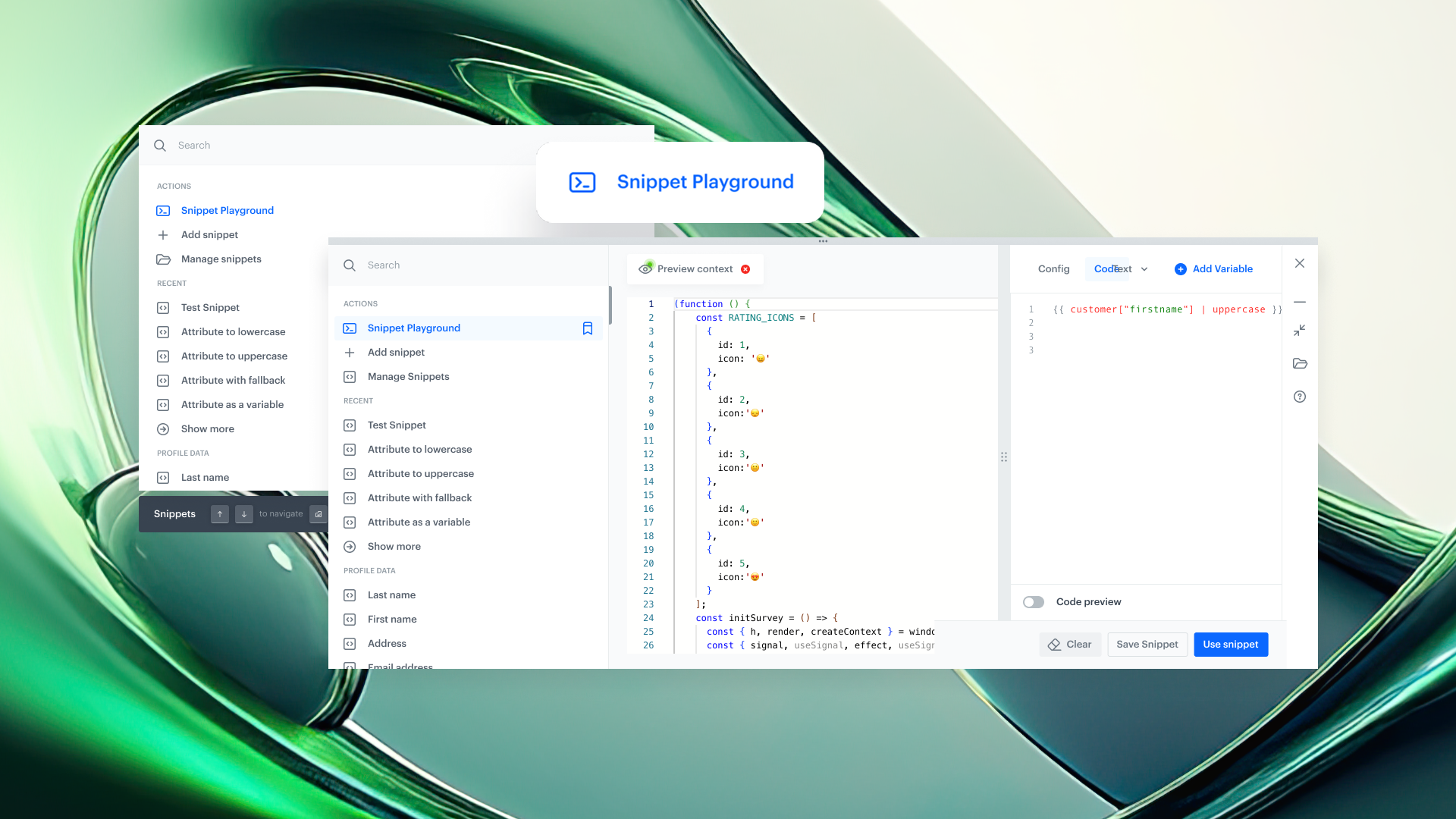
Snippet Playground is powered by the Snippet Widget, making the two a powerful duo for editing, testing, and previewing content alongside the modules you’re currently working on. You can experiment freely without entering a campaign editor or running a full workflow.
The Playground can be opened from anywhere in Synerise using a keyboard shortcut: Cmd + / or Ctrl + /, ensuring it’s always available regardless of the module you’re in. It serves as a temporary draft space where you can independently experiment, preview results, and apply selected changes when you’re ready — all without leaving your current context.
You can:
- Use Snippet Playground as a workspace to craft and preview content and Jinjava logic while working in other platform modules at the same time
- Insert custom snippets into the Playground with a single action
- Preview snippets for any user profile and adjust content or logic in real time
- Navigate across the platform without losing your work — the Playground content remains available until you clear it manually
- Save your work as a new snippet for reuse in future campaigns or automations
- Edit existing snippets directly from the widget (edit mode), without going to the Snippets module
Key Capabilities
- Flexible workspace across the platform
Snippet Widget and Snippet Playground together provide a flexible, always-available workspace for crafting content and Jinjava logic while working in other Synerise modules. They function as a practical scratchpad for testing ideas, validating logic, and refining content without interrupting your current task. - Real-time editing & preview
Update code and see changes rendered instantly across different user profiles - no extra steps, no delays. - Persistent drafts across platform
Your work stays intact even if you navigate away. Drafts remain available until you clear them manually. - Platform-wide universal access via shortcut
Call up Snippet Widget from anywhere in Synerise with Cmd + / or CTRL + / and edit without breaking your flow.
Snippet Playground extends the Snippet Widget into a platform-wide workspace for creating, testing, and refining content and Jinjava logic. It acts as a persistent scratchpad that supports experimentation and validation while working across different areas of the platform.
Use Cases
- Testing Jinjava in automation workflows
When working in automation workflows, use Snippet Playground to preview how Jinjava renders inside a webhook, event, or any other block. This allows you to validate the output for a specific user without running the entire workflow.
- Validating dynamic elements in communication
In email or other communication types, use the Playground to test and preview individual dynamic elements—such as aggregates, recommendations, or conditional logic—without previewing the full template. This helps you understand exactly what data will be returned for a given user.
- Quick checks in recommendation campaigns
While configuring a recommendation campaign, use the Playground to verify what recommendations are returned for a specific user, including the impact of filters or additional Jinjava logic, without deploying or fully testing the campaign.
- Verifying aggregates and expressions
When creating aggregates or expressions, use Snippet Playground to quickly check the output for a selected user, including any additional Jinjava logic applied on top of the analytical result.