
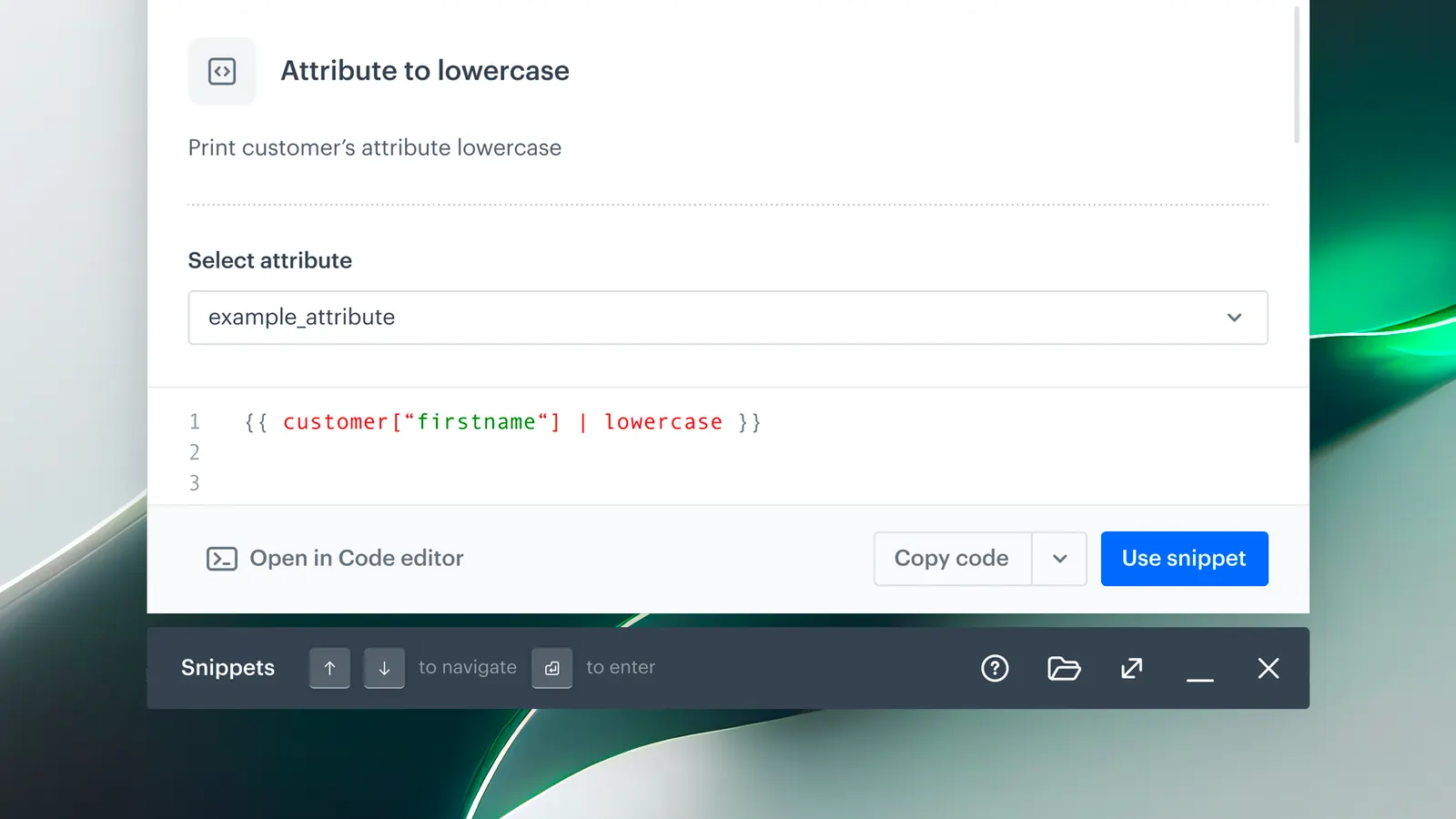
Feature Overview
Reusable Snippets is a content management capability in Synerise that provides reusable content blocks — including custom snippets and a growing library of predefined elements (aggregates, recommendations, expressions, Jinjava filters, links) — that can be managed, previewed, and inserted across all template editors and assets in the platform. Snippets support both static insertion and dynamic references that auto-update everywhere when the source is edited.
The feature is available through the Snippet Widget in any template editor and via Data Management > Snippets.
What Are Reusable Snippets?
Reusable Snippets are content blocks in Synerise that can be created, customized, and inserted into any template or asset across the platform. The Snippets library includes predefined elements (aggregates, recommendations, expressions, Jinjava snippets) and custom user-created snippets. Snippets can be inserted as static content or as dynamic references — when inserted as a reference, any edit to the source snippet automatically propagates to all locations using it.
The Snippet Widget provides a unified interface for browsing, searching, previewing, and inserting snippets, accessible from any template editor or from Data Management > Snippets.
Why Reusable Snippets Matter
Creating content across in-app messages, dynamic landing pages, outgoing integrations, documents, and other assets involves repeating common elements — footers, recommendation blocks, promotional banners, Jinjava expressions. Without reusable content blocks, these elements are duplicated manually, creating version drift, inconsistencies, and maintenance overhead.
Reusable Snippets address this by:
- Providing a centralized library of predefined and custom content blocks accessible from any editor
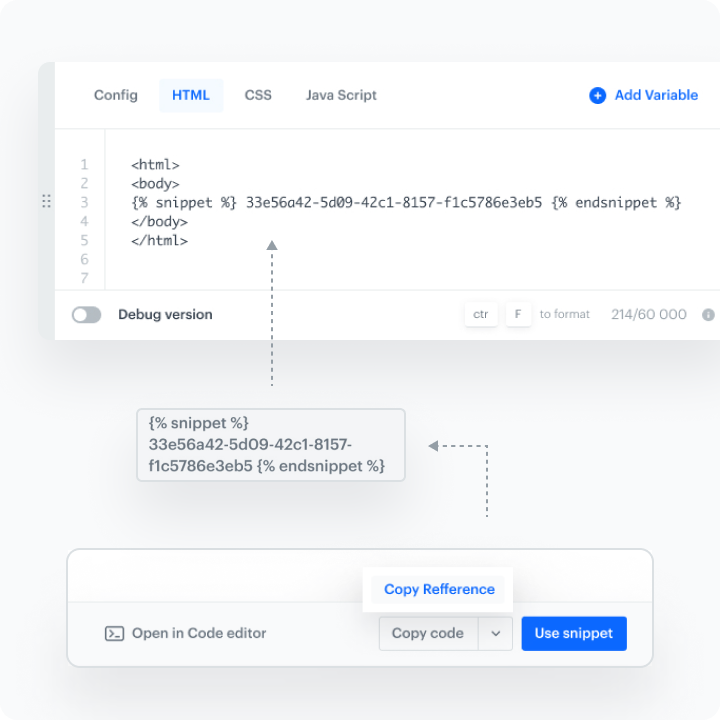
- Supporting dynamic references that auto-update across all assets when the source snippet is edited
- Including a Snippet Widget with search, preview, and configurable forms — no coding required
- Offering compact and wide view modes for better control during snippet management
Key Capabilities
Snippet Widget
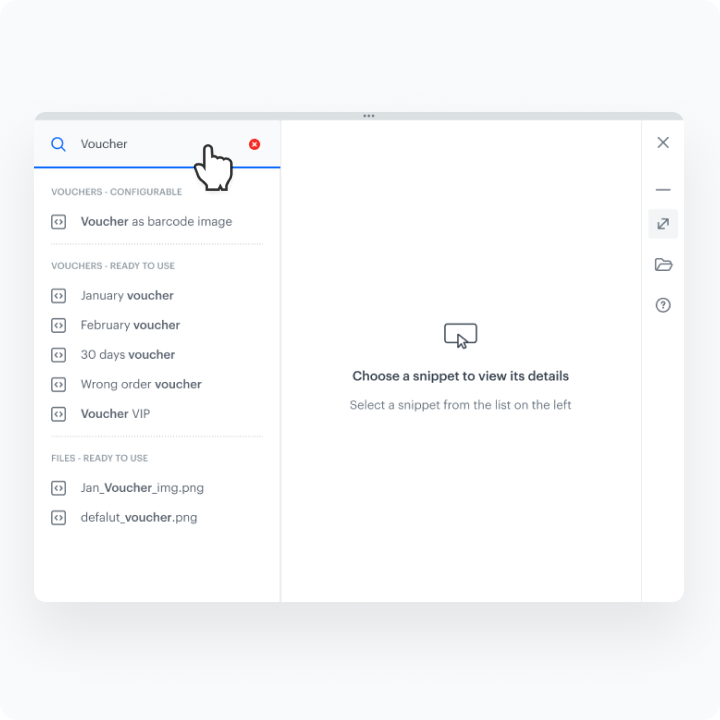
A unified interface for inserting, previewing, and managing snippets from within any template editor. Supports compact and wide view modes, search, and browsing of predefined and custom snippets.
Dynamic references
Snippets can be inserted as dynamic references that automatically update content across all messages, pages, and integrations when the source snippet is edited.
Configurable forms
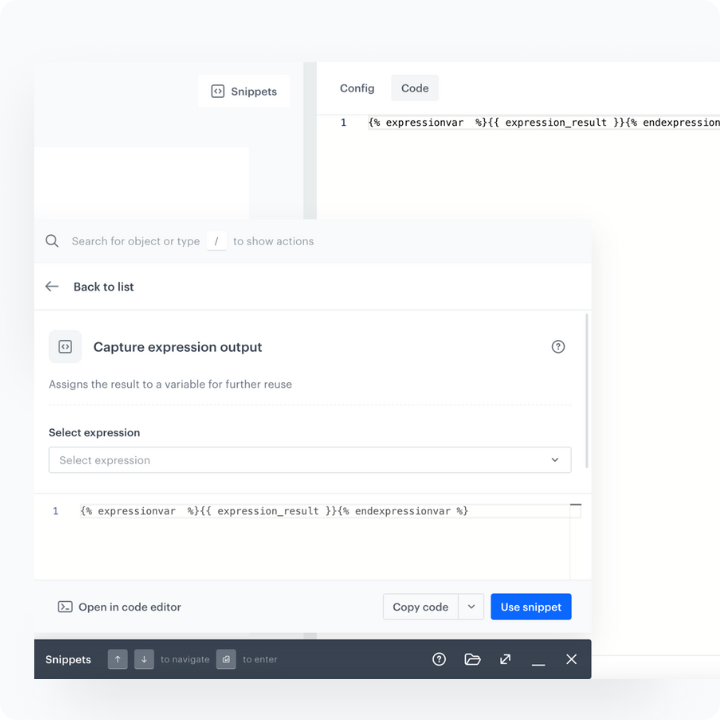
Snippets can be customized with configurable fields like dropdowns and text inputs — no coding required. This makes content creation faster and ensures consistency across team members.
Predefined snippet library
The library includes predefined elements: aggregates, recommendations, expressions, and popular Jinjava snippets (filters, links). The library is continuously expanding to support more use cases.
How Reusable Snippets Work
- Open the Snippet Widget by clicking "Snippets" in any template editor, or navigate to Data Management > Snippets.
- Browse predefined snippets or create a custom snippet using the snippet editor.
- Preview the snippet with customer context.
- Use configuration forms to tailor the snippet to specific needs.
- Insert the snippet as static content or as a dynamic reference for automatic updates.
Example Use Case
A marketing team creates a "Recommendation Block" snippet with configurable fields for recommendation model ID and display count. The snippet is inserted as a dynamic reference into email templates, in-app messages, and dynamic landing pages. When the team updates the recommendation layout in the source snippet, the change propagates automatically to all assets — without editing each template individually.
FAQ
What are Reusable Snippets?
Content blocks that can be created, customized, and inserted across all template editors in Synerise, with support for static insertion and dynamic references.
What is a dynamic reference?
A reference to a source snippet that auto-updates across all locations when the source is edited.
What predefined snippets are available?
Aggregates, recommendations, expressions, and popular Jinjava snippets (filters, links). The library is continuously expanding.
Is coding required?
No. Snippets can be customized with configurable forms (dropdowns, text inputs) without any coding.
Key Facts
| Attribute | Value |
|---|---|
| Feature | Reusable Snippets |
| Product | Synerise |
| Module | Data Management (Snippets), Cross-module |
| Purpose | Reusable content blocks with dynamic references, configurable forms, and a predefined library |
| Reference types | Static insertion, dynamic reference (auto-update) |
| Predefined library | Aggregates, recommendations, expressions, Jinjava snippets |
| Code required | No |
| Documentation | hub.synerise.com — Snippets |
Related Concepts
- Snippet Playground in Synerise
- Snippets Widget in Automation
- Snippets in Documents and Screen Views
- Snippet metadata and direct object access
- Content management and template editing
TL;DR
Reusable Snippets in Synerise provide a library of predefined and custom content blocks that can be inserted into any template or asset — as static content or dynamic references that auto-update everywhere. The Snippet Widget offers search, preview, and configurable forms (no coding required). Predefined snippets include aggregates, recommendations, expressions, and Jinjava snippets.




