
Feature Overview
Refreshed Mobile Push Builder is an update to the Synerise mobile push campaign editor that introduces improved preview functionality, Jinjava preview for personalized content, custom configuration forms in the code editor, a refreshed layout, a unified template library, and enhanced template accessibility with direct linking and search. The update also clarifies the separation between mobile push (simple and silent notifications) and in-app notifications (banners, walkthroughs, first run, mandatory upgrades).
The feature is available in the Mobile Push campaign builder within Synerise Campaigns.
What Is the Refreshed Mobile Push Builder?
The Refreshed Mobile Push Builder is a redesigned campaign editor for mobile push notifications in Synerise. Key changes include: improved preview showing accurate message appearance across devices, Jinjava preview for real-time rendering of personalized content on any CRM customer, custom configuration forms in the code editor for non-technical template editing, a unified template library with direct linking and search, and a refreshed layout for faster campaign creation. Mobile push now focuses on simple and silent notifications, while scenarios like banners, walkthroughs, first run, and mandatory upgrades are handled exclusively through in-app notifications.
Why the Refreshed Mobile Push Builder Matters
Creating effective mobile push campaigns requires accurate previews, easy template management, and the ability to test personalized content — without requiring all team members to have coding skills.
The Refreshed Mobile Push Builder addresses this by:
- Providing accurate, revamped preview functionality showing exact message appearance
- Enabling Jinjava preview for real-time rendering of personalized content on actual customer profiles
- Introducing configuration forms in the code editor for non-technical template editing
- Unifying the template library with direct linking, search, and refreshed listings
Key Capabilities
Improved preview
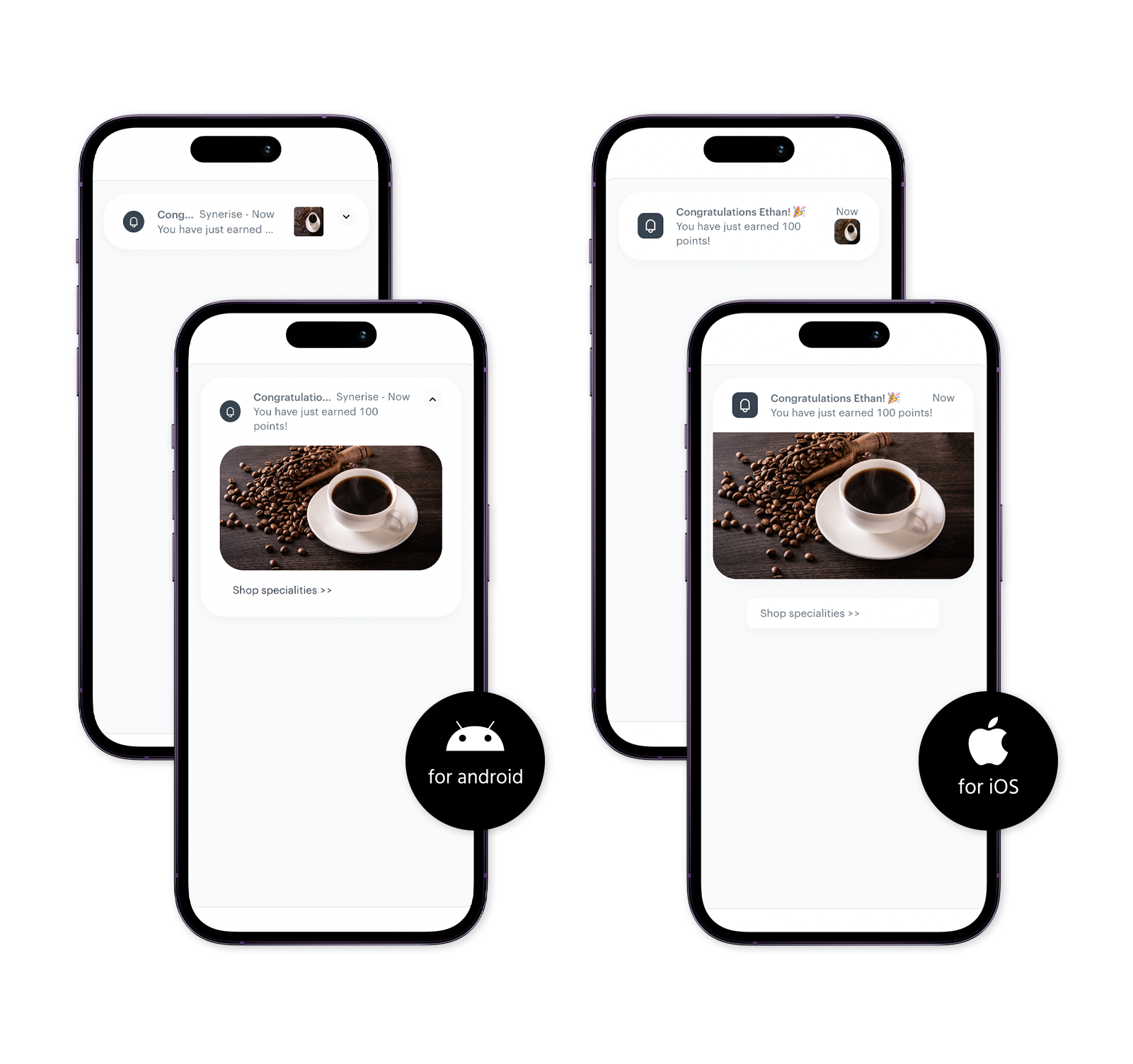
A revamped preview offers a clearer, more accurate representation of how push messages will appear to recipients on their devices.
Jinjava preview
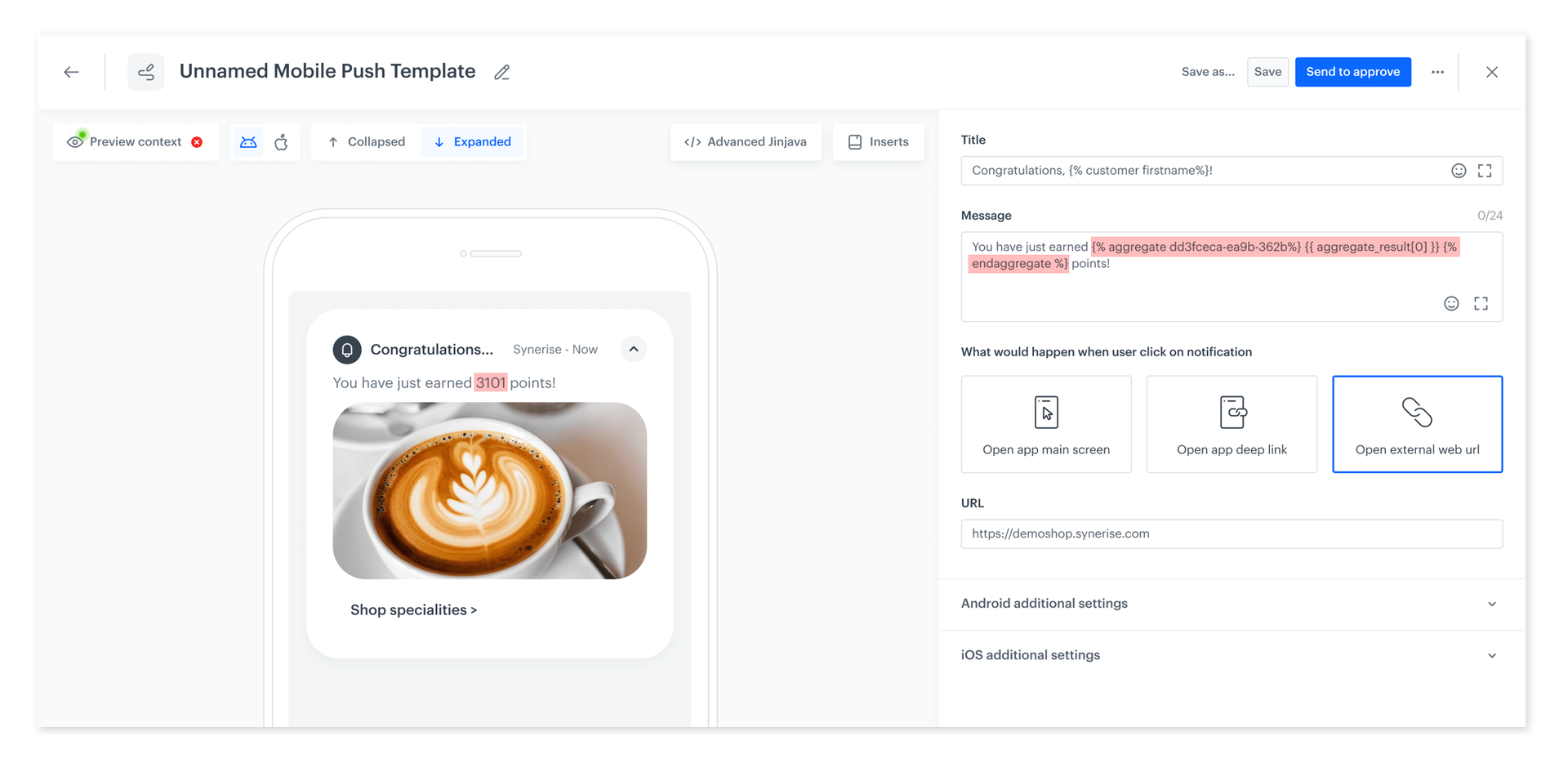
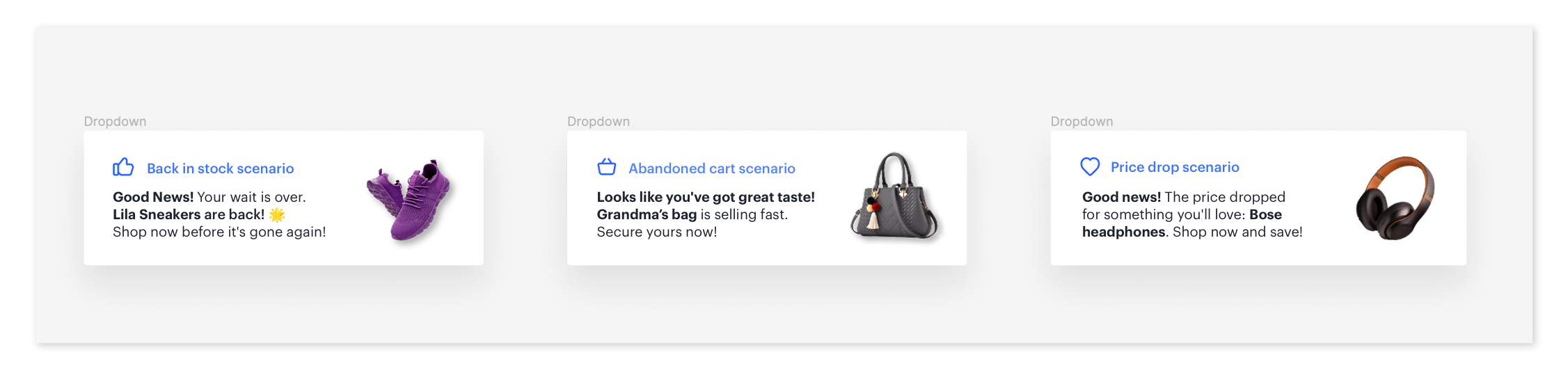
Real-time preview of messages with Jinjava code, rendering personalized content for any selected CRM customer. Preview abandoned cart reminders, product recommendations, and other dynamic elements as they would appear for specific customers.
Custom configuration forms
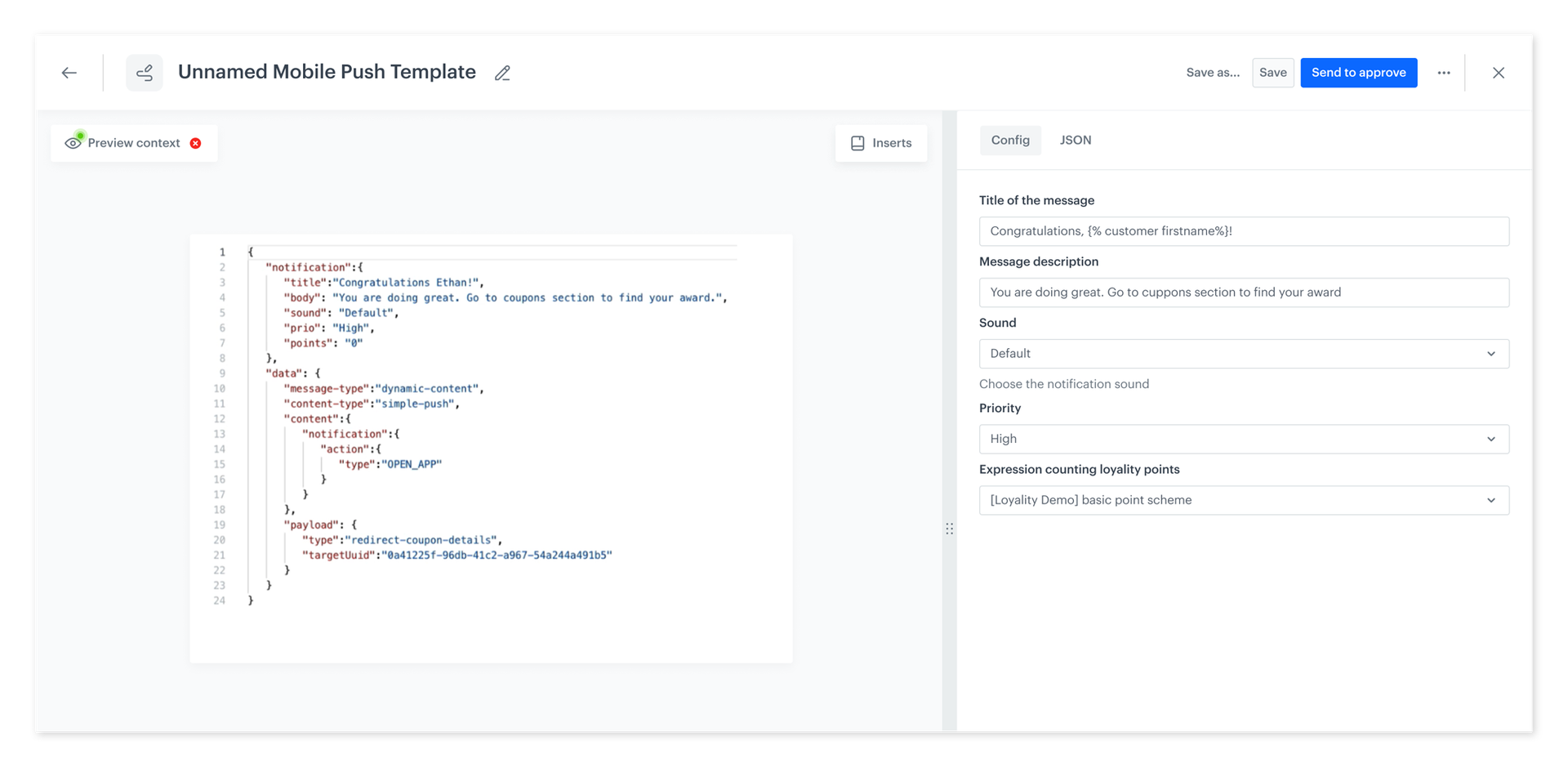
User-friendly forms for each template in the code editor allow anyone — regardless of technical background — to edit templates by filling out a form instead of modifying code directly.
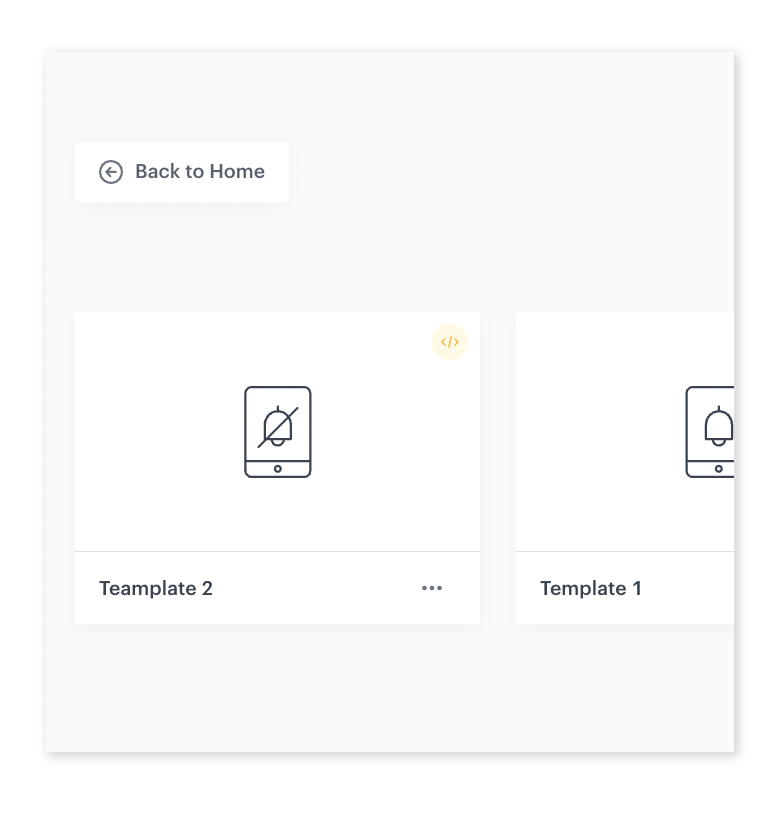
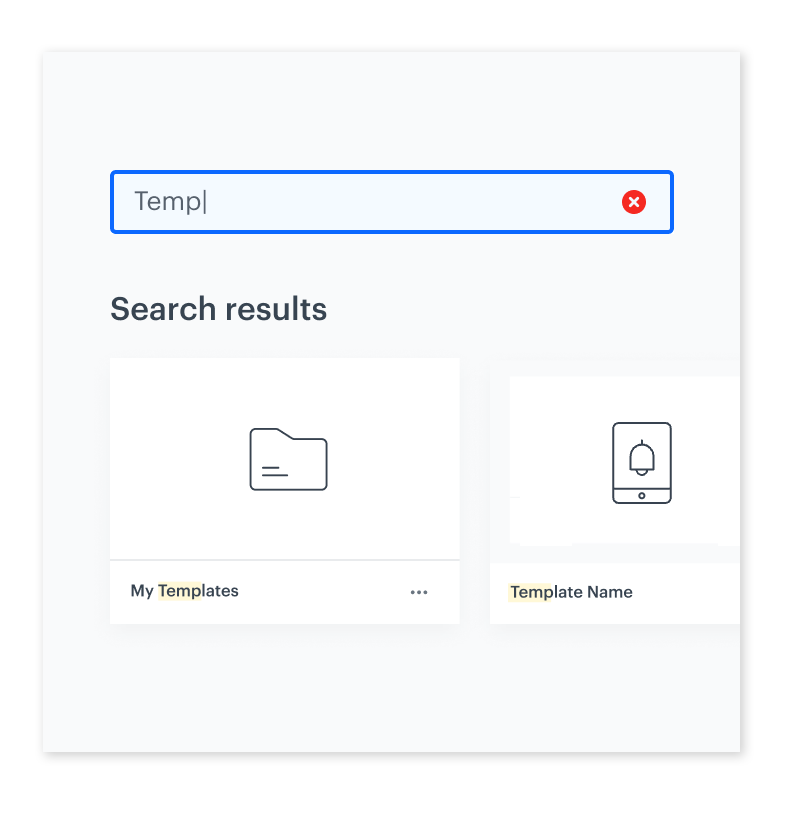
Unified template library
A common library for all mobile push template types with direct linking, search by name/ID, and enhanced accessibility.
How the Refreshed Mobile Push Builder Works
- Navigate to Campaigns > Mobile Push in Synerise.
- Create or edit a campaign using the refreshed builder layout.
- Use Jinjava preview to render personalized content for specific customer profiles.
- Edit templates using configuration forms (no coding required) or the code editor for full control.
- Browse and search the unified template library for reusable templates.
- Preview the final message appearance on the improved device preview.
Example Use Case
A mobile marketing team creates an abandoned cart push notification template with personalized product images. Using Jinjava preview, they select a test customer and verify that the correct abandoned products appear in the notification. A campaign manager (non-technical) adjusts the promotional text and CTA button through the configuration form — without touching any code. The template is saved to the library and reused for future campaigns, findable instantly via name search.
FAQ
What is the Refreshed Mobile Push Builder?
A redesigned campaign editor for mobile push notifications with improved preview, Jinjava rendering, configuration forms, and a unified template library.
What notification types does mobile push support now?
Simple and silent notifications. Banners, walkthroughs, first run, and mandatory upgrades are now handled through in-app notifications.
Can non-technical users edit templates?
Yes. Configuration forms allow editing templates without touching code.
What template library improvements were made?
Unified library for all types, direct linking, search by name or ID, and refreshed listings.
Key Facts
| Attribute | Value |
|---|---|
| Feature | Refreshed Mobile Push Builder |
| Product | Synerise |
| Module | Campaigns (Mobile Push) |
| Purpose | Redesigned push campaign editor with improved preview, Jinjava rendering, and no-code editing |
| Notification types | Simple, silent (banners/walkthroughs moved to in-app) |
| Template library | Unified, searchable, direct-linkable |
| Code editor | Configuration forms for no-code editing |
Related Concepts
- Mobile and Web Push Testing
- In-app message templates
- Jinjava personalization
- Template library management
- Configuration forms for templates
TL;DR
The Refreshed Mobile Push Builder in Synerise redesigns the push campaign editor with improved preview functionality, Jinjava preview for real-time personalized content rendering, custom configuration forms for no-code template editing, and a unified template library with search and direct linking. Mobile push now focuses on simple and silent notifications, while banners, walkthroughs, and other rich formats are handled through in-app notifications.




