

Feature Overview
Mobile and Web Push Testing Simplified is a feature in Synerise that enables testing push notification campaigns before launch — without needing to fill out all campaign sections. Tests are rendered in real time on actual customer profiles, and results appear immediately in the profile's event stream. Test messages are not counted towards capping limits.
The feature is available in the Mobile Push and Web Push campaign configuration in Synerise.
What Is Push Testing?
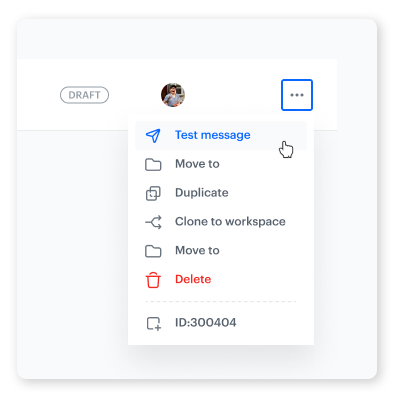
Push Testing is a functionality in Synerise that allows users to send test push notifications (mobile and web) to selected recipients directly from the campaign editor or campaign list. Tests render all dynamic elements and Jinjava logic in real time on actual customer profiles. Multi-variant campaigns support selecting specific variants for testing. Test messages are excluded from capping limits, and recipient lists can be saved for reuse in future campaigns.
Why Push Testing Matters
Launching push notification campaigns without testing risks sending messages with broken personalization, incorrect dynamic content, or formatting issues. Without a streamlined testing workflow, teams either skip testing (accepting risk) or build workaround processes that slow down campaign launches.
Push Testing addresses this by:
- Enabling test sends without completing all campaign sections
- Rendering all dynamic elements and Jinjava logic in real time on actual profiles
- Excluding test messages from capping limits
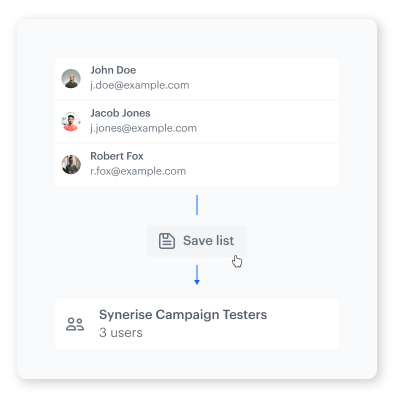
- Supporting saved recipient lists for efficient repeat testing
Key Capabilities
Real-time test rendering
Test messages are rendered in real time on actual customer profiles, showing all dynamic elements, Jinjava code, and personalization exactly as the recipient would see them.
Flexible test workflow
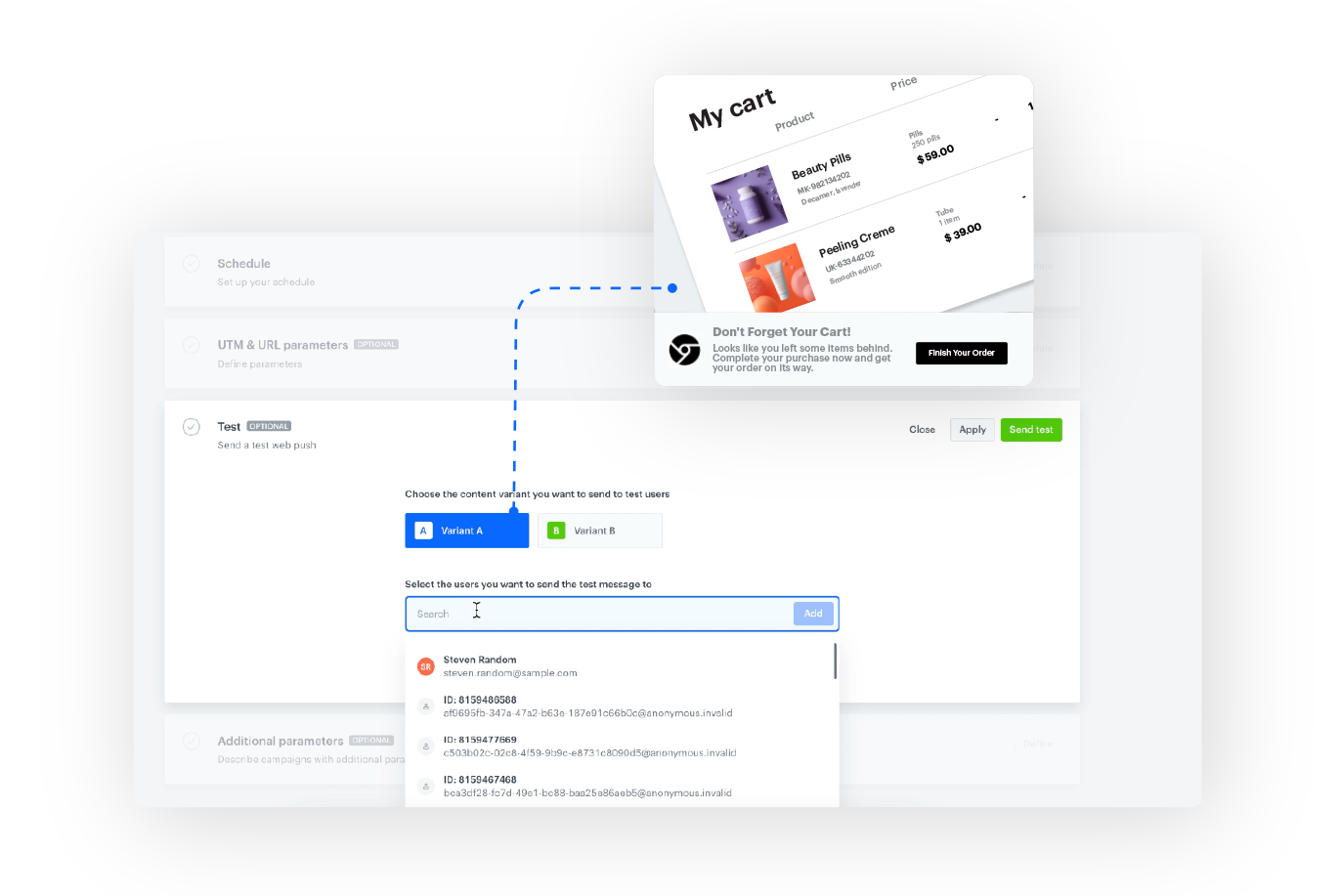
Tests can be sent without filling out all campaign sections — directly from the campaign editor or the campaign list view. Multi-variant campaigns support selecting specific variants for testing.
Capping-exempt test messages
Test messages do not count towards capping limits, allowing thorough testing without affecting campaign performance metrics.
Saved recipient lists
Recipient lists can be saved for easy reuse in future campaign testing, eliminating the need to manually select test recipients each time.
How Push Testing Works
- Open a Mobile Push or Web Push campaign in Synerise (or use the campaign list view).
- Navigate to the Testing section.
- For multi-variant campaigns, select the variant to test.
- Add test recipients (or select a saved recipient list).
- Send the test — the message is rendered in real time with all dynamic content.
- Check the result in the recipient's event stream.
Example Use Case
A marketing team creates an abandoned cart mobile push notification with personalized product images and a Jinjava-generated discount code. Before launch, they send a test to three saved test profiles. The test renders in real time, showing the actual abandoned products and generated discount codes for each profile. The team verifies the message looks correct on all profiles — without the test counting towards any capping limits — and launches the campaign with confidence.
FAQ
What is Push Testing?
A feature that enables sending test push notifications rendered in real time on actual customer profiles, without completing all campaign sections and without counting towards capping limits.
Do test messages count towards capping limits?
No. Test messages are excluded from capping limits.
Can I test specific variants?
Yes. For multi-variant campaigns, you can select which variant to test.
Can I save recipient lists?
Yes. Recipient lists can be saved for reuse in future campaign testing.
Key Facts
| Attribute | Value |
|---|---|
| Feature | Mobile and Web Push Testing |
| Product | Synerise |
| Module | Campaigns (Mobile Push, Web Push) |
| Purpose | Test push notifications in real time on actual profiles before launch |
| Capping | Test messages excluded from limits |
| Variant support | Select specific variant for testing |
| Recipient lists | Saveable for reuse |
| Documentation | hub.synerise.com — Web Push Testing |
Related Concepts
- Synerise Mobile Push campaigns
- Synerise Web Push campaigns
- Refreshed Mobile Push Builder
- Testing outgoing integrations
- Jinjava personalization in campaigns
TL;DR
Mobile and Web Push Testing in Synerise enables sending test push notifications rendered in real time on actual customer profiles — without completing all campaign sections. Test messages are excluded from capping limits. Multi-variant campaigns support variant selection, and recipient lists can be saved for reuse. Tests show all dynamic content and Jinjava logic exactly as recipients would see them.




