

Feature Overview
Refreshed Email Template Builder & Predefined Templates is an update to the Synerise email builder that introduces predefined dynamic and simple email templates, a custom template builder with configuration forms, and a refreshed code editor with an HTML All-in-One Bookmark that consolidates CSS styles with HTML structure.
The feature is available in the Email campaign module in Synerise.
What Is the Refreshed Email Template Builder?
The Refreshed Email Template Builder is an updated email creation tool in Synerise with three key components: predefined dynamic templates for scenarios like abandoned carts and product recommendations (with built-in logic requiring no code changes), predefined simple templates for newsletters, product offers, surveys, and special occasions (editable via drag & drop), and a custom template builder with configuration forms that expose editable variables — font, color, graphics, aggregate IDs, recommendation IDs — for no-code template customization. The refreshed code editor includes an HTML All-in-One Bookmark that consolidates CSS styles with HTML structure.
Why the Refreshed Email Template Builder Matters
Creating email campaigns from scratch requires HTML, CSS, and Jinjava knowledge. Without predefined templates and simplified configuration tools, every email campaign requires technical development, and non-technical team members cannot independently create or customize email templates.
The Refreshed Email Template Builder addresses this by:
- Providing predefined dynamic templates with built-in business logic (abandoned cart, recommendations)
- Including predefined simple templates editable via drag & drop for common scenarios
- Introducing a configuration form for no-code template customization
- Consolidating CSS styles with HTML in a unified code editor
Key Capabilities
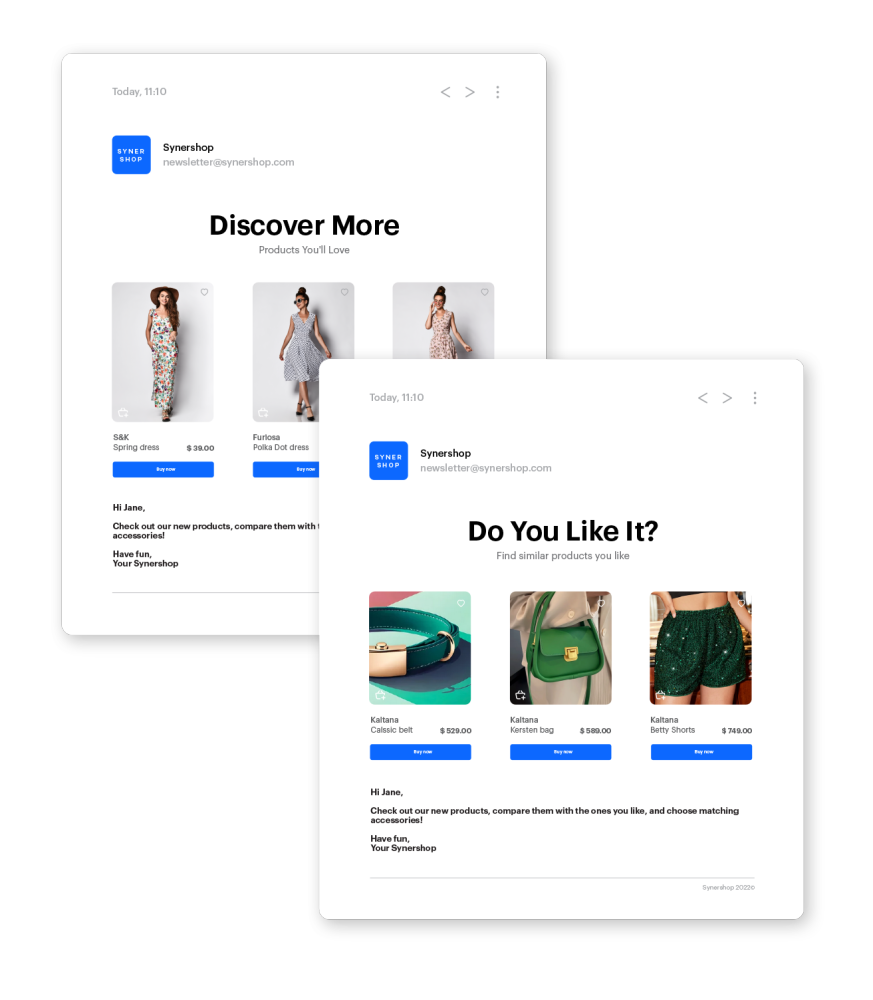
Predefined dynamic templates
Ready-made templates for popular business scenarios — including abandoned cart recovery and product recommendations. Business logic is pre-built in the code; users customize visual elements and select analytics data through dropdown menus. Templates are optimized for different email clients.
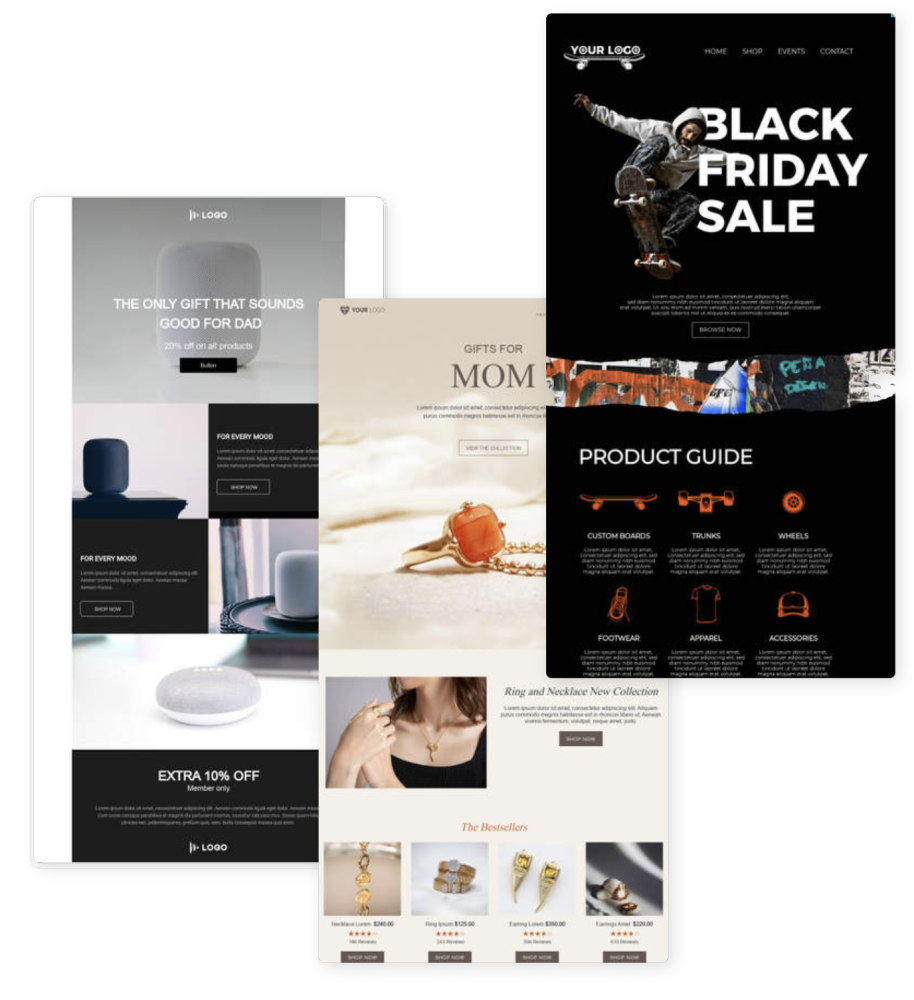
Predefined simple templates
A collection of pre-designed templates covering newsletters, product offers, special occasions, and surveys. All templates are editable via the drag & drop builder and can be enhanced with dynamic personalization values.
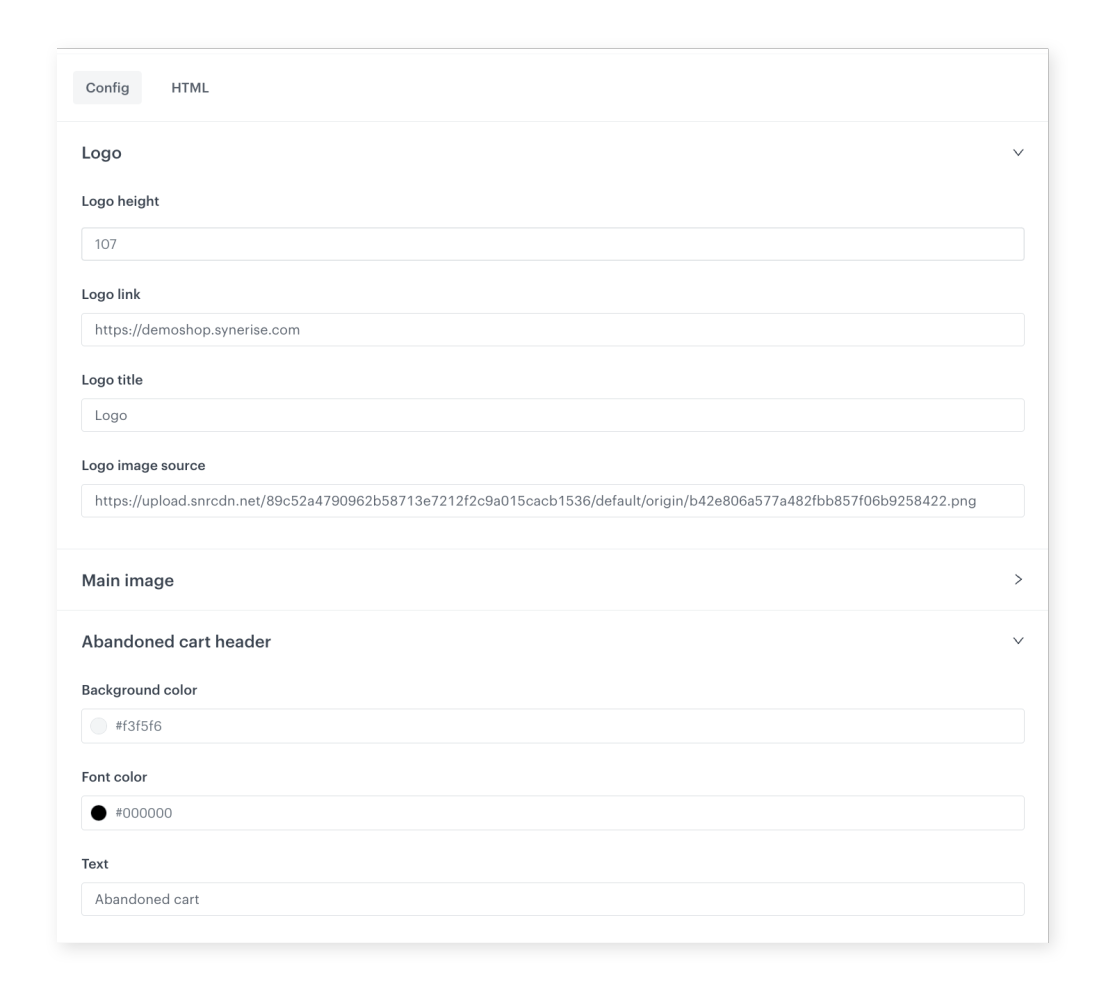
Custom template builder with configuration forms
Create templates with a configuration form that exposes editable variables — font color, graphics, aggregate IDs, recommendation campaign IDs. Non-technical users can customize templates through the form without touching the code.
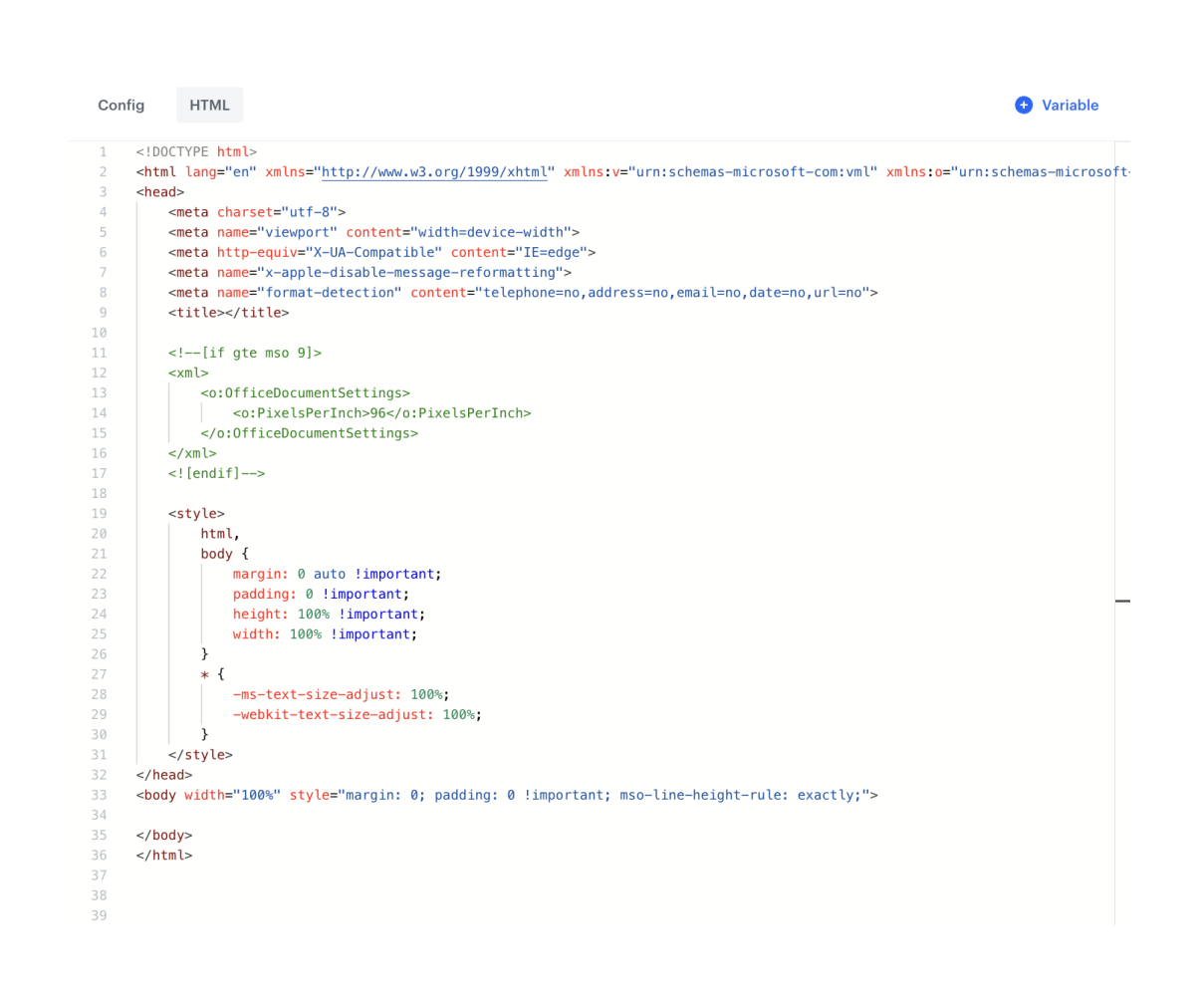
Refreshed code editor
An updated code editor with an HTML All-in-One Bookmark that consolidates the entire email source code including CSS styles. This provides more flexibility in defining custom email metadata and greater control over campaigns.
How the Refreshed Email Template Builder Works
- Open the email template library and browse predefined dynamic or simple templates.
- Select a template matching your scenario (abandoned cart, recommendations, newsletter, etc.).
- Customize using the configuration form — edit visual elements, select analytics data, and set recommendation IDs without coding.
- For simple templates, use the drag & drop builder to modify layout and content.
- Optionally use the refreshed code editor for advanced HTML/CSS customization.
- Deploy the template in email campaigns.
Example Use Case
An e-commerce marketing team wants to launch an abandoned cart email campaign. They select the predefined "Abandoned Cart" dynamic template, which already contains the recovery logic. Using the configuration form, they adjust the brand colors, upload their logo, and select the appropriate cart analytics aggregate from a dropdown. The template is ready for campaign deployment in minutes — no developer needed, and the logic handles product display automatically for each customer.
FAQ
What types of predefined templates are available?
Dynamic templates (abandoned cart, product recommendations) with built-in logic, and simple templates (newsletters, product offers, surveys, special occasions) editable via drag & drop.
Do I need coding skills?
No. Templates can be customized through configuration forms and the drag & drop builder. The code editor is available for advanced users.
Are templates compatible with different email clients?
Yes. Predefined templates are pre-optimized for compatibility across email clients.
Key Facts
| Attribute | Value |
|---|---|
| Feature | Refreshed Email Template Builder & Predefined Templates |
| Product | Synerise |
| Module | Campaigns (Email) |
| Purpose | Predefined email templates with no-code configuration and refreshed code editor |
| Dynamic Templates | Abandoned cart, product recommendations (with built-in logic) |
| Simple Templates | Newsletters, product offers, surveys, special occasions (drag & drop) |
| Code Editor | HTML All-in-One Bookmark with consolidated CSS |
| Documentation | hub.synerise.com — Email Code Editor |
Related Concepts
- Simplified Template Configuration
- Communication Templates Library Upgrade
- Customizable One-Click Unsubscribe Header in Email Communication
- Dynamic Email Attachments
- Drag & Drop Builder in Dynamic Content
TL;DR
The Refreshed Email Template Builder in Synerise introduces predefined dynamic templates (abandoned cart, recommendations) with built-in business logic, predefined simple templates (newsletters, offers, surveys) editable via drag & drop, a custom template builder with configuration forms for no-code customization, and a refreshed code editor with an HTML All-in-One Bookmark consolidating CSS with HTML. Non-technical users can create and customize email campaigns without coding.




