

Feature Overview
Enhancing Landing Page Module is a set of updates to the Synerise Landing Page builder that introduces a drag-and-drop editor (powered by BEE), predefined business scenario templates, a refreshed code editor with configuration forms, and improvements to the template library including direct linking, search, and a refreshed listing layout.
The feature is available in the Landing Page module within Synerise Campaigns.
What Is the Enhanced Landing Page Module?
The Enhanced Landing Page Module includes four key updates: a basic drag-and-drop builder (BEE) for visual page creation, predefined business scenario templates that can be tailored with a few clicks, a refreshed code editor with custom configuration forms for non-technical editing, and template library enhancements including direct linking, name/ID search, and refreshed listings. These updates make landing page creation accessible to users regardless of technical background.
Why the Enhanced Landing Page Module Matters
Building landing pages traditionally requires coding skills or complex tools, creating bottlenecks when marketing teams need to launch campaigns quickly. Template management becomes difficult as libraries grow without search, direct linking, or organized listings.
The Enhanced Landing Page Module addresses this by:
- Providing a drag-and-drop builder for visual page creation without code
- Offering predefined templates for common business scenarios, ready to customize
- Including a code editor with configuration forms that allow non-technical users to edit templates
- Improving template discovery with direct linking, search by name/ID, and refreshed listings
Key Capabilities
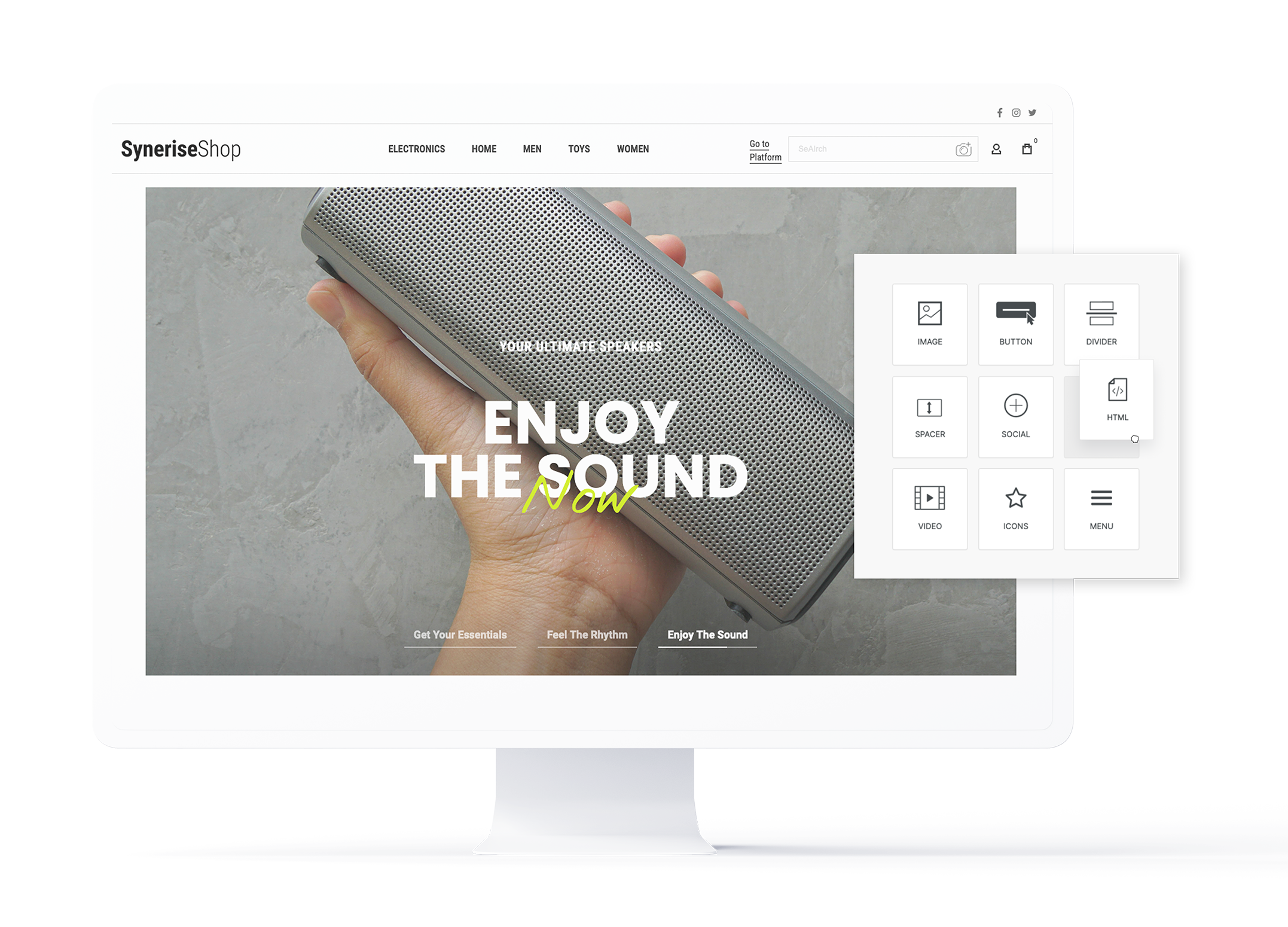
Drag-and-drop builder
A visual builder powered by BEE (also used in other Synerise modules) allows creating landing page templates by dragging and dropping elements — providing full creative control without coding.
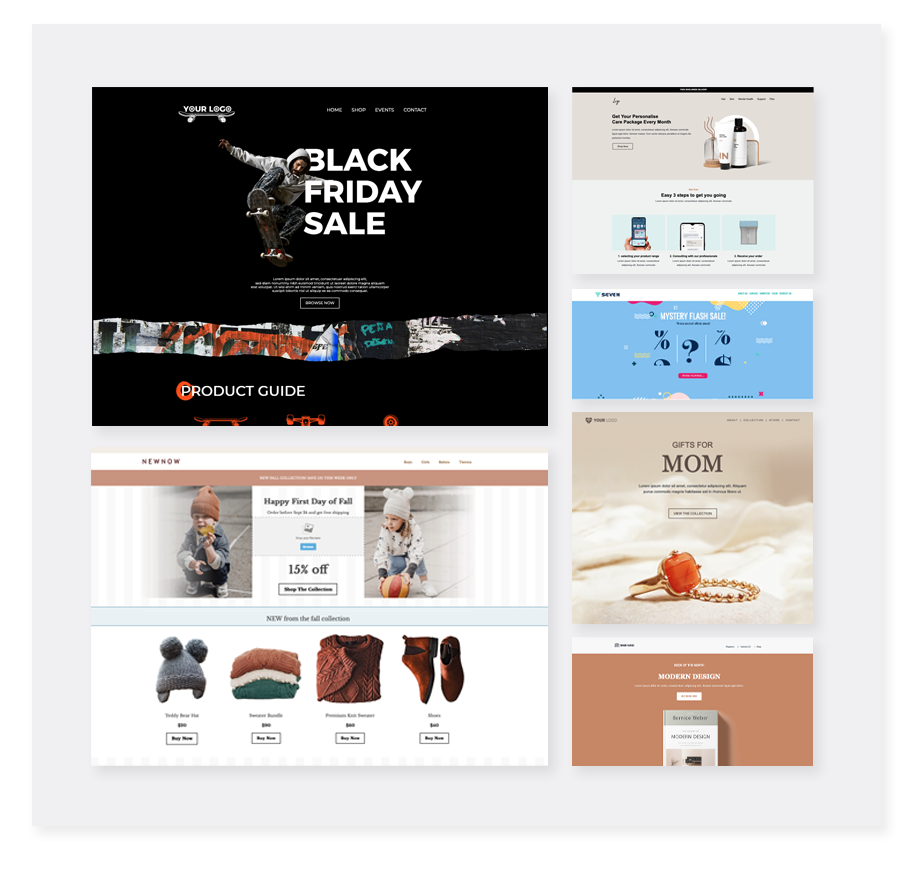
Predefined templates
Business scenario templates are available for common use cases and can be tailored with a few clicks. Users can design their own templates or edit predefined ones.
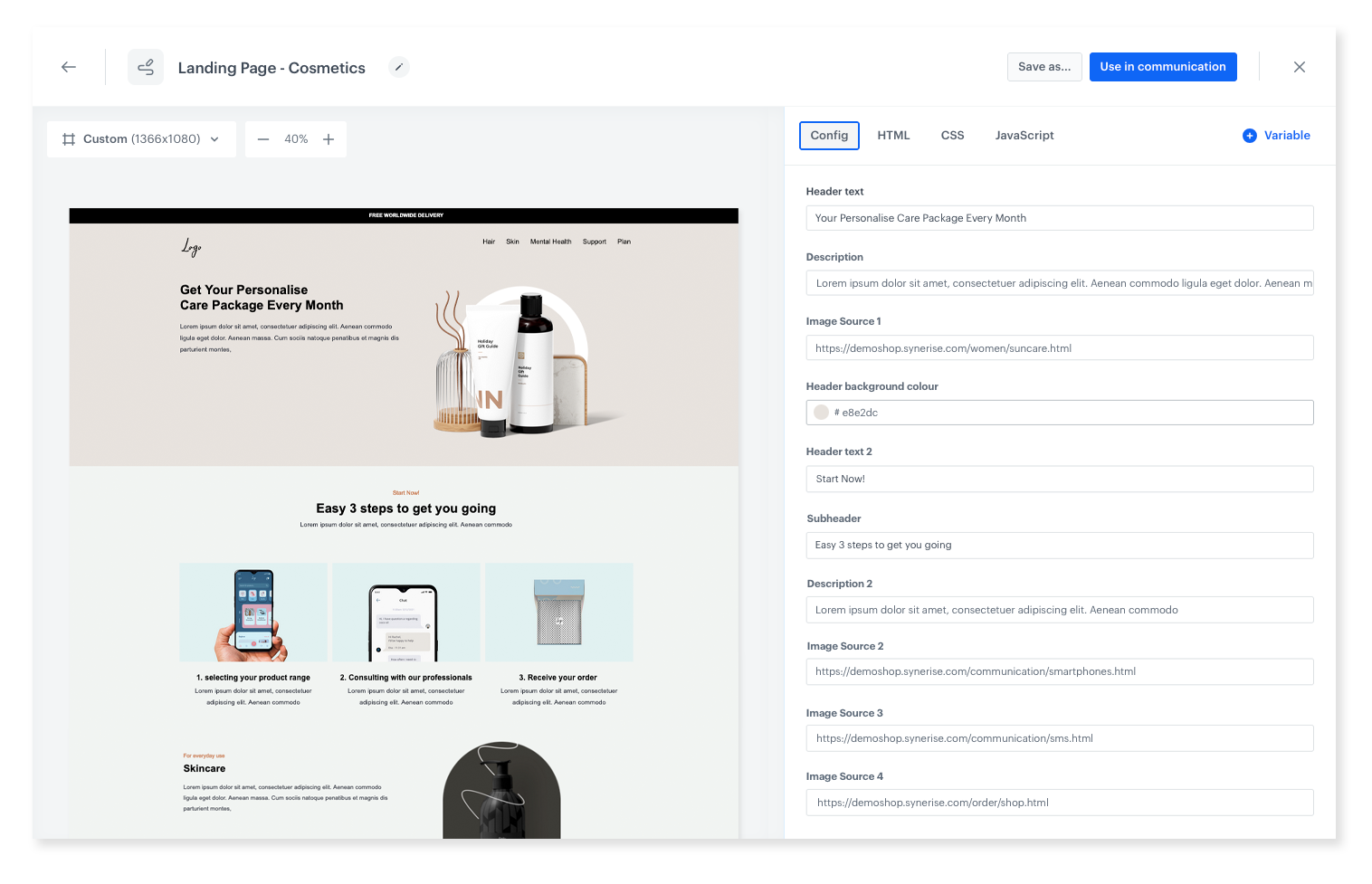
Refreshed code editor
The updated code editor supports custom configuration forms, allowing anyone to edit templates without directly modifying code — simply by filling out a form tailored to the template's parameters.
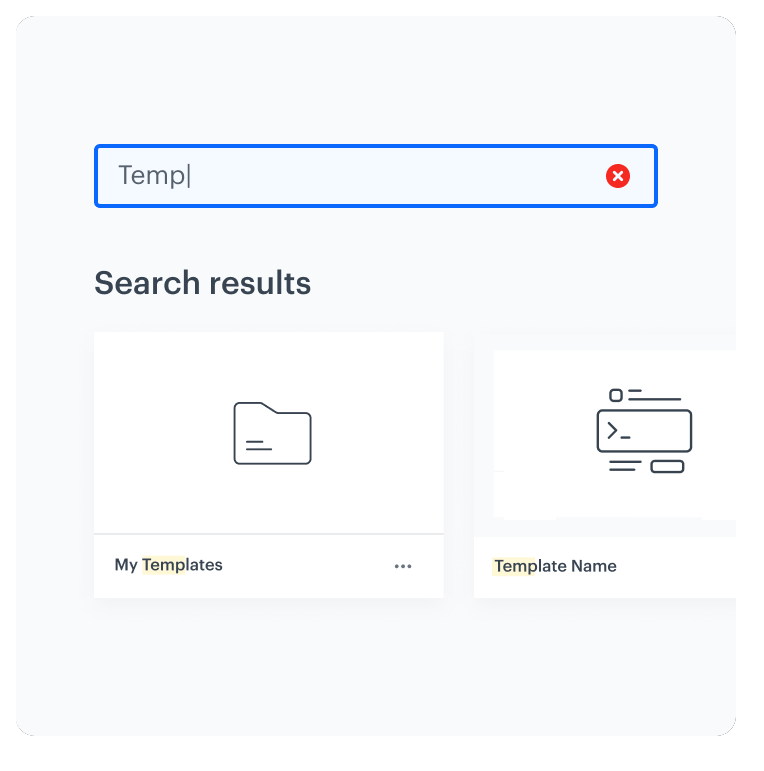
Template library enhancements
A refreshed listing layout, direct links to templates (linkable from anywhere on the platform), and search by name or ID — making template discovery faster and more organized.
How the Enhanced Landing Page Module Works
- Navigate to Campaigns > Landing Pages in Synerise.
- Create a new landing page using the drag-and-drop builder or select a predefined template.
- Customize the page visually (drag-and-drop) or through configuration forms (code editor).
- Use the template library to find, link to, and reuse templates across campaigns.
- Preview, publish, and deploy the landing page.
Example Use Case
A marketing team needs to launch a seasonal promotion landing page within hours. They select a predefined promotional template from the library, customize the banner image and product catalog through the configuration form (no code editing needed), and publish the page. The next quarter, a colleague finds the template instantly by searching its name in the refreshed library and reuses it for a new campaign.
FAQ
What is the drag-and-drop builder?
A visual page builder powered by BEE that allows creating landing pages by dragging and dropping elements — no coding required.
Do I need coding skills?
No. The drag-and-drop builder and code editor with configuration forms make template creation and editing accessible to non-technical users.
What template library improvements were made?
Refreshed listing layout, direct links to templates, and search by name or ID.
Key Facts
| Attribute | Value |
|---|---|
| Feature | Enhanced Landing Page Module |
| Product | Synerise |
| Module | Campaigns (Landing Pages) |
| Purpose | Drag-and-drop builder, predefined templates, refreshed code editor, and template library improvements |
| Builder | BEE drag-and-drop editor |
| Code editor | Configuration forms for no-code editing |
| Template library | Direct links, search by name/ID, refreshed listings |
| Documentation | hub.synerise.com — Landing Pages |
Related Concepts
- Personalization-First Landing Pages
- Synerise campaign templates
- BEE drag-and-drop editor
- Template library and management
- Configuration forms for templates
TL;DR
The Enhanced Landing Page Module in Synerise introduces a BEE-powered drag-and-drop builder, predefined business scenario templates, a refreshed code editor with configuration forms for no-code editing, and template library improvements (direct links, search by name/ID, refreshed listings). These updates make landing page creation and management accessible to users of any technical level.




