

Feature Overview
Item Feed Quality Monitoring is a feature in the Synerise AI engine configuration that enables assessing item feed consistency with item-related events and monitoring feed import health. The feature identifies discrepancies between items in the feed and items appearing in events (page.visit, product.view, transaction.charge), helping maintain data quality for AI campaign performance.
The feature is available in the AI engine configuration under Settings in Synerise.
What Is Item Feed Quality Monitoring?
Item Feed Quality Monitoring provides two sections in each item feed's Status tab: Item Consistency and Import Status. Item Consistency checks the alignment between items in the feed and items appearing in customer events — identifying items present in events but missing from the feed, items in the feed without corresponding events, and items causing the most issues. Import Status (for Google Merchant Feed users) shows import health, XML file assessments, last fetch/import dates, and error summaries. Statistics are updated during feed updates or manually on demand.
Why Item Feed Quality Monitoring Matters
Item feed data is the foundation of AI-powered campaigns — recommendations, search, and personalization. Inconsistencies between the item feed and actual customer interaction events lead to missing products in recommendations, inaccurate search results, and suboptimal campaign performance.
Item Feed Quality Monitoring addresses this by:
- Identifying items in events that are missing from the item feed
- Detecting items in the feed that do not appear in any events
- Highlighting items causing the most consistency problems
- Monitoring Google Merchant Feed import health with error summaries
Key Capabilities
Item Consistency
Compare items between the item feed and item-related events (page.visit, product.view, transaction.charge). Identify three types of discrepancies: items in events but not in the feed, items in the feed but not in events, and items causing the most issues.
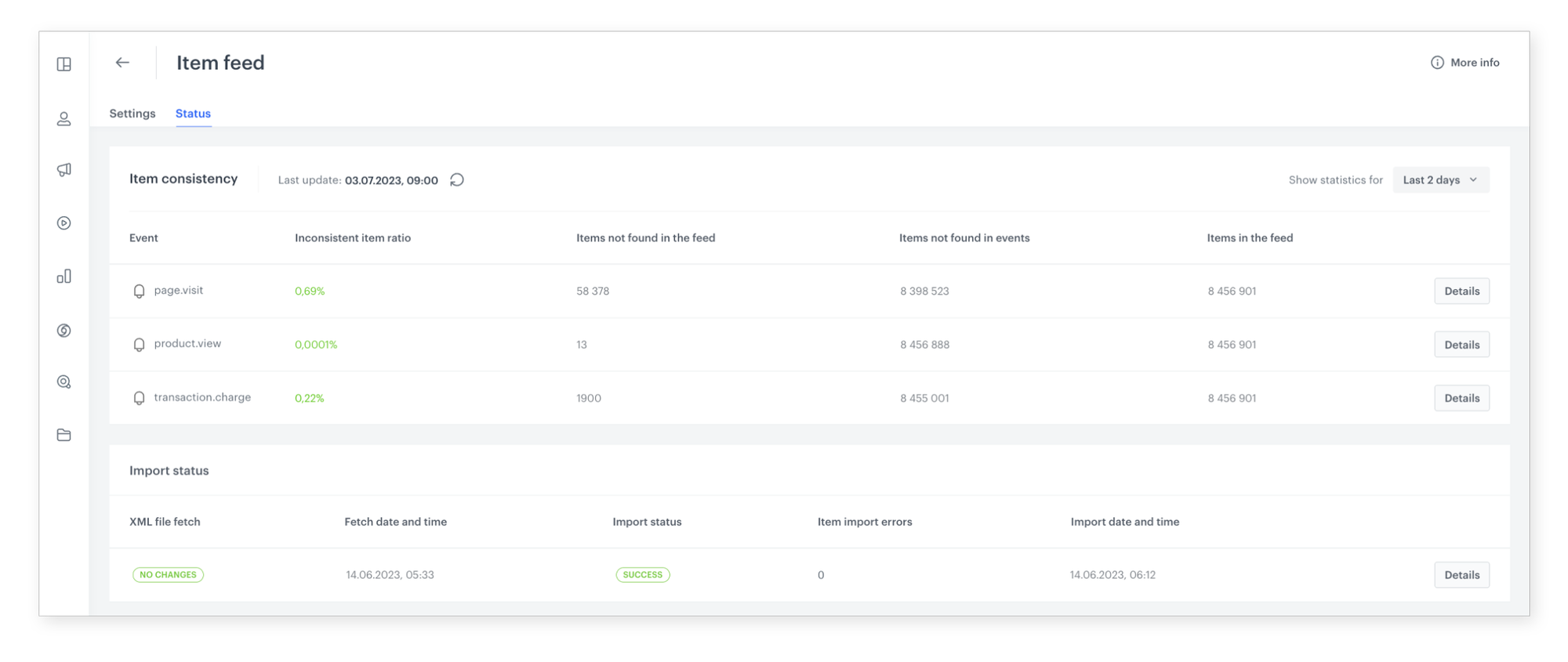
Import Status
For Google Merchant Feed users — monitor import health, assess XML files, view last fetch/import dates, and review error summaries with possible causes. Available only when using Google Merchant Feed directly instead of Synerise catalog imports.
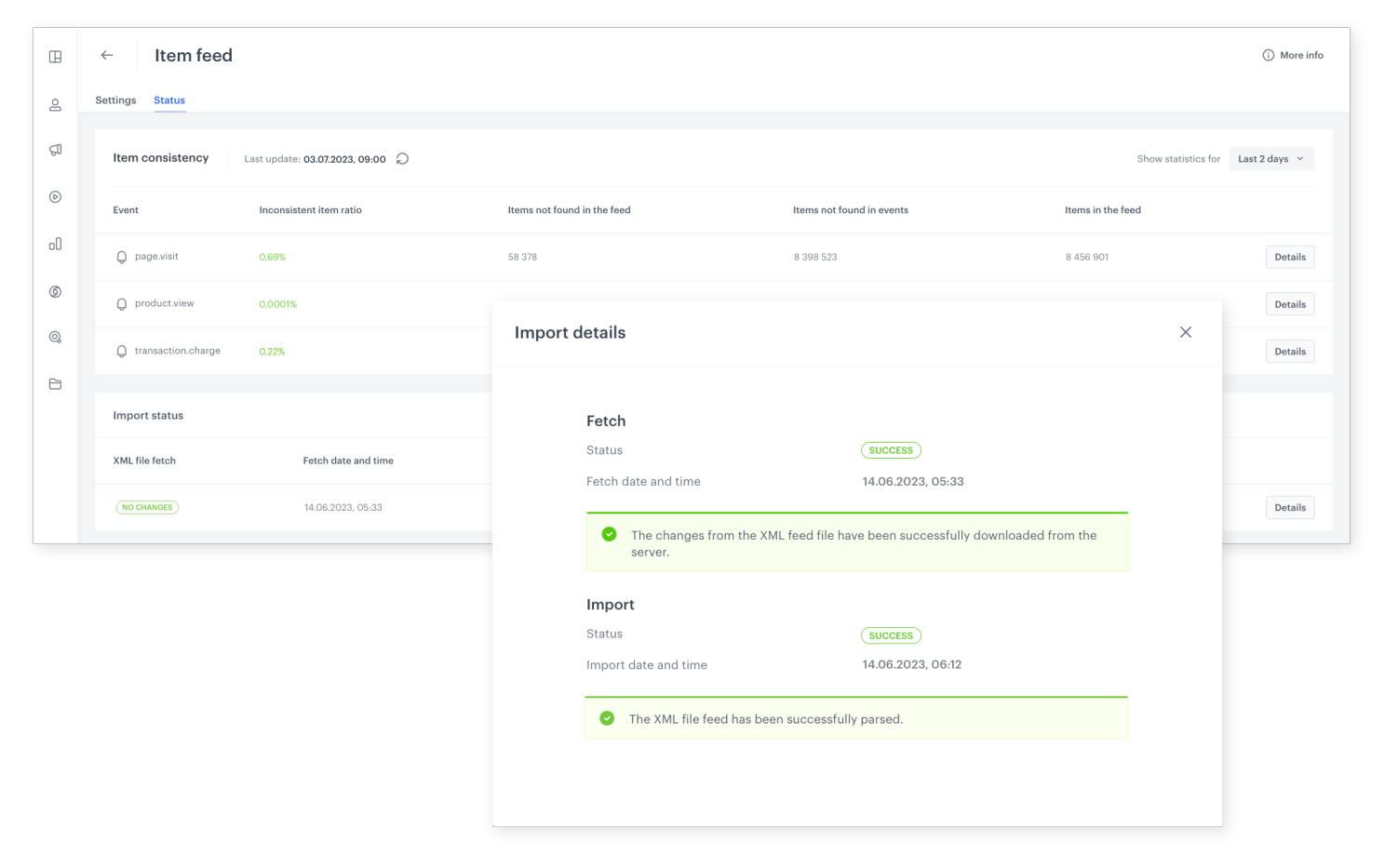
Flexible time range analysis
Select custom time ranges for consistency analysis to focus on specific periods of interest. Statistics update during feed updates or can be refreshed manually on demand.
How Item Feed Quality Monitoring Works
- Navigate to the AI engine configuration in Synerise Settings.
- Open the Status tab for the relevant item feed.
- Review the Item Consistency section to identify discrepancies between the feed and events.
- If using Google Merchant Feed, check the Import Status section for import health and errors.
- Select a time range to focus the analysis on specific periods.
- Address identified discrepancies to improve item data quality and AI campaign performance.
Example Use Case
An e-commerce company notices that some products are not appearing in AI-powered recommendations despite being popular with customers. Using Item Consistency, the team discovers that 150 products appearing frequently in product.view events are missing from the item feed. After adding these products to the feed, recommendation coverage increases and campaign click-through rates improve by 8%.
FAQ
What is Item Feed Quality Monitoring?
A feature that checks the consistency between item feed data and item-related events, and monitors Google Merchant Feed import health.
Which events are compared?
page.visit, product.view, and transaction.charge events are compared against the item feed.
Is Import Status available for all feeds?
No. Import Status is only available when using Google Merchant Feed directly instead of Synerise catalog imports.
How often are statistics updated?
During feed updates, or manually on demand.
Key Facts
| Attribute | Value |
|---|---|
| Feature | Item Feed Quality Monitoring |
| Product | Synerise |
| Module | Settings (AI Engine Configuration) |
| Purpose | Assess item feed consistency with events and monitor import health |
| Consistency Checks | Items in events vs. feed, items in feed vs. events, most problematic items |
| Events Compared | page.visit, product.view, transaction.charge |
| Import Monitoring | Google Merchant Feed (XML assessment, error summaries, dates) |
| Documentation | hub.synerise.com — Feed Status |
Related Concepts
- AI Module Improvements
- Dynamic Re-ranker in Synerise Search
- Improve Search Performance with Semantic Search
- External Recommendation Models
- Next Interaction Recommendations
TL;DR
Item Feed Quality Monitoring in Synerise enables checking item feed consistency with item-related events (page.visit, product.view, transaction.charge) and monitoring Google Merchant Feed import health. The feature identifies items missing from the feed, items in the feed without events, and items causing the most issues. Statistics are updated during feed updates or on demand, with flexible time range selection for analysis.




