

Feature Overview
Drag & Drop Builder in In-App Messages is a no-code visual editor in Synerise that enables creating in-app message templates without coding expertise. The builder provides reusable HTML blocks, live preview, test message functionality, and a JavaScript editor for advanced customization.
The feature is available in the In-App Messages campaign module in Synerise.
What Is the Drag & Drop Builder in In-App Messages?
The Drag & Drop Builder in In-App Messages is a visual, no-code editor for creating in-app message templates in Synerise. Instead of writing code manually, users drag and drop content blocks to design in-app messages. The builder includes a library of reusable HTML blocks, a Preview Context feature for visualizing changes before deployment, a Test Message option for real-time mobile preview, and a JavaScript editor for advanced customization. Templates created with the builder can be reused across campaigns.
Why the Drag & Drop Builder Matters
Creating in-app messages traditionally requires HTML and CSS knowledge, limiting campaign creation to technical team members. This creates bottlenecks and slows down campaign delivery.
The Drag & Drop Builder addresses this by:
- Enabling non-technical users to create in-app messages without coding
- Providing reusable HTML blocks for consistent design across campaigns
- Offering live preview and test message functionality to verify designs before launch
- Supporting advanced customization through a built-in JavaScript editor
Key Capabilities
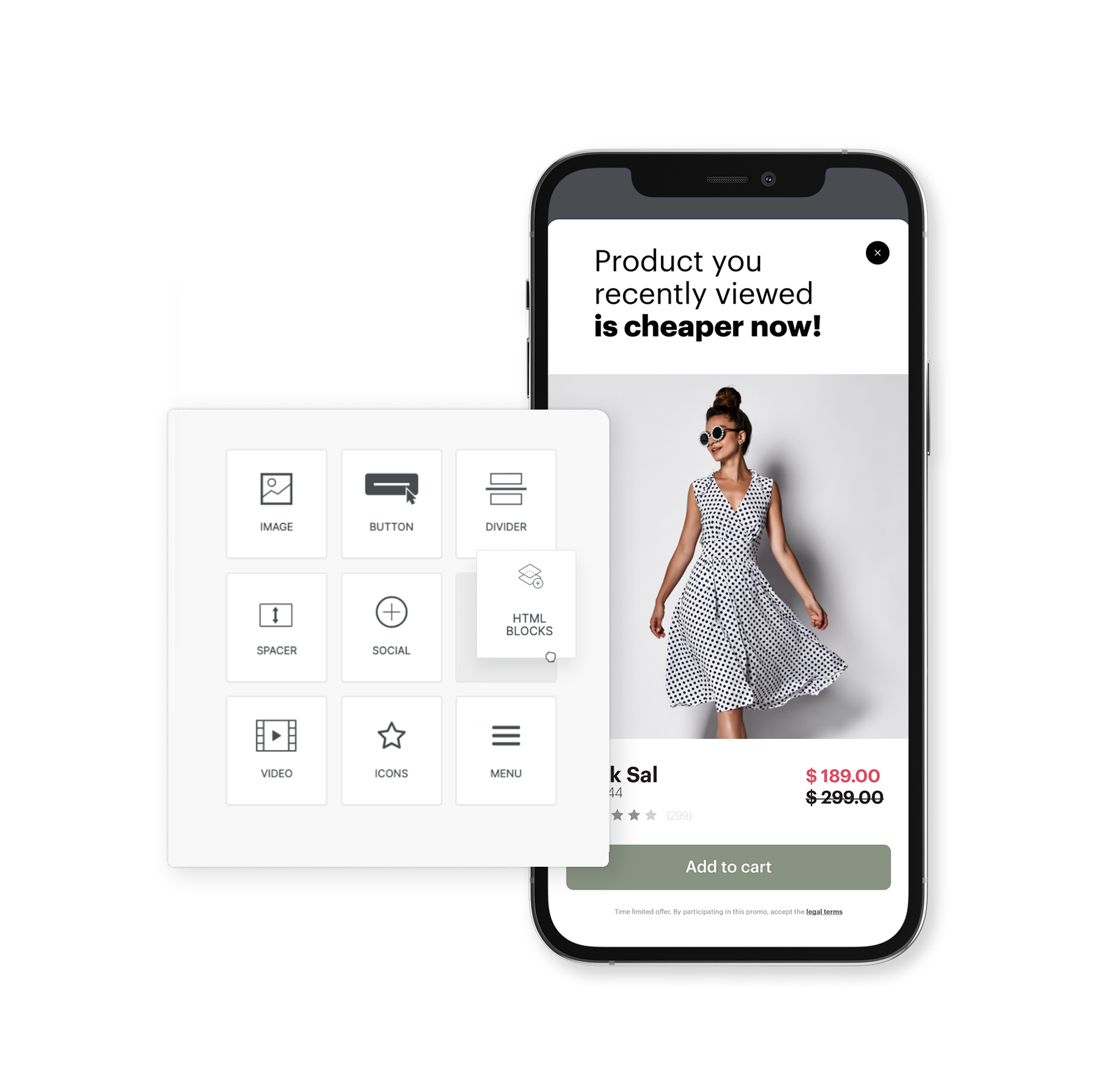
Custom HTML blocks
Create and save custom HTML blocks in a reusable library. Saved blocks can be inserted into any in-app template, ensuring design consistency across campaigns.
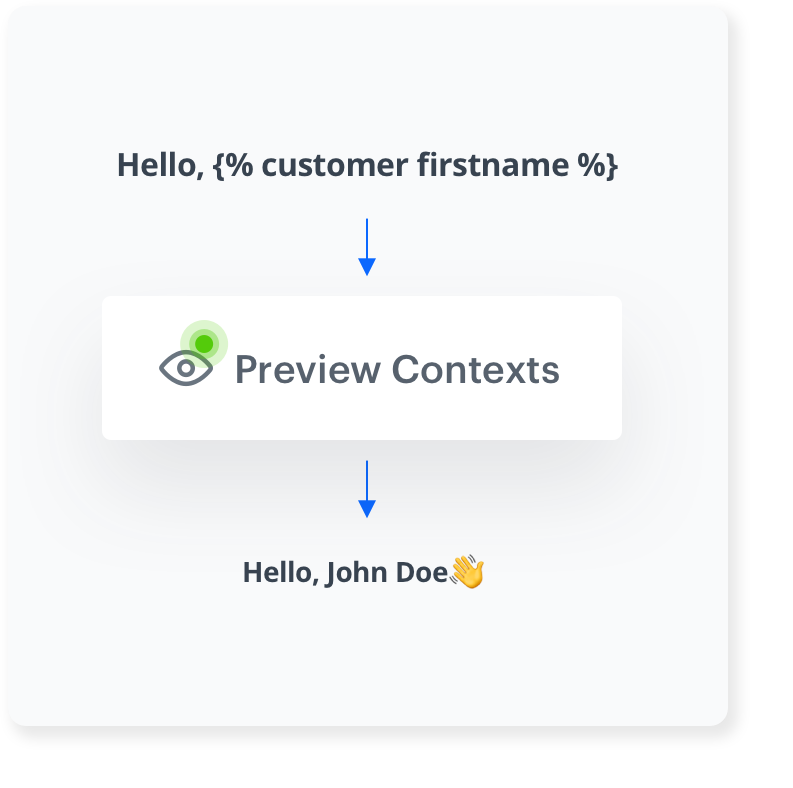
Preview Context
Visualize how changes will appear in the final campaign without live implementation. The Preview Context feature shows a real-time rendering of the in-app message as it is being designed.
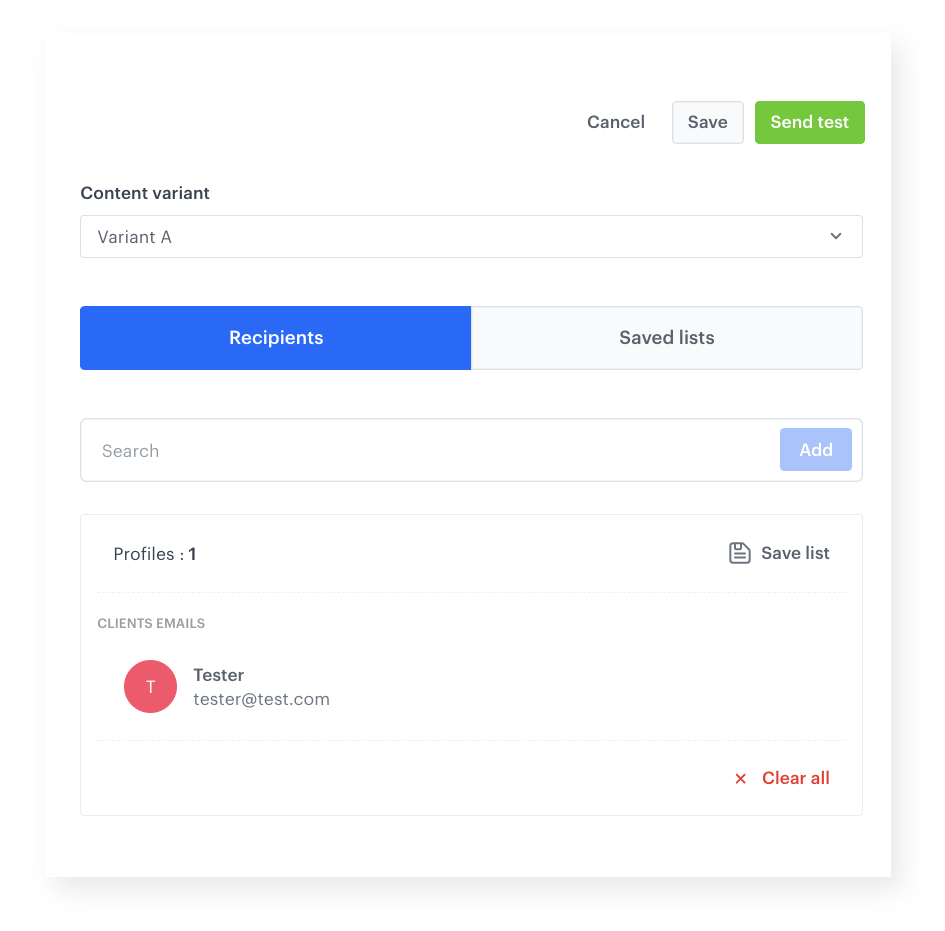
Test Message
Send a test message to see the in-app message rendered in real-time within a mobile application before launching the campaign.
JavaScript editor
Customize in-app messages with dynamic content using the built-in JavaScript editor for advanced personalization and interactivity.
How the Drag & Drop Builder Works
- Open the In-App Messages module and create a new template using the Drag & Drop builder.
- Drag content blocks onto the canvas to design the message layout.
- Use HTML blocks from the library or create custom blocks and save them for reuse.
- Use Preview Context to visualize changes in real time.
- Send a Test Message to preview the message in a mobile application.
- Optionally use the JavaScript editor for advanced customization.
- Save the template and use it in in-app message campaigns.
Example Use Case
A mobile app team wants to create a promotional in-app message for a seasonal sale. A marketing manager — with no coding experience — opens the Drag & Drop builder, selects a pre-designed HTML block for product recommendations, customizes the colors and text, and previews the result using Preview Context. After sending a test message to verify the layout on a real device, the template is saved and used in the campaign — all without involving a developer.
FAQ
What is the Drag & Drop Builder in In-App Messages?
A visual, no-code editor for creating in-app message templates in Synerise using drag and drop content blocks.
Do I need coding skills to use it?
No. The builder is designed for non-technical users. A JavaScript editor is available for advanced customization if needed.
Can I reuse designs across campaigns?
Yes. Custom HTML blocks can be saved to a library and reused in any in-app template.
Can I test messages before launching?
Yes. The Test Message feature renders the in-app message in real-time within a mobile application.
Key Facts
| Attribute | Value |
|---|---|
| Feature | Drag & Drop Builder in In-App Messages |
| Product | Synerise |
| Module | Campaigns (In-App Messages) |
| Purpose | No-code visual editor for creating in-app message templates |
| Key Tools | HTML block library, Preview Context, Test Message, JavaScript editor |
| Coding Required | No (optional JavaScript editor for advanced use) |
| Documentation | hub.synerise.com — In-App Drag & Drop |
Related Concepts
- Drag & Drop Builder in Dynamic Content
- Elevate Your In-App Engagement
- New In-App Templates in Synerise
- New In-App Loyalty Templates
- Safe Area Mode for In-App Campaigns
TL;DR
The Drag & Drop Builder in In-App Messages is a no-code visual editor in Synerise for creating in-app message templates. It includes reusable HTML blocks, Preview Context for real-time visualization, Test Message for mobile preview, and a JavaScript editor for advanced customization. Non-technical users can design and launch in-app campaigns without developer involvement.




