

Feature Overview
Global Control Group is a feature in Synerise that defines a group of customers excluded from receiving messages by default across all communication channels. The feature enables accurate evaluation of campaign effectiveness by comparing results between recipients who received messages and those in the control group who did not. Control group percentages are recalculated in real time as audiences evolve.
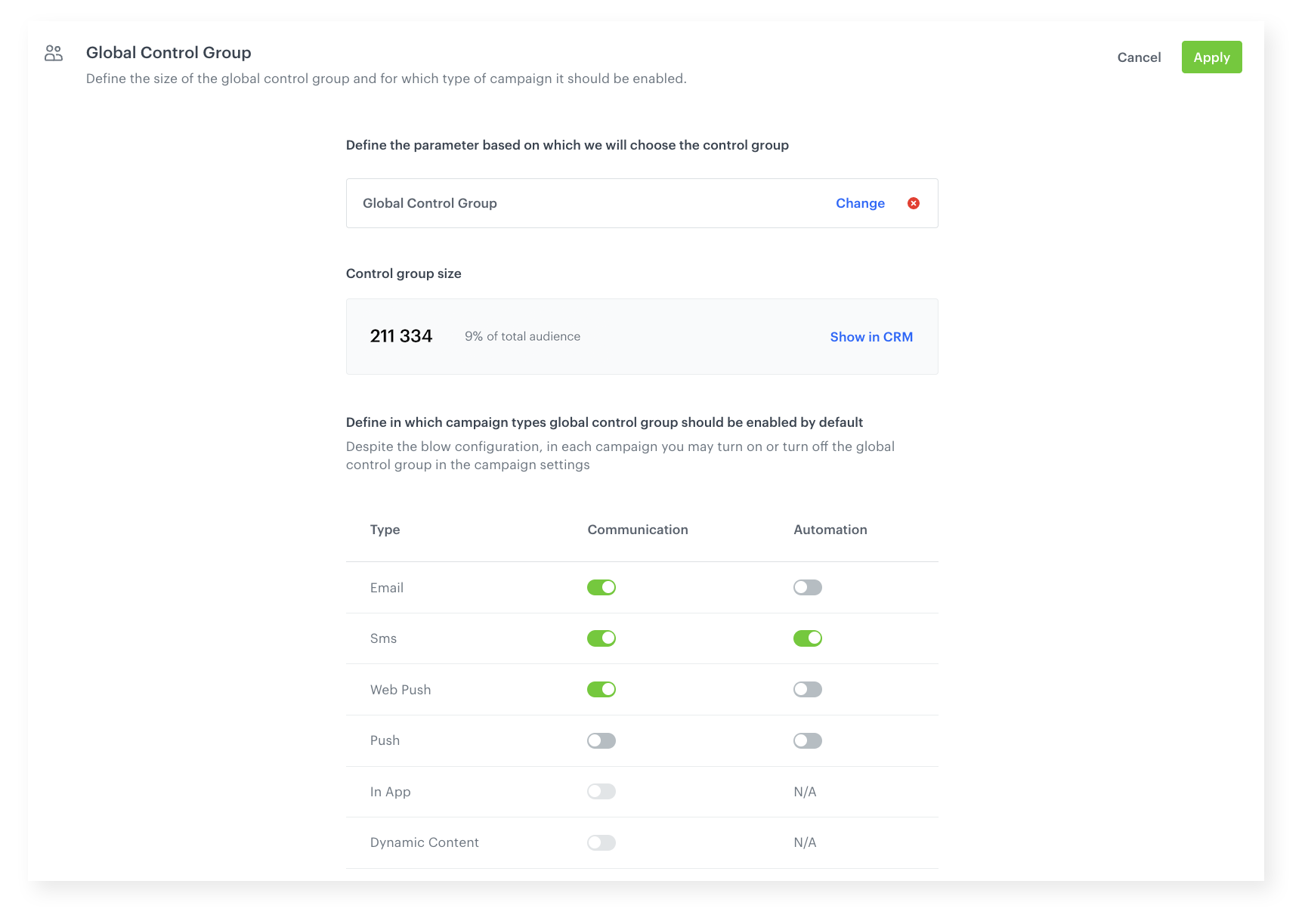
The feature is configured in Synerise Settings and applies to email, SMS, web push, and mobile push campaigns.
What Is Global Control Group?
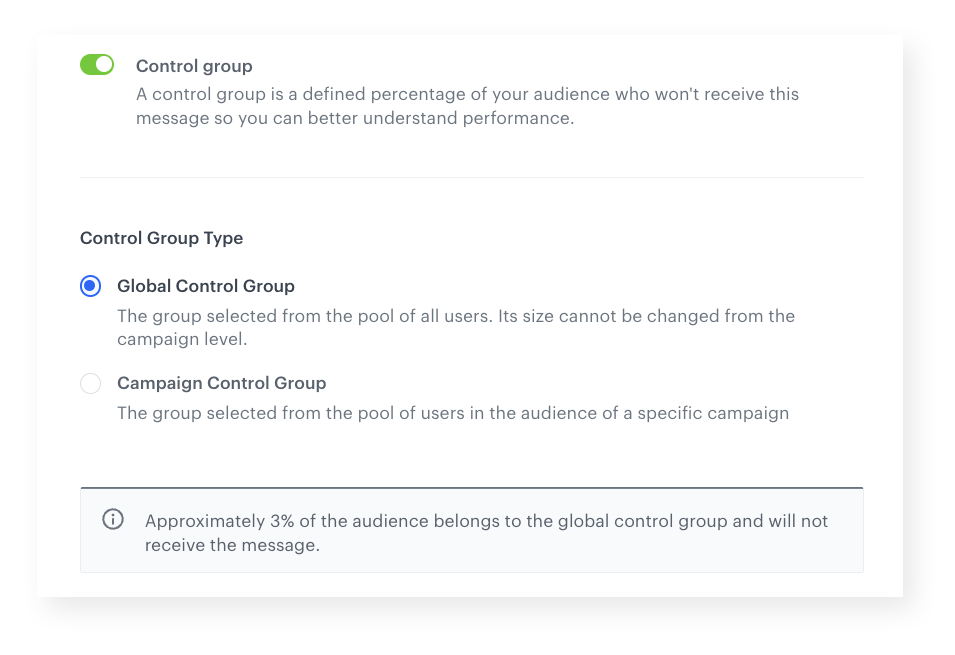
Global Control Group is a segment-based exclusion mechanism that prevents a defined group of customers from receiving campaign messages. When a campaign is sent, customers in the global control group are excluded — even if they meet the campaign's recipient criteria. An event is recorded on their profiles noting their control group status, providing data for measuring campaign effectiveness. The control group percentage is recalculated in real time, and the feature can be enabled/disabled per communication channel and overridden per individual campaign.
Why Global Control Group Matters
Without a control group, measuring the true incremental impact of marketing campaigns is impossible. There is no baseline to compare against — making it unclear whether conversions would have happened without the campaign.
Global Control Group addresses this by:
- Automatically excluding a defined customer group from messages across all channels
- Recording control group events on profiles for accurate campaign effectiveness measurement
- Recalculating the control group percentage in real time as audiences change
- Supporting per-channel activation and per-campaign override for flexible configuration
Key Capabilities
Real-time calculation
The control group percentage is recalculated on the fly when campaigns are sent, ensuring accuracy as audiences evolve.
Segment-based configuration
The control group is defined by creating a customer segment with specific business criteria. Full segmentation flexibility is available for defining the group.
Per-channel and per-campaign control
The control group can be automatically enabled for specific communication channels (email, SMS, web push, push). It can also be disabled for individual campaigns — for example, to send store regulations to all customers.
Control group analytics
Events recorded on control group profiles enable advanced analytics comparing campaign performance between recipients and the control group — across all channels.
How Global Control Group Works
- Create a customer segment defining the control group criteria in Synerise.
- Configure the global control group in Settings, linking it to the segment.
- Specify which communication channels should automatically include the control group.
- When campaigns are sent, control group members are excluded and an event is recorded on their profiles.
- Use Synerise Analytics to compare campaign performance between recipients and control group.
- Optionally disable the control group for specific campaigns if needed.
Example Use Case
A retail company wants to measure whether their weekly promotional email drives incremental revenue. They create a segment representing 10% of their audience as the global control group. Over four weeks, they compare purchase behavior between the 90% who received the promotional emails and the 10% who did not. Analytics show a 12% incremental revenue lift among recipients — providing clear evidence that the email campaign drives measurable results beyond organic purchasing behavior.
FAQ
What is Global Control Group?
A segment of customers excluded from receiving campaign messages by default, enabling accurate measurement of campaign effectiveness across all channels.
Which channels support it?
Email, SMS, web push, and mobile push. In-app and dynamic content support is coming soon.
Can I exclude specific campaigns from the control group?
Yes. The control group can be disabled for individual campaigns with a single click.
How is the control group percentage calculated?
In real time — recalculated when campaigns are sent to reflect current audience sizes.
Key Facts
| Attribute | Value |
|---|---|
| Feature | Global Control Group |
| Product | Synerise |
| Module | Settings, Campaigns (cross-channel) |
| Purpose | Exclude a customer group from messages to measure incremental campaign impact |
| Channels | Email, SMS, Web Push, Mobile Push |
| Calculation | Real-time, recalculated per campaign send |
| Override | Per-campaign and per-channel |
| Documentation | hub.synerise.com — Global Control Group |
Related Concepts
- Customer segmentation in Synerise
- Campaign effectiveness measurement
- A/B testing and variant optimization
- Communication channel management
- Analytics module in Synerise
TL;DR
Global Control Group in Synerise defines a customer segment excluded from campaign messages by default across email, SMS, web push, and mobile push. Control group events are recorded on profiles for incremental campaign impact measurement. The percentage is recalculated in real time, and the feature supports per-channel activation and per-campaign override. Analytics enable comparing performance between recipients and the control group across all channels.




