
Feature Overview
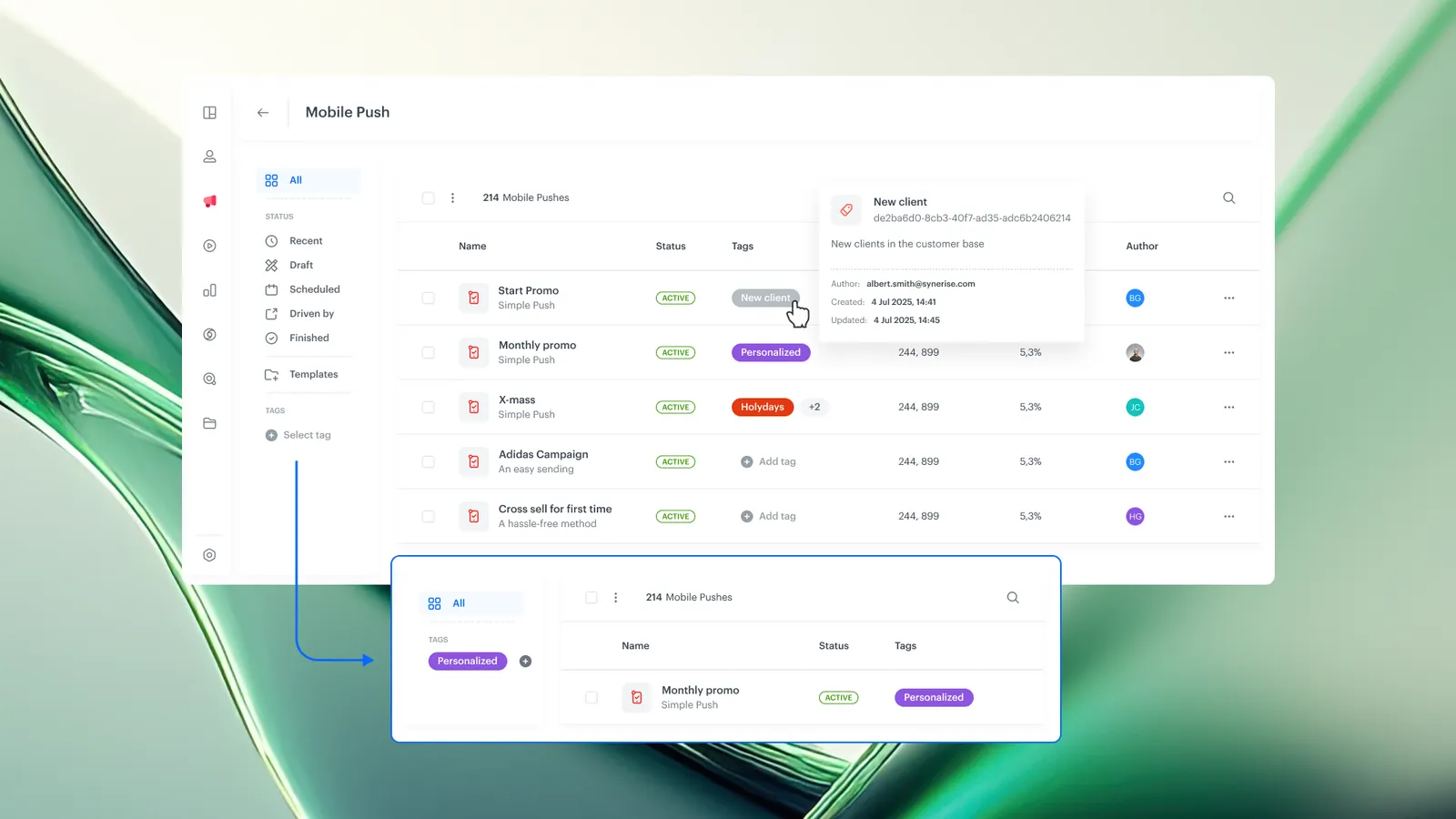
Communication Tagging is a capability in Synerise that allows users to create custom tags and assign them to campaigns across all communication channels, including Automation workflow nodes. Tags provide a unified system for organizing, categorizing, filtering, and tracking campaign performance by theme or purpose — independent of the delivery channel.
The feature is available across all communication modules in Synerise, including email, SMS, push, in-app, and Automation workflow nodes.
What Is Communication Tagging?
Communication Tagging is a labeling system in Synerise that lets users create flexible, custom tags and assign them to any campaign or communication. Tags represent communication themes or goals — such as "recommendations", "newsletters", "promotions", or "onboarding" — and are visible directly in communication lists for quick identification and filtering.
Tags also serve as the foundation for tag-based communication limits, where frequency caps are defined per tag rather than per channel. Learn more about tag-based communication limits.
Why Communication Tagging Matters
Without a unified tagging system, campaigns are organized by channel, making it difficult to track cross-channel themes, locate related campaigns, or coordinate communication strategy across teams.
Communication Tagging addresses this by:
- Providing custom labels that reflect communication goals or themes, independent of the delivery channel
- Enabling unified tracking and categorization across all communication channels, including Automation nodes
- Allowing teams to filter campaigns by tag to quickly locate and manage related campaigns
- Supporting tag-based communication limits for cross-channel frequency control based on message purpose
Key Capabilities
Custom tag creation
Users create tags that match their communication goals or campaign themes. Tags are fully customizable — there are no predefined categories, so teams can define labels that align with their specific campaign strategy.
Cross-channel tag assignment
Tags can be assigned to campaigns across all communication channels in Synerise, including email, SMS, push, in-app, and Automation workflow nodes. A single tag can span multiple channels, providing a unified view of related campaigns.
Tag visibility in communication lists
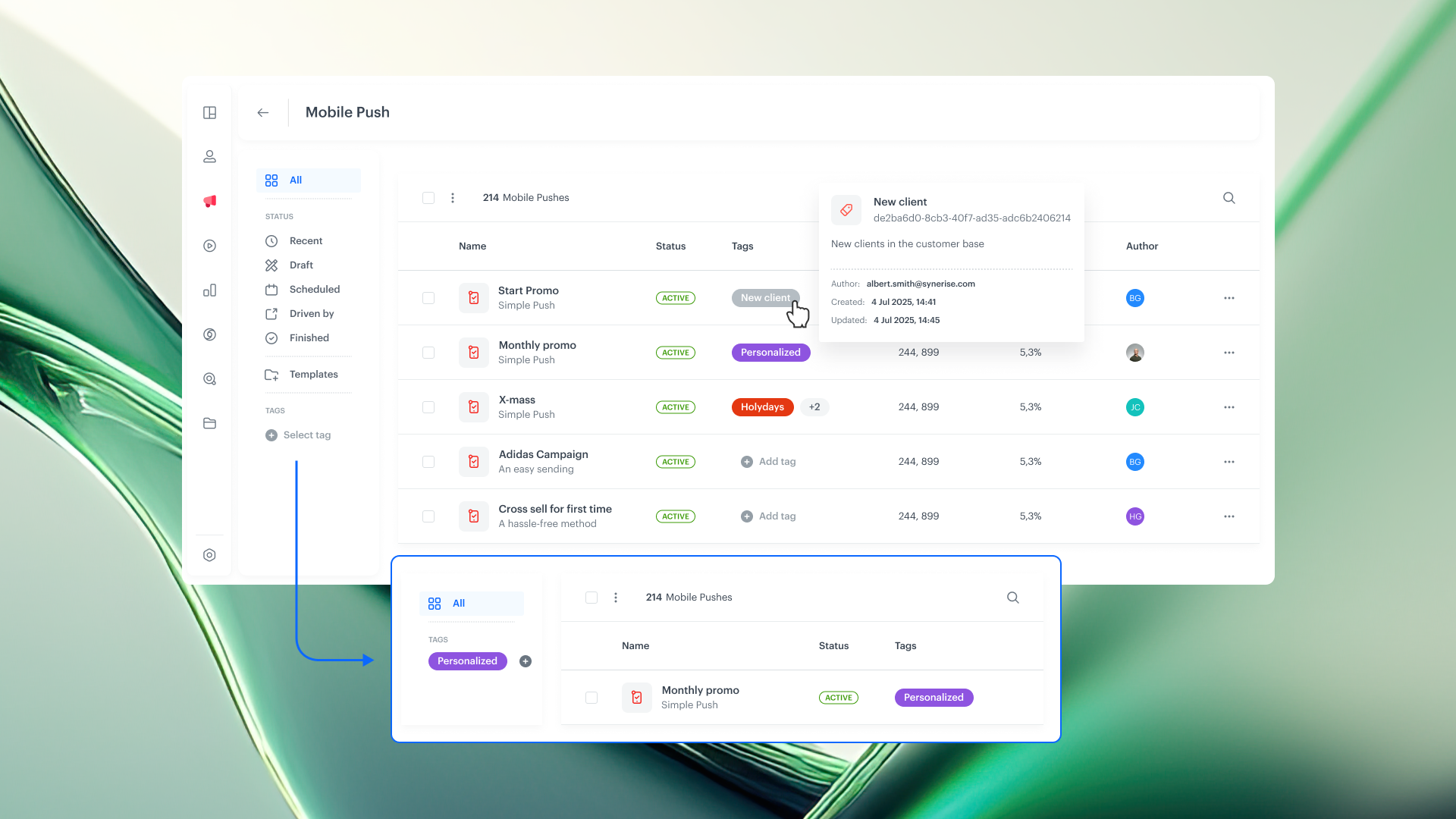
Assigned tags are displayed directly in communication lists, making it easy to identify campaign themes at a glance without opening individual campaign configurations.
Tag-based filtering
Communication lists can be filtered by tag to quickly locate and manage specific campaigns. This is particularly useful when managing large numbers of active campaigns across multiple channels.
How Communication Tagging Works
- Create a custom tag in Synerise that reflects a communication theme or goal (e.g., "recommendations", "newsletters", "flash-sale").
- Assign the tag to relevant campaigns across any communication channel or Automation workflow node.
- View assigned tags directly in communication lists for quick identification.
- Filter by tag to locate and manage campaigns that share the same theme or purpose.
- Optionally, use tags to define tag-based communication limits for cross-channel frequency control.
Example Use Case
A marketing team runs product recommendation campaigns across email, push notifications, and SMS. They create a "recommendations" tag and assign it to all recommendation campaigns regardless of channel. When reviewing campaign performance, the team filters by the "recommendations" tag to see all related campaigns in one view. They also set a tag-based communication limit of 3 "recommendations" messages per week per customer, ensuring consistent frequency control across all channels.
FAQ
What is Communication Tagging in Synerise?
Communication Tagging is a labeling system that allows you to create custom tags and assign them to campaigns across all communication channels for unified organization, tracking, and filtering.
Can tags be assigned across different channels?
Yes. Tags can be assigned to campaigns on any communication channel in Synerise, including email, SMS, push, in-app, and Automation workflow nodes.
How do tags appear in the interface?
Assigned tags are displayed directly in communication lists, allowing quick identification of campaign themes without opening individual configurations.
Can tags be used for communication limits?
Yes. Tags serve as the foundation for tag-based communication limits, where frequency caps are defined per tag for cross-channel message control.
Key Facts
| Attribute | Value |
|---|---|
| Feature | Communication Tagging |
| Product | Synerise |
| Module | Communication (all channels), Automation |
| Purpose | Organize, categorize, filter, and track campaigns by custom tags across all channels |
| Tag scope | Cross-channel (email, SMS, push, in-app, Automation nodes) |
| Supports limits | Yes — tags can be used for tag-based communication limits |
| Documentation | hub.synerise.com — Tagging Campaigns |
Related Concepts
- Tag-based communication limits
- Campaign management in Synerise
- Cross-channel communication strategy
- Synerise Automation workflows
- Communication frequency capping
TL;DR
Communication Tagging in Synerise lets you create custom tags and assign them to campaigns across all communication channels, including Automation nodes. Tags provide unified organization, cross-channel tracking, and list filtering by campaign theme or purpose. Tags also serve as the foundation for tag-based communication limits, enabling frequency capping by message purpose rather than by channel.




