
Feature Overview
Cloning Campaigns and Workflows is a feature in Synerise that enables cloning campaigns, campaign templates, and Automation workflows to other workspaces — including all dependencies and nested items. The platform automatically identifies and duplicates related components such as AI campaigns, aggregates, metrics, and analytics during the cloning process.
The feature is available in the Campaigns and Automation modules in Synerise.
What Is Cloning Campaigns and Workflows?
Cloning Campaigns and Workflows is a cross-workspace duplication feature in Synerise. Users can clone campaigns, campaign templates, and entire automation workflows from one workspace to another. During cloning, the platform automatically identifies all dependencies — including AI campaigns, aggregates, metrics, and other analytics components — and duplicates them in the target workspace. A dependency analysis step helps resolve any mapping issues before the cloning process begins, resulting in a fully functional copy in the target workspace.
Why Cloning Campaigns and Workflows Matters
Manually recreating campaigns and workflows across workspaces is time-consuming and error-prone. Complex workflows with multiple dependencies — templates, AI campaigns, aggregates, metrics — are particularly difficult to replicate manually without missing components.
Cloning Campaigns and Workflows addresses this by:
- Enabling one-click cloning of campaigns, templates, and workflows to other workspaces
- Automatically identifying and duplicating all dependencies and nested items
- Providing dependency analysis to resolve mapping issues before cloning
- Producing fully functional copies in target workspaces
Key Capabilities
Cross-workspace cloning
Clone campaigns, campaign templates, and automation workflows from one workspace to one or more target workspaces. The cloned objects are fully functional in the target workspace.
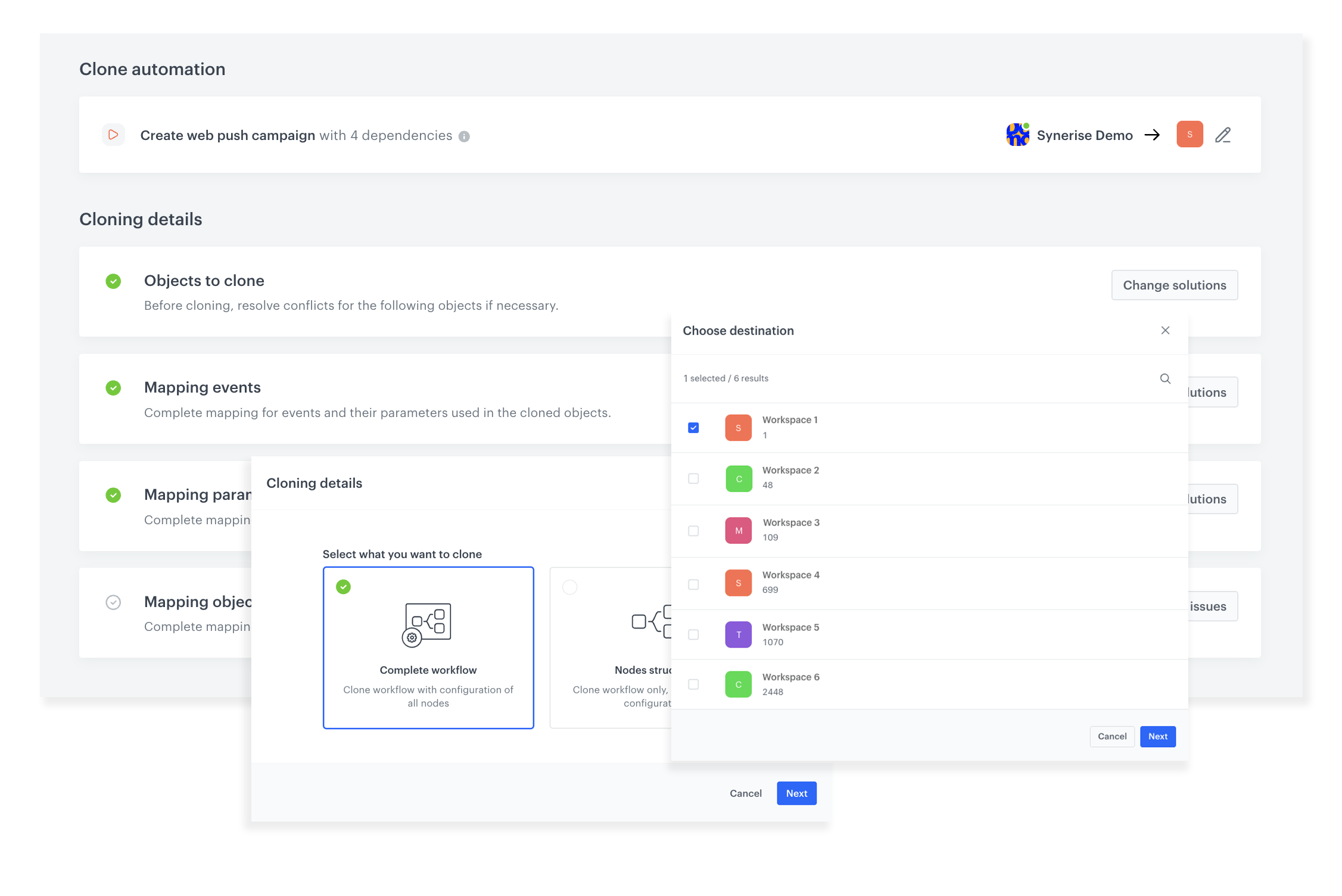
Automatic dependency detection
The platform analyzes all dependencies of the cloned object — including AI campaigns, aggregates, metrics, and analytics components — and duplicates them alongside the main object.
Dependency mapping
Before cloning, the system identifies any mapping issues and prompts users to complete mappings for objects, events, and parameters used in the cloned items.
Full workflow cloning
Entire automation workflows with embedded campaign templates and their references can be cloned as a complete unit, preserving the full logic and configuration.
How Cloning Campaigns and Workflows Works
- Select the campaign, template, or workflow to clone.
- Choose the target workspace(s) for cloning.
- The platform analyzes all dependencies and identifies any mapping issues.
- Complete mappings for objects, events, and parameters as needed.
- Initiate the cloning process — resulting in a fully functional copy in the target workspace(s).
- Access the cloned object in the target workspace and run it.
Example Use Case
A retail brand operates separate Synerise workspaces for each country. The marketing team builds a Black Friday automation workflow in the US workspace — including email campaigns, AI-driven product recommendations, and analytics aggregates. Using the cloning feature, they duplicate the entire workflow to the UK, DE, and FR workspaces. The platform detects all dependencies, prompts for event mappings specific to each locale, and produces fully functional copies — saving weeks of manual recreation.
FAQ
What can I clone?
Campaigns, campaign templates, and Automation workflows — including all dependencies and nested items.
Are dependencies cloned automatically?
Yes. The platform identifies and duplicates all related components including AI campaigns, aggregates, metrics, and analytics.
Can I clone to multiple workspaces at once?
Yes. You can select one or more target workspaces during the cloning process.
Do I need to reconfigure the cloned objects?
You may need to complete mappings for events and parameters specific to the target workspace. The platform guides you through this before cloning.
Key Facts
| Attribute | Value |
|---|---|
| Feature | Cloning Campaigns and Workflows |
| Product | Synerise |
| Module | Campaigns, Automation |
| Purpose | Clone campaigns, templates, and workflows to other workspaces with all dependencies |
| Dependencies | Automatically detected and duplicated (AI campaigns, aggregates, metrics, analytics) |
| Target | One or more workspaces |
| Documentation | hub.synerise.com — Cloning Campaigns, Cloning Workflows |
Related Concepts
- Dashboard Cloning
- Automation workflows in Synerise
- Cross-workspace operations
- Campaign management in Synerise
- Connection Management
TL;DR
Cloning Campaigns and Workflows in Synerise enables cloning campaigns, campaign templates, and automation workflows to other workspaces with automatic dependency detection and duplication. The platform identifies all related components — AI campaigns, aggregates, metrics, analytics — and clones them as a complete unit. A dependency mapping step resolves any workspace-specific differences before cloning produces fully functional copies in target workspaces.




