
Feature Overview
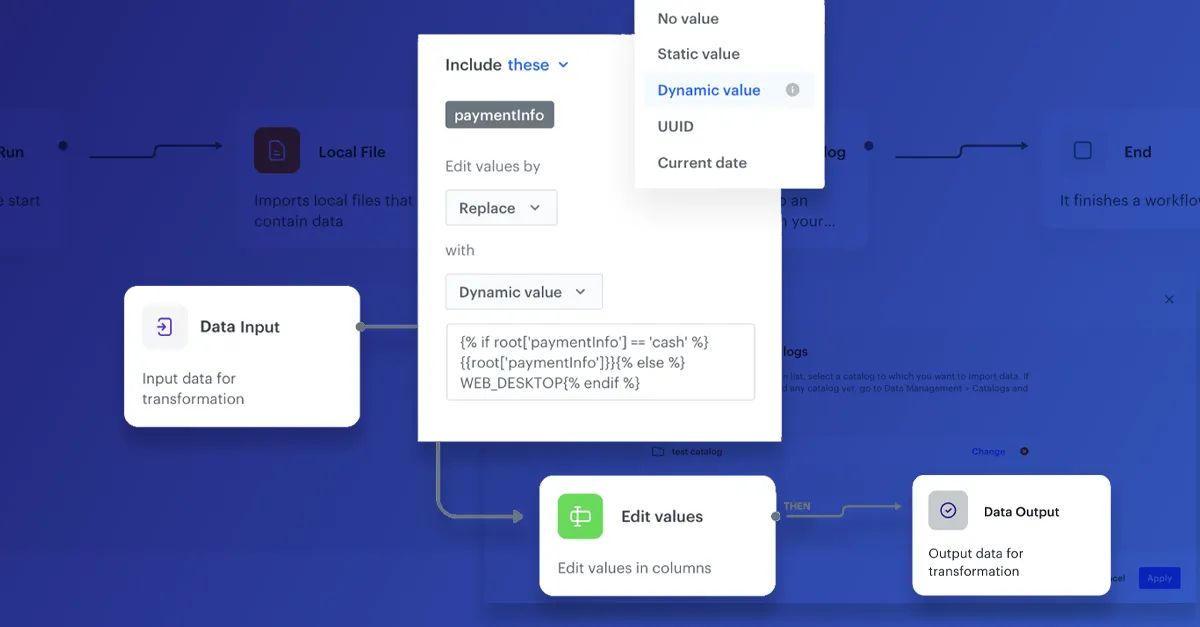
Advanced Data Transformations is a set of enhancements to the Data Transformation feature in the Synerise Automation module. The update adds XML and JSON format support (in addition to CSV), Jinja-based advanced transformations, a dedicated data preview for schemaless formats, configurable error handling with 5 options per rule, and refreshed optional transformation goals.
The feature is available in the Automation module (Data Transformation) in Synerise.
What Are Advanced Data Transformations?
Advanced Data Transformations extend the existing Data Transformation capability in Synerise with support for schemaless formats (XML, JSON), Jinja-based transformation logic, dedicated preview for non-tabular data, per-rule error handling options, and optional transformation goals. Transformation rules created with these capabilities can be used in any automation workflow for data exchange between Synerise and external systems.
Why Advanced Data Transformations Matter
Data arriving from external systems comes in various formats — not just CSV. Without XML and JSON support, transforming product feeds and API responses requires custom preprocessing. Without advanced transformation logic and error handling, complex data cleaning operations require external tools.
Advanced Data Transformations address this by:
- Supporting XML and JSON format transformation alongside CSV
- Enabling Jinja-based logic for conditional transformations, empty value handling, and calculated columns
- Providing dedicated data preview for XML and JSON formats
- Offering 5 error handling options per transformation rule for predictable processing
- Making transformation goals optional instead of mandatory
Key Capabilities
XML and JSON format support
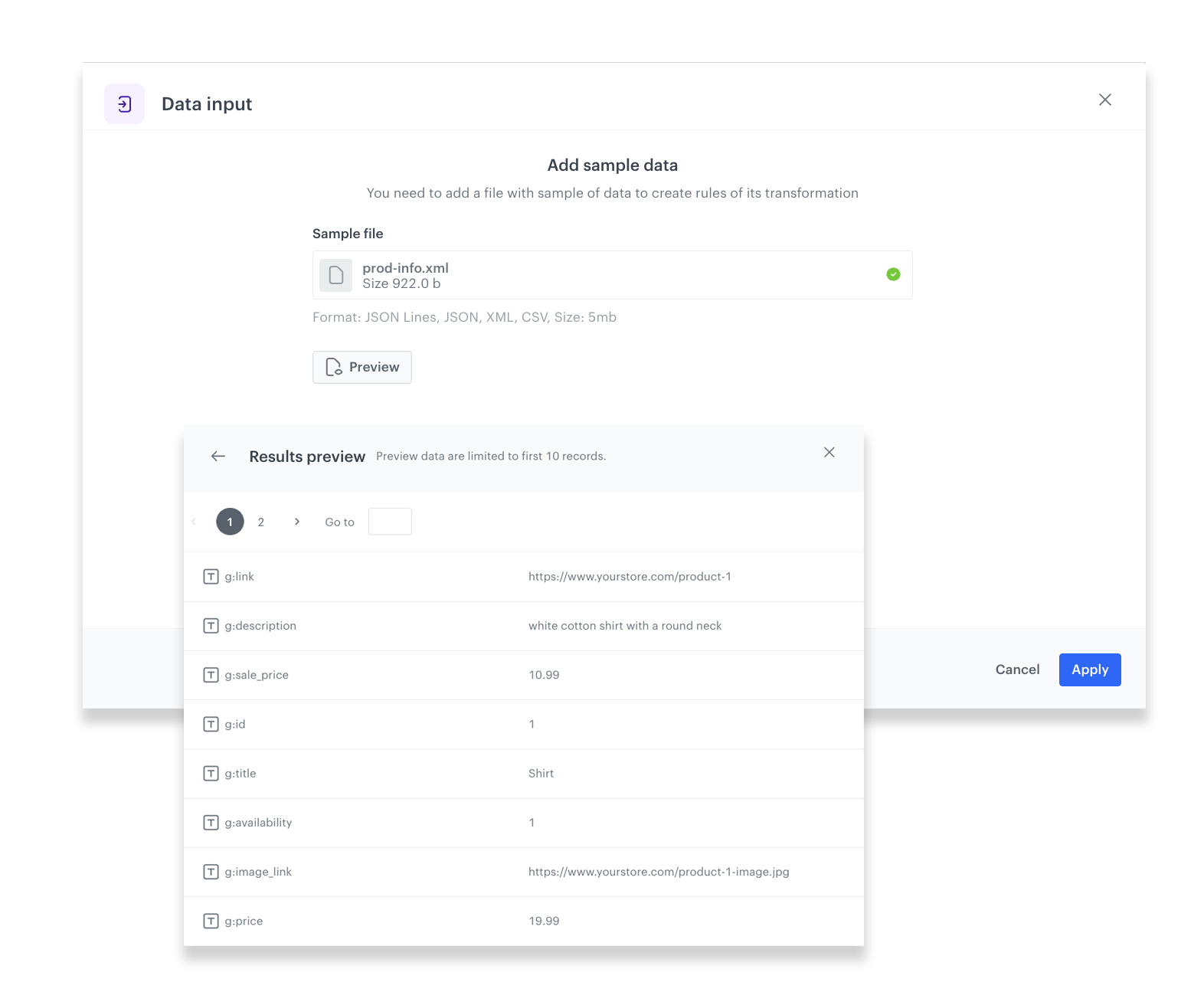
Perform transformations on XML and JSON files in addition to CSV. Product feeds, API responses, and other schemaless data can be transformed directly within Synerise automation workflows.
Dedicated data preview
A dedicated preview appearance for XML and JSON data allows monitoring the effect of transformations at every stage of the transformation pipeline.
Jinja support
Use Jinja templating for advanced transformations — conditional value changes, empty value handling, EventSalt column generation, and other extended logic beyond basic node configuration.
Configurable error handling
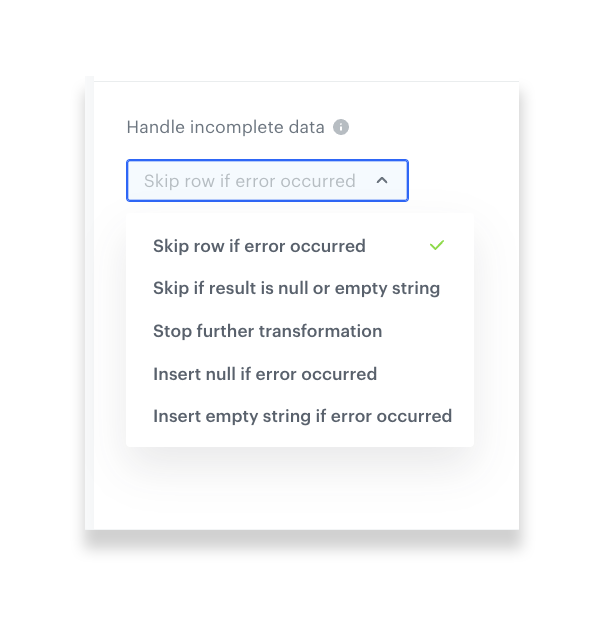
Each transformation rule offers 5 error handling options, providing full control over how processing errors are managed for predictable and reliable data transformation.
Optional transformation goals
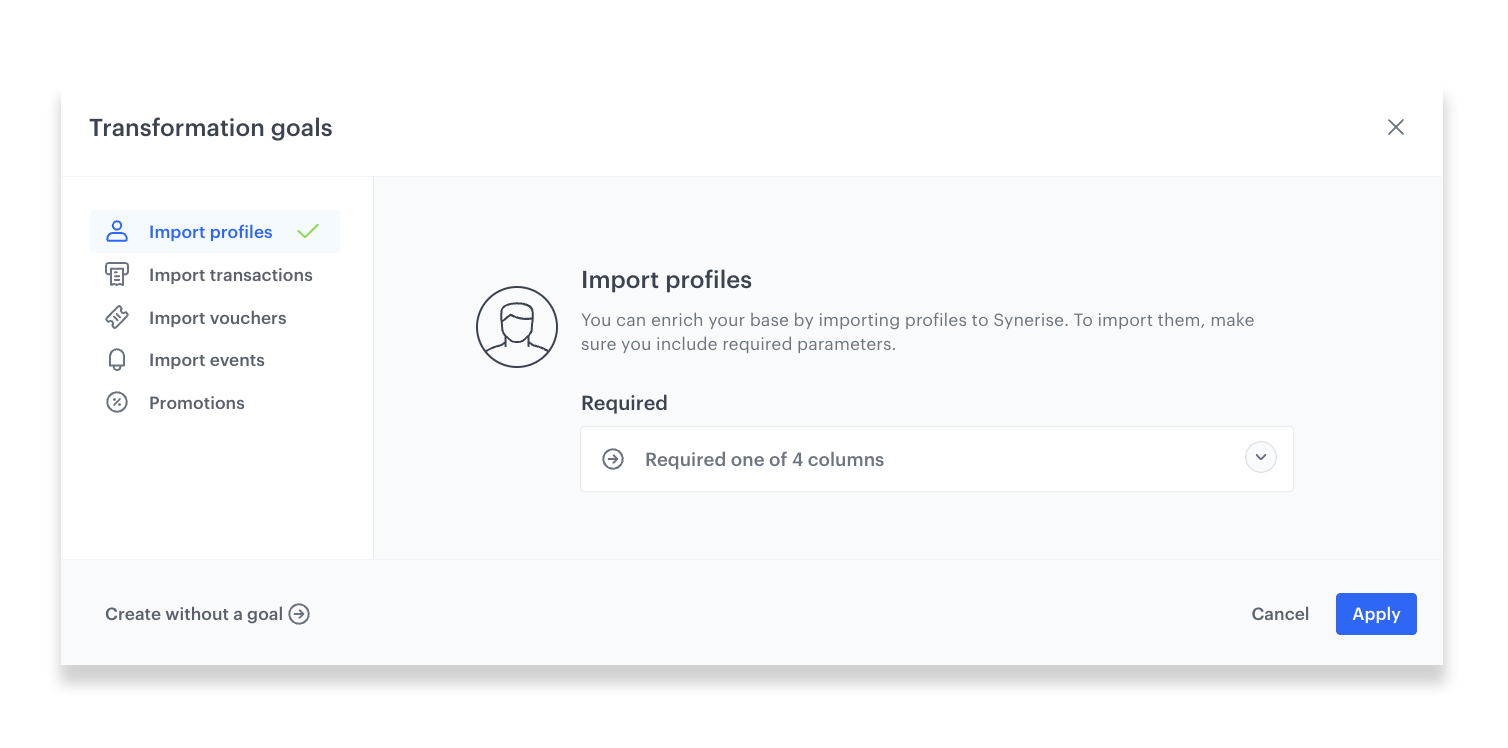
Transformation goals are no longer mandatory. When set (for Synerise import purposes), goals suggest required fields for the target data type. When not needed, the step can be skipped entirely.
How Advanced Data Transformations Work
- Create a data transformation rule in the Automation module.
- Select the source file format — CSV, XML, or JSON.
- Configure transformation rules using basic node configuration or Jinja for advanced logic.
- Use the data preview to verify transformation results at each stage.
- Set error handling options for each transformation rule.
- Optionally define a transformation goal if the result will be imported into Synerise.
- Use the transformation rule in any automation workflow.
Example Use Case
A retailer receives daily product feed updates from a supplier in XML format. Using Advanced Data Transformations, they create a workflow that fetches the XML file via SFTP, transforms it by mapping supplier fields to Synerise catalog format using Jinja logic (converting price formats, filling empty descriptions with defaults, adding an EventSalt column), and imports the result into the Synerise catalog. Error handling is configured to skip individual malformed records while processing the rest — ensuring the catalog stays up to date even with imperfect source data.
FAQ
Which file formats are supported?
CSV, XML, and JSON.
What is Jinja support used for?
Advanced transformation logic — conditional value changes, empty value handling, calculated columns, and other operations beyond basic node configuration.
How many error handling options are available?
5 options per transformation rule, providing full control over error processing behavior.
Are transformation goals still required?
No. Goals are now optional — useful when importing into Synerise (to suggest required fields) but can be skipped for other use cases.
Key Facts
| Attribute | Value |
|---|---|
| Feature | Advanced Data Transformations |
| Product | Synerise |
| Module | Automation (Data Transformation) |
| Purpose | XML/JSON support, Jinja logic, error handling, and optional goals for data transformation |
| Formats | CSV, XML, JSON |
| Advanced Logic | Jinja templating |
| Error Handling | 5 options per rule |
| Documentation | hub.synerise.com — Data Transformation |
Related Concepts
- Reorder Columns in Data Transformation
- Dynamic Conditions in Data Transformation
- Data Import in Synerise
- Advanced Data Export with Dynamic Expressions and Aggregates
- Data Encryption in Automation
TL;DR
Advanced Data Transformations in Synerise extend the Data Transformation capability with XML and JSON format support, Jinja-based advanced transformation logic, dedicated schemaless data preview, 5 configurable error handling options per rule, and optional transformation goals. Transformation rules can be used in any automation workflow for data exchange between Synerise and external systems.




