- Year: 2026
- Category: Product
- Benefits: Faster integration setup , Full visibility, Smarter workflow design , Safe testing environment , Easy to use – no deep technical setup required
- YouTube share link: https://www.youtube.com/embed/_QtJhXuAQgo?cc_load_policy=1&cc_lang_pref=en
- Download as PDF: Download
- Download as PPT: Download
- Security & Performance: No
- Featured?: No
- Quarter only: fe2d257f9b00112c9e9c7daf74b6b74c
- Module: 4c6698dca829ee8a0fcb167b62e6d5d0
You can now fully verify your setup - from connection and configuration to dynamic variables rendered from event context - without launching a workflow.
What’s New
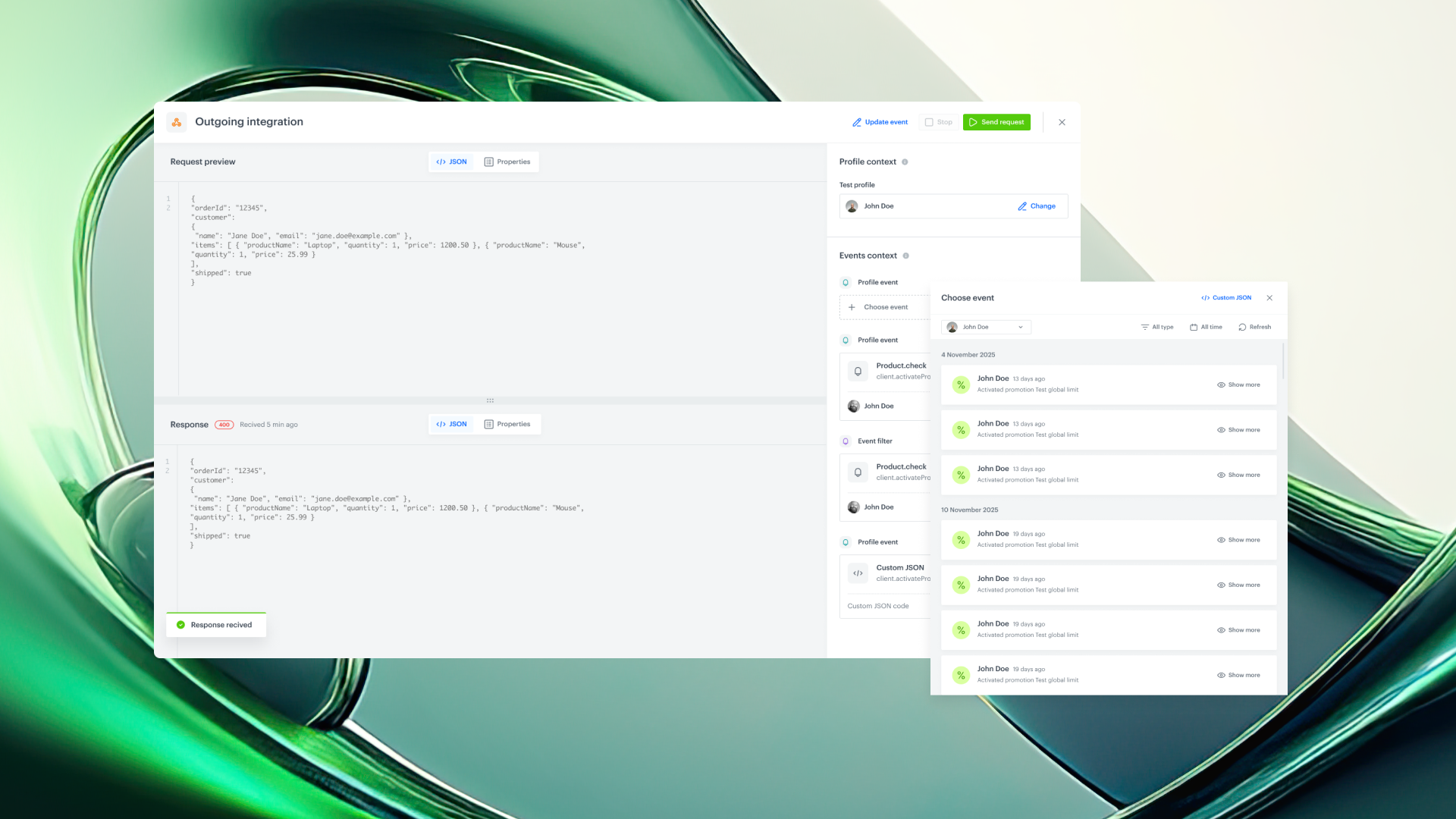
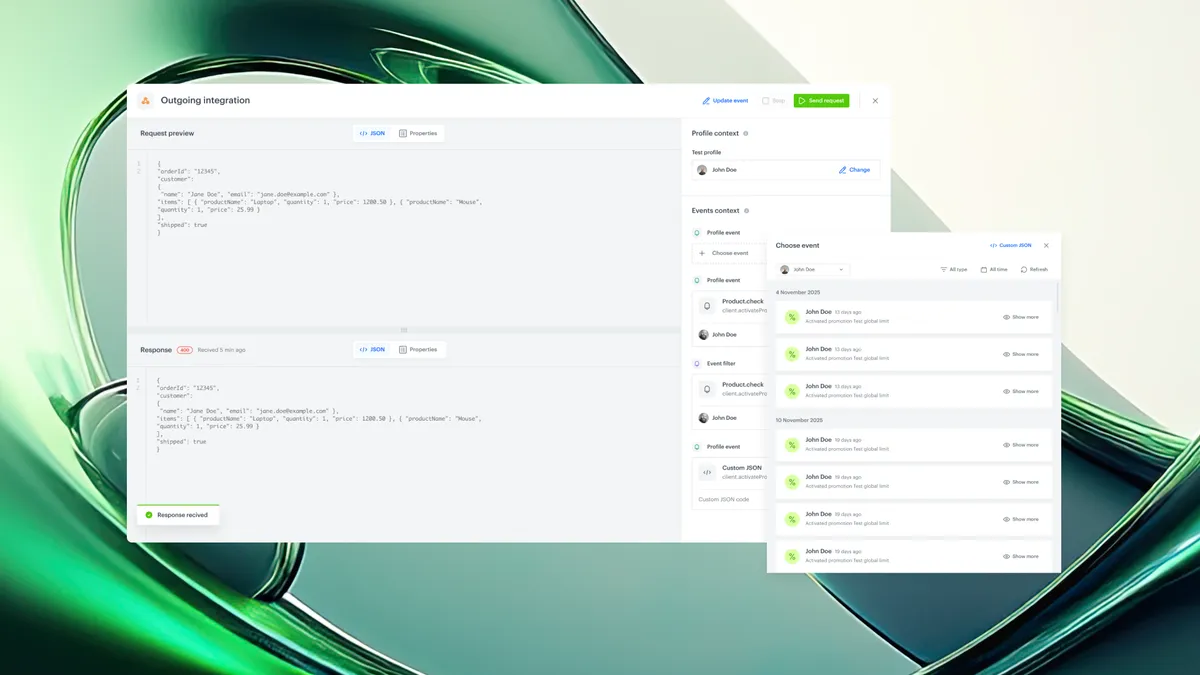
Send Test Request — directly from the outgoing integration configuration
When configuring an outgoing integration, you’ll now see the option to Send test request.
This opens a dedicated test builder that allows you to supply the integration with the full data context required to execute the test, such as:
- selection of the profile context (only Test Profiles allowed)
- selection of an event context
- rendering of dynamic values - used in the request (based on the event context)
- preview of the outgoing request and response
- immediate saving of the response as an event in Assets
No need to manually trigger workflows or send real events just to validate filters or logic.
How It Works
- Select Test Profile
Test profiles are used to supply the test with profile data context.
Therefore, if your integration contains references to customer data, Test Profiles allow it to populate with profile data.
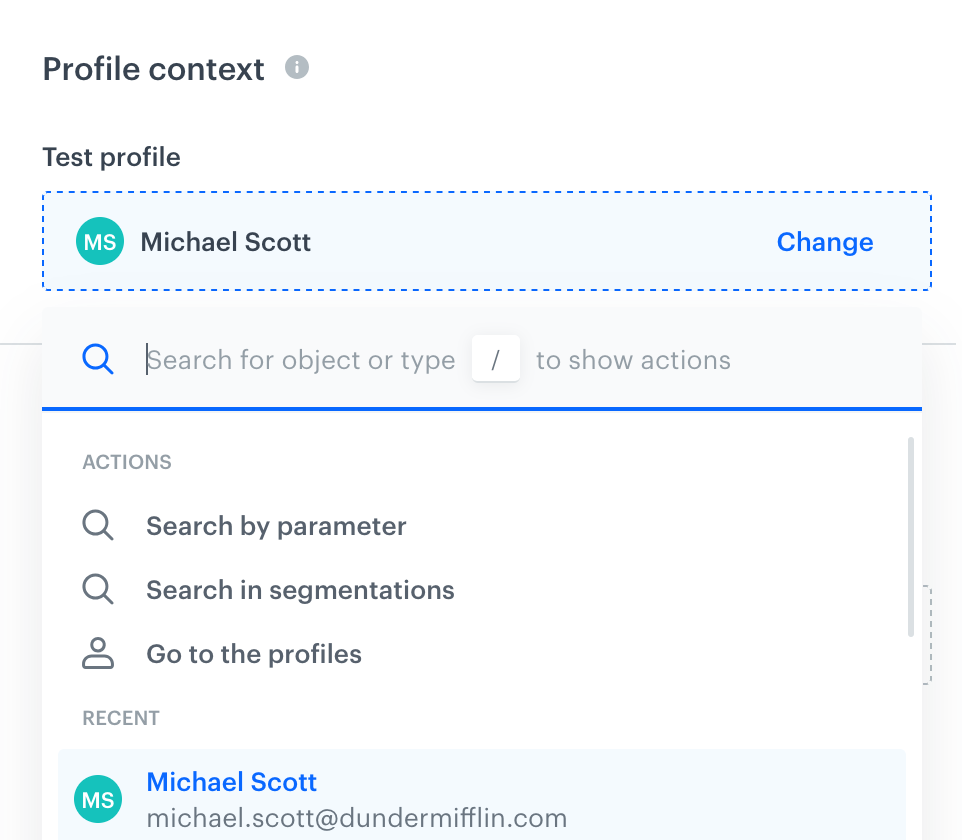
Filling in this field is required if there is a dynamic variable in the request body that refers to a customer attribute.
- Choose Event Context
Select the event that matches your workflow trigger, “f there is a reference to the context of the event.
You can:
- Filter events
- Verify references and parameters
- Ensure all required fields exist
- Manually edit the event as JSON
If no event exists, you can define your own event directly in the preview.
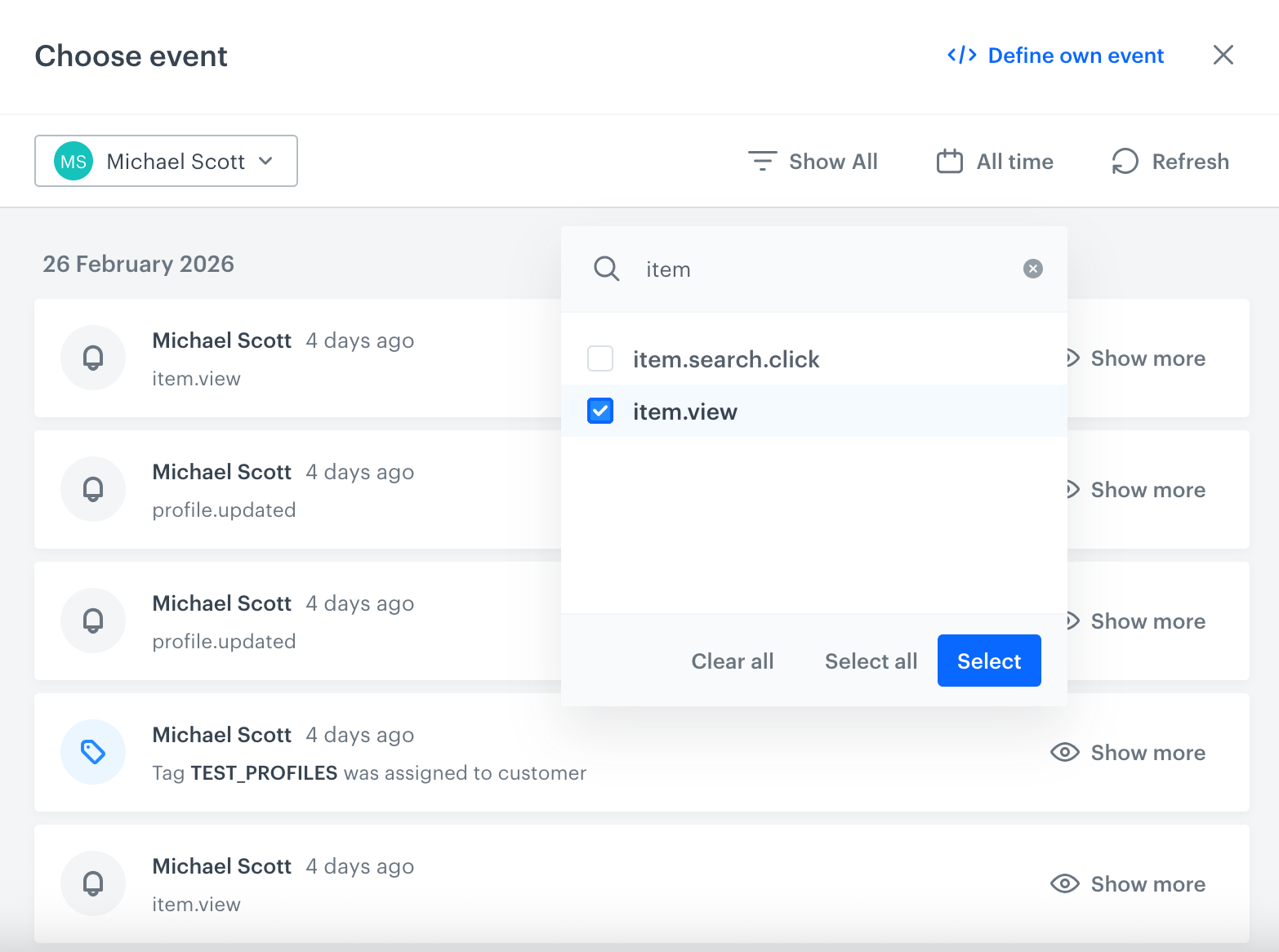
- Render & Send
Preview request and response right away.
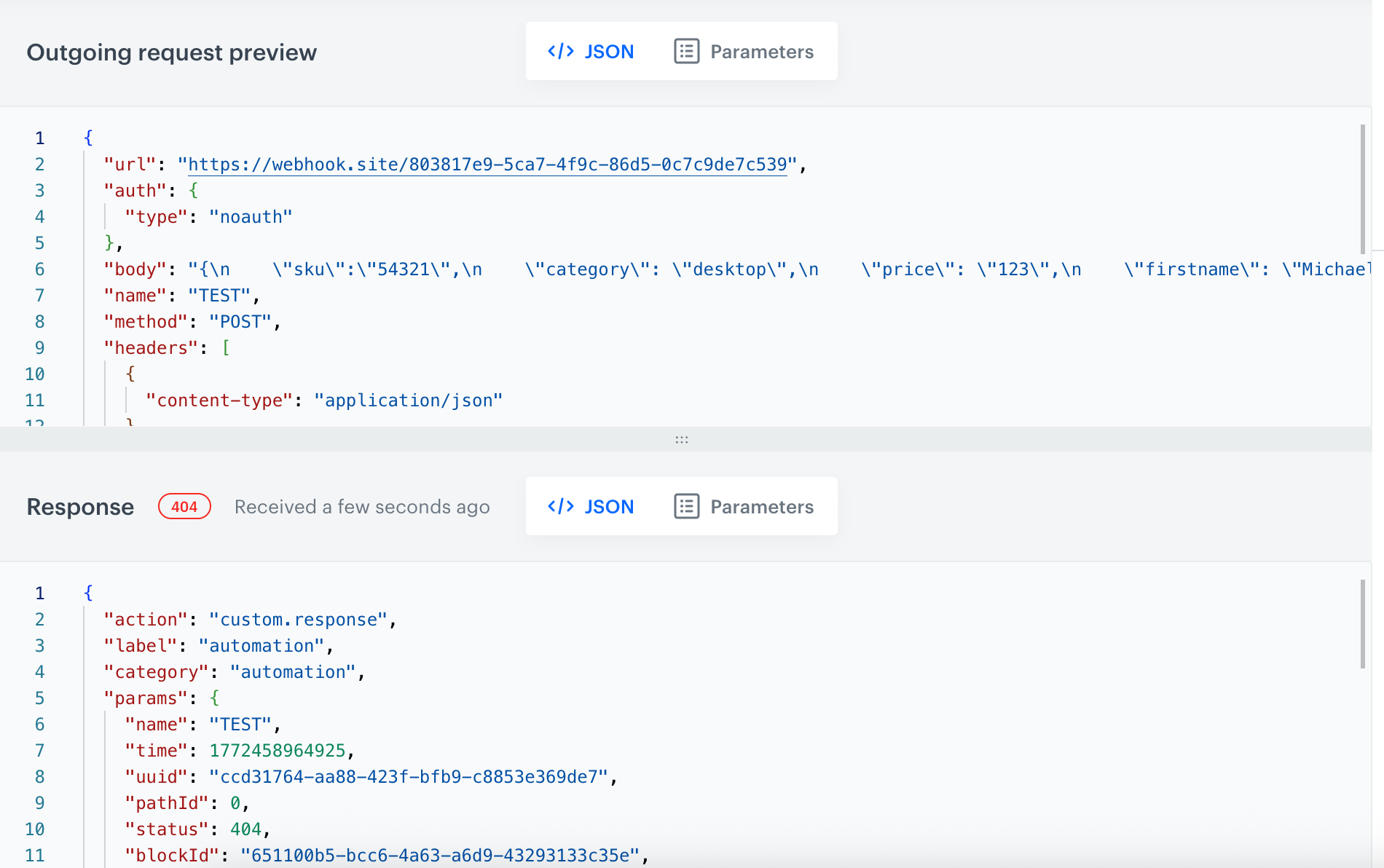
- Save Response as Event
After the test save the response directly as an event in Assets.
This eliminates the need to trigger a full automation just to create and test response-based events or filters.
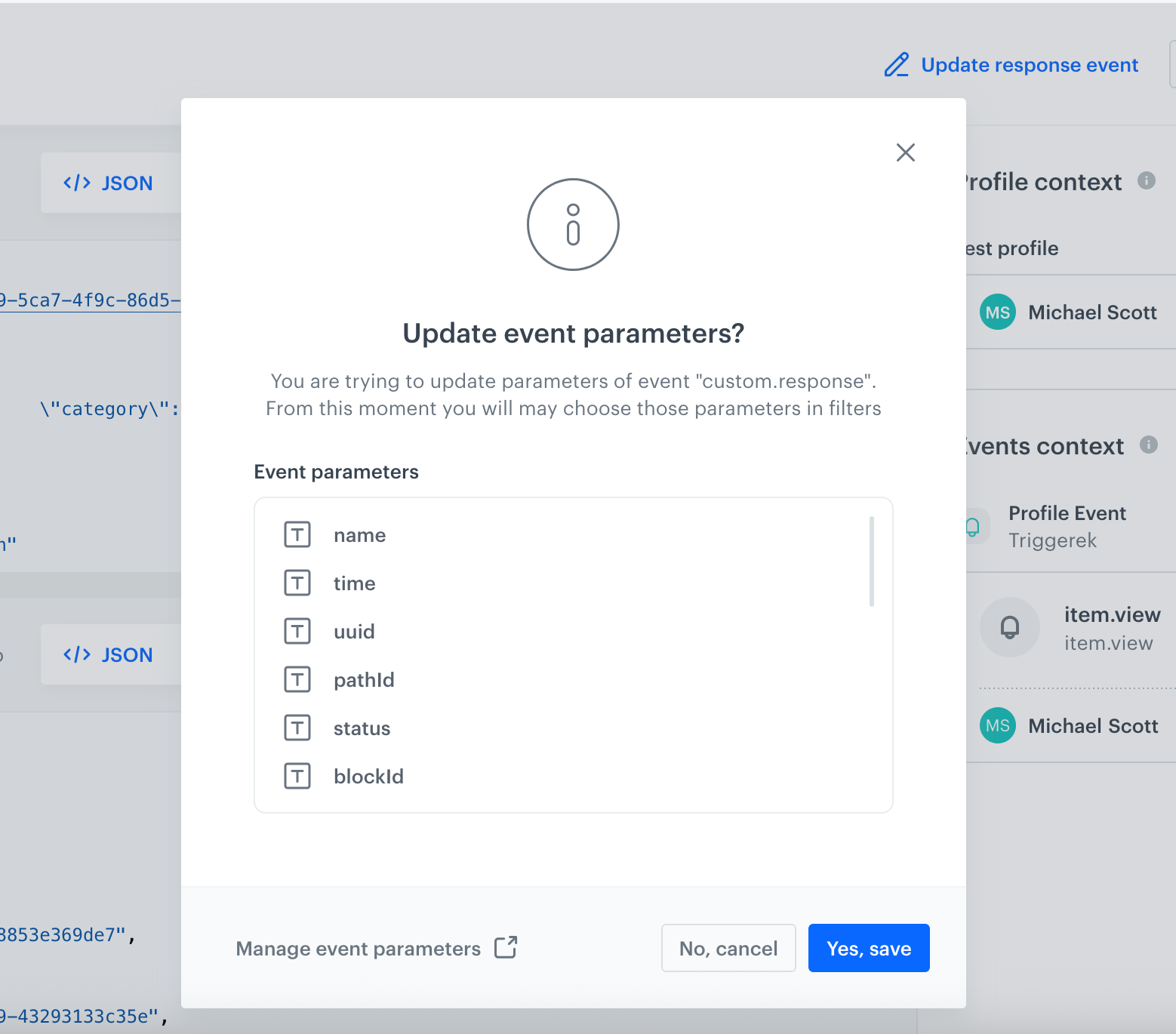
Easy to use – no deep technical setup requiredAn intuitive, user-friendly UI guides you step by step, so anyone can test integrations quickly without involving the development team.