Feature Overview
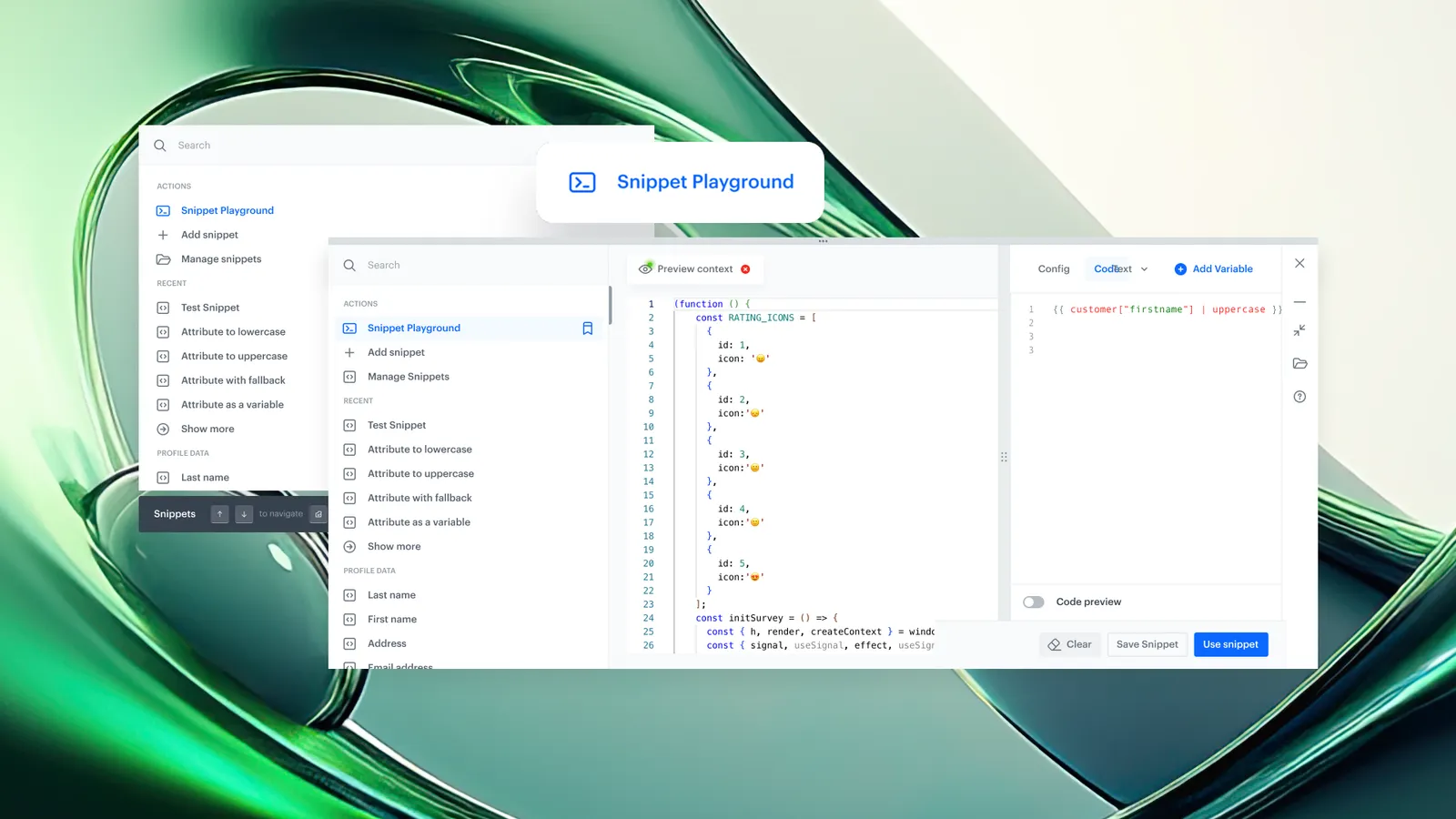
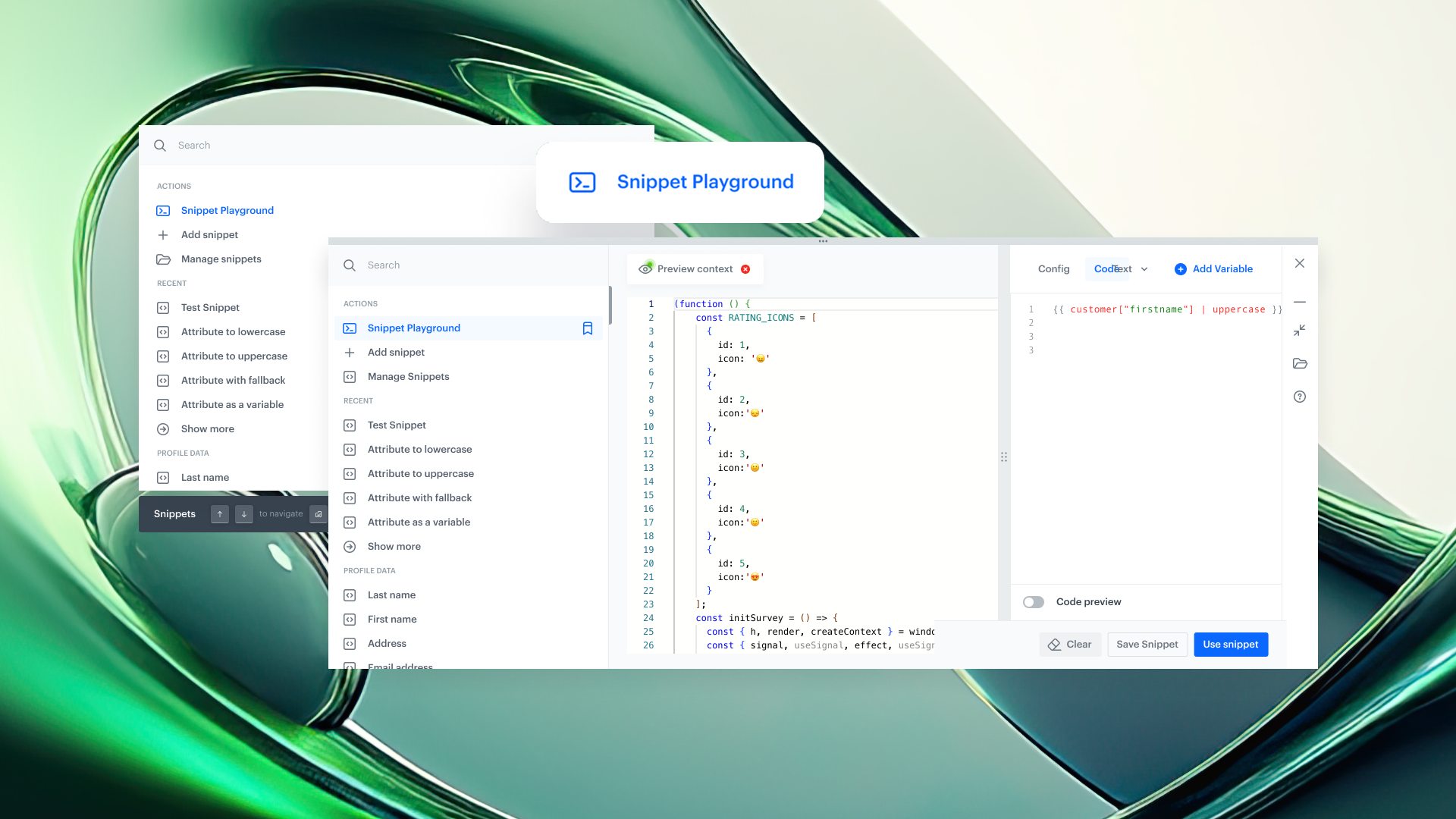
Snippet Playground is a persistent workspace in the Synerise platform for creating, editing, testing, and previewing Snippets and Jinjava logic. It works together with the Snippet Widget and can be opened from anywhere in Synerise using the keyboard shortcut Cmd + / (macOS) or Ctrl + / (Windows/Linux). Content in the Playground persists until manually cleared, allowing users to experiment without interrupting their current workflow.
Snippet Playground eliminates the need to enter a campaign editor or run a full workflow to test dynamic content logic. Users can preview Snippet output for any user profile, edit existing Snippets, and save new ones — all from within the Playground interface.
What Is Snippet Playground?
Snippet Playground is a platform-wide workspace within Synerise that functions as a persistent scratchpad for Snippet and Jinjava content. It is powered by the Snippet Widget and provides a dedicated environment for writing, testing, and previewing dynamic content logic independently of campaign editors or workflow executions.
The Playground allows users to insert custom Snippets, preview rendering for specific user profiles, edit content and logic in real time, and save results as reusable Snippets. Because it is accessible via a global keyboard shortcut, users can open it from any module in Synerise without navigating away from their current task.
Why Snippet Playground Matters
Testing Jinjava logic and dynamic content in Synerise previously required entering a campaign editor, configuring a preview, or running a workflow to see the output. This created unnecessary steps when the goal was simply to validate a piece of logic or check what data is returned for a specific user.
Snippet Playground addresses this by:
- Providing a dedicated testing environment accessible from any module via keyboard shortcut
- Allowing real-time preview of Jinjava rendering for any selected user profile
- Persisting draft content across navigation — work is not lost when switching between modules
- Supporting direct editing of existing Snippets without navigating to the Snippets module
- Enabling users to save tested content as reusable Snippets for campaigns and automations
Key Capabilities
Platform-wide access via keyboard shortcut
Snippet Playground can be opened from any module in Synerise using Cmd + / or Ctrl + /. This ensures the testing environment is always one shortcut away, regardless of the user's current location in the platform.
Real-time editing and preview
Users can write or modify Snippet code and Jinjava logic and see the rendered output instantly. The preview supports selecting different user profiles, so users can verify how content renders for specific customers.
Persistent workspace across navigation
Content in the Snippet Playground remains available even when navigating to other modules in Synerise. Drafts persist until the user manually clears them, preventing loss of work during context switches.
Edit existing Snippets in-place
Users can open and edit existing Snippets directly within the Playground (edit mode) without navigating to the Snippets module. Changes can be previewed and saved from within the same interface.
Save as reusable Snippet
Content created or modified in the Playground can be saved as a new Snippet for reuse in future campaigns, automations, or other Synerise modules.
How Snippet Playground Works
- Press Cmd + / (macOS) or Ctrl + / (Windows/Linux) from any module in Synerise to open the Snippet Playground.
- Write Jinjava code or Snippet content in the editor, or insert an existing Snippet with a single action.
- Select a user profile to preview how the content renders for that specific customer.
- Modify the content or logic and see the updated preview in real time.
- Navigate to other Synerise modules as needed — the Playground content persists.
- Save the content as a new Snippet for reuse, or update an existing Snippet directly from the Playground.
Example Use Case
A marketing team member is configuring a recommendation campaign in Synerise and wants to verify what product recommendations are returned for a specific user, including the impact of a Jinjava filter applied on top of the recommendation results. Instead of deploying the campaign to test it, the team member presses Cmd + / to open Snippet Playground, inserts the recommendation Snippet, selects the target user profile, and previews the rendered output. After adjusting the Jinjava filter logic, they save the updated Snippet and return to the campaign configuration — without having lost any work in either context.
FAQ
What is Snippet Playground in Synerise?
Snippet Playground is a persistent, platform-wide workspace for creating, editing, testing, and previewing Snippets and Jinjava logic. It can be opened from any module in Synerise using a keyboard shortcut.
How do I open Snippet Playground?
Press Cmd + / on macOS or Ctrl + / on Windows/Linux from any location in the Synerise platform.
Does Snippet Playground content persist when I navigate away?
Yes. Content in the Playground remains available until you manually clear it, even if you navigate to other modules.
Can I edit existing Snippets from the Playground?
Yes. The Playground supports an edit mode that allows you to open, modify, and save existing Snippets without navigating to the Snippets module.
What is the relationship between Snippet Widget and Snippet Playground?
Snippet Playground is powered by the Snippet Widget. Together they provide a workspace for editing, testing, and previewing Snippet content alongside any module the user is currently working in.
Key Facts
| Attribute | Value |
|---|---|
| Feature | Snippet Playground |
| Product | Synerise |
| Module | Platform-wide (accessible from any module) |
| Purpose | Persistent workspace for creating, testing, and previewing Snippets and Jinjava logic |
| Access method | Keyboard shortcut: Cmd + / (macOS) or Ctrl + / (Windows/Linux) |
| Draft persistence | Yes — content persists across navigation until manually cleared |
| Edit existing Snippets | Yes (edit mode) |
| Save as new Snippet | Yes |
| Documentation | hub.synerise.com — Snippet Playground |
Related Concepts
- Synerise Snippets
- Snippet Widget
- Jinjava templating in Synerise
- Dynamic content preview
- Synerise Automation workflows
- Recommendation campaigns
- Aggregates and Expressions in Synerise
TL;DR
Snippet Playground is a persistent, platform-wide workspace in Synerise for testing and previewing Snippets and Jinjava logic. Accessible via Cmd + / or Ctrl + / from any module, it allows real-time editing, profile-specific previews, and saving content as reusable Snippets. Drafts persist across navigation, eliminating the need to enter campaign editors or run workflows just to validate dynamic content logic.