
Feature Overview
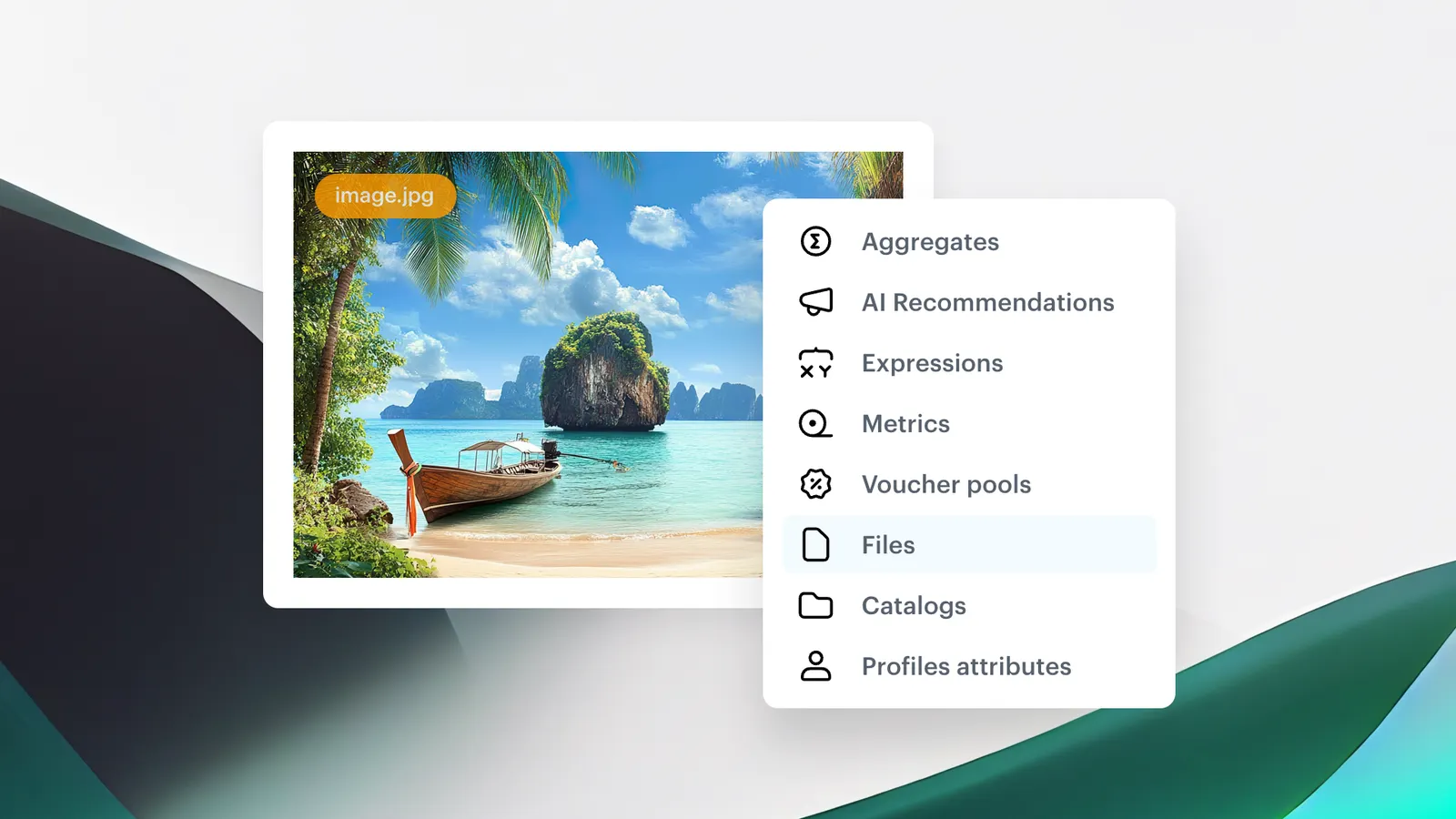
Simplified Template Configuration introduces three new Synerise variable types — files, catalogs, and customer attributes — that can be embedded directly into communication templates. Combined with customizable configuration forms, these variables allow non-technical users to adjust key template elements (images, product catalogs, personalization attributes) through dropdowns and visual interfaces without editing code.
The feature is available in the email code editor and other template editors in Synerise.
What Are the New Variable Types?
The new variable types are template-embeddable elements in Synerise that expose key content parameters through configuration forms. Three types are available: Files (select images from a dropdown instead of manually entering URLs), Catalogs (select a product catalog for banners or promotional content), and Attributes (select customer attributes like name or email for personalization). These variables work alongside existing Synerise Insert Select support for recommendations, aggregates, and behavioral metrics.
Why Simplified Template Configuration Matters
Template customization traditionally requires editing code to change images, swap product catalogs, or adjust personalization attributes. This creates a dependency on technical users for routine content changes — slowing campaign launches and introducing potential errors.
Simplified Template Configuration addresses this by:
- Enabling non-technical users to adjust templates through dropdown menus and visual forms
- Introducing file, catalog, and attribute variable types selectable without touching code
- Supporting Synerise Insert Select for embedding recommendations, aggregates, and behavioral metrics
- Reducing manual template edits and streamlining campaign setup
Key Capabilities
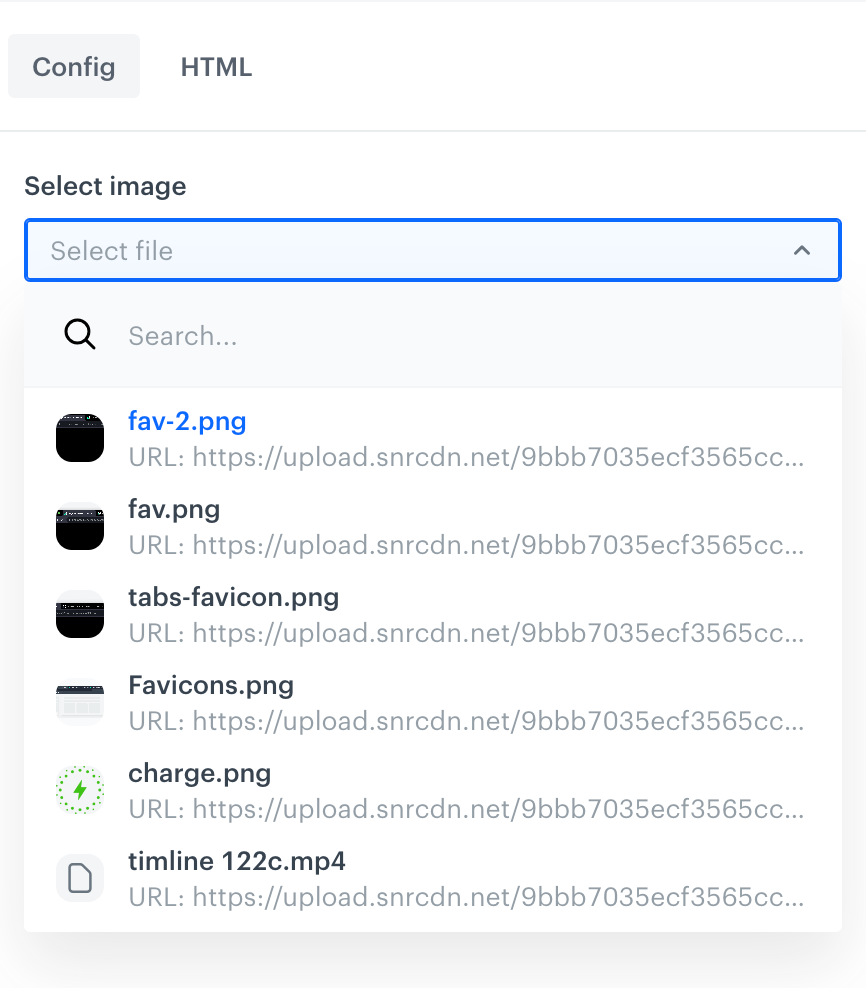
Files variable type
Select images and other files directly from a dropdown list in the configuration form, eliminating the need to manually search through code and enter image URLs.
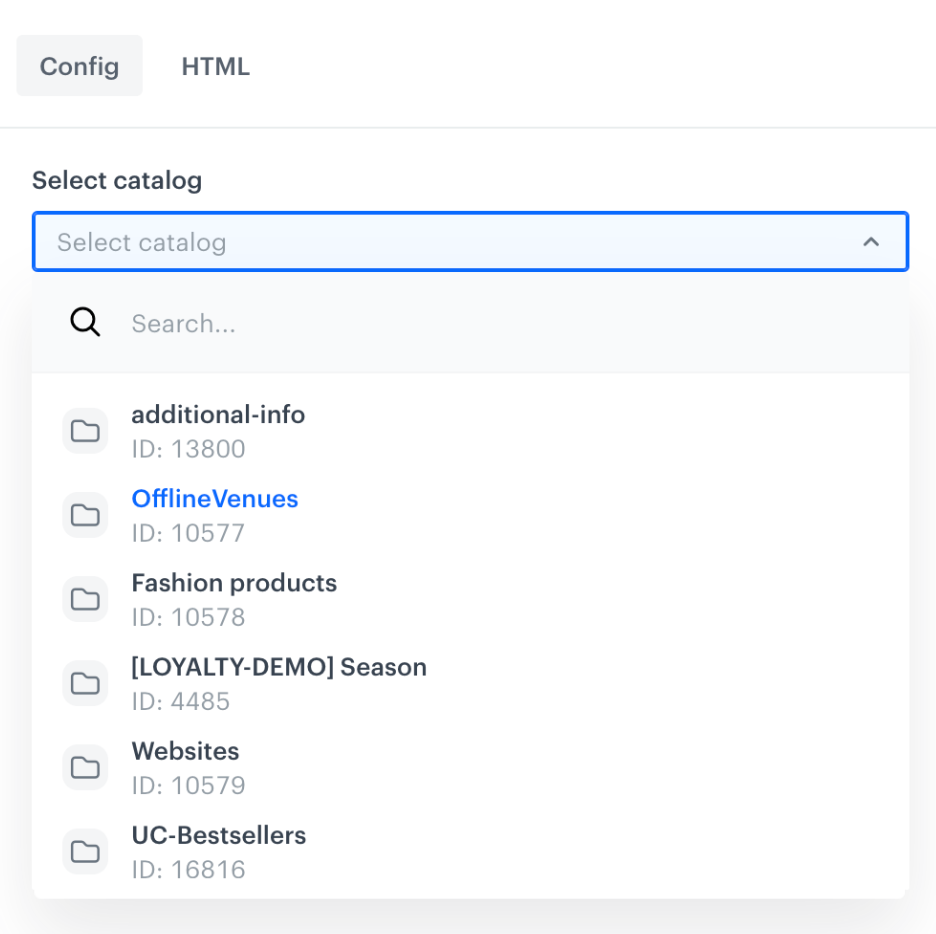
Catalogs variable type
Select a product catalog from a dropdown for templates featuring banners or promotional content. Easily switch the referenced catalog across different communications without editing code.
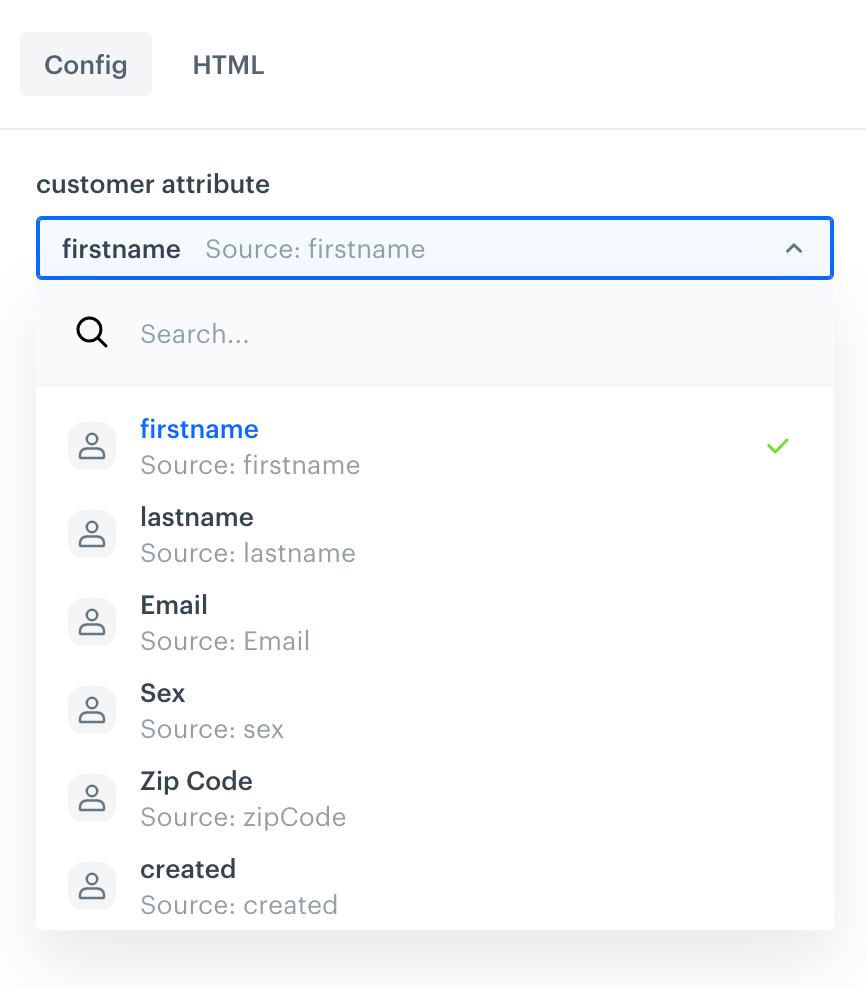
Attributes variable type
Select customer attributes (name, email, etc.) from a dropdown for template personalization. Swap attributes across communications without manually editing the template code.
How Simplified Template Configuration Works
- Open a communication template in the Synerise code editor.
- Add variables of the desired type: files, catalogs, or attributes.
- The variables appear as dropdown fields in the template's configuration form.
- Non-technical users customize the template by selecting values from dropdowns — no code editing required.
- Changes are applied immediately to the template content.
Example Use Case
A marketing team creates an email template for weekly product promotions. The template developer adds three variables: a Files variable for the hero banner image, a Catalogs variable for the featured product catalog, and an Attributes variable for the customer greeting (first name). Each week, the campaign manager selects a new banner image, switches the product catalog, and verifies the personalization — all through dropdown menus in the configuration form, without any code changes.
FAQ
What are the new variable types?
Files (images and other files), Catalogs (product catalogs), and Attributes (customer attributes like name, email) — all selectable through dropdown menus in the configuration form.
Do I need to write code to use them?
Template developers add the variables initially, but end users customize templates through visual dropdown menus — no code editing required.
Can I use Synerise Insert Select with these variables?
Yes. Insert Select support allows embedding recommendations, aggregates, and behavioral metrics alongside the new variable types.
Which templates support the new variables?
The variables can be used in any communication template that supports the Synerise code editor and configuration forms.
Key Facts
| Attribute | Value |
|---|---|
| Feature | Simplified Template Configuration: New Variable Types |
| Product | Synerise |
| Module | Campaigns (Email, Templates) |
| Purpose | Enable no-code template customization through new variable types and configuration forms |
| Variable types | Files, Catalogs, Attributes |
| Code required | Only for initial setup — end users use dropdowns |
| Documentation | hub.synerise.com — Email Code Editor Variables |
Related Concepts
- Synerise email template editor
- Configuration forms in templates
- Reusable Snippets in Synerise
- Personalization with customer attributes
- Product catalog management
TL;DR
Simplified Template Configuration in Synerise introduces three new variable types — files, catalogs, and customer attributes — that can be embedded into communication templates and customized through dropdown menus in configuration forms. Non-technical users can adjust images, product catalogs, and personalization attributes without editing code. The feature also supports Synerise Insert Select for embedding recommendations, aggregates, and behavioral metrics.




