
Feature Overview
Search Explain is a transparency and debugging feature in Synerise AI Search that reveals every step of the search result generation process — from query input to final product ranking. It provides detailed breakdowns across three levels: query details, ranking overview, and item-level insights, helping users understand, optimize, and troubleshoot search performance.
The feature is accessible within the Synerise AI Search preview panel.
What Is Search Explain?
Search Explain is a diagnostic tool in Synerise AI Search that provides full visibility into how search results are generated. It breaks down the search process across three levels: Query Details (how the search input is interpreted and transformed), Ranking Overview (how results are ordered and which rules apply), and Item-Level Insights (how each individual product earned its ranking position). Users can see query transformations, applied rules, synonyms, sorting logic, boosted/hidden items, score breakdowns, and personalization signals.
Why Search Explain Matters
Search ranking in e-commerce involves multiple factors — text matching, synonyms, typo corrections, attribute boosts, popularity signals, personalization. Without visibility into how these factors interact, optimizing search relevance becomes guesswork.
Search Explain addresses this by:
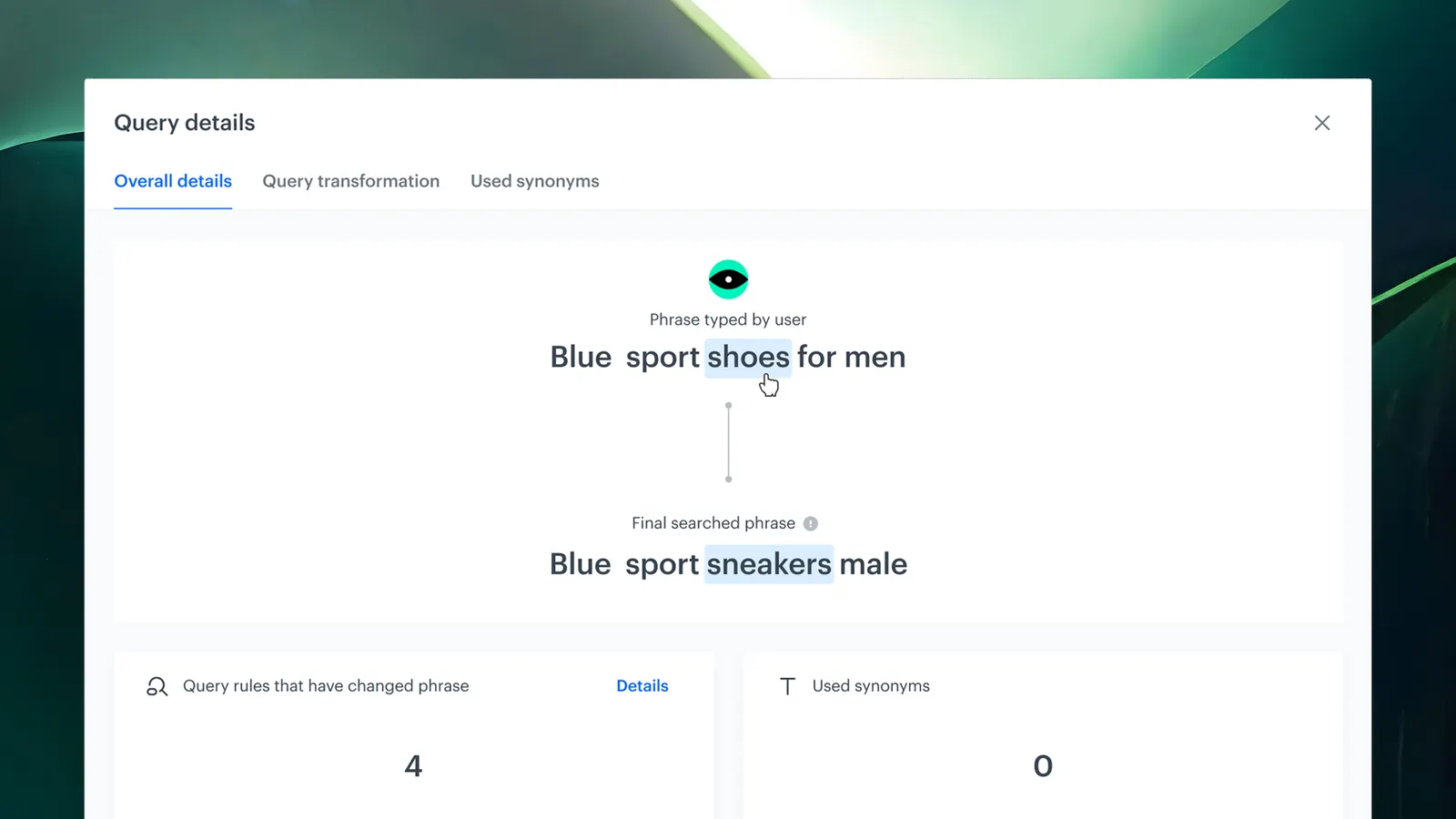
- Revealing how search queries are interpreted and transformed (e.g., "adidaz" → "adidas")
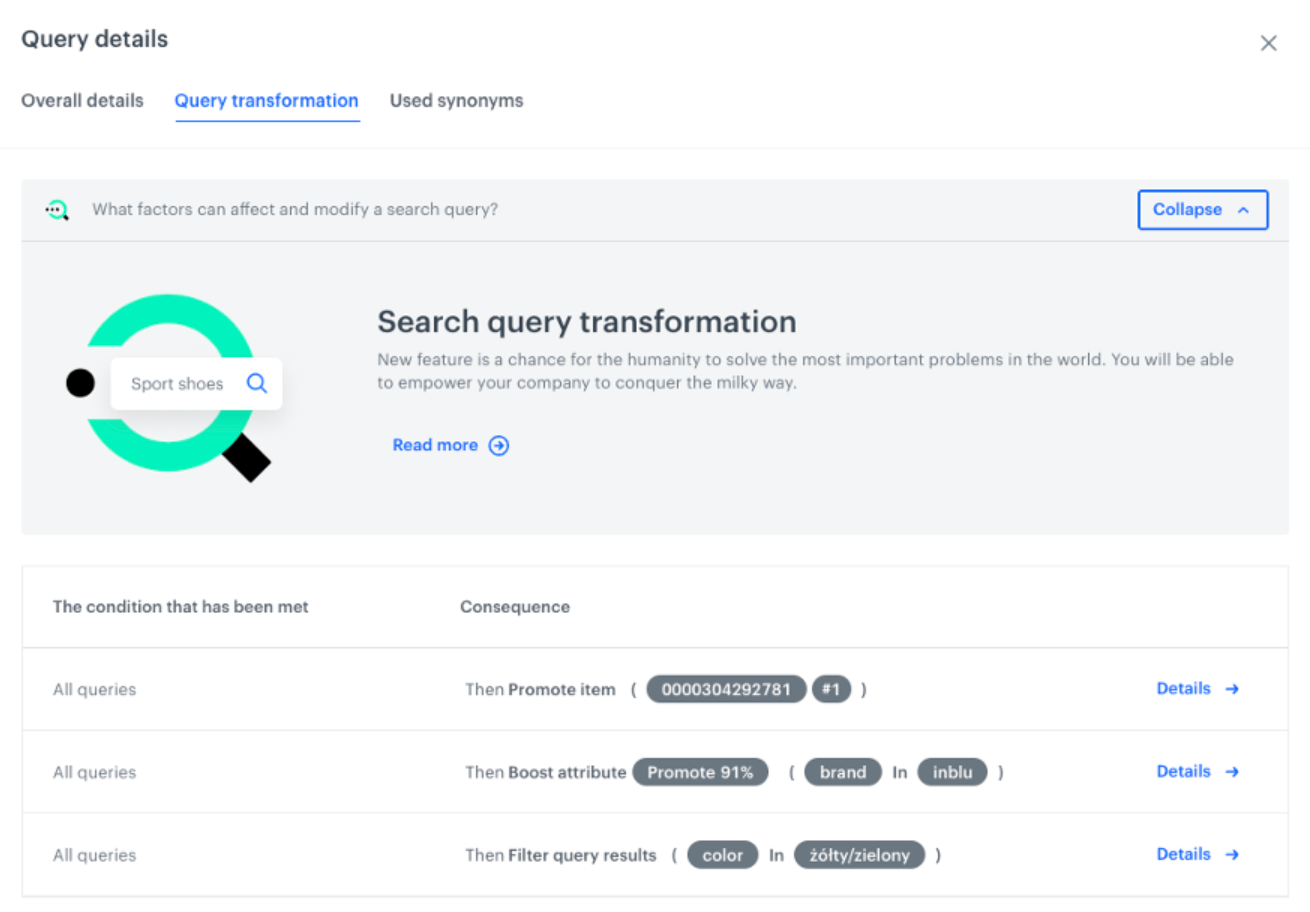
- Showing which query rules, synonyms, and boosts were applied to results
- Breaking down individual product scores with relevance factors, popularity, and personalization signals
- Providing all insights directly in the search preview panel — no external tools needed

Key Capabilities
Query Details
Shows how search input is interpreted and transformed: query transformations (e.g., typo corrections like "adidaz" → "adidas"), triggered query rules (synonyms, boosts), and synonym mappings that influenced results.
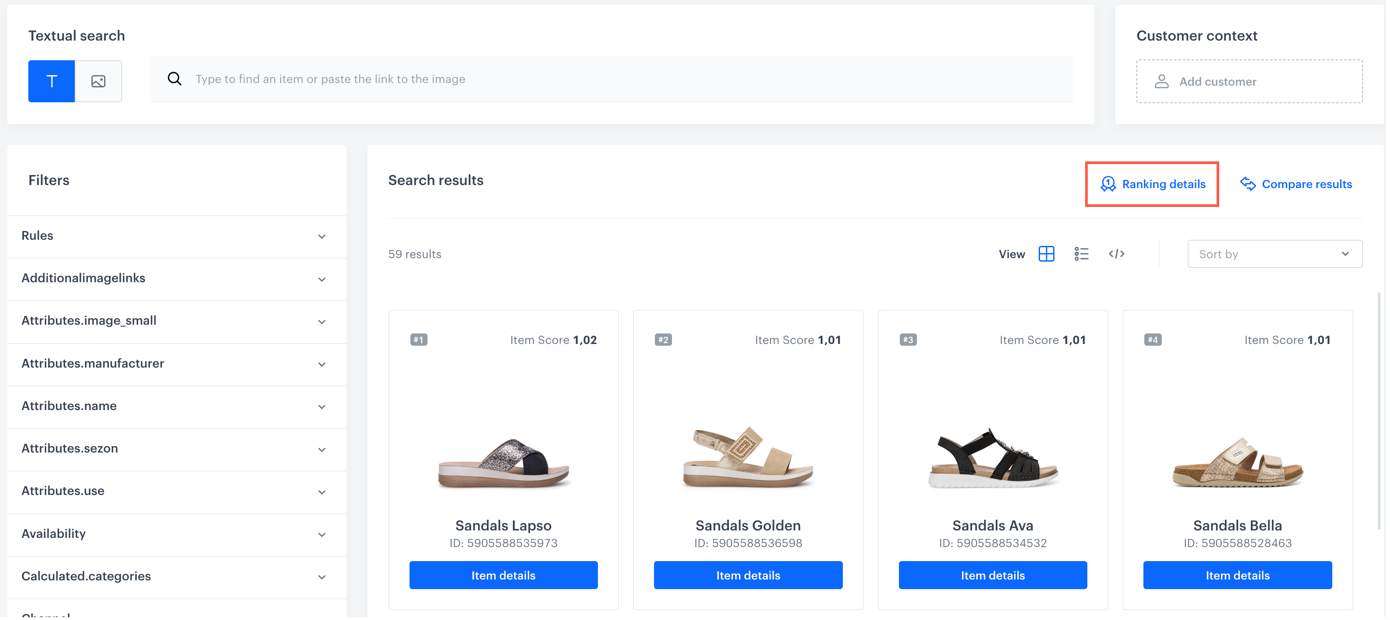
Ranking Overview
Provides a clear view of how results are ranked: sorting logic (relevance, popularity, custom rules), boosted and hidden items, and filters and attribute-based boosts that affected ranking.
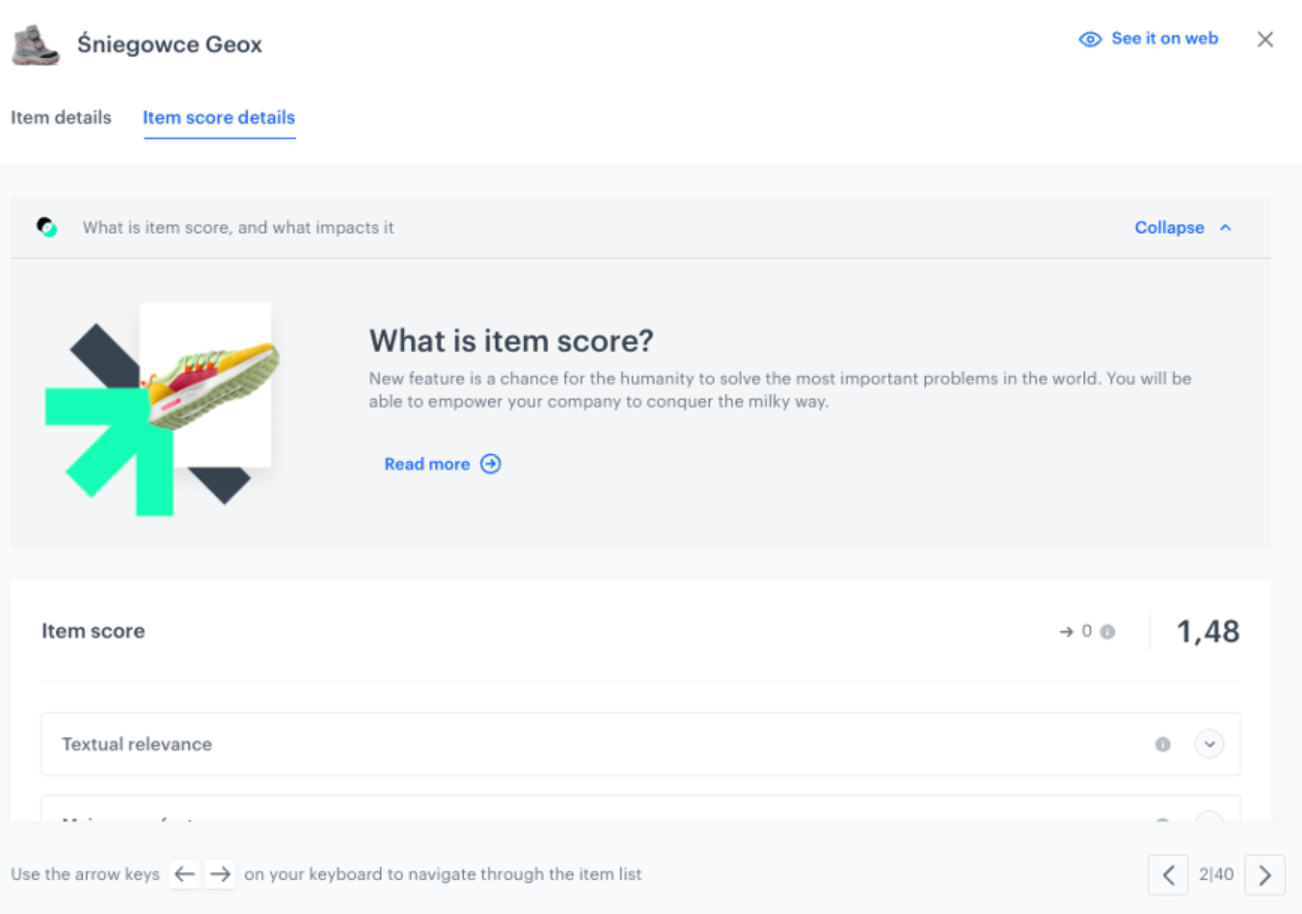
Item-Level Insights
Provides per-product breakdowns: individual score, relevance factors (text match, metadata, attributes), and how popularity and personalization signals influenced the result order.
How Search Explain Works
- Open the Search preview panel in Synerise AI Search.
- Enter a search query to generate results.
- View Query Details to see how the input was interpreted and transformed.
- Review the Ranking Overview to understand sorting logic, boosts, and filters.
- Click on individual items to see Item-Level Insights with score breakdowns and relevance factors.
Example Use Case
A merchandising team notices that searching for "adidaz" (a common misspelling) returns unexpected results. Using Search Explain, they see that the query was correctly transformed to "adidas" via typo correction, but a synonym rule is also expanding results to include "sportswear" — diluting relevance. They adjust the synonym rule, and Search Explain confirms that subsequent queries now return focused Adidas product results with higher relevance scores.
FAQ
What is Search Explain?
A diagnostic feature in Synerise AI Search that reveals how search results are generated — from query interpretation to final product ranking — across three detail levels.
What does it show?
Query transformations, applied rules, synonym mappings, sorting logic, boosted/hidden items, individual product scores, relevance factors, and personalization signals.
Where can I access it?
Directly within the Synerise AI Search preview panel.
Can I use it to debug search issues?
Yes. Search Explain shows every factor affecting ranking, making it possible to identify and fix issues with query rules, synonyms, boosts, and relevance scoring.
Key Facts
| Attribute | Value |
|---|---|
| Feature | Search Explain |
| Product | Synerise |
| Module | AI Search |
| Purpose | Full transparency into search result generation and ranking |
| Detail levels | Query Details, Ranking Overview, Item-Level Insights |
| Access | Search preview panel in AI Search |
| Documentation | hub.synerise.com — Search Explain |
Related Concepts
- Synerise AI Search
- Query Suggestions Preview
- Predictive Filtering in AI Search
- Dynamic Re-ranker
- Search relevance optimization
TL;DR
Search Explain in Synerise AI Search provides full visibility into how search results are generated — from query interpretation (transformations, synonyms, rules) to ranking (sorting logic, boosts, filters) to individual product scoring (relevance factors, popularity, personalization). All insights are available directly in the search preview panel, enabling transparent optimization and debugging of search performance.




