
Feature Overview
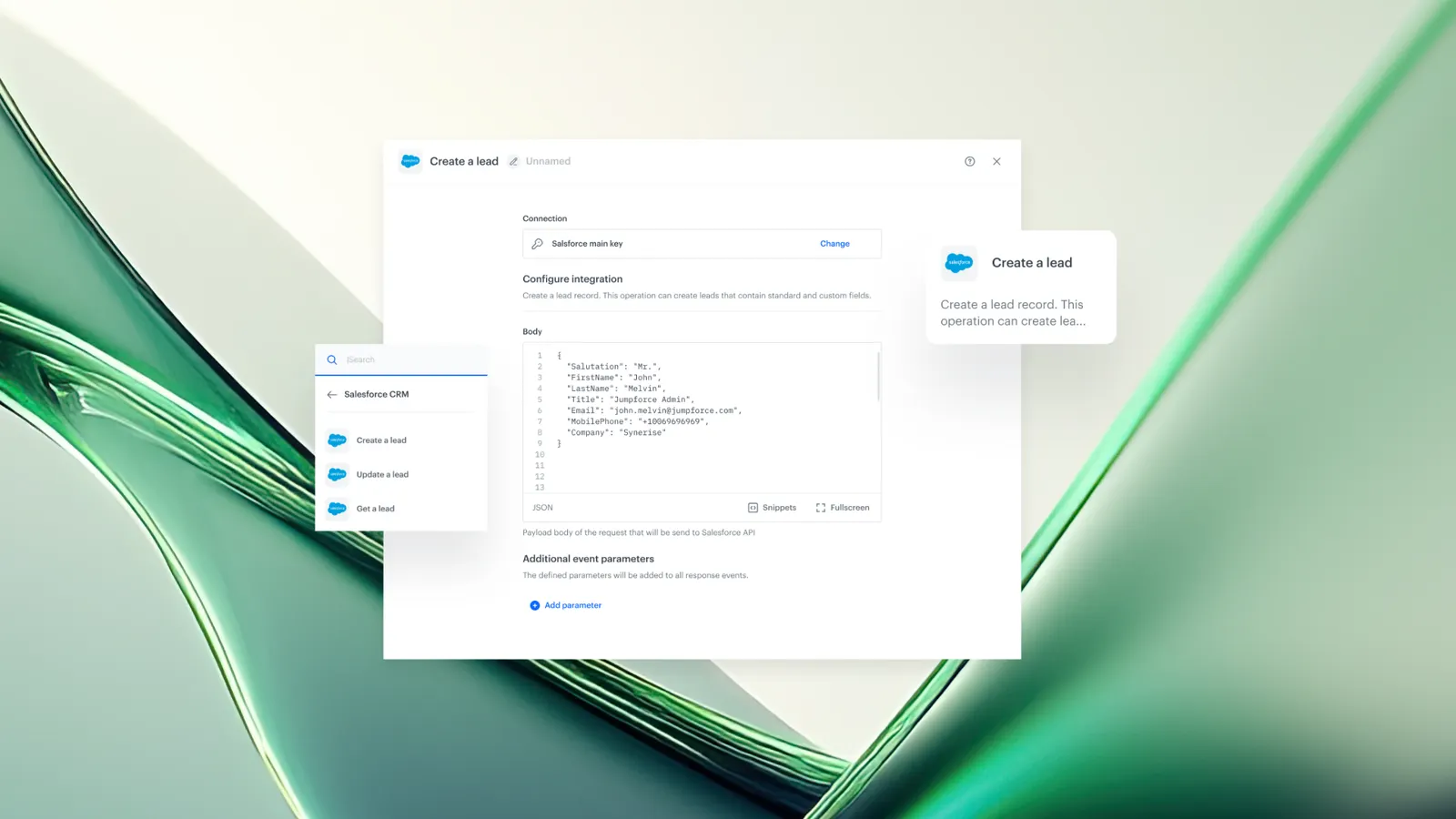
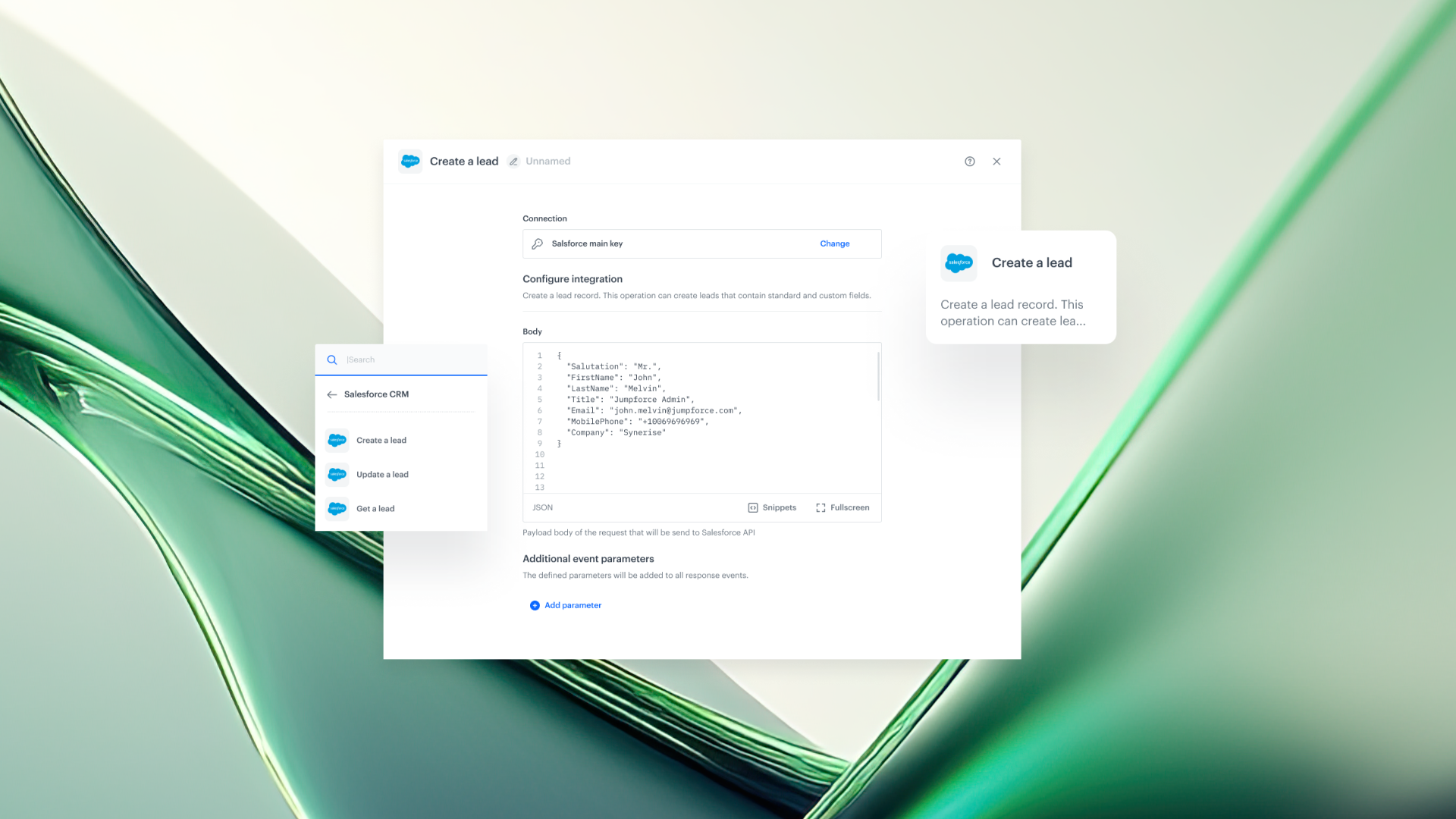
Salesforce CRM Integration is a set of three Automation nodes in Synerise that enable real-time lead management in Salesforce: Create a Lead, Get a Lead, and Update a Lead. These nodes allow Synerise Automation workflows to create, retrieve, and update Salesforce lead records based on any behavioral event or profile change within Synerise.
The integration supports dynamic data mapping using Jinjava, so lead records in Salesforce can include real-time profile attributes, behavioral context, and predictive scores from Synerise.
What Is Salesforce CRM Integration?
Salesforce CRM Integration is a built-in integration in the Synerise Automation module consisting of three workflow nodes:
- Create a Lead — Creates a new lead record in Salesforce, triggered by any event in Synerise (form submission, product view, campaign interaction, etc.). The data sent to Salesforce is configurable and supports dynamic values from Synerise profile attributes and behavioral data.
- Get a Lead — Retrieves up-to-date lead details from Salesforce during a workflow execution. This enables CRM-based decision branching, personalization, or logic within Synerise workflows.
- Update a Lead — Updates an existing Salesforce lead record when profile attributes, segments, or behavioral data change in Synerise. Updates are triggered automatically based on workflow conditions.
Why Salesforce CRM Integration Matters
Without a direct integration, keeping Salesforce lead records in sync with real-time behavioral data from Synerise requires manual exports, custom API integrations, or batch synchronization processes. These approaches introduce delays between when a customer action occurs and when the CRM reflects that action.
Salesforce CRM Integration addresses this by:
- Enabling real-time lead creation from any Synerise event — form submissions, product views, campaign interactions, or intent signals
- Supporting dynamic data mapping via Jinjava, allowing lead records to include real-time profile attributes such as last viewed category, attribution source, location, and predictive intent scores
- Allowing workflows to retrieve Salesforce lead data for CRM-based decision logic within Synerise Automation
- Automatically updating Salesforce lead records when profile attributes, segments, or behavioral data change in Synerise
Key Capabilities
Create a Lead from any behavioral event
The Create a Lead node triggers lead creation in Salesforce based on any event processed by Synerise. This includes form submissions, product views, pricing page visits, campaign touchpoints, or custom events. The data sent to Salesforce is fully configurable using Jinjava dynamic values — including real-time profile attributes, behavioral context, and predictive intent scores.
Retrieve lead data for workflow logic
The Get a Lead node retrieves current lead details from Salesforce during a workflow execution. The retrieved data can be used for personalization, conditional branching, or other CRM-based logic within the Synerise Automation workflow.
Automatic lead updates on profile changes
The Update a Lead node synchronizes Salesforce lead records with changes in Synerise. When a profile attribute, segment membership, or behavioral signal changes, the workflow can trigger an automatic update to the corresponding lead record in Salesforce.
Dynamic data mapping with Jinjava
All three nodes support Jinjava templating for data mapping. This allows users to inject live profile values — such as last viewed category, attribution source, location, and predictive scores — directly into Salesforce lead fields.
How Salesforce CRM Integration Works
- Navigate to Automation > Workflows > Create new in Synerise.
- Add a Salesforce node to the workflow: Create a Lead, Get a Lead, or Update a Lead.
- Establish a secure connection to the Salesforce account.
- Configure data mapping using Jinjava to inject live Synerise profile values into Salesforce lead fields.
- Set the workflow trigger (e.g., form submission event, profile attribute change, segment entry).
- Publish and activate the workflow.
Example Use Case
An e-commerce company wants to create a Salesforce lead whenever a visitor submits a pricing inquiry form on their website. Using the Create a Lead node in a Synerise Automation workflow, the team configures the trigger to fire on the form submission event. The lead record in Salesforce is populated with dynamic Jinjava values including the visitor's last viewed product category, attribution source (UTM parameters), and a predictive intent score calculated by Synerise. When the same visitor later returns and views a product demo page, a separate workflow with the Update a Lead node adds this interaction to their Salesforce lead record automatically.
FAQ
What Salesforce operations are supported by the Synerise integration?
The integration supports three operations: Create a Lead, Get a Lead (retrieve), and Update a Lead. All three are available as Automation workflow nodes.
Can lead creation be triggered by any event in Synerise?
Yes. The Create a Lead node can be triggered by any event processed by Synerise, including form submissions, product views, campaign interactions, and custom events.
What data can be sent to Salesforce lead fields?
Lead fields support dynamic data mapping via Jinjava. This includes real-time profile attributes (e.g., last viewed category, location), behavioral context, attribution data, and predictive scores from Synerise.
Can Salesforce lead data be used for decision logic in Synerise workflows?
Yes. The Get a Lead node retrieves current lead details from Salesforce, which can then be used for conditional branching, personalization, or other logic within the Synerise Automation workflow.
Are lead updates in Salesforce real-time?
Yes. The Update a Lead node triggers updates based on workflow conditions — when a profile attribute, segment, or behavioral signal changes in Synerise, the corresponding Salesforce lead record can be updated immediately.
Key Facts
| Attribute | Value |
|---|---|
| Feature | Salesforce CRM Integration |
| Product | Synerise |
| Module | Automation |
| Purpose | Create, retrieve, and update Salesforce leads in real time from Synerise Automation workflows |
| Nodes | Create a Lead, Get a Lead, Update a Lead |
| Data mapping | Jinjava dynamic values (profile attributes, behavioral context, predictive scores) |
| Trigger types | Any Synerise event or profile change |
| Sync mode | Real-time |
| Documentation | hub.synerise.com — Salesforce CRM |
Related Concepts
- Synerise Automation workflows
- CRM integration
- Lead management
- Jinjava dynamic data mapping
- Real-time behavioral data synchronization
- Predictive intent scoring in Synerise
TL;DR
Salesforce CRM Integration adds three Automation nodes to Synerise: Create a Lead, Get a Lead, and Update a Lead. These nodes enable real-time Salesforce lead management triggered by any behavioral event or profile change in Synerise. Data mapping supports Jinjava dynamic values including profile attributes, behavioral context, and predictive scores. The integration allows workflows to both write to and read from Salesforce, enabling CRM-based decision logic within Synerise Automation.




