
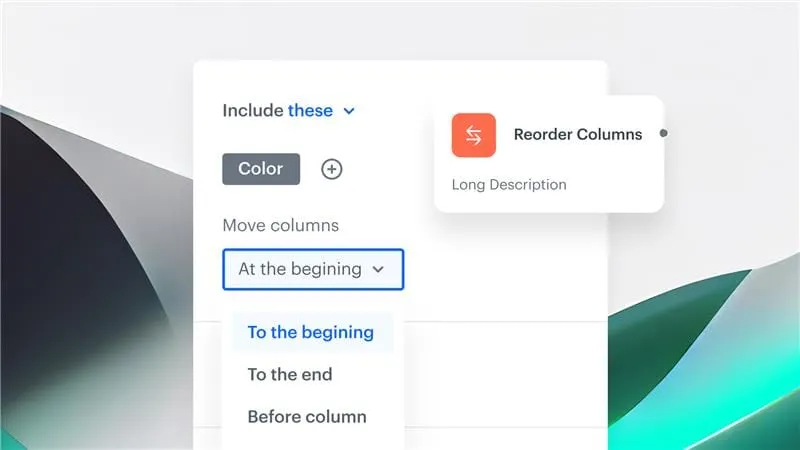
Feature Overview
Reorder Columns is a predefined transformation rule in Synerise Automation that lets users control the order of columns in output data, particularly when working with CSV files. It extends the existing data transformation capabilities with a dedicated rule for organizing column sequences — eliminating the need for manual post-processing when preparing data for integrations, reports, or external systems with strict formatting requirements.
The feature is available in the Synerise Automation module as part of data transformation rules.
What Is Reorder Columns?
Reorder Columns is a predefined data transformation rule in Synerise Automation that allows users to specify the exact order of columns in their output datasets. It supports multiple reordering methods — moving columns ahead of or behind a specific column, or specifying exact positions within the file's column order. The rule is applicable to CSV files and can be used in any workflow automation alongside other transformation rules like mapping, renaming, enrichment, and splitting.
Why Reorder Columns Matters
Many external systems, integrations, and reporting tools require data in a specific column order. Without a dedicated reordering capability, users must manually rearrange columns after export — adding post-processing steps, increasing error risk, and slowing down data workflows.
Reorder Columns addresses this by:
- Providing a predefined rule for specifying exact column sequences in output data
- Supporting multiple reordering methods: move before/after a column, or specify exact positions
- Eliminating manual post-processing for strict formatting requirements
- Integrating with existing transformation rules in any workflow automation
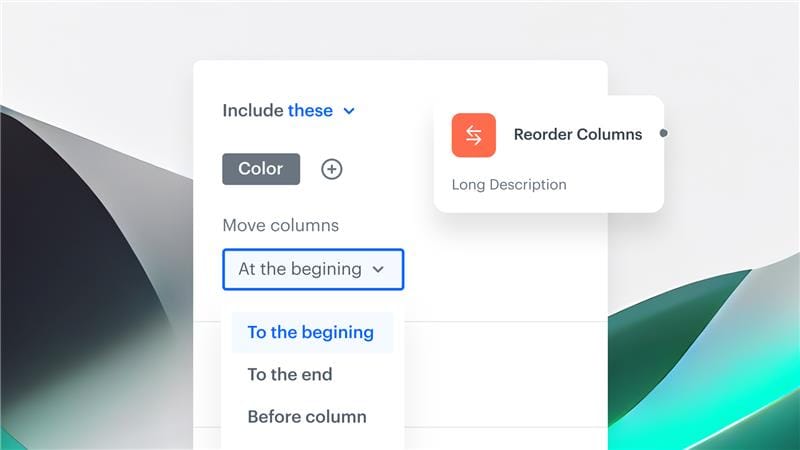
Key Capabilities
Flexible column reordering
Users can reorder columns using multiple methods: moving a column ahead of or behind a specific column, or specifying exact positions within the file's column order.
CSV file support
The Reorder Columns rule is designed for CSV file outputs, ensuring that exported data meets the formatting requirements of external systems and integrations.
Integration with transformation rules
Reorder Columns works alongside other predefined transformation rules — mapping, renaming, enrichment, splitting — within any workflow automation in Synerise.
How Reorder Columns Works
- Open or create a workflow in Synerise Automation that includes a data transformation step.
- Add the "Reorder Columns" rule within the data transformation configuration.
- Specify the desired column sequence using the available reordering methods (move before/after, exact position).
- Apply the transformation to the workflow.
- The output data will have columns organized in the specified order.
Example Use Case
A company exports customer profiles with marketing consent to Google Cloud Storage for use by an external analytics tool. The analytics tool requires columns in a specific order: email, first_name, last_name, consent_status, last_activity_date. Using the Reorder Columns rule, the team configures the exact column sequence in the data transformation — ensuring every export matches the required format automatically, without manual rearrangement.
FAQ
What is the Reorder Columns rule?
A predefined data transformation rule in Synerise Automation that lets users control the order of columns in output CSV files.
What file formats are supported?
The Reorder Columns rule is applicable to CSV files.
How can I reorder columns?
Columns can be moved ahead of or behind a specific column, or placed at exact positions within the file's column order.
Can I use Reorder Columns with other transformation rules?
Yes. It works alongside other predefined transformation rules (mapping, renaming, enrichment, splitting) in any workflow automation.
Key Facts
| Attribute | Value |
|---|---|
| Feature | Reorder Columns |
| Product | Synerise |
| Module | Automation (Data Transformation) |
| Purpose | Control the order of columns in output CSV data |
| Reordering methods | Move before/after column, exact position |
| File format | CSV |
| Documentation | hub.synerise.com — Reorder Columns |
Related Concepts
- Synerise Automation data transformation
- Data transformation rules (mapping, renaming, enrichment, splitting)
- CSV data export and formatting
- Workflow-based data processing
- Data imports and exports in Synerise
TL;DR
Reorder Columns is a predefined transformation rule in Synerise Automation that lets users control the exact order of columns in CSV output data. It supports multiple reordering methods (move before/after, exact position) and works alongside other transformation rules in any workflow. The feature eliminates manual post-processing when preparing data for external systems with strict formatting requirements.




