
Feature Overview
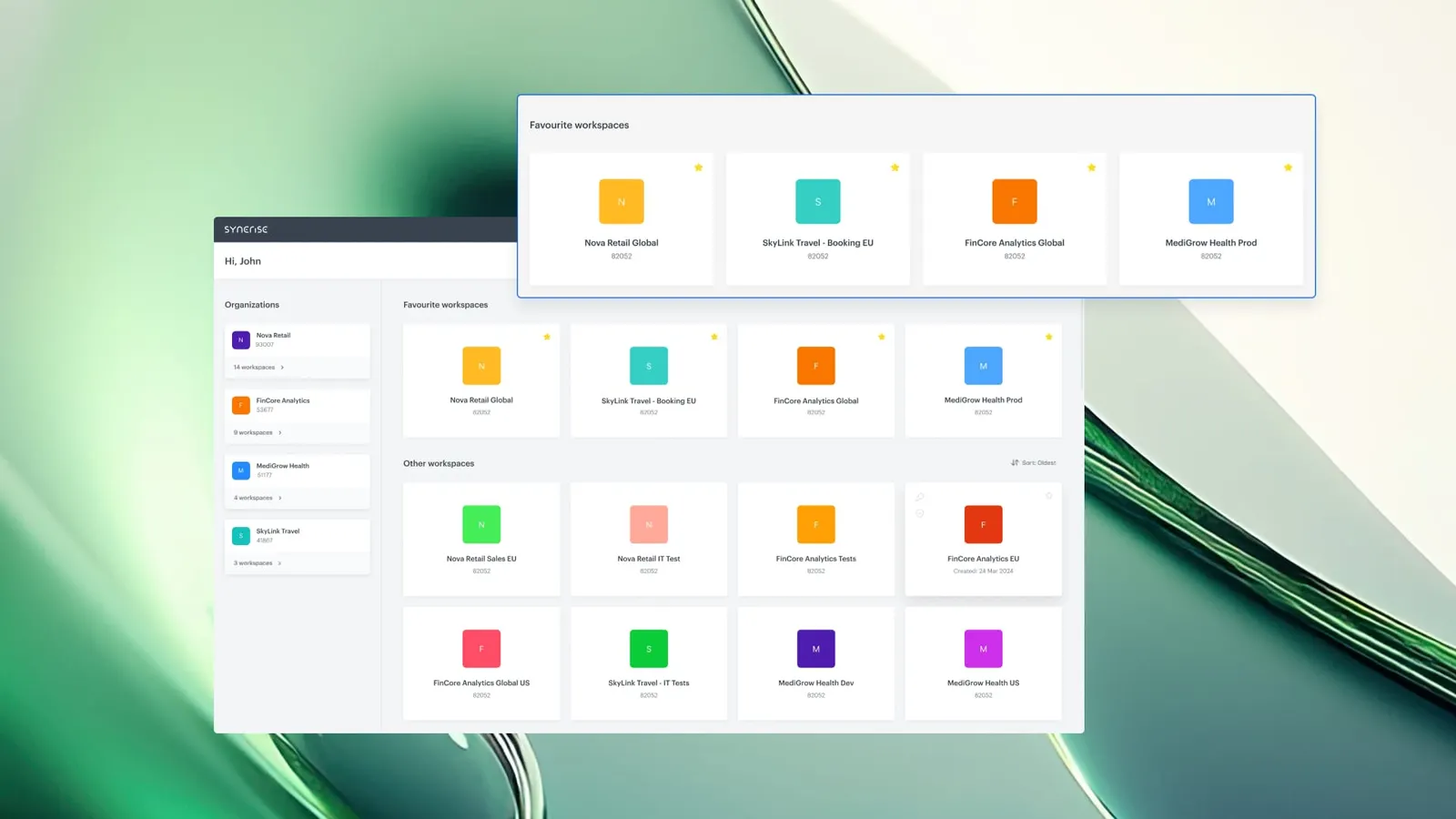
New Workspace Picker is a redesigned navigation interface in Synerise for switching between workspaces and organizations. The updated view introduces unified search, favorites, sorting options, and a cleaner layout — designed for faster access and better control when managing multiple workspaces.
The feature is available in the Synerise platform navigation and applies to all users with access to multiple workspaces or organizations.
What Is the New Workspace Picker?
The New Workspace Picker is an updated UI component in Synerise that replaces the previous workspace navigation view. It provides a single interface for searching, browsing, and switching between workspaces and organizations. The redesign adds capabilities that were not available in the previous version: unified search across all workspaces and organizations, the ability to favorite frequently used workspaces, and customizable sorting options.
Why the New Workspace Picker Matters
As teams and projects scale, users often work across multiple workspaces and organizations. The previous navigation required manual browsing through lists without search, favorites, or sorting — making context switching slow and disruptive.
The New Workspace Picker addresses this by:
- Providing unified search to find any workspace or organization instantly from one place
- Supporting favorites to pin frequently used workspaces at the top of the list
- Offering sorting options to organize the workspace list according to user preference
- Delivering a cleaner, more intuitive layout for browsing and switching contexts
Key Capabilities
Unified search
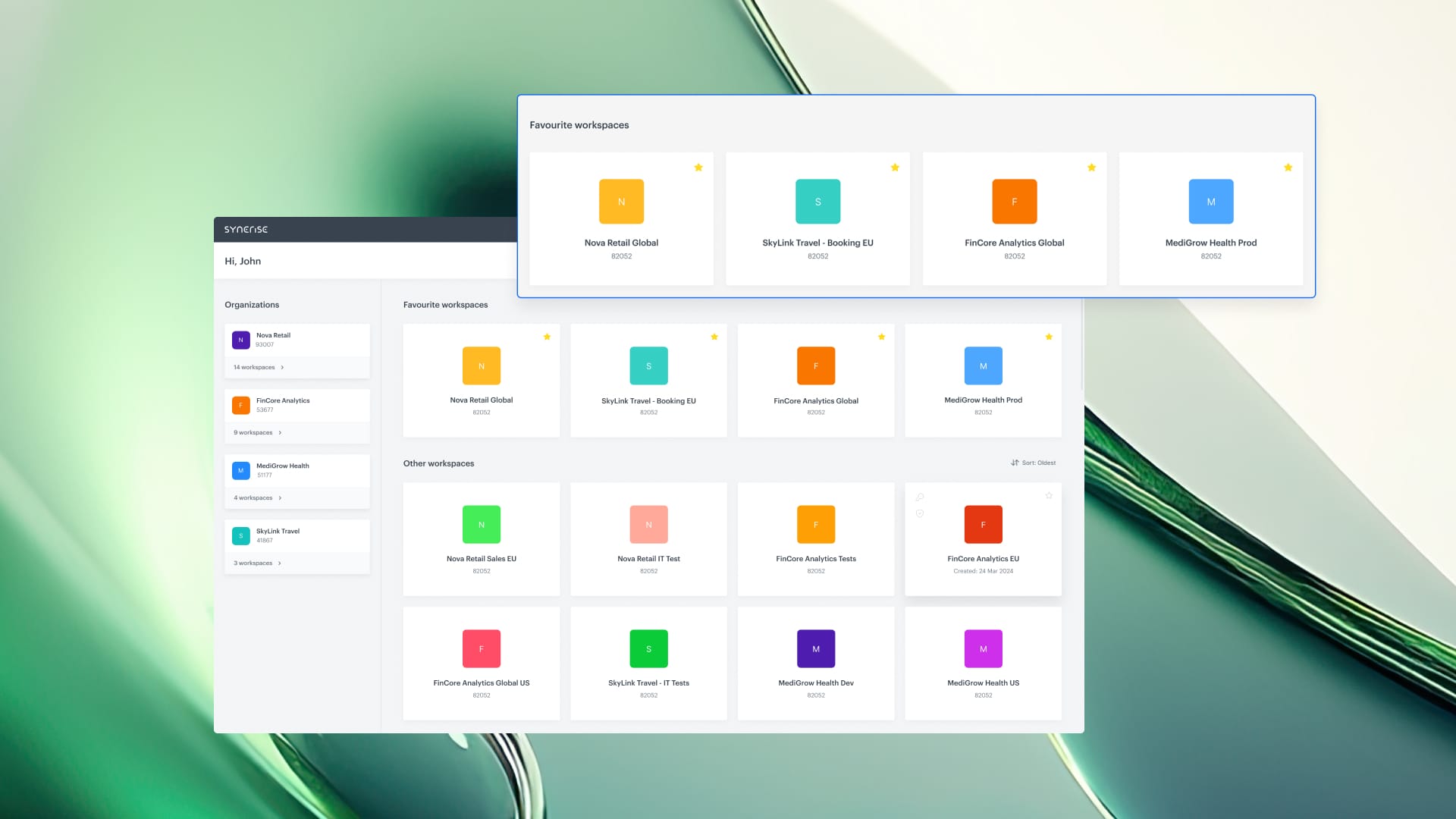
A single search field allows users to find any workspace or organization instantly. Search works across all accessible workspaces and organizations from one input, eliminating the need to browse through long lists manually.
Favorites
Users can mark frequently used workspaces as favorites. Favorited workspaces are pinned at the top of the list, providing immediate access to the most commonly used contexts.
Sorting options
The workspace list can be sorted according to user preference, allowing each user to organize their view in the way that works best for their workflow.
Redesigned layout
The entire workspace picker interface has been redesigned for clarity and usability. The new layout is cleaner and more intuitive, reducing visual clutter when browsing, searching, and switching workspaces.
How the New Workspace Picker Works
- Open the workspace picker from the Synerise navigation.
- Use the search field to find a specific workspace or organization by name.
- Mark frequently used workspaces as favorites to pin them at the top.
- Use sorting options to organize the workspace list according to preference.
- Click on a workspace to switch context.
Example Use Case
A marketing manager works across 12 workspaces for different brands and regions. Using the New Workspace Picker, they favorite the 3 workspaces they use daily, which appear pinned at the top. When they need to access a less frequently used workspace, they type a few characters in the search field to find it instantly — instead of scrolling through the full list.
FAQ
What is the New Workspace Picker?
It is a redesigned navigation interface in Synerise for switching between workspaces and organizations, with unified search, favorites, sorting, and a cleaner layout.
Can I pin my most-used workspaces?
Yes. Mark any workspace as a favorite to pin it at the top of your workspace list.
Does search work across organizations?
Yes. The unified search finds workspaces and organizations from a single search field.
Are sorting preferences saved?
Sorting options allow you to organize your workspace list according to your preference within the current session.
Key Facts
| Attribute | Value |
|---|---|
| Feature | New Workspace Picker |
| Product | Synerise |
| Module | Platform Navigation |
| Purpose | Faster, more intuitive workspace and organization switching |
| Capabilities | Unified search, favorites, sorting, redesigned layout |
| Applies to | All users with access to multiple workspaces or organizations |
Related Concepts
- Workspace management in Synerise
- Organization structure and access control
- Platform navigation and UX
- Multi-workspace workflows
TL;DR
The New Workspace Picker in Synerise redesigns workspace and organization navigation with unified search, favorites, sorting options, and a cleaner layout. Users can find any workspace instantly, pin frequently used workspaces at the top, and organize their list according to preference — making context switching faster and more intuitive.




