
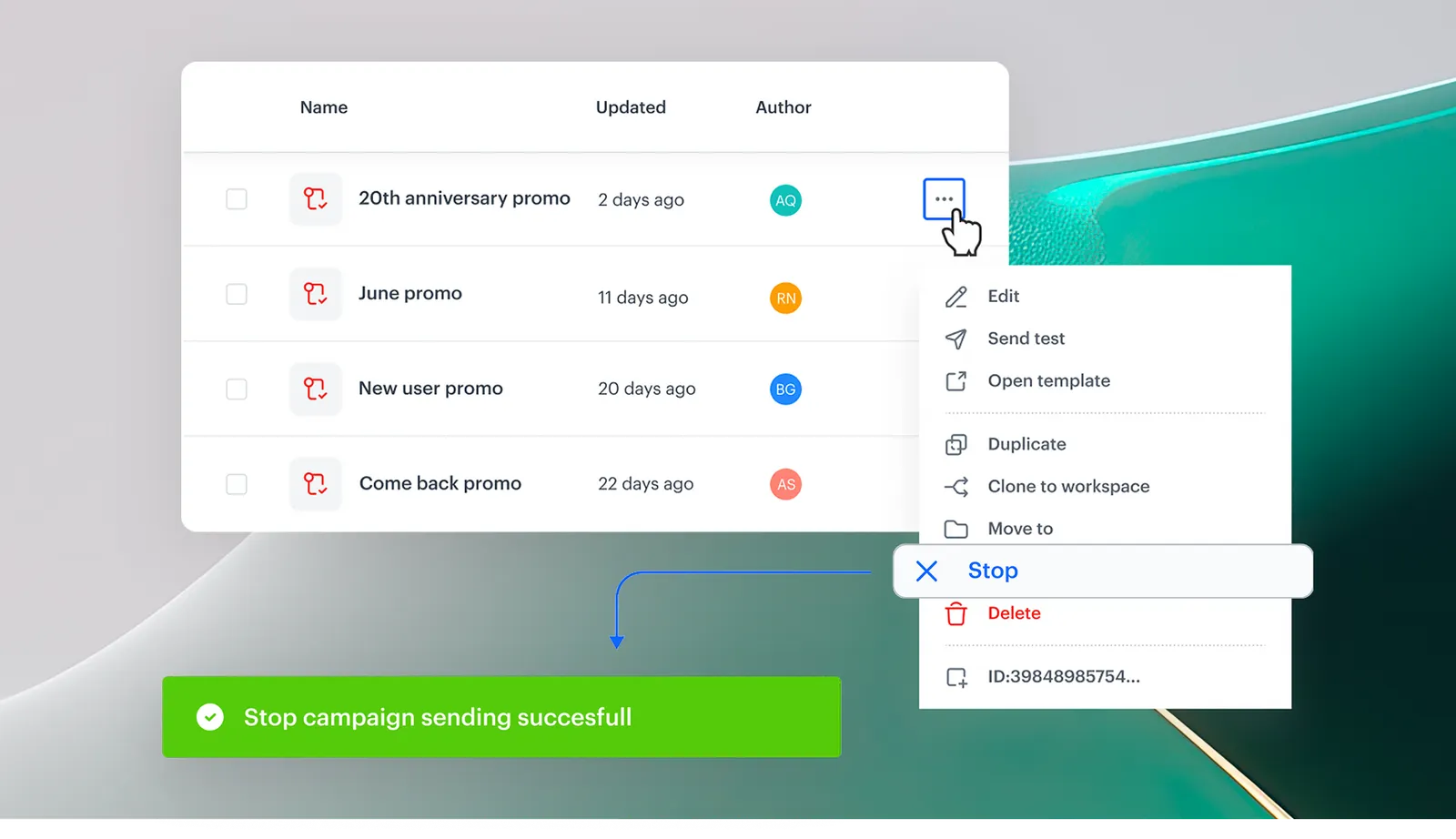
Feature Overview
Mid-Campaign Emergency Stop is a safety feature in Synerise Communication that allows users to halt active campaigns across Email, SMS, Mobile Push, and Web Push channels — even after messages have started sending. The feature works during both active sending and post-completion processing, generating notSent events for accurate analytics tracking.
The feature is available in the campaign management interface within the Synerise Communication module.
What Is Mid-Campaign Emergency Stop?
Mid-Campaign Emergency Stop is a campaign control mechanism in Synerise that immediately halts message distribution for an active campaign. It operates at two stages: during active sending (preventing additional messages from being queued or sent) and during post-completion processing (halting messages still being processed by external providers like email servers, SMS gateways, or push notification services). When a campaign is stopped, the system generates appropriate notSent events (message.notSent, sms.notSent, push.notSent, webpush.notSent) to maintain analytics accuracy.
Why Mid-Campaign Emergency Stop Matters
Campaign errors — a typo in the subject line, incorrect targeting, an unplanned system trigger — can turn a successful campaign into a brand risk. Without the ability to stop a campaign mid-send, all messages continue to be delivered regardless of the error, and external providers may continue processing queued messages even after the campaign is marked as finished.
Mid-Campaign Emergency Stop addresses this by:
- Providing instant control to halt active campaigns across Email, SMS, Mobile Push, and Web Push
- Stopping both in-progress sending and post-completion provider processing
- Generating notSent events for all halted messages, ensuring analytics remain accurate
- Serving as a safety net for rapid response to campaign errors or changing circumstances
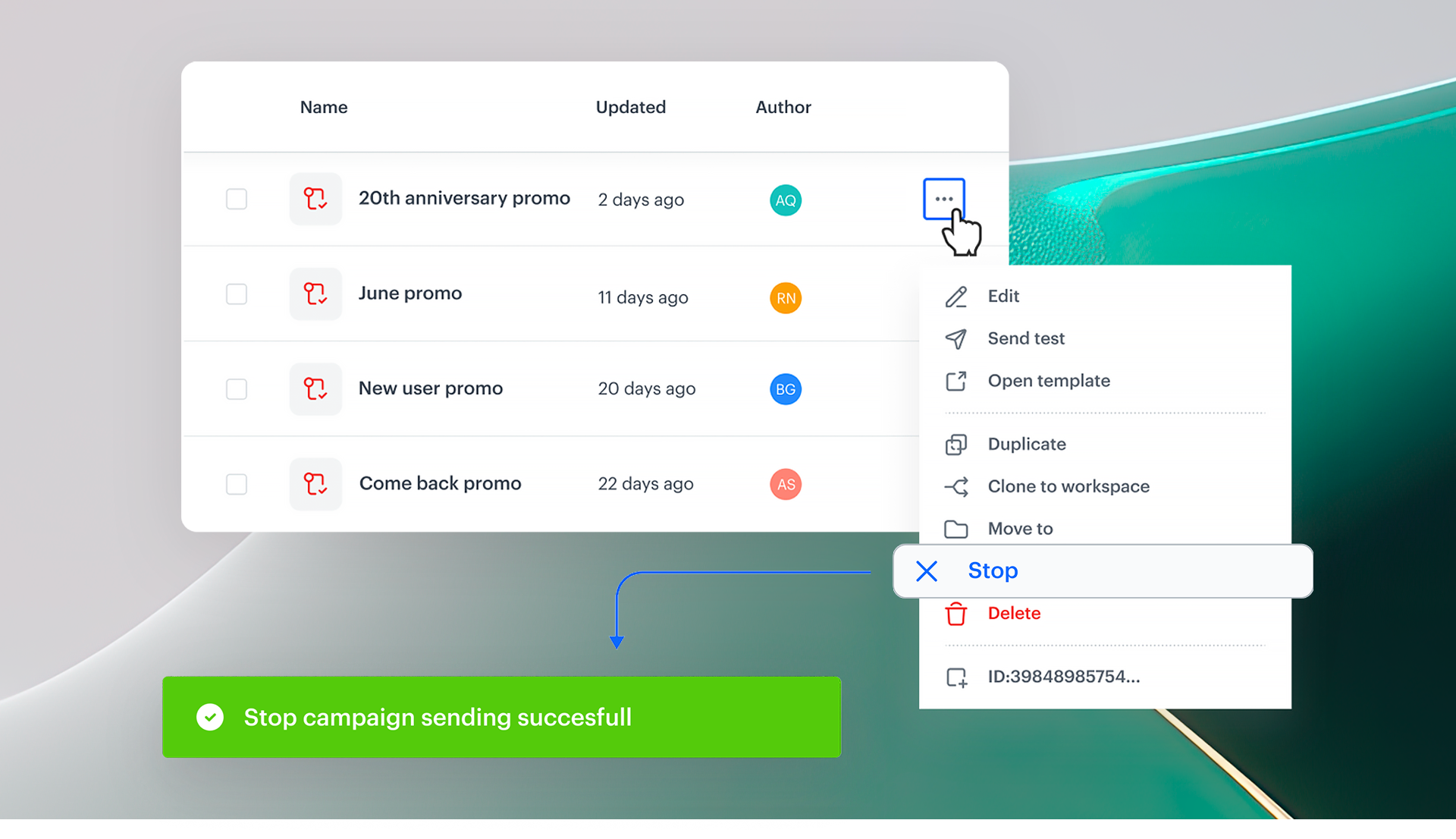
Key Capabilities
Stop during active sending
When a campaign is in "Sending" status, the emergency stop immediately halts the distribution process. No additional messages are queued or sent to recipients.
Stop during post-completion processing
Campaigns marked as "Finished" may still have messages being processed by external providers. The emergency stop halts these remaining messages as well.
Automatic notSent event generation
When a campaign is stopped, the system generates notSent events for all halted messages: message.notSent (email), sms.notSent (SMS), push.notSent (mobile push), webpush.notSent (web push). This ensures analytics accurately reflect which messages were sent before the stop.
Multi-channel support
The emergency stop works across all communication channels: Email, SMS, Mobile Push, and Web Push.
How Mid-Campaign Emergency Stop Works
- Identify the campaign that needs to be stopped in the Synerise Communication module.
- Click the emergency stop action on the campaign (available for campaigns in "Sending" or "Finished" status).
- The system immediately halts message distribution and provider processing.
- NotSent events are generated for all halted messages.
- Review analytics to see which messages were sent before the stop was initiated.
Example Use Case
A marketing team launches a promotional email campaign to 500,000 customers. After 50,000 messages have been sent, they discover an incorrect discount code in the email. Using Mid-Campaign Emergency Stop, they halt the campaign immediately — preventing the remaining 450,000 messages from being sent. The system generates message.notSent events for all unsent messages, and the analytics dashboard accurately shows 50,000 sent and 450,000 stopped.
FAQ
What is Mid-Campaign Emergency Stop?
A safety feature that halts active campaigns across all communication channels, stopping both in-progress sending and post-completion provider processing.
Can I stop a campaign that has already finished?
Yes. Even campaigns marked as "Finished" may have messages still being processed by external providers. The emergency stop halts those as well.
What happens to analytics when a campaign is stopped?
NotSent events are generated for all halted messages, ensuring analytics accurately reflect what was sent and what was stopped.
Which channels support emergency stop?
Email, SMS, Mobile Push, and Web Push.
Key Facts
| Attribute | Value |
|---|---|
| Feature | Mid-Campaign Emergency Stop |
| Product | Synerise |
| Module | Communication |
| Purpose | Immediately halt active campaigns to prevent further message delivery |
| Channels | Email, SMS, Mobile Push, Web Push |
| Works during | Active sending and post-completion provider processing |
| Event tracking | Automatic notSent events (message.notSent, sms.notSent, push.notSent, webpush.notSent) |
| Documentation | hub.synerise.com — Stopping Active Communication |
Related Concepts
- Campaign management in Synerise
- Communication status and lifecycle
- Event tracking and analytics
- Multi-channel campaign operations
- Campaign error handling and safety
TL;DR
Mid-Campaign Emergency Stop in Synerise allows users to immediately halt active campaigns across Email, SMS, Mobile Push, and Web Push — during active sending and post-completion provider processing. The system generates notSent events for all halted messages, ensuring accurate analytics. The feature serves as a safety net for rapid response to campaign errors.




