
Feature Overview
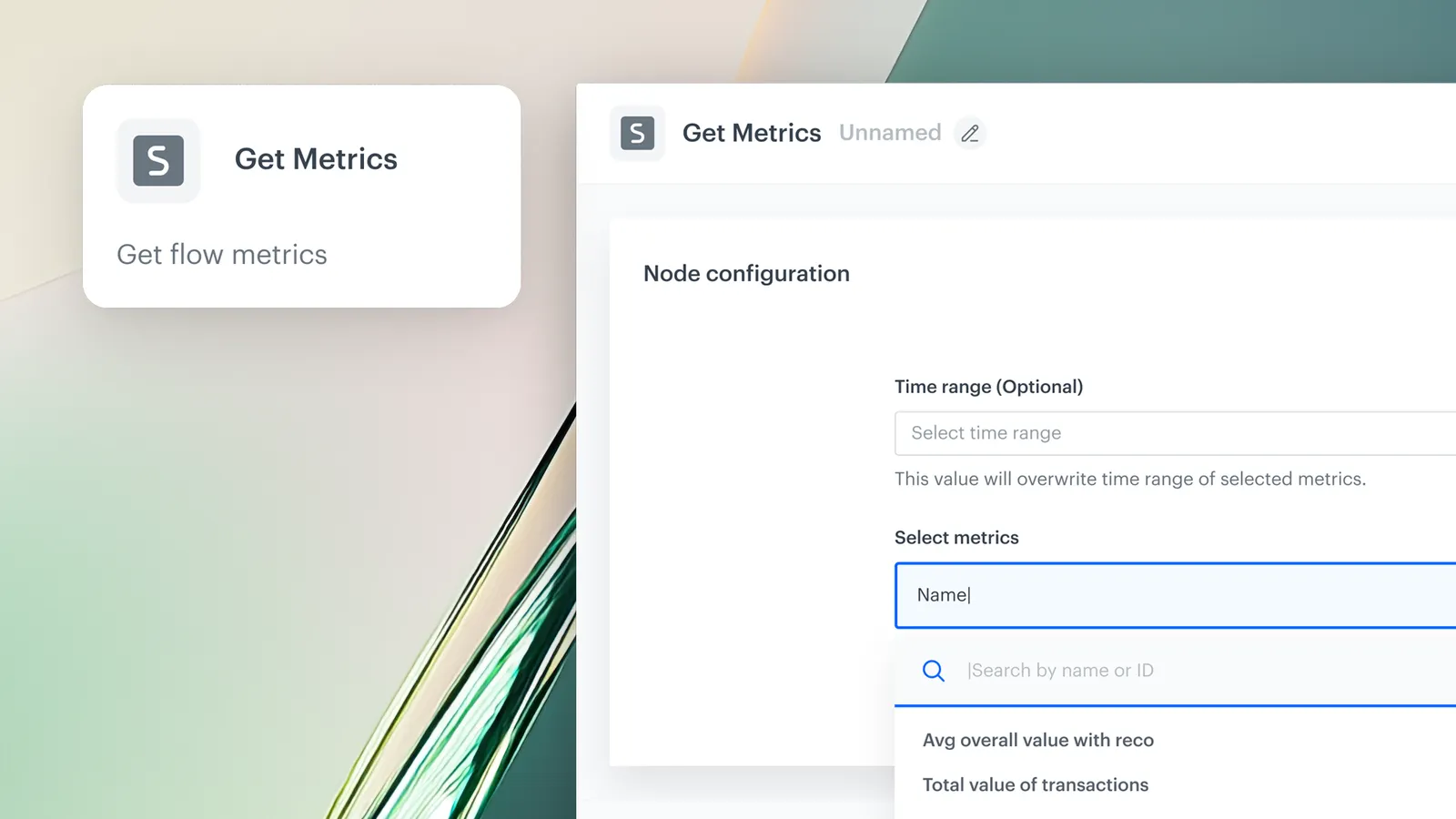
Dynamic Keys in the Get Metrics Node is a capability in Synerise Automation that allows users to define dynamic values for key parameters in metric configurations. Instead of creating separate metrics for each segment, brand, or market, users define one metric with flexible placeholders and pass dynamic values at the export configuration level — scaling automations without duplicating metric definitions.
The feature is available in the Get Metrics node within Synerise Automation workflows.
What Are Dynamic Keys?
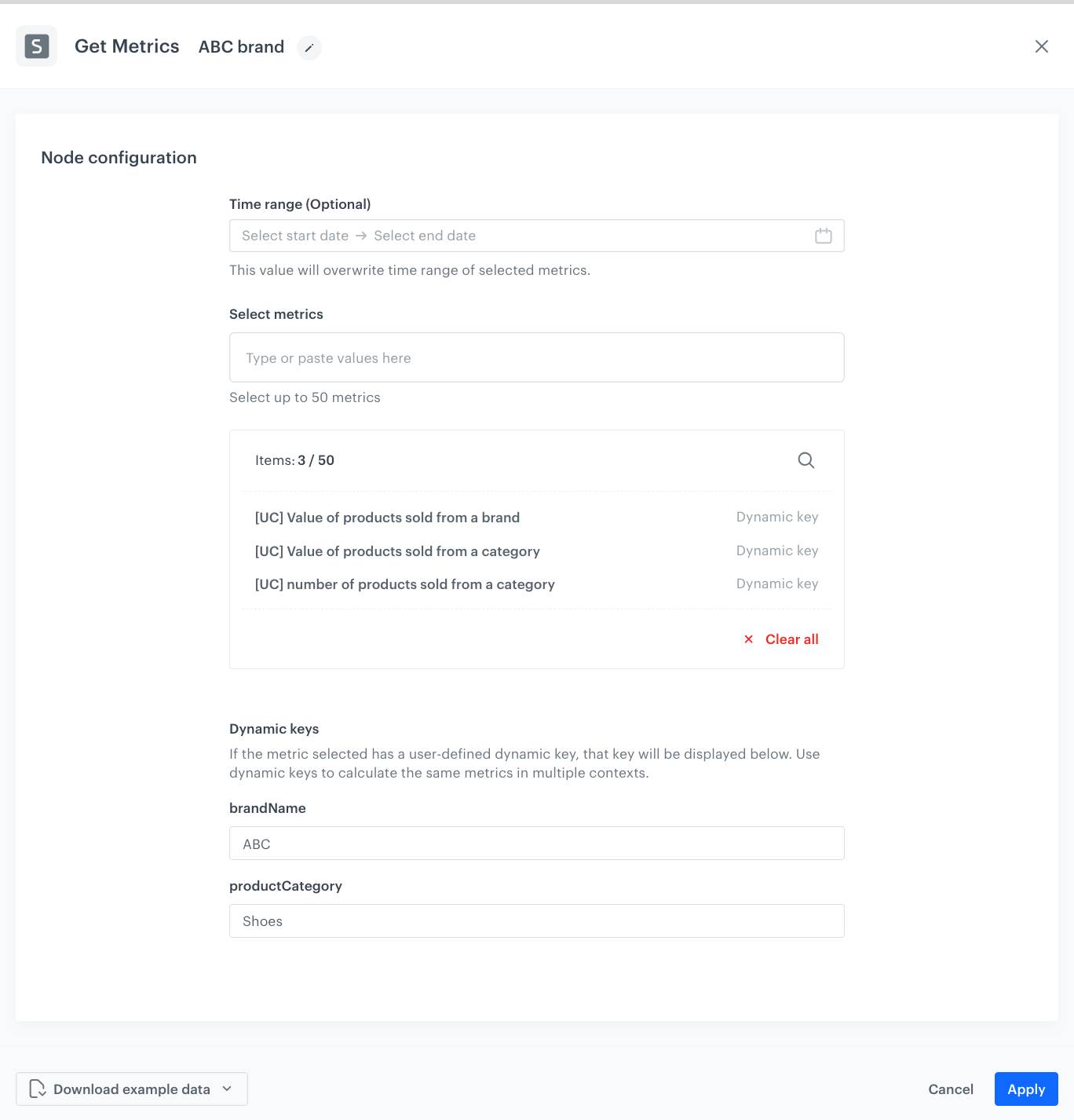
Dynamic Keys are parameterizable placeholders in metric configurations that accept dynamic values defined at the metric export level. When a metric is configured with Dynamic Keys, the same metric definition can be used across multiple contexts (segments, brands, markets) by passing different key values at runtime. This eliminates the need to create and manage separate, nearly identical metrics for each use case.
Why Dynamic Keys Matter
Teams managing multiple segments, brands, or markets often need the same metric calculated for different contexts — leading to dozens of nearly identical metric definitions that are difficult to maintain and prone to inconsistencies.
Dynamic Keys address this by:
- Allowing one metric definition to serve multiple contextual use cases through parameterization
- Eliminating the need to duplicate metric definitions for different segments, brands, or markets
- Simplifying maintenance by reducing the total number of metrics to manage
- Ensuring consistency across workflows by using a single source metric with dynamic values
Key Capabilities
Parameterized metric configurations
Metric definitions can include flexible placeholders whose values are defined at the export configuration level, enabling one metric to serve multiple contexts.
Scalable reporting
Teams managing multiple brands, segments, or markets can use a single metric definition across all contexts — scaling reporting without proportional growth in metric management.
Reduced metric management
By eliminating nearly identical metric duplicates, Dynamic Keys simplify maintenance and reduce the chance of inconsistencies across workflows.
How Dynamic Keys Work
- Create or open a metric in Synerise and add Dynamic Key placeholders to the configuration.
- Open or create a workflow in Synerise Automation.
- Add the Get Metrics node to the workflow.
- Select the metric and define the dynamic key values at the export configuration level.
- When the workflow runs, the metric is calculated using the specified dynamic values.
Example Use Case
A retail company operates in five markets and tracks "Total Revenue Last 30 Days" for each. Instead of creating five separate metrics (one per market), the team creates one metric with a Dynamic Key for "market_id." In the Get Metrics node, five export configurations reference the same metric with different market_id values. When the workflow runs, each configuration calculates the revenue for its respective market — all from a single metric definition.
FAQ
What are Dynamic Keys?
Parameterizable placeholders in metric configurations that accept dynamic values at the export level, enabling one metric to serve multiple contexts.
Where are Dynamic Keys configured?
Placeholders are added in the metric definition. Dynamic values are specified in the Get Metrics node export configuration within Automation workflows.
Do I still need to create separate metrics for each brand or market?
No. One metric with Dynamic Keys can serve all contexts by passing different values at runtime.
How many metrics can the Get Metrics node pull?
The Get Metrics node supports pulling results from up to 50 defined metrics in a single operation.
Key Facts
| Attribute | Value |
|---|---|
| Feature | Dynamic Keys in Get Metrics Node |
| Product | Synerise |
| Module | Automation |
| Purpose | Parameterize metrics with dynamic values for scalable, context-aware reporting |
| Max metrics per node | 50 |
| Use case | Multi-segment, multi-brand, multi-market reporting |
| Documentation | hub.synerise.com — Get Metric Results |
Related Concepts
- Synerise Automation Get Metrics node
- Advanced Data Export with Get Profiles
- Dedicated permissions in data export nodes
- Metrics and KPI tracking in Synerise
- Workflow-based reporting
TL;DR
Dynamic Keys in the Get Metrics Node allow users to parameterize metric configurations with dynamic values defined at the export level. One metric definition can serve multiple contexts (segments, brands, markets) without duplication. The Get Metrics node supports up to 50 metrics per operation. Dynamic Keys eliminate redundancy, simplify maintenance, and ensure consistency across reporting workflows.




