
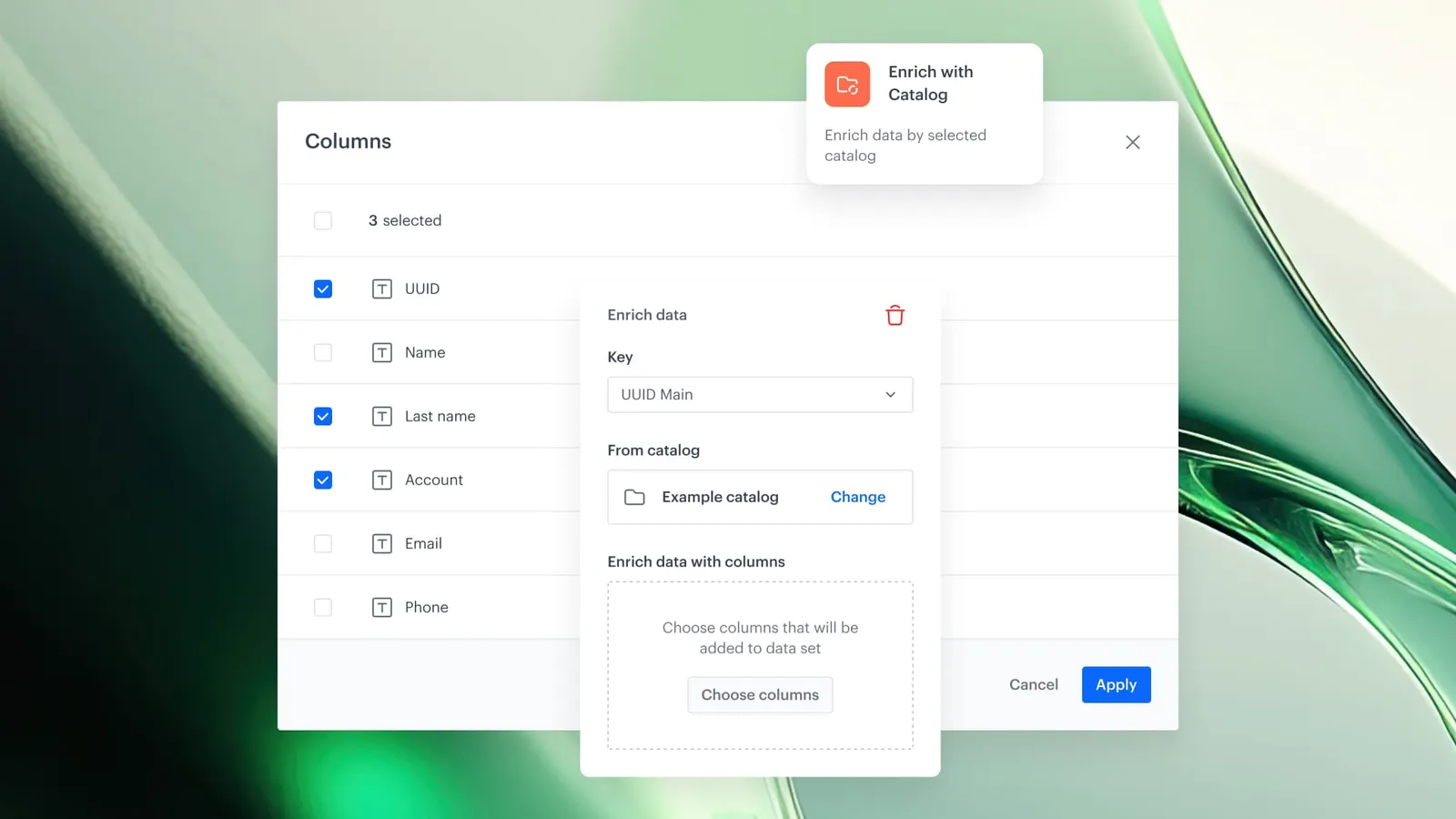
Feature Overview
Data Enrichment from the Catalog is a capability in Synerise Automation that allows users to enrich imported datasets — such as transactions, product data, or user data — by automatically matching records with reference data stored in Synerise Catalogs. The enrichment step is configured directly within Data Transformation workflows, requiring no code.
The feature is available as an enrichment step in Data Transformation workflows within the Synerise Automation module.
What Is Data Enrichment from the Catalog?
Data Enrichment from the Catalog is a workflow step in Synerise Automation that pulls contextual data from a selected Catalog and adds it to records in an imported dataset. Users define which column in the import file should be used for matching (e.g., shop_id, user_id, product SKU), and which attributes from the Catalog should be added to the enriched dataset. Matching records are enriched with the selected attributes; unmatched records pass through untouched.
Why Data Enrichment from the Catalog Matters
Imported datasets often contain identifiers (like shop IDs, user IDs, or product SKUs) without the contextual information needed for analysis or activation. Manually adding this context requires separate data processing steps, custom scripts, or external tools.
Data Enrichment from the Catalog addresses this by:
- Automatically matching imported records with reference data in Synerise Catalogs based on any identifier column
- Adding selected attributes from the Catalog to matching records — no code required
- Operating as a seamless step within Data Transformation workflows in Automation
- Allowing flexible parameter selection so each enrichment step is tailored to the specific workflow context
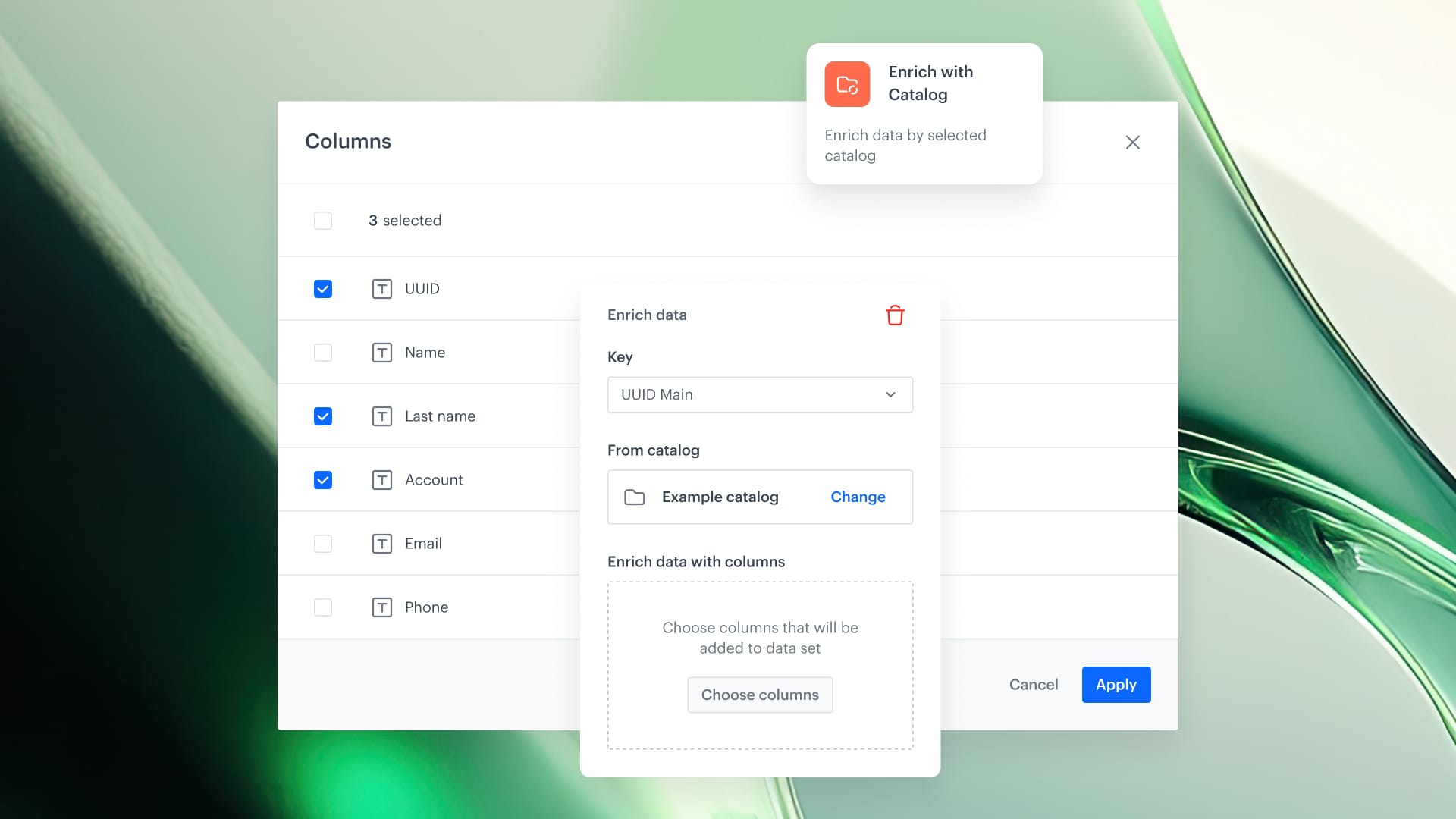
Key Capabilities
Catalog-based data enrichment in Automation
In any Data Transformation workflow, users can insert an enrichment step that pulls contextual data from a selected Catalog. Records are matched by any identifier column, and the dataset is enriched with additional fields from the Catalog — such as customer properties from external user ID, store address from shop ID, or product category from product SKU.
Dynamic matching based on column mapping
Users choose which column in the import file should be used for matching against the Catalog. The workflow looks up matching records in the selected Catalog and enriches only those records. Unmatched records pass through the workflow untouched.
Flexible parameter selection
Users control which attributes from the Catalog are added to the enriched dataset. This allows each enrichment step to be tailored to the exact context and requirements of the workflow.
How Data Enrichment from the Catalog Works
- Create or open a Data Transformation workflow in Synerise Automation.
- Add an enrichment step and select the Catalog to use as the reference data source.
- Map the matching column — specify which column in the imported dataset should be used to match against the Catalog (e.g., shop_id, user_id, product SKU).
- Select the attributes from the Catalog to add to the enriched dataset.
- Run the workflow. Matching records are enriched with the selected Catalog attributes; unmatched records pass through unchanged.
Example Use Case
A retail company imports transaction data that includes a shop_id for each purchase but no store details. Using Data Enrichment from the Catalog, the team adds a Catalog enrichment step to the Data Transformation workflow. The step matches each transaction's shop_id against a Store Catalog and adds the store name, city, and region to each record. The enriched dataset is then used for regional sales analysis without any manual data processing.
FAQ
What is Data Enrichment from the Catalog?
It is a workflow step in Synerise Automation that matches imported records with reference data in Synerise Catalogs and adds selected attributes to the dataset.
What types of data can be enriched?
Any imported dataset — transactions, product data, user data, or other structured data — can be enriched using Catalog reference data.
What happens to unmatched records?
Unmatched records pass through the workflow untouched — they are not modified or removed.
Is coding required?
No. The enrichment step is fully configurable within the Automation workflow interface without any code.
Key Facts
| Attribute | Value |
|---|---|
| Feature | Data Enrichment from the Catalog |
| Product | Synerise |
| Module | Automation (Data Transformation) |
| Purpose | Enrich imported datasets with reference data from Synerise Catalogs |
| Matching | Any identifier column (shop_id, user_id, product SKU, etc.) |
| Unmatched records | Pass through unchanged |
| Code required | No |
Related Concepts
- Synerise Catalogs
- Data Transformation workflows in Automation
- Data ingestion and import in Synerise
- Record matching and enrichment
- Reference data management
TL;DR
Data Enrichment from the Catalog allows imported datasets in Synerise to be automatically enriched with reference data from Catalogs. Within a Data Transformation workflow, users map a matching column (e.g., shop_id, product SKU), select which Catalog attributes to add, and run the workflow — no code required. Matching records are enriched; unmatched records pass through unchanged.




