
Feature Overview
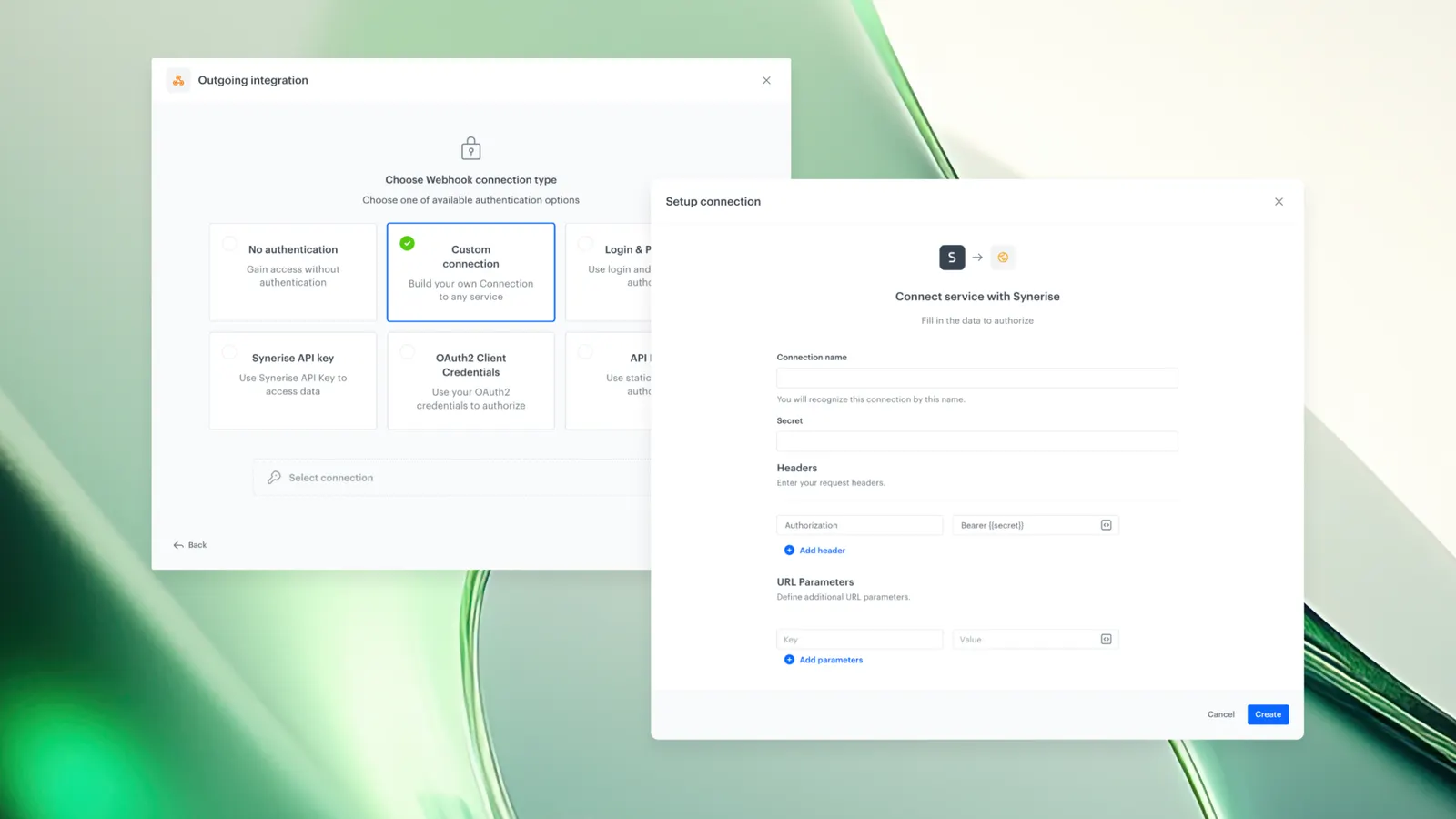
Custom Connections is a new Connection type in the Synerise platform that gives users full control over authentication flows when integrating with external APIs. Users can define the exact authorization request needed to obtain an access token and control how that token is propagated to target API requests. This release also renames the existing Token Connection type to API Key, with expanded capabilities for secret value propagation.
Custom Connections and API Key Connections are used in Outgoing Integration nodes and HTTPS nodes (Send file / Get file) within Synerise Automation.
What Is Custom Connections?
Custom Connections is a Connection type in the Synerise Connections Management module that allows users to define custom authentication flows for external API integrations. Instead of relying on predefined authentication schemas, users specify the exact HTTP request required to obtain an access token and configure how that token is included in subsequent API calls.
The feature supports combining predefined authentication methods with custom logic, or building fully custom authentication flows from scratch. The setup includes a user interface for constructing and testing the authentication request before deploying it in automations.
Additionally, the existing Token Connection type has been renamed to API Key with new capabilities: users can now modify how the secret value is passed (custom header name, URL parameter instead of header), providing more flexibility for APIs with non-standard authentication requirements. This change is fully backward-compatible — all existing Token Connections continue to work as before.
Why Custom Connections Matters
External APIs use a wide variety of authentication methods. Predefined authentication schemas in integration platforms cannot cover every possible authentication flow, which previously required workarounds or custom middleware to connect certain APIs.
Custom Connections addresses this by:
- Allowing users to replicate any authentication flow described in an external API's documentation directly within Synerise
- Removing the constraint of fixed authentication schemas — users define the exact authorization request and token propagation method
- Providing a built-in interface for constructing and testing authentication requests before deployment
- Maintaining platform-level security with dedicated permissions and security model for custom integrations
- Extending API Key connections with custom header names and URL parameter support for non-standard APIs
Key Capabilities
Define custom authorization requests
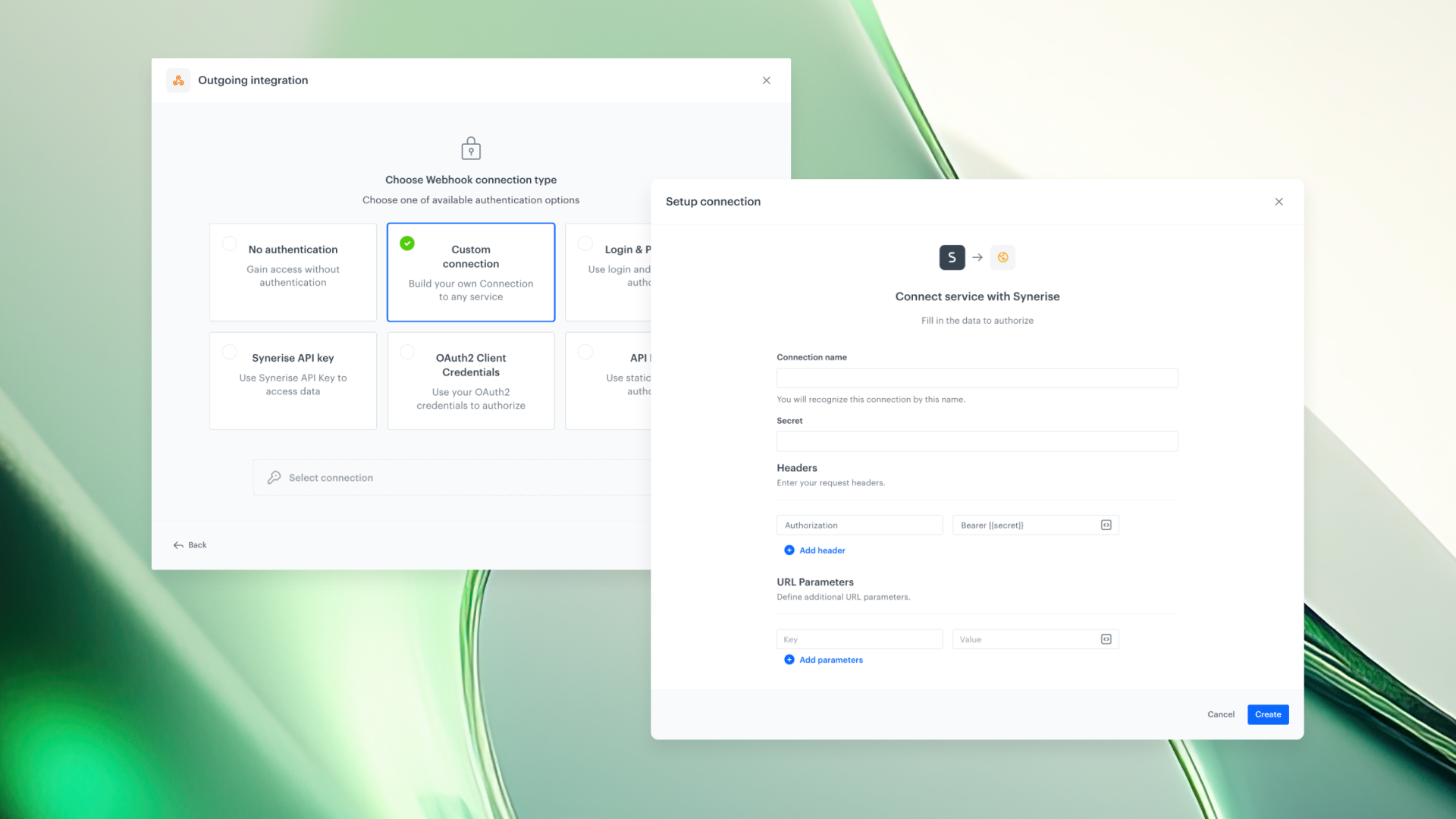
Users specify the exact HTTP request needed to obtain an access token from an external service. This includes the endpoint URL, HTTP method, headers, body parameters, and any other fields required by the external API's authentication documentation.
Control token propagation to target requests
After obtaining an access token, users configure how that token is included in the final API request generated by the Connection. The token can be placed in headers, URL parameters, or other locations as required by the target API.
API Key Connection with expanded flexibility
The renamed API Key Connection (previously Token) now supports: custom header names for the API key, sending the key as a URL parameter instead of a header, and modifying how the secret value is passed in outgoing requests. All existing Token Connections are fully backward-compatible.
Built-in authentication testing
The Custom Connection interface includes the ability to test the authentication request during setup. Users can validate that the connection works before deploying it in Automation workflows.
Platform-level security and permissions
Custom Connections use the Synerise Connections Management security model with dedicated permissions. Custom integrations are controlled and compliant with platform-level security standards.
How Custom Connections Works
- Navigate to Settings > Connections Management in Synerise.
- Create a new Connection and select the Custom Connection type.
- Define the authorization request: specify the endpoint, HTTP method, headers, and body parameters as documented by the external API.
- Configure token propagation: specify how the obtained token should be included in target API requests (header, URL parameter, etc.).
- Test the authentication request to validate the connection.
- Save the Connection and use it in Outgoing Integration nodes or HTTPS nodes (Send file / Get file) within Synerise Automation.
Example Use Case
A company needs to integrate Synerise with an external loyalty platform that uses a two-step authentication flow: first, a POST request to an OAuth endpoint with client credentials to obtain a bearer token, then inclusion of that token in the Authorization header for subsequent API calls. Using Custom Connections, the integration team defines the exact OAuth token request in the Synerise interface, configures the bearer token to be propagated in the Authorization header of target requests, tests the connection, and deploys it in an Automation workflow — without building custom middleware or using a proxy service.
FAQ
What is a Custom Connection in Synerise?
A Custom Connection is a Connection type in Synerise that allows users to define custom authentication flows for external API integrations, including the exact authorization request and token propagation method.
Where can Custom Connections be used?
Custom Connections are supported in Outgoing Integration nodes and HTTPS nodes (Send file / Get file) within Synerise Automation.
What happened to the Token Connection type?
The Token Connection type has been renamed to API Key. All existing Token Connections continue to work as before (fully backward-compatible). The renamed type now supports custom header names and URL parameter-based key propagation.
Can I test a Custom Connection before deploying it?
Yes. The Custom Connection interface includes built-in authentication testing, allowing users to validate the connection before using it in workflows.
Is there a security model for Custom Connections?
Yes. Custom Connections use the Synerise Connections Management security model with dedicated permissions, ensuring custom integrations are controlled at the platform level.
Key Facts
| Attribute | Value |
|---|---|
| Feature | Custom Connections |
| Product | Synerise |
| Module | Settings > Connections Management |
| Purpose | Define custom authentication flows for external API integrations |
| Supported nodes | Outgoing Integration, HTTPS (Send file / Get file) |
| Token Connection rename | Token → API Key (backward-compatible) |
| Testing | Built-in authentication request testing |
| Security | Platform-level permissions via Connections Management |
| Documentation | hub.synerise.com — Connections |
Related Concepts
- Synerise Connections Management
- Outgoing integrations in Synerise Automation
- API authentication (OAuth, bearer tokens, API keys)
- HTTPS nodes in Synerise Automation
- Custom API integrations
TL;DR
Custom Connections is a new Connection type in Synerise that allows users to define custom authentication flows for external API integrations. Users specify the exact authorization request and control how tokens are propagated to target API calls. The existing Token Connection has been renamed to API Key with expanded capabilities (custom headers, URL parameters). Custom Connections are supported in Outgoing Integration and HTTPS nodes, include built-in testing, and use the platform's security model. The change is fully backward-compatible.




