
Feature Overview
Web Push Notifications with Action Buttons is an enhancement to Synerise Web Push that adds up to two action buttons to web push notifications. Action buttons provide direct calls-to-action with custom text and links, enabling personalized interactions like product recommendations, promo codes, and surveys directly from the notification.
The feature is available in the Web Push campaign configuration in Synerise.
What Are Web Push Action Buttons?
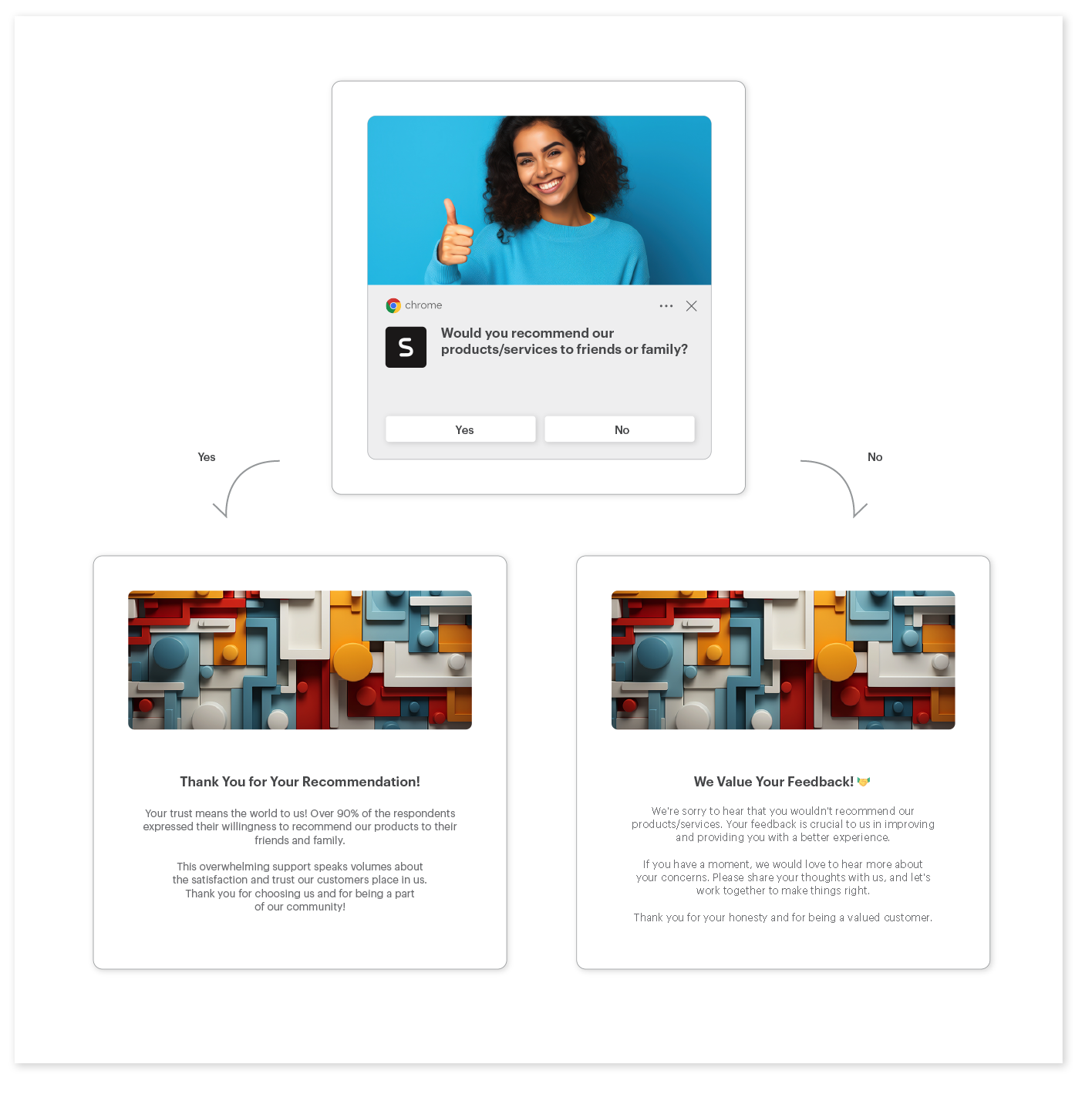
Web Push Action Buttons are configurable call-to-action buttons added to web push notifications in Synerise. Up to two buttons can be added per notification, each with custom text and a link. Buttons support personalized content — linking to customized product lists, order surveys, promotional pages, or any URL. Synerise tracks the entire user journey from notification display through button clicks to subsequent actions, enabling detailed performance analysis.
Why Web Push Action Buttons Matter
Standard web push notifications offer limited interaction — typically just a click on the notification itself. Without clear, directed calls-to-action, engagement rates are lower and users cannot be guided to specific actions or destinations.
Web Push Action Buttons address this by:
- Adding up to two direct call-to-action buttons with custom text and links
- Supporting personalized button destinations based on real-time customer behavior
- Enabling full journey tracking from notification display through button clicks to conversion
- Integrating with automation workflows for trigger-based notification scenarios
Key Capabilities
Two-step button configuration
Adding buttons is a simple two-step process: set button text and link. Up to two buttons per notification.
Personalized destinations
Buttons can link to personalized content — customized product lists, promotional pages, survey results, or any URL — based on real-time customer behavior and AI engine recommendations.
Full journey analytics
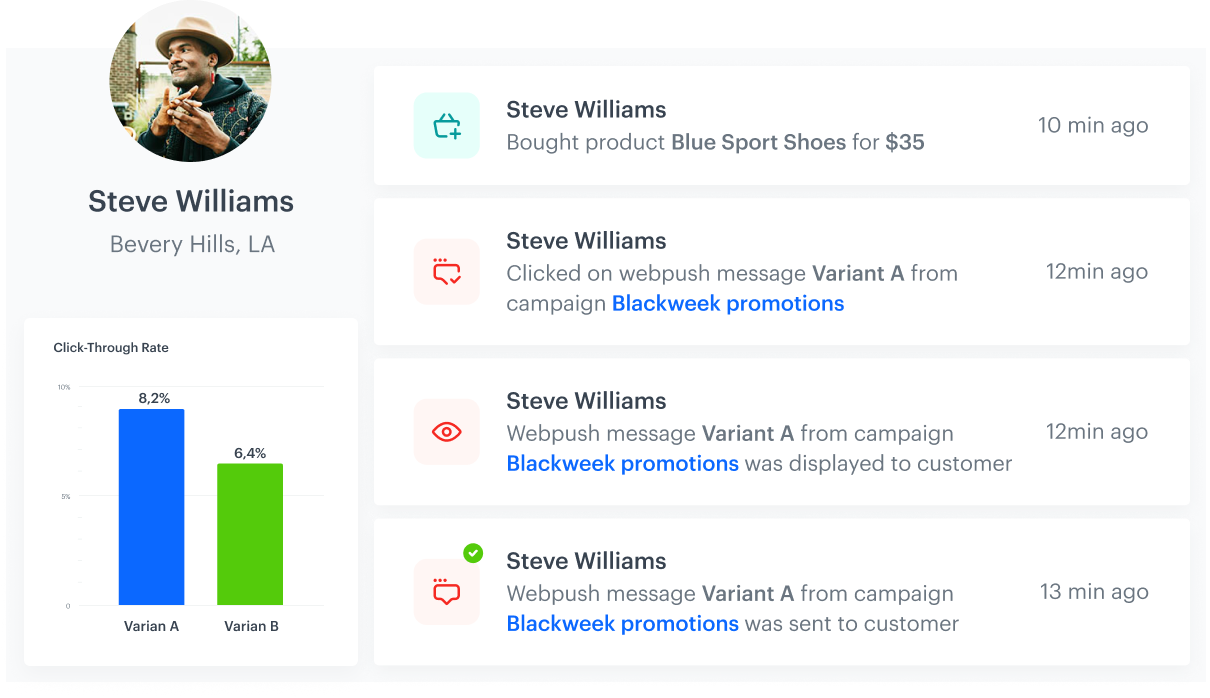
Track the entire path from notification display to button click to post-click behavior (time on site, purchases, product interests) through Synerise analytics.
Automation workflow integration
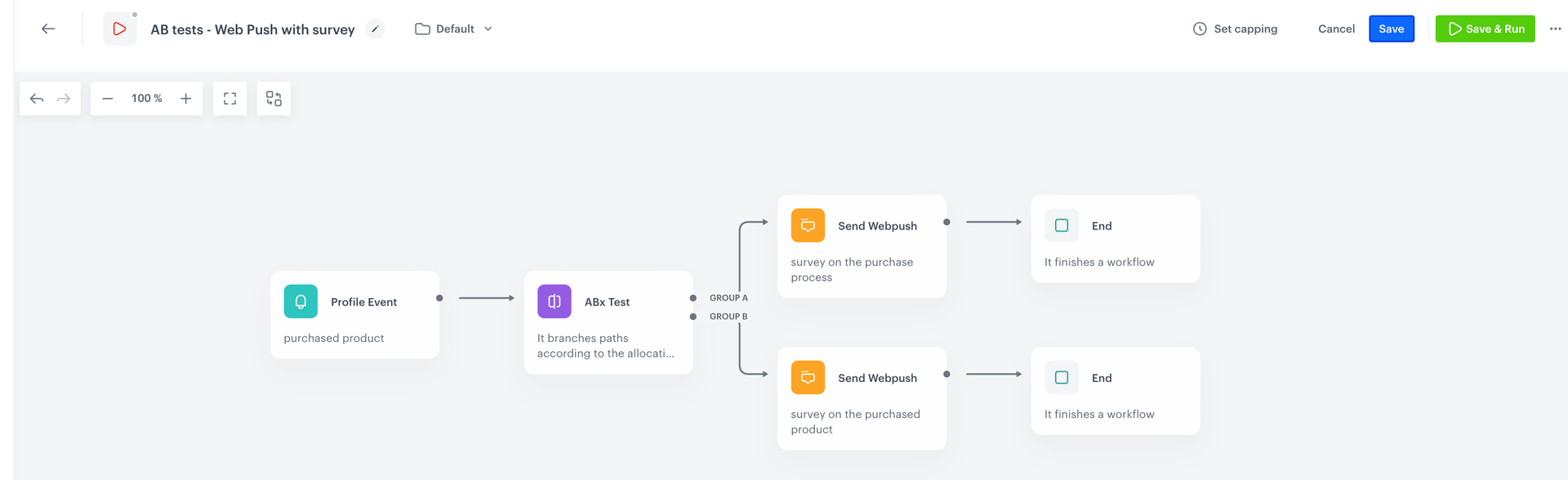
Action buttons can be used in workflow-based scenarios triggered by customer actions — purchases, favorites, email displays, and other events.
How Web Push Action Buttons Work
- Create or edit a Web Push campaign in Synerise.
- Add up to two action buttons with custom text and links.
- Optionally personalize button links using customer data, recommendations, or promo codes.
- Deploy the campaign — standalone or as part of an automation workflow.
- Track performance through analytics: notification displays, button clicks, and post-click behavior.
Example Use Case
An e-commerce store sends a web push notification for a flash sale. Button 1 links to "Shop Women's" (personalized to the customer's browsing history), and Button 2 links to "Use Code FLASH20" (a personalized promo code page). Analytics show that customers who clicked Button 1 spent 3x longer on the site than those who clicked the notification body — helping the team optimize future campaigns with more targeted button CTAs.
FAQ
What are Web Push Action Buttons?
Up to two configurable call-to-action buttons added to web push notifications with custom text and links.
How many buttons can I add?
Up to two action buttons per web push notification.
Can buttons link to personalized content?
Yes. Buttons can link to personalized product lists, promo codes, surveys, or any URL based on customer data and behavior.
Can I track button performance?
Yes. Full journey analytics track notification displays, button clicks, and post-click behavior.
Key Facts
| Attribute | Value |
|---|---|
| Feature | Web Push Notifications with Action Buttons |
| Product | Synerise |
| Module | Campaigns (Web Push) |
| Purpose | Add call-to-action buttons with custom text and links to web push notifications |
| Max buttons | 2 per notification |
| Personalization | Dynamic links based on customer behavior and AI recommendations |
| Analytics | Full journey tracking from display to conversion |
Related Concepts
- Mobile and Web Push Testing
- Synerise Web Push campaigns
- Automation workflow triggers
- Personalized campaign destinations
- Campaign performance analytics
TL;DR
Web Push Notifications with Action Buttons in Synerise adds up to two configurable call-to-action buttons per notification with custom text and links. Buttons support personalized destinations based on real-time customer behavior and AI recommendations. Full journey analytics track from notification display through button clicks to conversion. Action buttons integrate with automation workflows for trigger-based notification scenarios.




