TL;DR
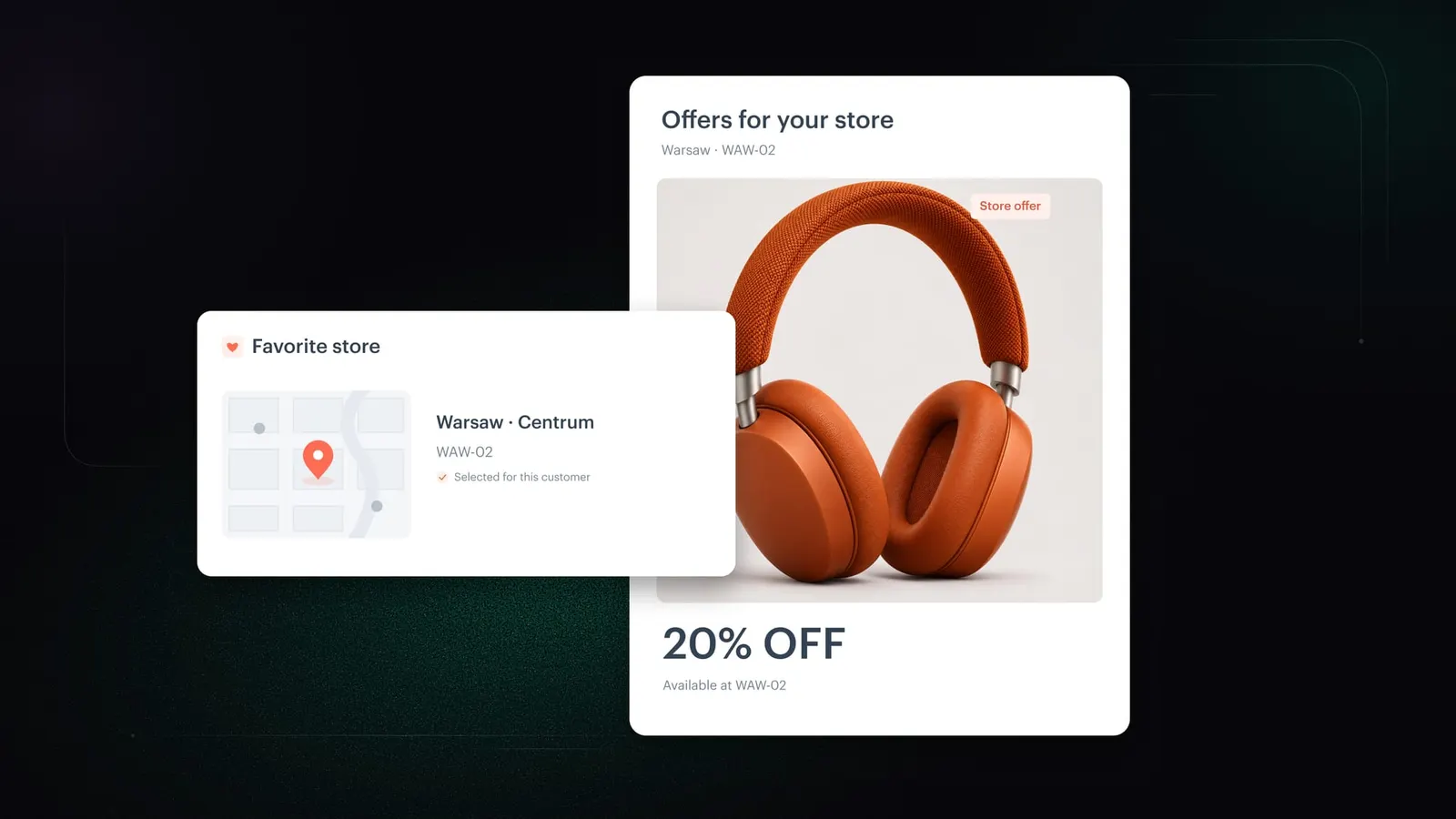
Store filtering in promotions lets marketers target promotions in Synerise to store groups defined by conditions, such as all stores of one banner in Warsaw. Each group updates automatically when the store catalog changes. Regular and personalized promotions can also be limited to each customer’s favorite stores, which Synerise works out from the profile.
Subtitles available in English, Spanish, Brazilian Portuguese
When each customer shops in only a few of your stores, which promotions should they see?
Only the ones they can use there. That’s the thinking behind store filtering in promotions, which we’ve introduced in Synerise AI Hub. You switch on each option yourself, and the campaigns and integrations you run today stay exactly as they are.
What store filtering changes for retailers
- Campaigns follow your store network as it changes. A promotion set for one banner’s stores in a city picks up a new store there as soon as it enters the store catalog. Marketers plan by banner, city, region or store format, and the store list follows the catalog.
- Personalized slots go to offers a customer can redeem. A well-scored offer is still a missed slot at a store that doesn’t run it. With favorite-store filtering, Synerise assigns only promotions valid in the customer’s stores or in all stores.
- One definition of a customer’s stores serves every touchpoint. The favorite stores definition is set once per workspace. Regular promotions, personalized promotions, mobile and check-out all read the same answer.
- The till becomes an invitation to the next visit. At check-out, a customer can also receive offers valid in their favorite stores. The receipt points them to a store they already like.
What is store filtering in promotions?
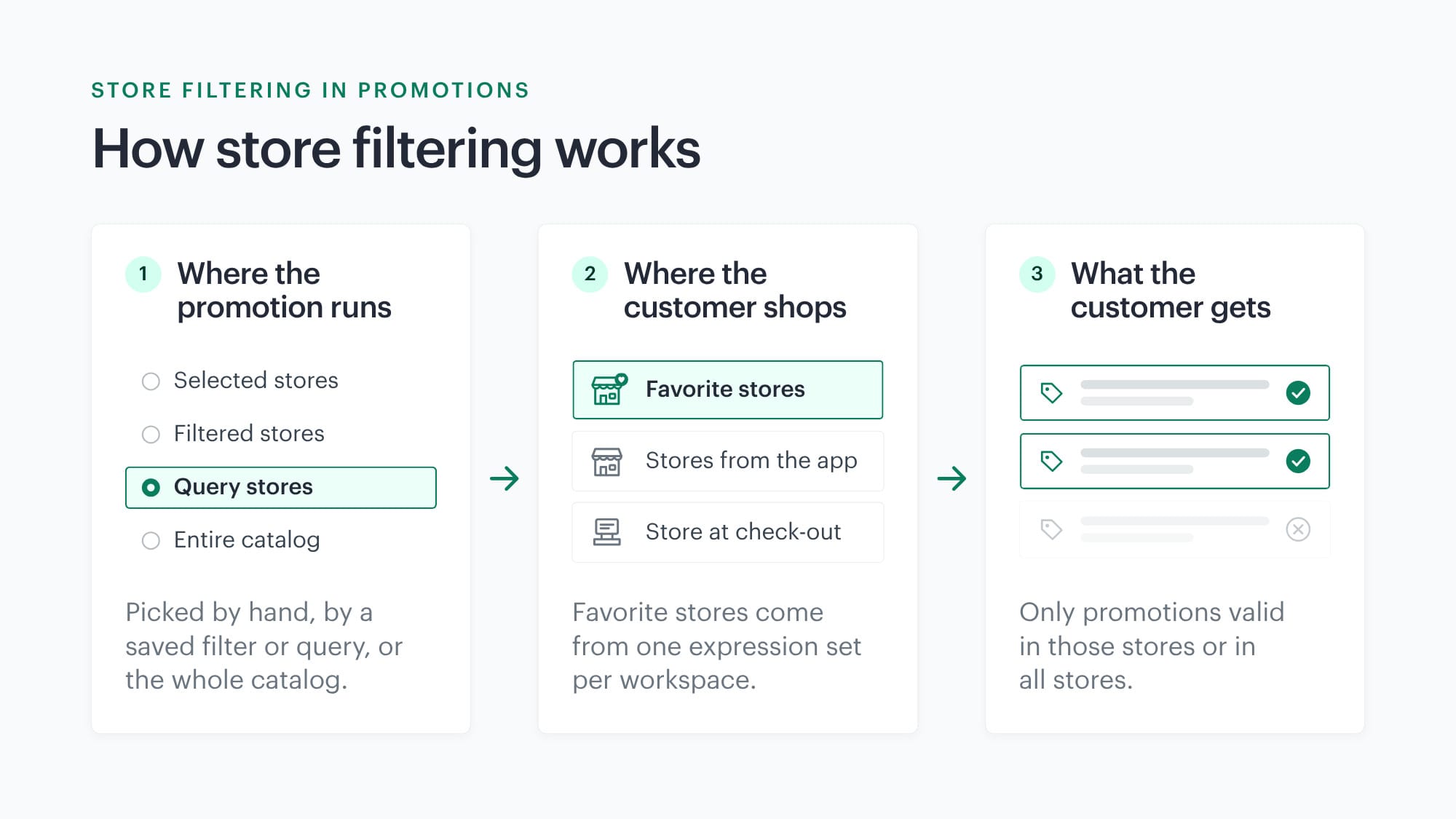
Store filtering in promotions is a set of options in Synerise AI Hub that decides where each promotion is valid. It also decides which of those stores count for a given customer. Stores come from a store catalog. A promotion can target selected stores, a saved catalog filter, a store query or the entire catalog. Personalized promotions can then narrow the choice to the customer’s favorite stores and to store IDs sent with the request.
Key capabilities
Store groups from a saved filter or a query
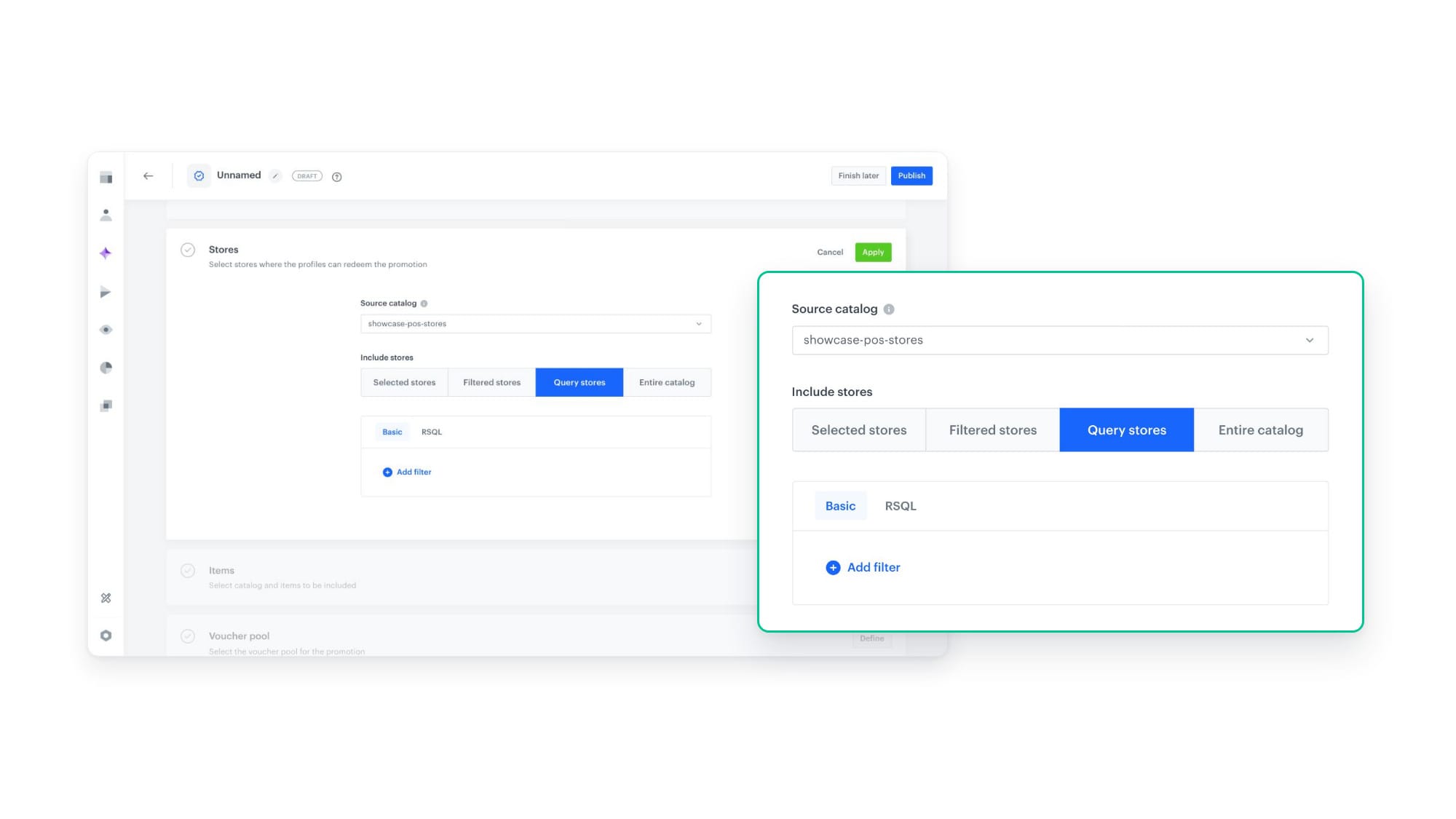
In a promotion’s Stores section, marketers pick stores from a store catalog. Filtered stores uses a filter saved in the catalog. Query stores builds a condition in the Basic builder or the RSQL query editor, for example banner==1;city=="Warsaw". Queries use attributes indexed in the catalog. Both options update automatically when the store catalog changes, and the Stores matching the filter box shows how many stores qualify.
Favorite stores for each customer
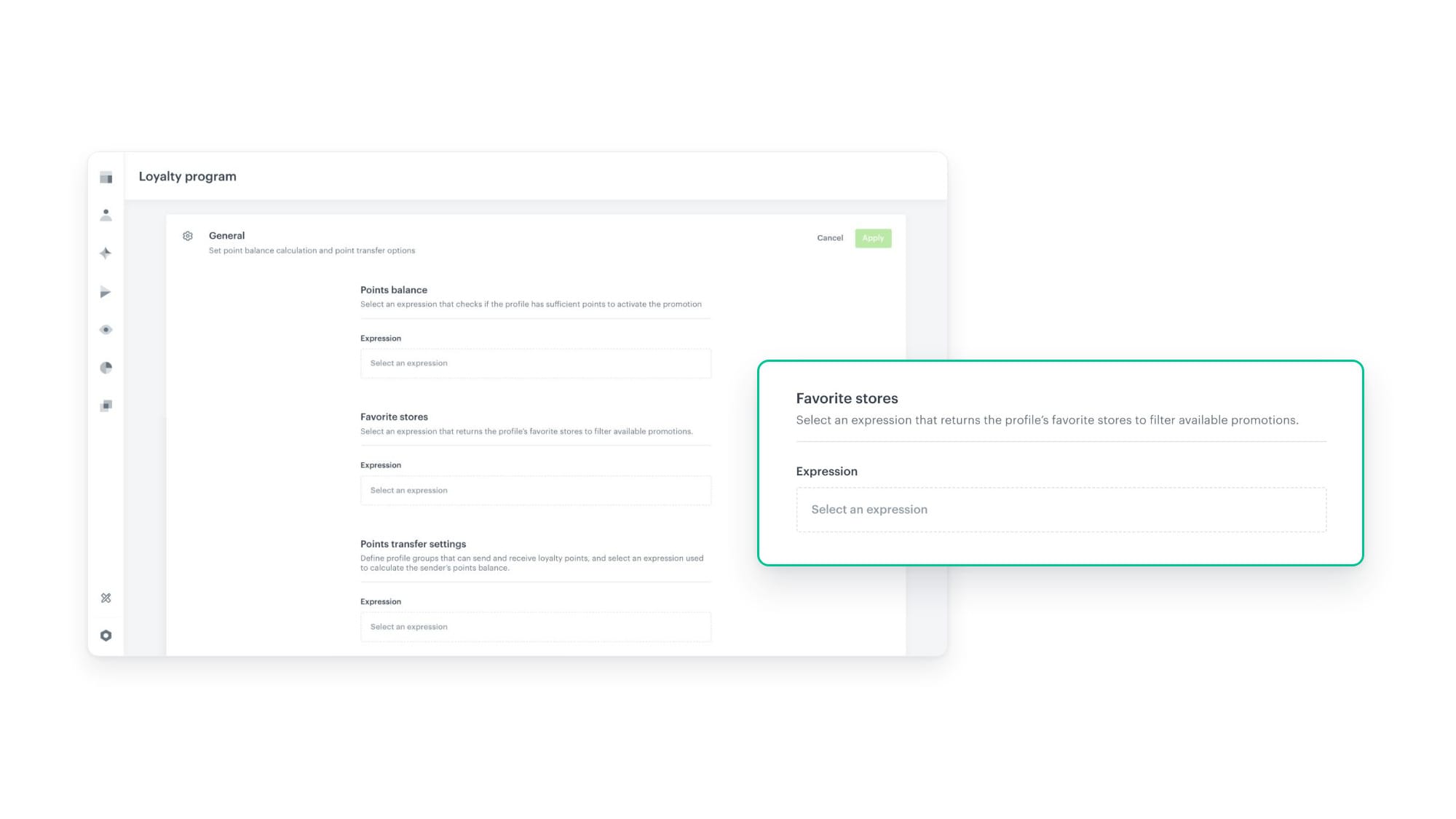
Favorite stores come from an expression chosen once per workspace in Settings > Loyalty > General. How you build the expression is up to you. It can return a customer’s top 3 stores, every store they shopped in over the last 12 months, or a fixed list from an external tool. Regular and personalized promotions can then be filtered by each customer’s favorite stores. If the expression returns nothing for a customer, only promotions valid in all stores or in the other stores used for filtering apply.
Store IDs sent with the request
A personalized promotion request can carry store IDs in the storeIds parameter, for example the store a customer picked in the app. With Filter by favorite stores switched on, Synerise uses the customer’s favorite stores plus the stores sent in the request. Store IDs that are not in the store catalog are ignored.
Favorite stores at check-out
In personalized promotions of the Check-out type, Filter by favorite stores adds the customer’s favorite stores to the store where they are paying. The customer can leave the till with an offer for their next visit to a favorite store.
Example use case
See how promotions work in practice
Authors
A promotion the customer can’t redeem in their store does more harm than no promotion at all. Now Synerise works out which stores matter to each customer, so every offer they see is one they can actually use.
Michał Daniluk, Product Manager
Release note contributors: Aleksandra Wyszkowska (Product Marketing Manager), Michał Daniluk (Product Manager)
See how to set up store filtering
The documentation walks through every store filtering option, step by step:
FAQ
Do existing promotions change when store filtering goes live?
No. Every store filtering option is opt-in, and existing campaigns and integrations keep working as they do today.
Can a promotion still run in every store?
Yes. Choosing Entire catalog in a promotion’s Stores section makes it valid in all stores. It stays available whatever store filtering applies to a customer.
Where is the favorite stores definition set?
In Settings > Loyalty > General, in the Favorite stores setting. You choose the expression that returns each customer’s favorite stores once per workspace.
What happens to promotions a customer already has when their favorite stores change?
Store limits apply when Synerise assigns new promotions or fills empty slots. Promotions already assigned to a customer stay until they expire.
Does store filtering change how Synerise AI picks personalized promotions?
Yes. Synerise AI selects personalized promotions only from those valid in the customer’s stores or in all stores. Store filtering sets the pool, and the AI picks the best fit from it.
Key facts
| Attribute | Value |
|---|---|
| Feature | Store filtering in promotions |
| Hub | Synerise AI Hub (Promotions, Personalized promotions) |
| Store selection options | Selected stores, Filtered stores, Query stores, Entire catalog |
| Store queries | Basic builder or RSQL query editor, indexed catalog attributes only |
| Customer-level filtering | Favorite stores (expression set in Settings > Loyalty > General), store IDs in the storeIds request parameter |
| Promotion types covered | Regular promotions, personalized promotions (Personal devices, Check-out) |
| Adoption | Opt-in, existing campaigns and integrations unchanged |