
Feature Overview
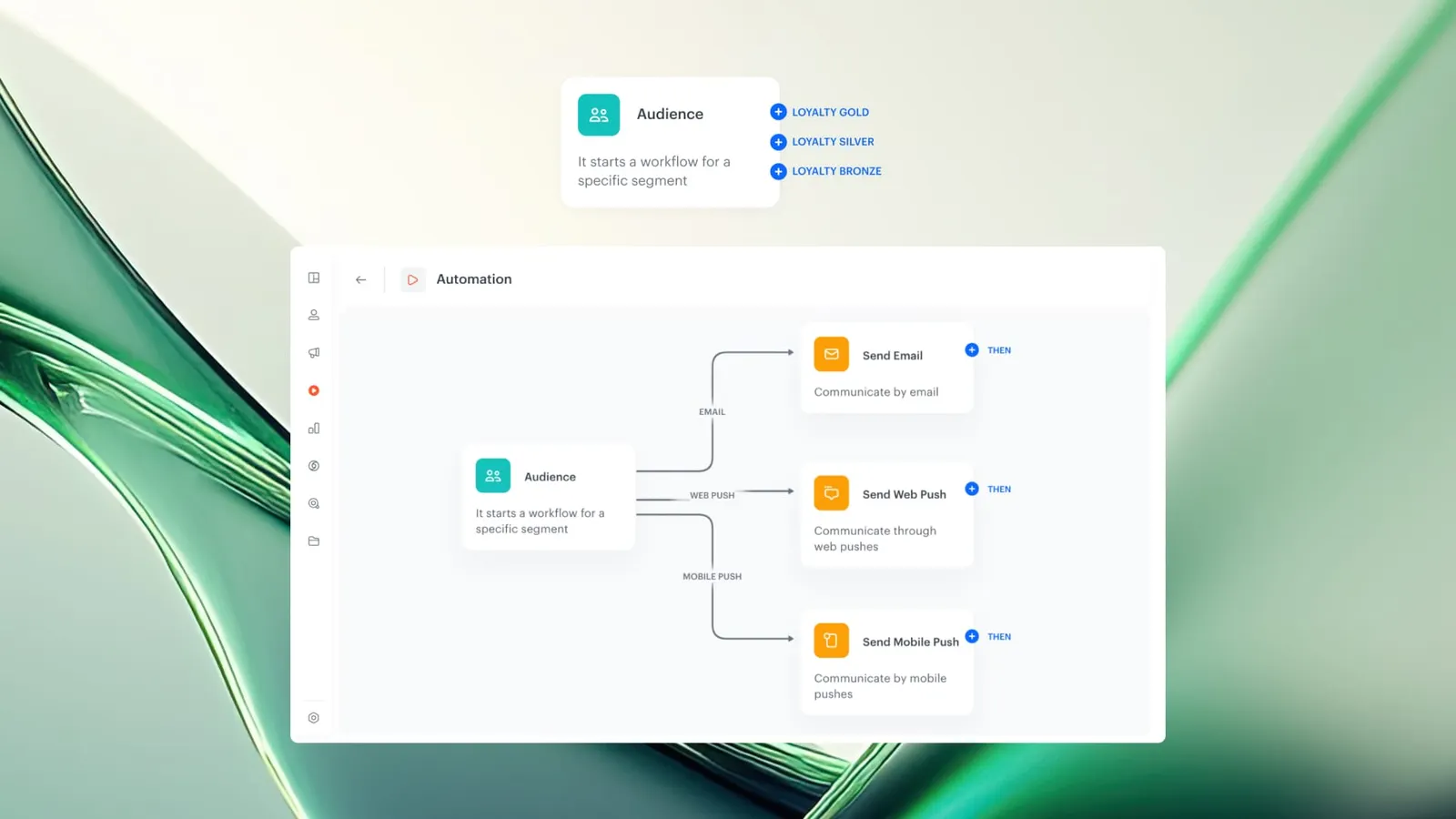
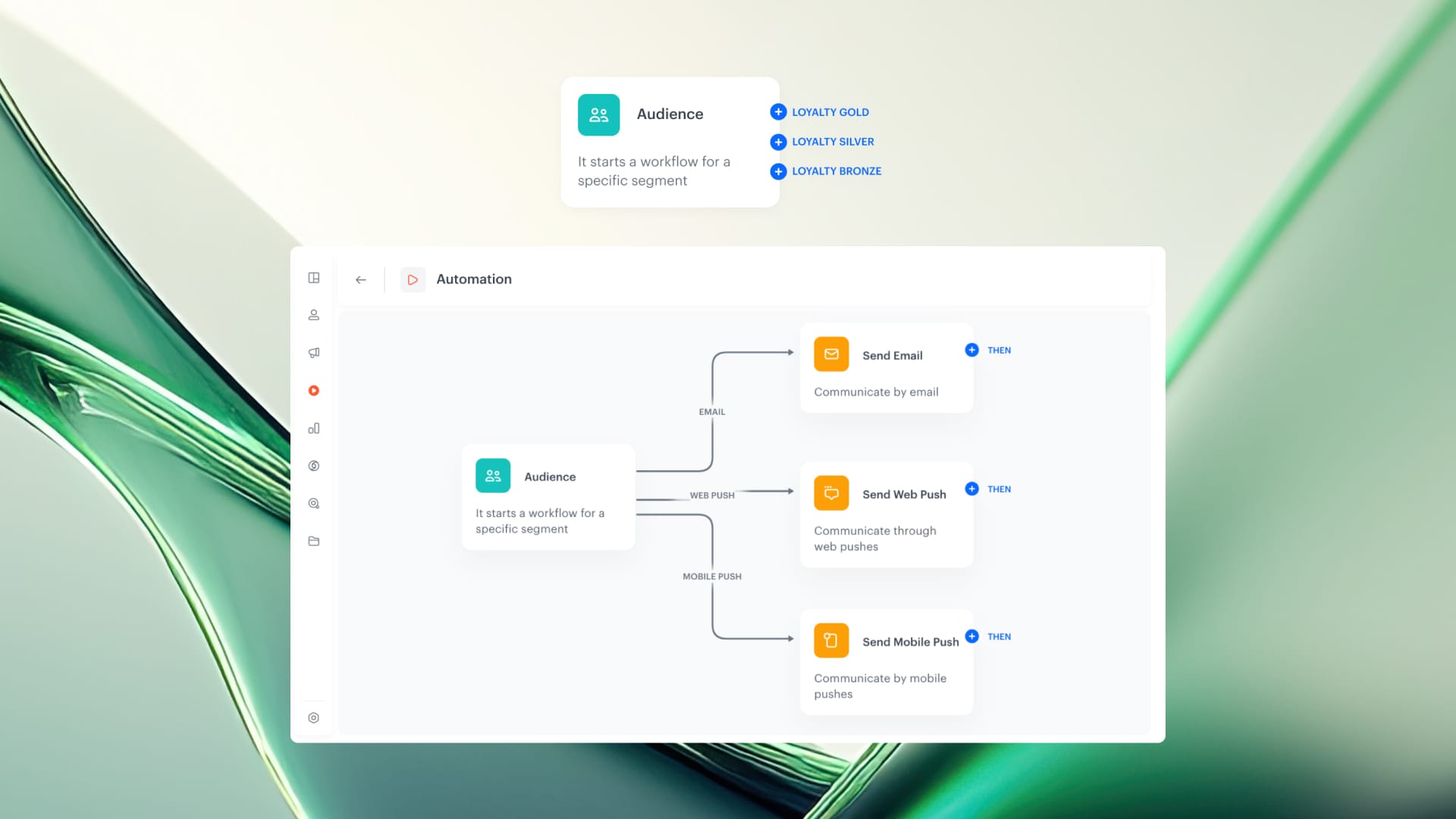
Segment-Based Branching is a capability in the Synerise Automation module that allows Audience and Profile Filter nodes to split workflow paths based on individual subsegments within a segmentation. When enabled, the node generates separate output paths for each subsegment (up to 10), with each path labeled by segment name. This enables granular, segment-specific logic within a single workflow.
The feature is available through the "Split audience" mode in both the Audience node and the Profile Filter node within the Synerise workflow builder.
What Is Segment-Based Branching?
Segment-Based Branching is a "Split audience" mode available in the Audience and Profile Filter nodes of Synerise Automation. When activated, users select a segmentation containing up to 10 subsegments. The node then generates a separate output path for each subsegment, allowing different workflow logic, actions, and communication to be applied to each audience group within a single workflow.
The feature works in two contexts: in the Audience node (at the start of a workflow, defining the initial audience split) and in the Profile Filter node (mid-workflow, splitting the audience after a trigger, condition, or action).
Why Segment-Based Branching Matters
Without segment-based branching, applying different workflow logic to different audience segments requires either duplicating workflows or using multiple sequential filter conditions. Both approaches increase complexity, maintenance overhead, and the risk of inconsistencies.
Segment-Based Branching addresses this by:
- Enabling multiple parallel campaign paths within a single workflow, each targeting a specific subsegment
- Supporting communication prioritization — the order of segments can be used as campaign logic to control which audiences receive messages first
- Reducing workflow duplication when the same campaign needs different actions per audience group
- Allowing rapid adaptation when segmentation changes — the workflow branches update based on the selected segmentation without rebuilding
Key Capabilities
Split audience in the Audience node
The Audience node supports a "Split audience" tab where users select a segmentation. The node generates separate output paths for each subsegment (up to 10), with each path labeled by the corresponding segment name. This enables segment-specific logic from the start of the workflow.
Split audience in the Profile Filter node
The Profile Filter node also supports "Split audience" mode. When placed after a trigger, condition, or action, it branches the audience into separate paths based on the selected segmentation. This is suited for applying differentiated follow-up logic based on segment membership at any point in the workflow.
Communication prioritization by segment order
The order of segments within the branching can be used as campaign logic to prioritize communication. Audiences in higher-priority segments are processed first, enabling an "air traffic control" approach where the most important customer groups receive messages before others.
How Segment-Based Branching Works
Using Split Audience in the Audience node
- Add the Audience node to the workflow.
- In the configuration panel, go to the "Split audience" tab.
- Choose a segmentation containing up to 10 subsegments.
- Click "Apply" to confirm.
- The node generates separate output paths for each subsegment, each labeled with the segment name.
- Define unique logic and actions for each path.
Using Split Audience in a Profile Filter node
- After any trigger, condition, or action in the workflow, add a Profile Filter node.
- In the node settings, select the "Split audience" tab.
- Choose a segmentation with up to 10 subsegments.
- Click "Apply" to confirm.
- The Profile Filter branches the audience into separate paths based on the segmentation.
Example Use Case
A retail company has a segmentation with three subsegments: VIP customers, regular customers, and new customers. Using Segment-Based Branching in the Audience node, the marketing team creates a single promotional workflow with three paths. VIP customers receive an early access offer via email and SMS. Regular customers receive the standard promotion email 24 hours later. New customers receive a welcome message with the promotion and a product discovery recommendation. All three paths are managed within one workflow, with VIP customers processed first.
FAQ
What is Segment-Based Branching in Synerise?
Segment-Based Branching is a "Split audience" mode in the Audience and Profile Filter nodes that generates separate workflow paths for each subsegment within a selected segmentation.
How many subsegments can be used for branching?
Up to 10 subsegments per segmentation can be used for branching.
Can Segment-Based Branching be used mid-workflow?
Yes. The Profile Filter node supports "Split audience" mode and can be placed after any trigger, condition, or action in the workflow.
Does changing the segmentation require rebuilding the workflow?
No. Workflow branches update based on the selected segmentation. Changes to the segmentation are reflected in the branching without rebuilding the workflow.
Can segment order be used to prioritize communication?
Yes. The order of segments in the branching determines processing priority, allowing higher-priority audiences to receive messages first.
Key Facts
| Attribute | Value |
|---|---|
| Feature | Segment-Based Branching |
| Product | Synerise |
| Module | Automation (Audience node, Profile Filter node) |
| Purpose | Split workflow paths based on subsegments within a segmentation |
| Maximum subsegments | 10 per segmentation |
| Available in | Audience node (workflow start), Profile Filter node (mid-workflow) |
| Prioritization | Segment order determines processing priority |
Related Concepts
- Synerise Automation workflows
- Audience segmentation in Synerise
- Profile Filter node
- Campaign prioritization
- Workflow branching and conditional logic
TL;DR
Segment-Based Branching adds a "Split audience" mode to the Audience and Profile Filter nodes in Synerise Automation. It generates separate workflow paths for each subsegment (up to 10) within a selected segmentation, enabling segment-specific actions, communication, and prioritization within a single workflow. The feature works at workflow start (Audience node) and mid-workflow (Profile Filter node), reducing the need for duplicate workflows when targeting different audience groups.




