
Feature Overview
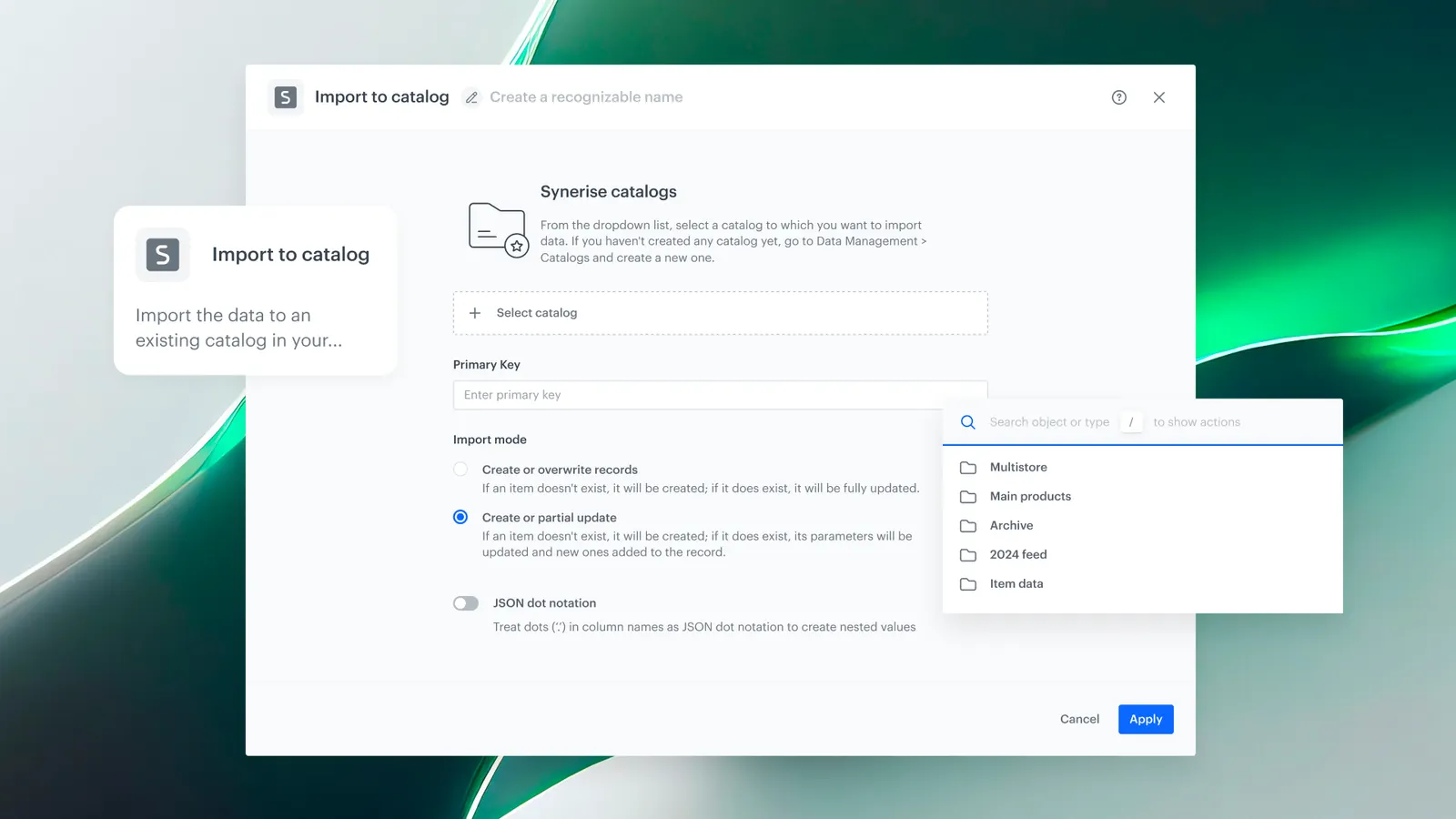
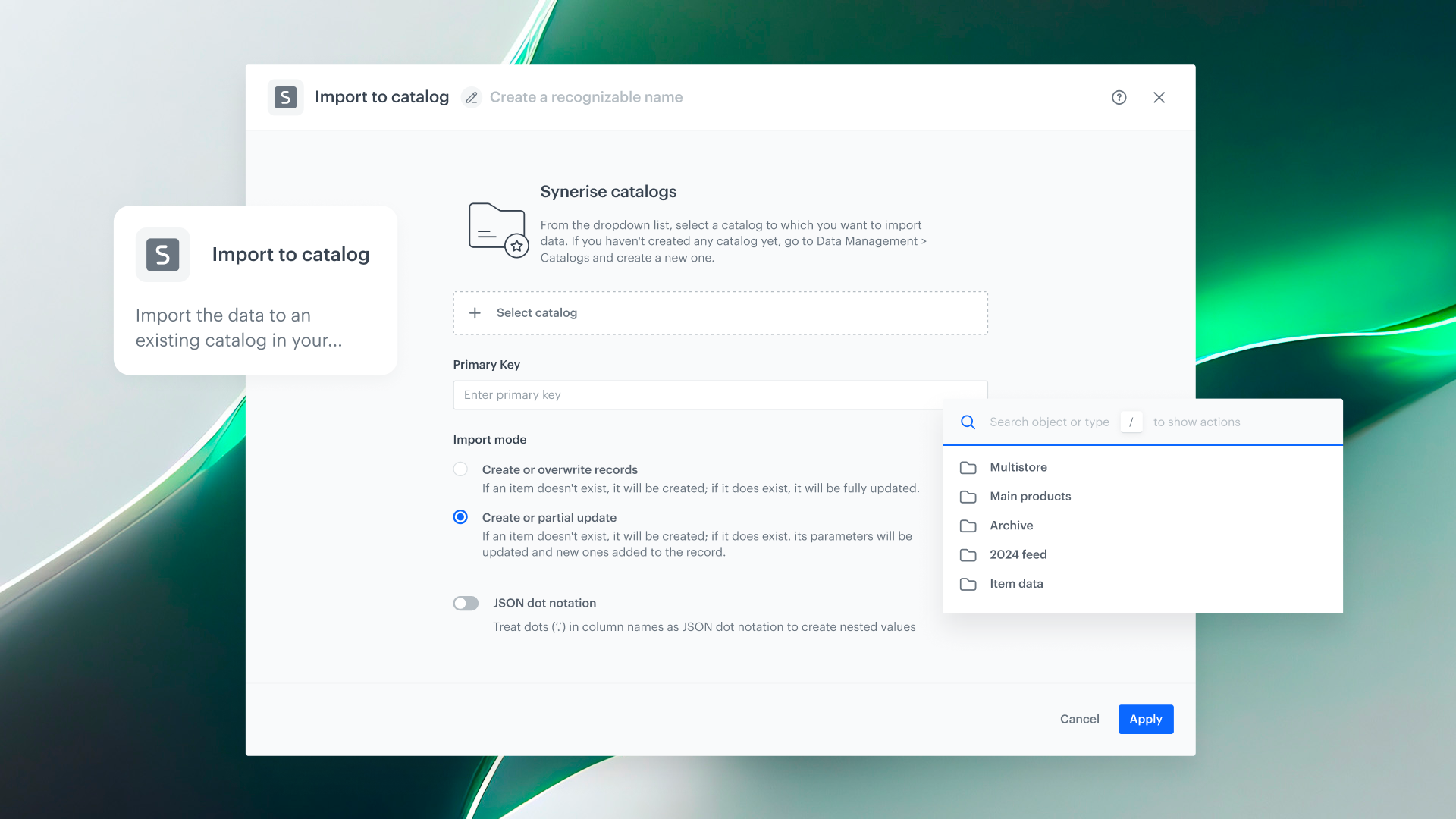
Partial Updates for Catalog Import is a capability in Synerise that allows users to update specific fields in Catalog items without resending the entire dataset. The "Partial Update" mode is available in both the Import to Catalog node in Automation and the direct import in the Assets module, enabling faster, lighter catalog management when only a subset of attributes has changed.
The feature extends the existing Import to Catalog functionality with a new import mode.
What Are Partial Updates for Catalog Import?
Partial Updates for Catalog Import is a new import mode in Synerise that allows updating individual fields in existing Catalog items by sending only the item key and the changed fields. All other attributes in the item remain untouched. Previously, any update to a Catalog item required resending the entire dataset — even if only one field had changed.
Why Partial Updates for Catalog Import Matter
In dynamic industries where product data changes frequently (e.g., price updates, stock levels, promotional flags), full dataset imports for every change are slow, bandwidth-intensive, and risk overwriting correct data with stale values from the full export.
Partial Updates address this by:
- Allowing updates to individual fields without resending the entire dataset
- Reducing import size, processing time, and bandwidth usage
- Eliminating the risk of overwriting unchanged attributes with stale data
- Supporting both direct imports (Assets module) and automated imports (Automation workflows)
Key Capabilities
Partial Update mode in Import to Catalog
The Import to Catalog node in Automation and the direct import in Assets now support a "Partial Update" mode. Users send only the item key and the fields that have changed — all other fields remain untouched.
Available in Automation and Assets
Partial updates work in both contexts: as an automated step in Automation workflows (via the Import to Catalog node) and as a direct import action in the Assets module Catalog view.
Selective field updates
Only the specified fields are updated. This is ideal for scenarios like price changes, stock level updates, or promotional flag toggles where most of the item data remains unchanged.
How Partial Updates for Catalog Import Work
- Prepare a dataset containing the item key and only the fields that need to be updated.
- In Automation: add the Import to Catalog node and select "Partial Update" mode. In Assets: use the direct import and select "Partial Update".
- Upload or connect the dataset.
- The import updates only the specified fields for matching items. All other attributes remain unchanged.
Example Use Case
An e-commerce company updates product prices multiple times per day based on market conditions. Instead of resending the full product catalog (with images, descriptions, categories, and other attributes), they send a partial update containing only the product key and the new price. The import processes in seconds, updating only the price field while keeping all other product data intact.
FAQ
What are Partial Updates for Catalog Import?
A new import mode that allows updating specific fields in Catalog items by sending only the item key and the changed fields, without resending the full dataset.
Where is Partial Update mode available?
In the Import to Catalog node in Automation workflows and in the direct import in the Assets module Catalog view.
What happens to fields not included in the partial update?
They remain unchanged. Only the fields included in the import are updated.
Can I update a single field?
Yes. You can send the item key and just one changed field — all other attributes stay as they are.
Key Facts
| Attribute | Value |
|---|---|
| Feature | Partial Updates for Catalog Import |
| Product | Synerise |
| Module | Automation (Import to Catalog node), Assets (Catalog) |
| Purpose | Update specific Catalog fields without resending the full dataset |
| Import mode | Partial Update |
| Unchanged fields | Remain untouched |
| Documentation | hub.synerise.com — Import to Catalog |
Related Concepts
- Synerise Catalogs and item feeds
- Data import and synchronization
- Automation workflow actions
- Product data management
- Real-time catalog updates
TL;DR
Partial Updates for Catalog Import adds a "Partial Update" mode to the Import to Catalog node in Automation and the direct import in Assets. Users send only the item key and the changed fields — all other attributes remain untouched. This reduces import size, processing time, and the risk of overwriting unchanged data, making catalog management faster and more efficient for dynamic data scenarios.




