
Feature Overview
Communication Templates Library Upgrade is a set of improvements to the template library in Synerise that applies across email, dynamic content, web push, and in-app message templates. The upgrade introduces multi-level search by name or ID, direct links to templates (linkable from anywhere on the platform), and a refreshed listing view with contextual menus.
The improvements apply to the template library across all communication channels in Synerise.
What Is the Templates Library Upgrade?
The Templates Library Upgrade is a set of navigation, search, and accessibility improvements to the Synerise communication template library. Key changes include: multi-level search that finds templates by name or ID without navigating into folders, direct template links that can be shared from anywhere on the platform, and a refreshed listing view with contextual menus for faster template management. These improvements apply to email, dynamic content, web push, and in-app message templates.
Why the Templates Library Upgrade Matters
As template libraries grow with more campaigns and channels, finding the right template becomes increasingly difficult. Without search, direct linking, and organized listings, teams lose time navigating folder structures and manually communicating template locations.
The Templates Library Upgrade addresses this by:
- Enabling direct search by template name or ID — without navigating folder structures
- Introducing direct links to templates, shareable from anywhere on the platform
- Providing a refreshed listing view with contextual menus and improved navigation
- Applying improvements across all communication channels (email, dynamic content, web push, in-app)
Key Capabilities
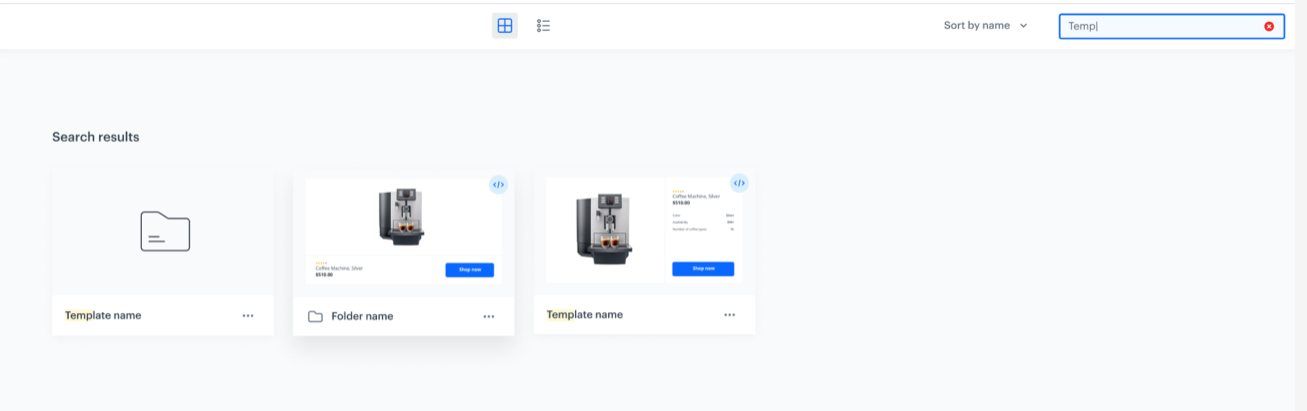
Multi-level template search
Search for templates directly by name or ID from the search bar. The system finds all matching results — templates and the folders they are in — without requiring manual folder navigation.
Direct template links
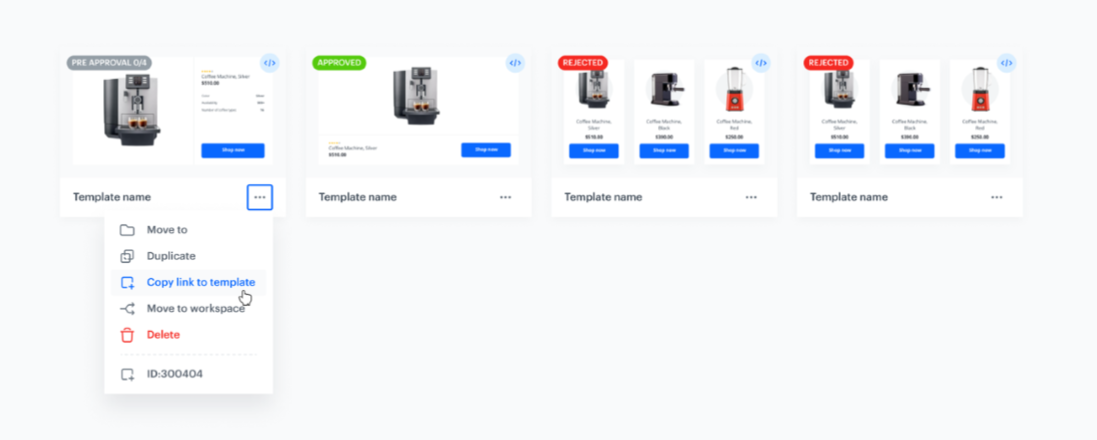
Each template has a direct link that can be shared and accessed from anywhere on the platform — speeding up team communication and collaboration.
Refreshed listing view
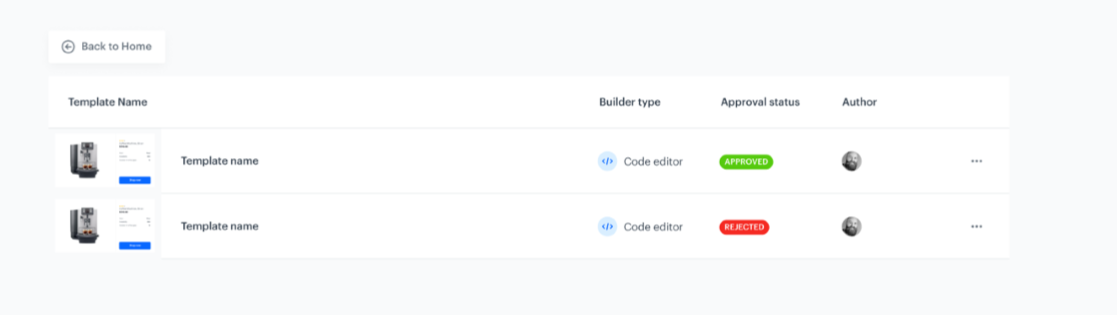
Updated listing layout with improved navigation and contextual menus for faster template management and access.
How the Templates Library Upgrade Works
- Open the template library for any communication channel (email, dynamic content, web push, in-app).
- Use the search bar to find templates by name or ID — results include matching templates and their folder locations.
- Copy direct links to share specific templates with team members.
- Browse the refreshed listing with contextual menus for quick access to template actions.
Example Use Case
A marketing team manages 200+ email templates across multiple campaign folders. A team lead needs to share a specific promotional template with a colleague. Instead of describing the folder path, they copy the template's direct link and share it in a message. The colleague clicks the link and opens the template immediately — no folder navigation needed. When looking for a template by partial name, the search bar finds all matching templates across all folders instantly.
FAQ
What improved in the template library?
Multi-level search by name/ID, direct links to templates, and a refreshed listing view with contextual menus.
Which channels are affected?
Email, dynamic content, web push, and in-app message templates.
Can I share templates with a link?
Yes. Each template has a direct link that can be accessed from anywhere on the platform.
Key Facts
| Attribute | Value |
|---|---|
| Feature | Communication Templates Library Upgrade |
| Product | Synerise |
| Module | Campaigns (cross-channel) |
| Purpose | Improved template search, direct linking, and refreshed listing view |
| Channels | Email, Dynamic Content, Web Push, In-App |
| Search | By name or ID, multi-level with folder matching |
| Linking | Direct template links shareable from anywhere |
Related Concepts
- Refreshed Mobile Push Builder
- Enhanced Landing Page Module
- Simplified Template Configuration
- Template management in Synerise
- Cross-channel campaign creation
TL;DR
The Communication Templates Library Upgrade in Synerise introduces multi-level search by template name or ID (without folder navigation), direct template links shareable from anywhere on the platform, and a refreshed listing view with contextual menus. Improvements apply across email, dynamic content, web push, and in-app message templates.




